Before installing a Phone Tracker App Android, users should understand which permissions the app requires, how location data is collected, and whether it may affect battery life or device performance. Choosing a reliable app, configuring permissions appropriately, and using it only on a device you own, manage, or have permission to monitor can make tracking safer and more transparent. In the article below, PhoneTracker247 outlines the key things you should know before installing an Android phone tracking app.
Common Permissions a Phone Tracker App May Request
An Android phone tracking app needs certain permissions to determine the device’s location and continue working when the app is not open. However, users should only grant permissions that are necessary for the features they intend to use.
Common permissions include:
- Precise location: Allows the app to determine the device’s location using GPS, Wi-Fi, and mobile networks.
- Background location: Enables location updates when the app is not visible on the screen.
- Mobile data and Wi-Fi access: Allows location information to be transmitted to the connected management account.
- Notifications: Displays alerts about location changes, device status, or app settings.
- Physical activity: Some apps use this permission to identify whether the device is stationary, walking, or moving.
- Start after device reboot: Helps the app resume operation when the phone is restarted.
- Battery optimization exemption: May be needed to prevent Android from restricting background activity.
Permissions for contacts, messages, microphone, camera, or file storage should not be granted unless they are directly connected to a feature you have intentionally enabled. Review each permission in Android settings and revoke any access that is unnecessary.
How to Check an App’s Reputation and Privacy Policy
A reliable tracking app should clearly explain who develops it, why data is collected, and how users can control their personal information. You should not evaluate an app based only on advertisements or the number of features it offers.
Before installation, review:
- The developer’s name and contact information.
- Whether the download source is official and trustworthy.
- Whether the privacy policy is easy to find and understand.
- What types of data the app collects.
- How the data is used, shared, and stored.
- How long location data is retained.
- Whether users can delete their accounts and stored data.
- Whether the app requests more permissions than its functions require.
- User feedback about reliability, battery consumption, and privacy.
- Support policies for lost accounts, changed phones, or unauthorized access.
Be cautious of apps that promise secret tracking, claim that permission is unnecessary, or ask users to disable Android security protections. These may indicate unsafe software or an attempt to invade another person’s privacy.
See more: Android Phone Tracker App: Setup, Permissions, and Features
Legal and Privacy Considerations Before Installation
A phone tracking app should only be used on a device you own, legally manage, or have clear permission to monitor. It should not be installed to secretly track a partner, employee, relative, or any other person.
Before using a tracking app, consider the following:
- Clearly explain why tracking is being used and what data will be collected.
- Obtain consent from an adult who uses the device.
- When tracking a child’s device, explain the purpose in an age-appropriate way.
- Avoid excessive monitoring or accessing private data that is not necessary for safety.
- Limit the number of people who can view the device’s location and travel history.
- Protect the account with a strong, unique password.
- Enable additional authentication when available.
- Remove tracking access when the device is no longer under your management.
- Review local laws, as consent and privacy requirements may differ by location.
Responsible tracking should focus on safety, locating an owned device, or supporting family members. Transparency and consent are essential for avoiding privacy violations.
How to Set Up a Phone Tracker App Android Safely
A Phone Tracker App Android should be installed and configured directly on the device with the knowledge of the person using it. Review every permission carefully, follow Android security warnings, and avoid enabling access that is unrelated to the tracking features you need.
Check the Device and Account
Before installation, confirm that the phone is compatible with the app, connected to a stable network, and protected against unauthorized access.
You should:
- Update Android and install available security patches.
- Check that the device has enough storage space.
- Enable a PIN, password, or biometric screen lock.
- Register with an email address you control.
- Create a strong password that is not reused elsewhere.
- Avoid sharing login details through unsecured messages.
Preparing the device and account first helps reduce setup errors and protects location data from unauthorized access.
Install the App from a Trusted Source
Only download the tracking app from an official source provided by the developer. Unknown links and unofficial installation files may contain counterfeit or malicious software.
Before continuing, check:
- The app name and logo.
- The developer’s identity.
- The app version.
- The download source.
- Available privacy and support information.
- Any security warnings shown by Android.
Do not disable built-in Android protections simply because a website or installation file asks you to do so.
Grant Only the Permissions You Need
When setting up PhoneTracker247, read the purpose of every permission before approving it. Basic location tracking may require precise location, background activity, notifications, and network access.
Review the following settings:
- Precise location permission.
- Background location access.
- Notification permission.
- Background mobile data.
- Battery optimization settings.
- Connected devices and linked accounts.
Do not grant access to the camera, microphone, contacts, or messages unless a selected feature genuinely requires it and you have a lawful reason to enable that feature.
Test Location Updates
After completing the permission setup, move the phone a short distance and check whether its location updates correctly. Testing should be performed while the screen is both on and off.
When location updates are delayed, check whether:
- GPS is enabled.
- Precise location access has been granted.
- The device has an internet connection.
- Background data is restricted.
- Battery-saving mode is stopping the app.
- Android has placed the app in sleep or deep-sleep mode.
- The app is allowed to run after the device restarts.
Testing immediately after installation helps identify permission or background activity problems before the app is relied upon for safety.
See more: How Phone Tracking Helps Protect Children Online and Offline
Control Viewing Access and Protect the Account
Location history and device information should only be available to people who genuinely need access. Sharing one account with too many users increases the risk of exposing private information.
Users should:
- Use a unique password for the tracking account.
- Enable additional authentication when available.
- Review logged-in devices regularly.
- Sign out of phones or browsers that are no longer used.
- Change the password after suspected unauthorized access.
- Remove devices when tracking is no longer required.
- Avoid sharing screenshots containing locations or account details.
Account security is just as important as device permissions because anyone with login access may be able to view sensitive location information.
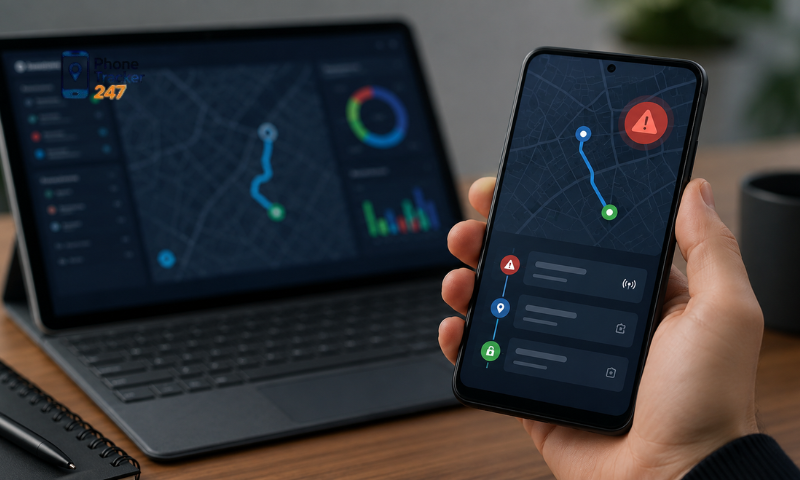
Monitor Battery and Data Usage
Location tracking may increase battery and mobile data use because the app must communicate with GPS and update information in the background. The impact depends on update frequency, signal quality, and Android’s battery management settings.
During the first few days, monitor:
- Battery percentage used by the app.
- Mobile data consumption.
- Device temperature.
- Location update speed.
- Background activity status.
- Whether Android frequently stops the app.
Avoid using an unnecessarily frequent update interval when occasional checks are enough. A balanced setup helps maintain useful location accuracy without excessive battery drain.
A safe setup combines correct permissions, account protection, transparent use, and regular performance checks. PhoneTracker247 should only be installed on a device you own, manage, or have clear permission to monitor.
Use PhoneTracker247 Transparently and Responsibly
A Phone Tracker App Android is most useful when permissions are configured correctly, account access is protected, and tracking is carried out with appropriate consent. Before installation, users should review the privacy policy, limit unnecessary access, and consider the impact on battery life, data usage, and personal privacy. PhoneTracker247 is designed to support lawful purposes such as helping parents protect children, supporting family safety, and locating a device owned or managed by the user. It should not be used to secretly monitor another person without their knowledge or permission.
Users can explore PhoneTracker247, check Android compatibility, and review the setup instructions before installing the app. Configuring the app correctly from the beginning can improve tracking reliability while reducing privacy, security, and battery-related risks.
Frequently Asked Questions (FAQs)
1. What is the best phone tracker app for Android?
A reliable app that provides real-time GPS tracking, location history, and device monitoring.
2. How does a phone tracker app work?
It uses GPS, Wi-Fi, and mobile networks to determine a device’s location.
3. Can I track an Android phone in real time?
Yes. Most phone tracker apps offer live GPS location updates.
4. Does it show location history?
Yes. You can review previous locations and travel routes.
5. Can I track multiple Android devices?
Yes. Most apps support managing multiple devices from one account.
6. Does a phone tracker app require internet?
Yes. GPS and an active internet connection are needed for live tracking.
7. Is the app free to use?
Many apps offer a free version with optional premium features.
8. Is it legal to track someone’s phone?
Yes, only if you own the device or have the user’s explicit consent.
9. Can I use it to find a lost Android phone?
Yes. Many phone tracker apps help locate lost or stolen devices.
10. Who should use a phone tracker app?
It’s ideal for families, businesses, and anyone managing their own Android devices.