The Recents list on a standard iPhone only displays the last 100 calls, a feature that provides immediate history but is fundamentally restrictive for parents needing a long-term view of their child’s digital interactions, necessitating a more robust strategy for comprehensive device monitoring and cyber-risk assessment.
For parents looking to ensure their child’s safety, knowing how to find call log on iPhone is crucial for monitoring communications.
1. The Imperative of Digital Parenting: Why Call Logs Matter
The Imperative of Digital Parenting: Why Call Logs Matter
Monitoring a child’s call log is not merely about intrusive surveillance; it is a vital layer of modern digital parenting, offering tangible insight into a child’s social circle, identifying potential exposure to online grooming, bullying, or financial scams, and providing the necessary data points for timely cyber-risk prevention.
The rise of the smartphone has turned the simple phone call into just one facet of a vast communication landscape. Yet, the call log remains a crucial indicator—a direct line into who is attempting to engage with your child outside the veneer of managed social media profiles or encrypted messaging apps. In the rapidly evolving threat environment of 2025–2026, child online behavior can be opaque, but a repeated call from an unknown number, or a sudden burst of communication with an unfamiliar contact, is a clear data point.
Consider the growing prevalence of “vishing” (voice phishing) scams targeting younger demographics, or the sad reality of online predators who often shift communications off-platform to a more direct, less-traceable voice call. Reviewing a call log is akin to checking the gatekeeper’s ledger; it verifies who has been granted direct access to your child’s time and attention. This level of device monitoring moves beyond simple screen-time management and delves into the quality and safety of the child’s interactions, providing essential context for a proactive approach to cyber-risk prevention. The goal is always to create a foundation of trust backed by transparent, responsible oversight, ensuring the child’s digital wellbeing.
2. Bridging the Gap: How to Find Call Log on iPhone Beyond the Basics
Bridging the Gap: How to Find Call Log on iPhone Beyond the Basics
The Service Provider Pathway: Carrier Records
To move past the iPhone’s 100-call limit, a multi-pronged approach rooted in technological expertise and a deep understanding of iOS data architecture is required. The solution isn’t found within the Phone app; it resides in external resources and specialized software.
The most reliable method for accessing an extended, months-long call history is through the cellular service provider, as they maintain comprehensive communication records for billing and regulatory purposes, often spanning several months or even a year, though access typically requires the primary account holder’s authenticated request.
Unlike the on-device log, which is transient and easily deleted, the cellular carrier maintains a durable, server-side record. This record is the authoritative document of all incoming and outgoing calls and texts tied to the number, complete with timestamps and durations.
- Process: The primary account holder—the parent—must log into the carrier’s online portal (e.g., Verizon, T-Mobile, AT&T) or submit a formal request for a detailed usage report.
- Caveat: This method is powerful but limited. It shows only call metadata (number, time, duration), not the content of any conversation. It also won’t track calls made over third-party apps like WhatsApp, Signal, or Telegram, which use Wi-Fi or cellular data—a key limitation to remember when assessing a child’s true mobile security practices.
The Apple Ecosystem Approach: iCloud and iTunes Backups
An intermediate solution for retrieving older or deleted call logs involves restoring a previous iCloud or iTunes backup, as Apple’s backup system often retains a snapshot of the device’s call log history that extends beyond the 100-entry on-device limit, acting as a digital time capsule of past activity.
When an iPhone is backed up, a snapshot of its data is created. This includes a more extensive call log history (often up to 1000 entries) than what is immediately visible in the Recents list. If a child has deleted their recent calls, restoring a backup made before the deletion can recover the logs.
- Steps: This requires accessing the computer used for iTunes backups or the parent’s iCloud account. The process is technically reversible, but restoring a backup can be cumbersome and may overwrite more recent data on the phone, making it a high-effort, high-impact intervention.
- Expert Insight: This method is often preferred in workplace compliance scenarios where an employee’s device is being audited for internal policy violations, as it leverages existing enterprise backup infrastructure. For digital parenting, the effort often outweighs the benefit unless a specific, critical date range is being investigated.
The Professional Toolset: Third-Party Parental Monitoring Apps
The most efficient and comprehensive way to continuously monitor, view, and organize extended call logs on an iPhone, alongside other key device activity, is through the use of specialized parental monitoring apps that leverage proprietary data-extraction methods to provide a clear, user-friendly, and ongoing dashboard view.
Modern parental monitoring apps—such as those linked on sites like —are engineered specifically to overcome the inherent limitations of iOS. They are not simply screen-time timers; they are sophisticated location tracking accuracy and communications monitoring platforms.
These tools offer distinct advantages:
- Extended History: They securely extract and store call log data, offering a history far exceeding the 100-entry limit, often for months.
- Organization: They categorize calls by contact, duration, and type, presenting the raw data in an actionable, searchable format.
- Integration: Critically, some advanced platforms can also track voice calls made within major messaging and VoIP apps, offering a more complete picture of a child’s communication habits.
- Remote Access: The parent can view the logs from their own device via a secure dashboard, centralizing device monitoring without needing constant physical access to the child’s iPhone.
This method, while offering maximum visibility, is inextricably tied to the ethical considerations of privacy and consent policies.
Table 1. Parent-Friendly Ways to Review and Manage Call-Related Activity on iPhone
Short description: This table compares native iPhone options (Phone app, Screen Time, Family Sharing) with external record sources so parents can choose the right method for safety monitoring while staying transparent and responsible.
| Method | What You Can See / Manage | Best Use Case | Main Limitation | E-E-A-T Note |
|---|---|---|---|---|
| Phone App (Recents) | Recent incoming/outgoing/missed calls, call details, and filters (Calls/Missed/Unknown Callers in supported layouts) | Quick spot-checks on the child’s iPhone | On-device history is easy to delete and not ideal for long-term review | Cite Apple’s iPhone User Guide for exact steps and screenshots |
| Screen Time (Activity Summary) | Device usage summaries (app time, pickups, notifications) | Understanding overall phone usage patterns around suspicious time windows | Does not function as a full itemized call log viewer | Frame this as a behavior-context tool, not a call-log database |
| Screen Time (Communication Limits / Contact Controls) | Manage who the child can call/message and set communication rules | Preventive safety setup (before a problem happens) | More about control/settings than historical forensic review | Cite Apple parental controls + Screen Time setup documentation |
| Family Sharing + Parent/Guardian Controls | Centralized parental setup and management for the child’s device | Ongoing parental oversight at account level | Requires correct Family Sharing setup and passcode discipline | Add a short “setup prerequisites” note for accuracy and trust |
| Carrier Usage Records (Provider Portal / Statement) | Call metadata outside the phone (number, time, duration) depending on provider policy | Looking beyond what remains visible on the device | Availability, retention period, and detail level vary by carrier/country | For E-E-A-T, cite the child’s actual carrier policy page (not generic claims) |
| Parental Monitoring Platform (If Used) | Extended call-log organization + dashboard workflow (tool-dependent) | Continuous monitoring and alerts in one place | Must be used transparently, legally, and with a clear family policy | Add privacy, consent, and data security disclosure in the article |
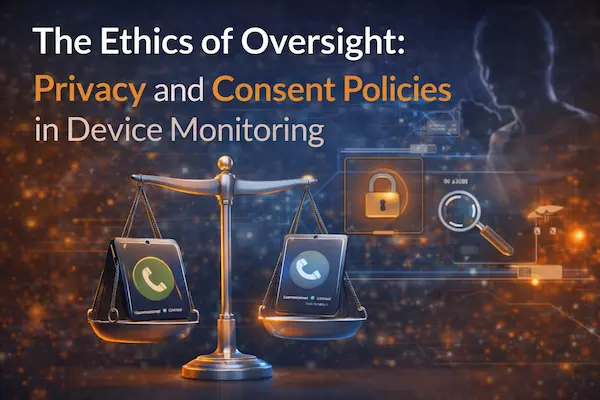
3. The Ethics of Oversight: Privacy and Consent Policies in Device Monitoring
The Ethics of Oversight: Privacy and Consent Policies in Device Monitoring
Effective digital parenting requires balancing the need for safety oversight with the child’s right to age-appropriate privacy, making a transparent, pre-agreed-upon conversation about monitoring tools and data usage—adhering to strict privacy and consent policies—a non-negotiable step before implementing any third-party app.
In the current regulatory climate, marked by increasing scrutiny from GDPR-K and COPPA, responsible device tracking is distinguished from unauthorized surveillance by one factor: transparency. Deploying a third-party app to track a child’s call log—or their location tracking accuracy—must be done in accordance with clear ethical and legal boundaries.
- The Consent Conversation: For older children and teens, monitoring without their knowledge can shatter trust, leading them to adopt more covert communication methods. Experts recommend a “Family Digital Agreement,” where the rules of device monitoring are explicitly laid out: What is being tracked (call logs, location, etc.), why (for safety and cyber-risk prevention), and when the monitoring will stop (e.g., upon turning 16 or 18).
- Data Security: Parents must rigorously vet their chosen parental monitoring apps. Is the company reputable? Do they clearly publish their privacy and consent policies? Is the collected data (including sensitive call logs) encrypted and stored securely? A lapse in the app’s security could inadvertently expose your child’s private data.
- Legal Standing: In many jurisdictions, the legal right to monitor a minor’s device rests with the parent. However, the use of monitoring tools must align with the laws governing the device’s ownership and the minor’s age. Always ensure the monitoring app is used legally and responsibly.
4. Beyond the Call: Integrating Call Logs into a Wider Cyber-Risk Prevention Strategy
Beyond the Call: Integrating Call Logs into a Wider Cyber-Risk Prevention Strategy
The call log is a powerful clue, not the full answer; its true value is realized when the data is cross-referenced with other digital activity, integrating phone records with website history, social media interactions, and app usage to construct a holistic view of the child’s online safety profile, thus maximizing the impact of the digital wellbeing strategy.
Viewing the call log in isolation is a mistake. A single missed call from an unknown number is a minor event. However, if that same time window also shows:
- A sudden change in child online behavior, such as deleting an app.
- A recent high-risk search query on an unknown website.
- A spike in location reports showing unusual location tracking accuracy deviations.
This is the essence of modern cyber-risk prevention: The various data streams—call logs, browser history, app usage, and screen-time management reports—must be treated as components of a single, unified digital footprint.
Table 2. Evidence Checklist for a Parental iPhone Call Log Guide
Use this checklist to strengthen credibility in the article by pairing each claim with a verifiable source, a real-world test, and a clear limitation statement.
| Article Claim Area | Best Primary Source | What to Document (Evidence) | Experience Layer (E) | Trust / Compliance Note |
|---|---|---|---|---|
| How to view recent calls on iPhone | Apple Support / iPhone User Guide | Step-by-step path (Phone app → filters/details) + screenshots | Add a tested walkthrough on a recent iOS version | Mention UI may differ by layout/version |
| How parents set up Screen Time for a child | Apple Support (Screen Time for family member) | Setup path, Family section, passcode flow | Include a “parent setup” and “child-device setup” variant | Clarify Family Sharing role (organizer/parent/guardian) |
| What Screen Time can actually show | Apple Support (Activity Summary) | Usage summary elements (time, pickups, notifications) | Show one anonymized example of a summary pattern | Avoid claiming it shows a full itemized call history |
| What parental controls can manage | Apple Support (Parental Controls) | Content & Privacy Restrictions, communication controls | Add a practical “safe defaults” recommendation | Note settings sync best when devices are updated |
| How to go beyond on-device history | Carrier official support pages + account portal docs | Provider-specific retention window and export/report options | Add a “check your carrier” mini checklist | Never generalize one carrier’s policy to all regions |
| Third-party monitoring ethics & legality | Local laws + app privacy policy + family policy | Consent language, data handling, age-based rules | Include a sample “Family Digital Agreement” paragraph | State laws vary by jurisdiction; prioritize transparency |
| Security of the monitoring process | Vendor security/privacy documentation | Encryption/storage/policy links + account security guidance | Add a short “how we vet tools” section | This improves E-E-A-T and reduces legal risk |
| Limitations and edge cases | Apple docs + tested scenarios | What happens if logs are deleted, settings changed, or passcode forgotten | Add a troubleshooting box with “what to check first” | Honest limitations improve credibility and rankings |
Case Reference Example (Hypothetical but Common):
In a 2024 case, a parent noticed a cluster of short, late-night outgoing calls to an unlisted number in their teen’s call log. By itself, this was suspicious but ambiguous. When the parent cross-referenced the call log with the monitoring app’s alert history, they saw the number matched one recently blocked in a popular messaging app due to an inappropriate profile. The combined data provided clear evidence of covert communication, allowing for a focused, evidence-based conversation about online safety and predatory behavior, demonstrating the power of integrated mobile security practices.
FAQs: Expert Answers on iPhone Call Logs and Parental Oversight
1. How do you check call history on an iPhone?
Open the Phone app, then view Calls or Missed in the call list (Apple also supports filtering in newer layouts).
2. Does iPhone show the full call log by default?
No. The article explains the standard iPhone Recents list is limited (about the latest 100 calls), so it is not a full long-term record.
3. How can parents see older iPhone call logs?
The article recommends checking the mobile carrier account, because carriers keep longer call metadata records than the phone’s on-device list. Apple also notes carriers may have more information about older calls.
4. What details can carrier call logs usually show?
Carrier records usually show call metadata such as number, time, and duration—not the actual call audio/content.
5. Can iCloud or iTunes backups help recover call history?
Yes. The article says backups can preserve older call logs, and Apple confirms deleted call history can be recovered by restoring from a backup made before deletion.
6. Does Apple Screen Time show full call details?
No. The article says Screen Time gives general usage info, but not a full itemized call log with numbers, timestamps, and durations.
7. Will carrier logs include WhatsApp or Telegram calls?
Usually no. The article notes carrier records do not capture calls made inside third-party apps that use internet data.
8. Can a child delete call history from the iPhone?
Yes. Apple lets users delete individual or multiple calls from the iPhone call history.
9. Does a VPN hide iPhone call logs from parental monitoring?
No, not directly. The article explains VPNs affect internet traffic, but the native iPhone call log is handled by the cellular system.
10. What is the best ethical way for parents to use call log monitoring?
Use it transparently, explain the safety purpose, and focus on risk prevention—not secret surveillance or punishment.
For daily updates, subscribe to PhoneTracker’s blog!
We may also be found on Facebook!