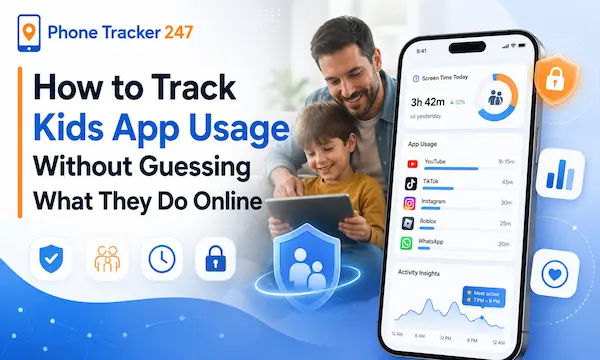
Kids do not live only on the home screen. They move between games, video platforms, social apps, and messaging tools in ways that can look harmless at first glance. That is why many parents feel uncertain even when they can see total screen time. The real question is not only how long a child uses a phone, but which apps shape that time and what those patterns mean. When you track kids app usage the right way, you stop guessing, start seeing real habits, and make better decisions about safety, balance, and digital well-being. Let PhoneTracker247 help you understand this more clearly in the article below.
What Data You Should Monitor When Tracking Kids App Usage
Good monitoring starts with the right data. Looking at one number alone can be misleading, so parents need a fuller view of digital activity.

Time spent on each app and daily app activity
The first thing to monitor is time spent on each app. This tells you where attention goes each day. A detailed view is better than a broad total because it separates productive use from passive scrolling or repetitive gaming.
Daily app activity also matters. A child may not spend many total hours on one app, but may open it dozens of times throughout the day. That pattern can show dependence, distraction, or habitual checking. Tracking both duration and frequency gives parents a much more accurate read on what is really happening.
Installed apps, app categories, and sudden changes
Parents should also know which apps are installed on the device. New app downloads can introduce risks quickly, especially when children follow trends or recommendations from friends without understanding privacy, chat features, or content exposure.
It also helps to group apps by category. Games, social media, messaging, streaming, and school-related apps do not affect behavior in the same way. If a child suddenly installs several chat or video apps at once, or starts using a new platform heavily in a short period, that shift deserves attention. Sudden change is often more important than the app name alone.
Screen time trends and usage reports over time
One day of data rarely tells the full story. Parents need trends across several days or weeks to understand whether a pattern is occasional or becoming routine. This is where reports become valuable.
Usage reports help answer questions like these: Is app use rising every weekend? Is screen time pushing later into the night? Is one app replacing homework time after school? Long-term visibility makes it easier to respond calmly and accurately. It also helps parents avoid overreacting to isolated spikes that may not reflect a real problem.
How to Track Kids App Usage on Android and iPhone
Parents have several options for tracking usage. The right choice depends on how much visibility they need and whether they want a broader monitoring workflow.
Using built-in screen time tools
Both Android and iPhone offer built-in tools that show screen time and app activity. These features are a useful starting point because they are easy to access and often include simple time limits or summaries.
However, built-in tools usually focus on basic reporting. They may show total usage and per-app time, but they are often limited when parents want a more centralized view, multi-device management, or broader context around digital behavior. For some families, that is enough. For others, it becomes clear very quickly that they need more detail and better organization.
See more: Can You Trace Mobile Number Location on Google Maps? What Actually Works
Using a parental control app for deeper visibility
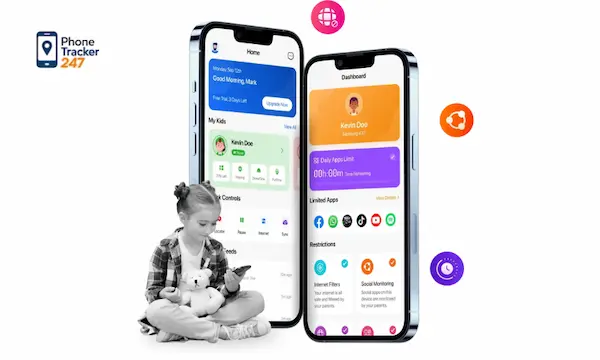
A dedicated parental control platform can give parents a more complete view of app activity. PhoneTracker247 is positioned as an all-in-one phone monitoring and parental control solution with app usage monitoring, installed app visibility, browsing history tracking, and a centralized dashboard for reviewing device activity.
This type of setup is useful because it brings different signals into one place instead of making parents piece together information manually. When you can review app usage reports alongside installed apps or browsing behavior, you gain more context. That makes it easier to understand whether the issue is simple overuse, exposure to distracting content, or a wider digital safety concern.
Setting up monitoring the right way
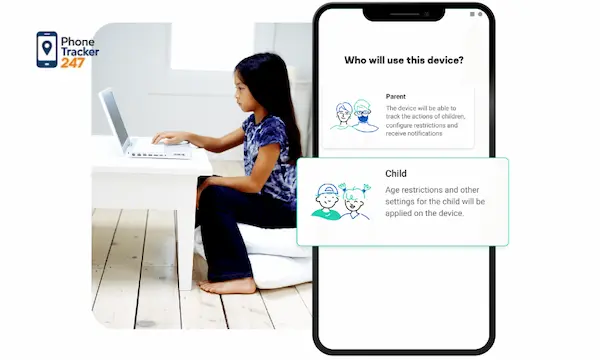
The setup process should be done carefully and transparently. A proper workflow usually includes creating an account, installing the app or monitoring component on the device, granting required permissions, connecting the device, and reviewing data through a web-based dashboard. PhoneTracker247 describes its process in a similar step-by-step way and frames usage around lawful monitoring, safety, and consent.
Parents should avoid secretive monitoring. Clear communication builds trust and reduces conflict later. It also helps children understand that the purpose of tracking is guidance and protection, not constant suspicion.
Signs Your Child May Be Using Apps in an Unhealthy Way
Data becomes useful only when parents know how to interpret it. Certain patterns can suggest that app use is starting to affect well-being.
Late-night app activity and sleep disruption
Late-night usage is one of the clearest warning signs. If reports show repeated activity after bedtime, there is a strong chance sleep quality is being affected. Even when total daily screen time looks reasonable, overnight usage can still create fatigue, irritability, and reduced concentration.
Parents should pay attention to patterns, not only isolated late nights. Repeated use during sleeping hours often signals weak boundaries or growing attachment to certain apps. That is the moment to adjust rules and talk about why rest matters.
Obsession with specific social, gaming, or messaging apps
When one or two apps begin to dominate daily behavior, that is worth examining closely. Heavy use of social apps may reflect comparison, peer pressure, or fear of missing out. Excessive gaming can crowd out schoolwork or offline play. Constant messaging may point to emotional dependence on a social group.
The issue is not that these apps exist. The issue is when they consume attention in a way that narrows the child’s day. Tracking helps parents identify whether one app is becoming the center of daily life instead of just one part of it.
Secrecy, resistance, and sudden usage spikes
Children do not always say when something online feels intense or uncomfortable. Sometimes the first visible sign is behavioral. They may become defensive when asked about a certain app, hide the screen, or react strongly when limits are mentioned.
Usage reports can support those observations. If secrecy appears alongside sudden jumps in app activity, parents have a stronger basis for concern. That does not mean accusing the child immediately. It means opening a calm conversation backed by real evidence rather than vague suspicion.
Best Practices to Track Kids App Usage Without Damaging Trust
Parents need a balanced approach. Monitoring works best when it protects children without turning the relationship into a constant power struggle.
Be transparent about monitoring
The healthiest approach is to explain what you are tracking and why. Children respond better when parents say, we want to understand your digital habits and help you stay safe, rather than acting in secret and revealing monitoring later.
This approach also aligns with the safer positioning used by PhoneTracker247, which emphasizes lawful use, privacy, and informed consent rather than hidden spying. Transparency creates a better foundation for cooperation and makes it easier to discuss reports without fear or resentment.
See more: Sound My Phone: 7 Quick Ways to Find a Lost Device Fast
Focus on guidance, not constant punishment
Tracking should support parenting, not replace it. If every report leads to punishment, children learn to fear the tool rather than learn from the data. A better response is to use app usage trends as a starting point for coaching.
For example, if entertainment apps dominate after school, you might adjust routines before restricting access. If messaging use rises late at night, you might move device charging outside the bedroom. Guidance works better when it is tied to a clear reason and a realistic next step.
Review reports regularly and set realistic limits
Parents do not need to watch every minute of activity. That usually creates stress for everyone. Instead, set a simple review rhythm. Check reports daily for younger kids if needed, or several times a week for older children who need more independence.
Then build limits around what the data shows. If a child uses one video app heavily on weekends but stays balanced during school days, your rules can reflect that. Realistic limits are easier to follow because they are based on actual habits, not assumptions.

Features That Make App Usage Monitoring More Useful
The value of tracking improves when the system gives parents more than one narrow metric. Some features make monitoring much easier to turn into action.
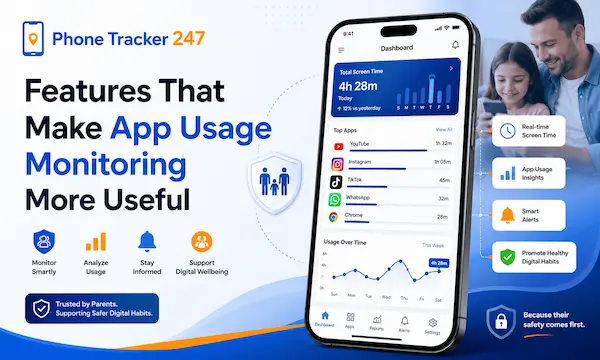
- App usage monitoring and screen time reports
These help parents see where time goes, which apps dominate, and how patterns change across the week. - Installed apps visibility
This helps identify new downloads, app categories, and tools that may introduce risk or distraction. - Browsing history insights
App usage rarely exists in isolation. Browsing data can add context when parents are trying to understand broader digital habits. - Multi-device dashboard management
Families with more than one child benefit from a centralized view instead of checking every phone separately. - Broader safety tools
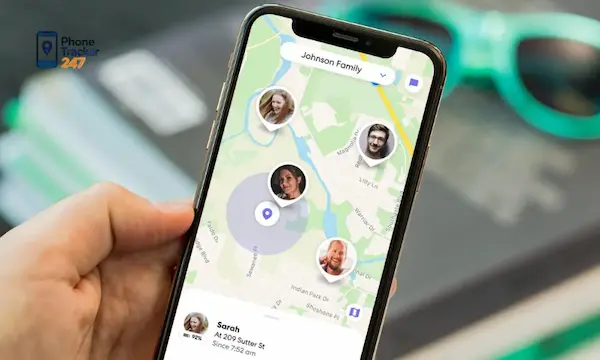
Some platforms also connect app usage insights with other monitoring categories, such as location tools or device activity, which can help parents understand behavior more fully. PhoneTracker247 is marketed as this kind of broader monitoring platform rather than a simple GPS-only tool.
Conclusion: Track Kids App Usage to Understand, Guide, and Protect
When you track kids app usage well, you stop parenting in the dark. You begin to see which apps shape your child’s attention, when digital habits start to drift, and where support is needed most. That kind of visibility helps you move from vague worry to informed action.
The goal is not to control every tap. The goal is to understand patterns, guide better choices, and protect your child with clarity and confidence. Start tracking kids app usage with a smarter system so you can spot risks earlier, build healthier habits, and create a safer digital routine for your family.
For daily updates, subscribe to PhoneTracker’s blog!
We may also be found on Facebook!
FAQs – Track Kids App Usage
1. How can I track kids app usage?
Use a parental control app with app activity reports.
2. What app usage data should parents check?
Check time spent, app opens, and usage trends.
3. Can parents see installed apps?
Yes, many tools show installed apps.
4. Can app usage tracking show screen time?
Yes, it can show daily and weekly screen time.
5. Why track kids app usage?
It helps parents understand digital habits.
6. Can tracking reveal unhealthy app habits?
Yes, it can show late-night use or heavy app dependence.
7. Should parents monitor secretly?
No, transparent monitoring builds trust.
8. Are built-in tools enough?
They help, but often offer limited visibility.
9. What features matter most?
Reports, app visibility, alerts, and a simple dashboard.
10. What should parents do first?
Start with app reports and clear family rules.