Losing a phone often feels minor for the first ten seconds, then suddenly it disrupts everything. Your messages, calls, photos, maps, and work apps all disappear at once, even if the device is only hiding under a sofa cushion. That is why so many people search for sound my phone instead of reading long technical guides. They want a fast fix that works now. The smartest approach is to start with simple actions, then move to location tools and recovery features if the phone stays out of reach. With the right method, you can reduce panic, save time, and recover your device with more confidence. Let’s find out more in this article with PhoneTracker247.
What does sound my phone actually mean
The phrase sounds simple, but it covers more than one function. To create useful content, it helps to define the term in practical language.
How remote phone alerts work
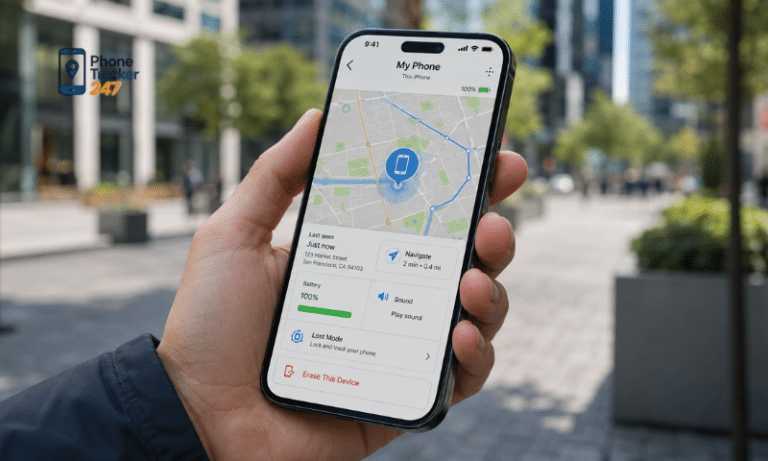
In most cases, sound my phone means sending a command that makes the device ring, vibrate, or play an alert. The purpose is not deep tracking at first. The purpose is to reveal the phone’s physical location when it is still nearby. This feature usually works through a connected service, a linked account, or a phone tracker app with device access.
- Remote alert: sends a sound command to the device.
- Linked service: depends on account connection or tracking access.
- Basic requirement: the phone usually needs battery and some form of connectivity.
This approach works best when the phone is lost, not stolen, and still within a place you can search.
When sounding a phone is enough and when it is not
A ringing alert solves the problem only when the device is close enough to hear. If the phone is inside your house, office, or vehicle, that may be enough. If the device is far away, switched off, offline, or on silent with limited alert support, you need a wider recovery process.
- Enough when nearby: you can hear the alert and follow the sound.
- Not enough when distant: the phone may be outside your reach.
- Need more tools: GPS, location history, and device activity become useful.
This is where users move from a quick fix to a recovery strategy.

The difference between ringing, locating, and monitoring
Many people treat these terms as the same thing, but each serves a different purpose. Ringing helps with nearby recovery. Locating helps you identify where the phone is on a map. Monitoring adds more context, such as movement, activity, and safe-zone alerts. Together, these tools create a more complete answer to the problem.
- Ringing helps you hear the device.
- Locating helps you see where it is.
- Monitoring helps you understand what happened.
PhoneTracker247 is built around this broader approach, with real-time GPS, location history, geofencing, and activity reporting in one platform.
See more: Tips to find my iPhone from my Android and locate the device easily
7 quick ways to sound my phone and find it faster
This section answers the main query directly. Start with the simplest method, then move toward stronger recovery options when the first step fails.
Call your number from another phone
Calling your own number is still one of the fastest ways to find a missing device. It works best when the battery is active, network access is stable, and the volume is high enough to hear. Many people skip this because it sounds too obvious, but obvious solutions are often the fastest.
- Use another device: borrow a phone and call immediately.
- Stay still first: listen before walking around and creating noise.
- Repeat the call: one ring may not be enough if the phone is buried.
This method is ideal for quick checks at home, at work, or in a parked car.
Use a phone tracker app with remote alert support
A phone tracker app can do more than trigger a sound. It can also help confirm whether the device is still active, where it was last seen, and whether it moved after you lost it. That added visibility becomes valuable when calling the number does not solve the problem.
- Broader recovery: combines alerts with location features.
- Better context: shows more than just whether the phone rings.
- Smarter control: supports organized device finding.
PhoneTracker247 positions itself as an all-in-one monitoring platform for families, businesses, and individuals who need legal, consent-based device oversight.
Check the last known location before searching blindly
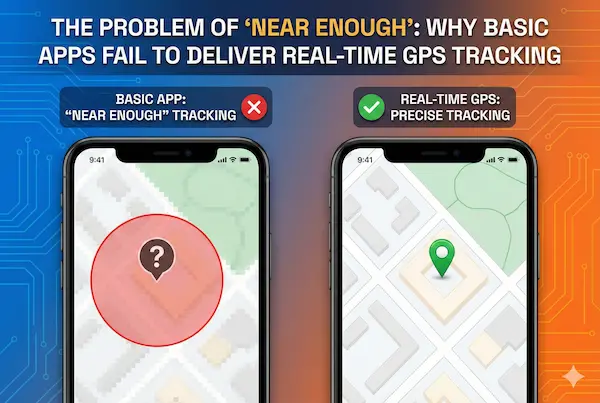
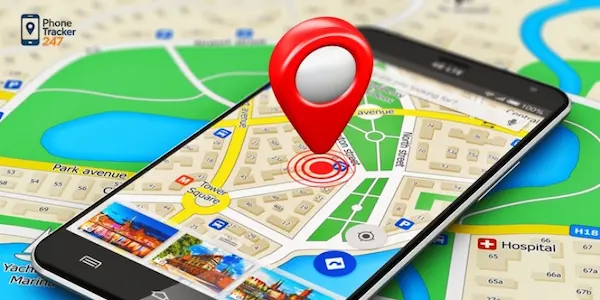
A common mistake is searching everywhere without checking where the device was last active. That wastes time and increases stress. A better process is to confirm the last known location first, then focus your search on the most likely area. This approach reduces random movement and makes each next step more accurate.
- Start with location data: confirm the most recent place the device appeared.
- Narrow the search zone: focus on one building, room, or route.
- Save time: avoid checking places the phone was unlikely to be.
If the device is not close enough to hear, location data becomes more useful than a sound command.
Retrace recent movement using location history
Location history adds a timeline to the search process. Instead of asking where the phone is now, you can ask where it was before it disappeared. That difference matters after commuting, shopping, traveling between meetings, or moving across a large property. A movement trail can reveal the most likely drop point.
- Review recent stops: home, office, store, car, or café.
- Check transition points: parking areas and counters are common loss points.
- Match the timeline: connect the last phone activity with your route.
PhoneTracker247 includes movement history as part of its location feature set, which helps users recover devices more efficiently.
Use geofencing alerts for proactive protection
Geofencing is useful because it shifts the goal from finding a lost phone to preventing a longer loss event. A geofence creates a virtual boundary, then alerts you when the device enters or leaves that area. This feature is practical for parents, company-owned devices, and anyone managing more than one phone.
- Safe-zone control: know when a device leaves a trusted area.
- Faster reaction: act early instead of discovering the loss later.
- Useful for teams and families: monitor devices with clear rules.
This is one reason modern recovery tools are stronger than a simple ringing function alone.
Review device activity if the phone stays silent
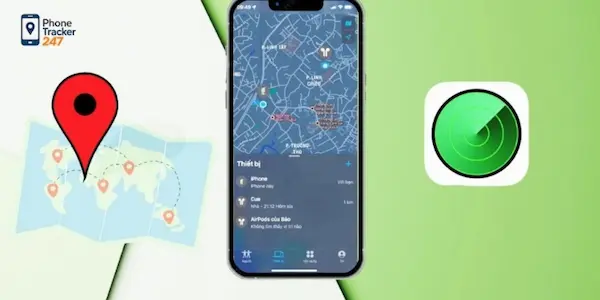
If the device does not ring or respond as expected, activity data can show whether it is still in use. Recent app usage, message patterns, or other authorized device signals may reveal whether the phone is idle, moving, or actively being accessed. That context helps you decide whether to keep searching nearby or switch to a security response.
- Recent activity: shows whether the phone remained active.
- Pattern check: helps identify unusual usage after the loss.
- Next-step guidance: supports a smarter recovery decision.
PhoneTracker247 offers activity monitoring alongside location tools, which strengthens the overall recovery workflow.
Choose a privacy-first phone tracking solution
A recovery tool should not create new problems while solving the current one. Many users care about legality, consent, and data protection, especially when tracking involves family devices or company phones. That is why the platform behind the feature matters as much as the feature itself.
- Consent-based use: supports lawful and transparent tracking.
- Privacy-first positioning: avoids the feel of covert spyware.
- Strong security framing: better for long-term trust.
PhoneTracker247 presents itself as a privacy-first solution with consent-based use and strong security standards, which makes it a better fit for ethical device management.
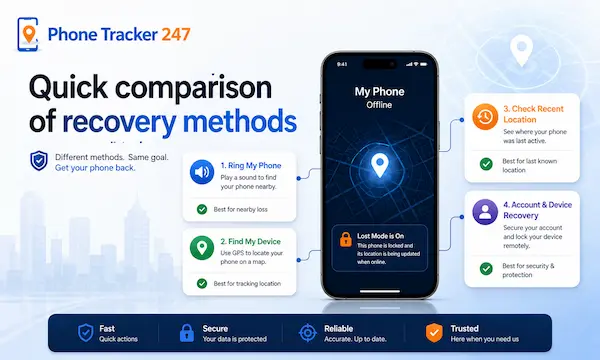
Quick comparison of recovery methods
The best method depends on distance, battery status, and how much device visibility you have. This table gives a clear starting point.
| Method | Best use case | Main advantage | Limitation |
| Call your number | Phone is nearby | Fast and simple | Fails if silent, offline, or out of range |
| Remote sound alert | Device is connected | Helps locate the phone quickly | Depends on permissions and battery |
| Last known location | Phone is not nearby | Narrows search area | May not show current live position |
| Location history | You moved through several places | Helps retrace steps | Needs tracking data |
| Geofencing alerts | Families or business devices | Supports early detection | Works best when set up in advance |
| Device activity review | Phone stays silent | Adds context to the loss | Not a replacement for live recovery |
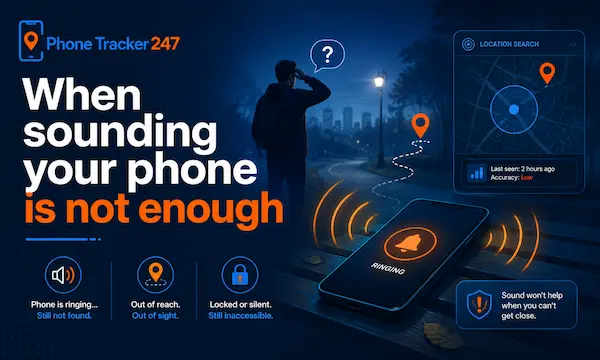
When sounding your phone is not enough
A ringing function is useful, but it does not solve every case. A stronger recovery process becomes necessary when basic methods stop working.
Signs that the phone may be farther away
Some clues suggest the device is no longer nearby. The phone does not respond to calls, no alert is heard, and the last location does not match your current area. These signs do not prove theft, but they do show that a local sound search may no longer be enough.
- No audible response after repeated attempts.
- Location mismatch between your position and the device record.
- Battery or network issues that limit live response.
At that point, you need to rely less on sound and more on tracking logic.
What to do if the phone is on silent or offline
A phone on silent mode creates a different challenge. You may not hear it even when it is close. If the device is offline, remote alerts may also fail. In these cases, the smarter move is to shift from ringing to structured recovery.
- Use location tools to confirm the likely area.
- Check movement history to retrace your path.
- Review device activity to see whether the phone is still active.
This layered approach gives you better odds than repeating the same failed step.
How a broader recovery process saves time
The strongest recovery workflow starts simple, then scales up only when needed. First, try to make the phone ring. Second, check its last known or live location. Third, use monitoring features to understand movement and activity. This structure keeps the process clear and avoids wasted effort.
- Step one: trigger sound or call the device.
- Step two: confirm the location.
- Step three: use alerts, history, and activity for deeper recovery.
That sequence makes the keyword sound my phone the entry point, not the full solution.
Conclusion: sound my phone is only the first step
Searching sound my phone is usually the start of a larger recovery journey. A sound alert can help when the device is close, but better results come from combining ringing, location data, movement history, and proactive alerts. That is the difference between guessing and recovering with a plan.
Need a faster way to sound, locate, and protect your device? Explore PhoneTracker247 and recover your phone with more confidence.
For daily updates, subscribe to PhoneTracker’s blog!
We may also be found on Facebook!
FAQs – Sound My Phone
1. How can I sound my phone?
Call it or use a remote sound alert.
2. Can I ring my lost phone remotely?
Yes, if the phone has battery and connectivity.
3. What if my phone is on silent?
Use location tools and check nearby areas carefully.
4. Can I find my phone by location?
Yes, use live or last known location data.
5. What is a remote sound alert?
It sends a command to make the phone ring.
6. Does sounding a phone always work?
No, it may fail if the phone is offline or dead.
7. Can location history help?
Yes, it helps retrace where the phone was.
8. Are geofencing alerts useful?
Yes, they help detect when a phone leaves a safe area.
9. Can PhoneTracker247 help find a phone?
Yes, it supports location, history, and activity tools.
10. What should I do first?
Call the phone, then check its last known location.