The internet gives children and teens endless opportunities to learn, communicate, and explore. It also creates risks that many parents feel unprepared to handle. From cyberbullying and online predators to scams, inappropriate content, and excessive screen time, digital life can become overwhelming without the right guidance. That is why online safety resources matter more than ever.
This guide explores the most useful online safety resources for families, how to use them effectively, and how platforms like PhoneTracker247 can support a safer digital environment.
Contents
- 1 Why Online Safety Resources Matter
- 2 The Main Types of Online Safety Resources
- 3 Key Online Risks Families Should Understand
- 4 How PhoneTracker247 Supports Online Safety
- 5 Best Practices for Using Online Safety Resources Effectively
- 6 Choosing the Right Online Safety Resources for Your Family
- 7 Final Thoughts
- 8 FAQs – Online Safety Resources
Why Online Safety Resources Matter
Children are spending more time online through smartphones, tablets, laptops, gaming consoles, and social media apps. Many of these platforms are designed to keep users engaged, which means kids may encounter risks before they know how to respond.
Online safety resources help families in three main ways:
- They improve awareness
Parents and children can better understand common digital threats such as phishing, identity theft, cyberbullying, and harmful online communities. - They provide practical protection
Safety tools can filter content, monitor screen time, track device use, and alert parents to concerning behavior. - They encourage stronger communication
The best resources do not replace parenting. They support conversations about boundaries, trust, privacy, and responsible internet use.
When families combine education with digital tools, they create a safer and more confident online experience.

The Main Types of Online Safety Resources
Not all online safety resources serve the same purpose. Some focus on education, while others provide technical protection. Understanding the main categories helps parents choose what fits their household.
Educational websites and digital literacy platforms
These resources teach children, teens, and parents how to recognize online risks and respond wisely. They often include guides, activities, videos, and age-based learning materials.
Examples of topics covered include:
- Recognizing scams and phishing attempts
Kids learn how fake links, suspicious messages, and fraudulent requests are used to steal information. - Understanding digital footprints
Young users discover how posts, comments, and shared images can stay online for years. - Learning respectful online behavior
Resources explain why kindness, consent, and privacy matter in digital communication.
Educational resources are especially useful because they build long-term judgment instead of relying only on restrictions.
See more: Geofencing App for Parents: Way to Keep Kids Safe in 2026
Parental control and monitoring tools
These resources help parents manage how devices are used. They can include app controls, website filters, screen time settings, activity reports, and location tracking.
Useful functions often include:
- Blocking inappropriate content
Parents can prevent access to websites or apps that are unsuitable for a child’s age. - Managing screen time
Limits help reduce overuse and encourage healthier routines around study, sleep, and family time. - Reviewing device activity
Monitoring tools provide insight into app usage, browsing patterns, and digital habits.
A tool like PhoneTracker247 can be valuable for families who want greater visibility into smartphone activity while maintaining a proactive approach to online safety.

School and community resources
Many schools, nonprofits, and youth organizations now offer internet safety education. These resources often address real-world issues children face in social settings, such as peer pressure, sexting, or cyberbullying.
They often help by:
- Connecting safety lessons to daily life
Children understand how online behavior affects friendships, reputation, and emotional well-being. - Providing support channels
Families may gain access to counselors, workshops, and reporting systems for digital harm. - Reinforcing shared expectations
When schools and parents promote similar digital values, children receive a more consistent message.
Community-based learning can make online safety feel practical instead of abstract.
Key Online Risks Families Should Understand
Before choosing tools, parents need a clear view of the most common threats facing children and teens online.
Cyberbullying
Cyberbullying can happen through messaging apps, gaming platforms, group chats, or social media. It may include insults, rumors, humiliation, threats, or exclusion. Because it happens online, it can follow a child everywhere and feel relentless.
Parents should watch for sudden mood changes, withdrawal from devices, anxiety, or reluctance to discuss online interactions.

Inappropriate content
Children can come across violent, explicit, or disturbing material by accident or through peer sharing. Even one exposure can be confusing or harmful, especially for younger users.
Content filters and supervised browsing can reduce this risk, but open conversations are equally important.
Online predators and manipulation
Some online users target children by pretending to be peers, building trust, and encouraging secrecy. This behavior may begin in games, chat apps, or social platforms.
Teaching children never to share personal details, private photos, or meet online contacts alone is essential.
Scams and data theft
Young users may not recognize fake giveaways, phishing emails, or suspicious download links. A single mistake can expose personal data or compromise a device.
Online safety resources that teach scam awareness can prevent costly and stressful situations.
Excessive screen time and unhealthy digital habits
Not all online risks are dramatic. Constant scrolling, poor sleep, low focus, and dependency on devices can also harm well-being. Digital safety includes emotional balance, not just threat prevention.
This is why families need both educational guidance and practical monitoring tools.
How PhoneTracker247 Supports Online Safety
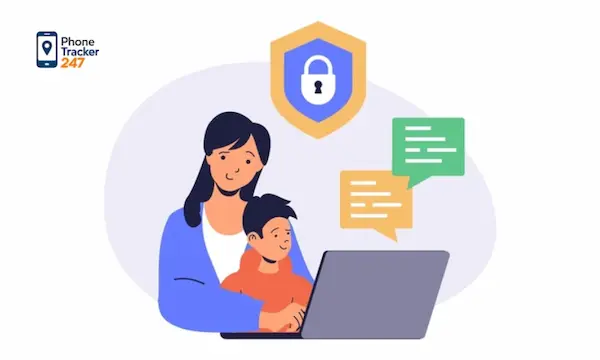
Many parents want to protect their children without becoming intrusive or reactive. That is where a well-designed monitoring solution can help. PhoneTracker247 supports online safety by giving families better visibility into smartphone behavior and usage patterns.
Better awareness of digital activity
Children often use smartphones as their primary gateway to the internet. This means many online risks begin or develop on a mobile device. PhoneTracker247 helps parents stay informed about device activity so they can notice issues earlier.
This matters because:
- Early awareness allows early intervention
Parents can respond before harmful habits or risky interactions escalate. - Usage patterns reveal concerns
Sudden spikes in app use, late-night phone activity, or unusual behavior may point to stress or digital trouble. - Monitoring supports guidance
Instead of reacting after a problem grows, parents can start calm, informed conversations.
The goal is not to control every action. It is to stay connected to what is happening in a child’s digital world.
Encouraging safer smartphone habits
PhoneTracker247 can also support healthier routines by helping parents understand how, when, and where devices are used.
This can help families:
- Set realistic boundaries
Screen time rules become easier to explain when based on actual usage patterns. - Create device-free routines
Parents can encourage better habits around bedtime, homework, and family activities. - Reduce hidden risks
Children are less likely to drift into unsafe spaces online when parents remain engaged and informed.
Used responsibly, monitoring can reinforce trust rather than replace it.

Best Practices for Using Online Safety Resources Effectively
Even the best tools work poorly if families use them without a plan. A safer digital environment comes from combining technology with communication and consistency.
Start with age-appropriate conversations
Children need different guidance at different ages. Younger kids may need simple rules about strangers and passwords, while teens need deeper discussions about privacy, consent, reputation, and manipulation.
Keep the conversation ongoing rather than making it a one-time lecture.
Be transparent about monitoring
If parents use tools like PhoneTracker247, honesty is usually the best approach. Explain that monitoring is meant to protect, not punish. Children are more likely to cooperate when they understand the reason behind digital boundaries.
Transparency also helps build trust over time.
Set family digital rules together
Clear expectations reduce conflict and confusion. Families can agree on things like:
- Which apps are allowed
Parents should review platforms based on age, content, and communication features. - When devices can be used
Shared rules for study time, meals, and bedtime make boundaries more consistent. - What should be reported immediately
Children should know they can tell a parent about threats, scary messages, or uncomfortable interactions without fear of blame.
When kids help shape the rules, they often follow them more willingly.
Review and adjust resources regularly
Online platforms change fast. Apps update features, new risks emerge, and children mature. Families should revisit safety settings, learning materials, and monitoring strategies on a regular basis.
A flexible approach is more effective than a rigid one.

Choosing the Right Online Safety Resources for Your Family
There is no single solution that works for every household. The best online safety resources depend on your child’s age, digital habits, and level of independence.
When evaluating a resource, consider:
- Ease of use
Tools should be simple enough for parents to manage consistently. - Practical value
Resources should solve real problems, not just add more information. - Age suitability
What works for a seven-year-old may not work for a sixteen-year-old. - Balance between safety and trust
Protection should support healthy development, not create constant conflict.
For many families, the strongest approach combines digital education, open communication, and smartphone monitoring through a tool like PhoneTracker247.
Final Thoughts
The internet is now part of everyday family life, which means digital safety can no longer be treated as an optional topic. Parents need reliable online safety resources to help children navigate risks, make better decisions, and build healthier habits online.
Educational platforms teach awareness. Schools and communities reinforce digital responsibility. Monitoring tools like PhoneTracker247 add practical visibility that helps parents respond early and guide children more effectively.
For daily updates, subscribe to PhoneTracker’s blog!
We may also be found on Facebook!
FAQs – Online Safety Resources
1. What are online safety resources?
They are tools and guides that help families stay safer online.
2. Why do families need online safety resources?
They help reduce risks like scams, cyberbullying, and harmful content.
3. What types of resources help most?
Digital literacy guides, parental controls, school programs, and monitoring tools.
4. Can online safety resources stop cyberbullying?
They can help parents spot warning signs earlier.
5. Do safety tools block inappropriate content?
Yes, many tools can filter or block risky websites.
6. Can parents manage screen time?
Yes, screen time tools help build healthier routines.
7. Are school resources useful?
Yes, they reinforce safe digital behavior.
8. Should parents talk about online safety?
Yes, open conversations are essential.
9. Is PhoneTracker247 useful for online safety?
Yes, it helps parents understand smartphone activity.
10. What is the best safety approach?
Combine education, clear rules, and responsible monitoring.
![Teens and Tech: Two-Thirds of Parents Think Their Teen Is Addicted to Their Phone [Study]](https://phonetracker247.com/wp-content/uploads/2026/04/teens-and-tech-two-thirds-of-parents-think-their-teen-is-addicted-to-their-phone-study-768x461.webp)