Turning off location on your phone feels like closing the blinds in your house. You expect privacy right away, but a few lights may still shine through the windows. That is why many people ask, can someone track my phone if my location is off? The honest answer is yes, in some cases they still can. Disabling Location Services can reduce precise GPS tracking, but it does not always stop every other signal your phone gives away. To protect yourself, you need to understand what location off really blocks, what it does not block, and which steps make tracking much harder. Let’s find out more in this article with PhoneTracker247.
The Short Answer: Can Someone Track My Phone If My Location Is Off?
The simple answer is yes, but the result depends on the method being used. Turning off location helps, though it does not make your phone fully untraceable.
Turning off location does not make your phone invisible
When you disable location settings, your phone usually stops sharing precise GPS data with many apps. That is important, but GPS is only one way a device can be located. Phones still connect to mobile towers, Wi-Fi networks, Bluetooth devices, and internet services throughout the day. Those signals can reveal where a device is, or at least narrow it down to a city block, building, or general area. So if you ask whether a phone can be tracked with location off, the answer is still yes in some situations.
The answer depends on who is trying to track the phone
Different people and systems use different tracking methods. A map app may lose access to precise real-time location when permissions are disabled. A mobile carrier may still estimate your position through nearby cell towers. A connected Google or Apple account may still show the device’s last known location. A malicious app may try to collect device data in other ways. In other words, who is trying to track the phone matters as much as the setting you turned off.
Some tracking is legal and visible, while some is hidden and risky
Not every form of tracking is the same. A parent monitoring a child’s device with consent is very different from a stranger using spyware. That distinction matters for both safety and privacy. PhoneTracker247 positions itself as a privacy-first, consent-based monitoring platform rather than a hidden spy tool, which is a useful distinction in a topic where readers are often worried about misuse.
How Phones Can Still Be Tracked Even When Location Services Are Off
Many users think location tracking begins and ends with GPS. In practice, phones share several technical signals that can still reveal movement patterns or approximate position.
Cell towers can estimate your position
Every phone communicates with nearby cell towers so it can send texts, make calls, and use mobile data. When your phone connects to one tower or shifts between several towers, the network can estimate your location. This is not always as accurate as GPS, but it can still place your phone within a useful range. In cities with many towers, the estimate may be fairly close. That is why turning off location does not fully stop carrier-based positioning.
See more: How to Use the Phone Tracker App by Phone Number to Manage Your Phone Remotely
Wi-Fi networks can reveal where your phone is
Wi-Fi is another major source of location clues. Your device can detect nearby wireless networks even when you are not actively browsing the internet. Because many Wi-Fi networks are mapped to physical places, apps and systems can use them to estimate where the phone is. This is one reason your device may still seem location-aware indoors, where GPS often performs poorly. If Wi-Fi remains on, your phone may still reveal more than you expect.
Your IP address and online activity can expose location patterns
When you go online, websites and apps see your IP address. An IP address usually does not reveal your exact street position, but it can often show your city, region, or service area. Combined with browsing history, logins, and repeated network behavior, that data can create a pattern of movement. This means someone may not know your exact seat in a café, but they may still know which neighborhood or city you are in.
Apps and Accounts That May Still Reveal Your Device Location
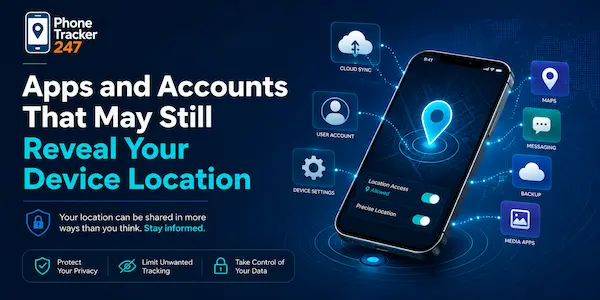
Location risk does not only come from the phone hardware. App permissions, synced accounts, and shared device access can also expose where a phone has been.
Google, Apple, and cloud account features may still share device signals
Services such as Find My iPhone or Find My Device are designed to help users recover lost phones. Depending on the setup, they may store the last known location, device status, or recent connection data. Even if live location sharing is turned off, account tools may still reveal enough information to show where the phone was recently active. That is why checking account settings matters just as much as checking the location toggle on the device itself.
Messaging, social, and map apps may collect location-related data
Some apps ask for precise location, while others use approximate location or network-based data. Messaging apps may attach metadata. Social apps may collect nearby network information. Navigation apps may save previous searches, routes, or visited places. Even when precise GPS is denied, an app can sometimes build a rough picture from surrounding data. Reviewing permissions one by one is more effective than assuming one master switch controls everything.
Family sharing and shared account access can create visibility
A surprising number of privacy issues come from shared accounts rather than advanced tracking tools. If two people share an Apple ID, Google account, or family sharing setup, device information may be visible without any secret software. The same can happen on company-owned devices managed by an employer. In these cases, the phone may be trackable through account access, not because someone bypassed your location settings. That is why account security deserves close attention.
Can Spyware Track a Phone Even If Location Is Off?
This is often the real fear behind the search. People are usually not asking about normal apps alone. They want to know whether hidden software can still follow them.
Spyware can use multiple signals beyond GPS
Spyware is designed to collect data quietly. Some malicious apps do not rely on GPS alone. They may read device activity, monitor connections, capture messages, log app use, or record nearby network data. In that case, turning off location may block one source, but the software may still gather enough signals to infer where you are. That makes spyware far more serious than ordinary app tracking.
Warning signs your phone may be monitored
There is no single sign that proves a phone is being tracked, but several red flags can appear together. Watch for unusual battery drain, overheating during light use, sudden data spikes, random permission requests, unfamiliar apps, or settings that keep changing. These signs do not always mean spyware, yet they justify a closer inspection. The key is to look for patterns, not just one isolated problem.
What to do if you suspect unauthorized tracking
Start by reviewing app permissions carefully. Remove apps you do not recognize or no longer use. Change your important passwords, especially for Google, Apple, email, and banking accounts. Turn on two-factor authentication. Update the operating system and run a trusted mobile security scan. If the phone still behaves suspiciously, back up essential files and consider a factory reset. In serious cases, professional device support may be the safest move.
What Turning Off Location Actually Stops
This setting is still useful because it reduces exposure in several important ways. It can limit precise tracking, especially from apps that depend on live GPS access.
| What location off usually stops | Why it matters |
| Precise GPS app location updates | Blocks many apps from seeing exact real-time coordinates |
| Live navigation-based access | Limits turn-by-turn and route-based tracking |
| Many location-sharing features | Prevents active sharing in some apps and services |
| Some geofencing alerts | Stops location-triggered actions in certain tools |
| Part of background location collection | Reduces passive data gathering on many devices |
What Turning Off Location Does Not Always Stop
This is the part many people miss. Disabling one setting helps, but it does not remove every technical path that can still reveal your position.
- Cell tower positioning: Your carrier can still estimate where the phone is based on tower connections and handoffs between nearby towers.
- Wi-Fi and Bluetooth signals: Nearby devices and networks can still help systems estimate your general position indoors or in crowded urban areas.
- IP-based location detection: Websites and apps can still infer your city or region from your internet connection.
- Last known location data: Some cloud accounts may still store the last place your device was seen before location was disabled.
- Spyware or shared account access: Hidden apps or connected accounts may still expose device activity beyond normal GPS sharing.
How to Make Your Phone Harder to Track
Reducing tracking risk requires more than turning one option off. A better approach is to tighten several settings together and remove easy exposure points.
- Review permissions app by app: Check which tools can access location, Bluetooth, photos, microphone, and background activity.
- Disable Wi-Fi and Bluetooth when not needed: This reduces passive signal sharing and closes off common proximity-based clues.
- Audit Google and Apple account settings: Turn off location history, review linked devices, and remove anything unfamiliar.
- Strengthen account security: Use a strong password and two-factor authentication to prevent account-based tracking.
- Remove suspicious apps and profiles: Delete anything unknown, unnecessary, or recently installed without a clear reason.
- Keep your phone updated: Security patches reduce the chance of malicious apps abusing old vulnerabilities.
When Phone Tracking Is Legitimate and When It Crosses the Line
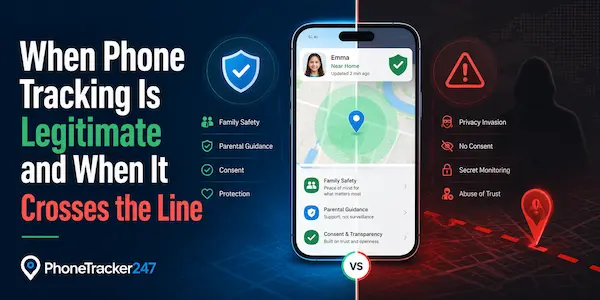
Phone tracking becomes easier to understand when you separate transparent use from abusive use. Consent-based parental monitoring, company device management, and lost-phone recovery can all serve legitimate purposes. Hidden surveillance by a partner, stranger, or unapproved app crosses a very different line. PhoneTracker247 emphasizes legal, consent-based monitoring and positions itself around safety, transparency, and device security rather than covert spying.
Final Thoughts on Whether Someone Can Track Your Phone If Your Location Is Off
So, can someone track my phone if my location is off? Yes, they may still be able to, depending on the method. Turning off location reduces precise GPS tracking, but it does not fully block cell towers, Wi-Fi clues, IP-based detection, shared accounts, or spyware. The safest approach is to combine location controls with stronger privacy habits. Review permissions, secure your accounts, remove suspicious apps, and limit unnecessary connections. That combination gives you far better protection than relying on one switch alone.
Want a transparent and privacy-focused way to monitor a device with proper consent? Explore PhoneTracker247 and see how responsible phone tracking can support family safety, business oversight, and device security.
For daily updates, subscribe to PhoneTracker’s blog!
We may also be found on Facebook!
FAQs – Can Someone Track My Phone If My Location Is Off?
1. Can someone track my phone if location is off?
Yes, but tracking becomes less precise.
2. Does turning off location stop GPS tracking?
Yes, it usually blocks precise GPS access.
3. Can cell towers still track a phone?
Yes, carriers can estimate location through cell towers.
4. Can Wi-Fi reveal my location?
Yes, nearby Wi-Fi networks can expose location clues.
5. Can my IP address show my location?
Yes, it may reveal your city or region.
6. Can spyware track my phone?
Yes, spyware may collect data beyond GPS.
7. Can shared accounts reveal location?
Yes, Apple or Google accounts may show device activity.
8. How can I reduce tracking risk?
Review permissions, secure accounts, and remove suspicious apps.
9. Is all phone tracking illegal?
No, consent-based family or business tracking can be legitimate.
10. What is the safest first step?
Turn off location, audit apps, and enable two-factor authentication.