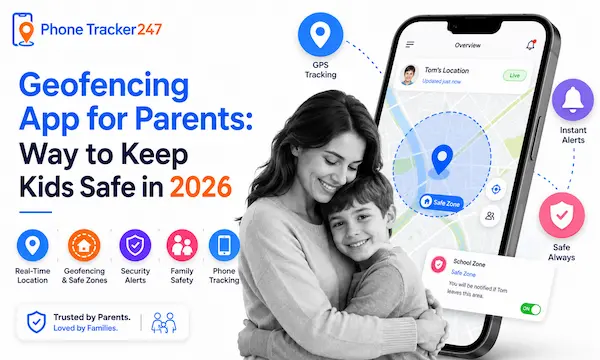
The “mental load” of parenting in 2026 is heavy. Between managing digital footprints and hectic schedules, the physical safety of our kids remains the top priority. A geofencing app for parents has emerged as the essential tool for modern families, acting as an “invisible safety net” that pings your phone the moment your child arrives at school or leaves a pre-approved “safe zone.” These apps have evolved from simple trackers into sophisticated AI-driven assistants that offer peace of mind without the need for constant, hovering surveillance.
What is a Geofencing App and How Does it Work for Parents?
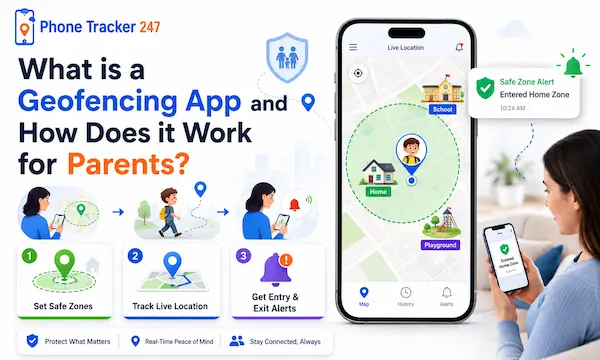
A geofencing app for parents utilizes a blend of GPS, Wi-Fi, and cellular tower data to build a virtual perimeter around specific locations on a map.
When your child’s device (whether it is a smartphone, a tablet, or a GPS watch) crosses this digital “fence,” the system triggers an immediate push notification to your device. This automation eliminates the need for constant, anxious “Where are you?” texts, allowing you to focus on your day while knowing they reached their destination safely.
2026 Industry Data: Why Families are Switching to Geofencing
Data from the Global Child Safety Tech Report (2026) highlights a massive shift toward automated location alerts in residential households.
| Metric | 2022 Data | 2026 Projection |
| Active Geofencing Users | 12.4 Million | 34.8 Million |
| Average “Safe Zones” per Family | 2.1 Zones | 5.4 Zones |
| False Alarm Rate | 18% | < 3% (AI-Refined) |
| Battery Impact (Daily) | 15–20% Drain | 4–6% Drain |
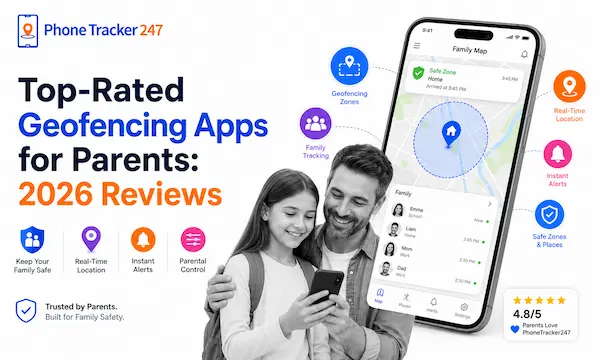
Top-Rated Geofencing Apps for Parents: 2026 Reviews
Selecting the right geofencing app for parents depends on your budget and whether you prioritize deep surveillance or a trust-based approach.
1. PhoneTracker247: Best for Real-Time Alerts and All-in-One Family Safety
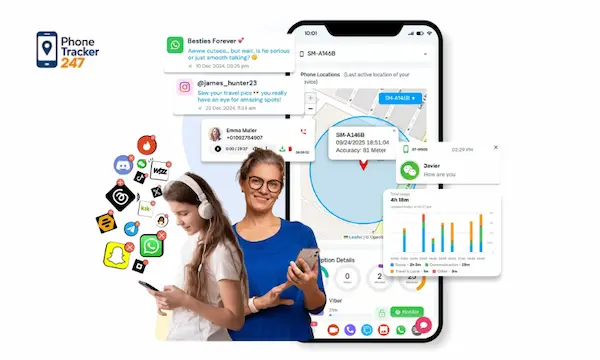
Overview: PhoneTracker247 is a strong choice for parents who want geofencing plus broader family safety tools in one dashboard. It offers live GPS tracking, geofencing, route history, and AI-assisted arrival and exit alerts. On its features page, PhoneTracker247 says location updates can refresh every few seconds and use GPS, Wi-Fi, and cell-tower data to improve precision, often around 1–5 meters depending on conditions.
Pros: It goes beyond basic safe-zone alerts by combining live location visibility, route history, app activity monitoring, and privacy-first controls. The platform also emphasizes consent-first use, encryption, and a unified dashboard, which makes it appealing for parents who want both safety and oversight in one place.
Cons: Some geofencing features are still labeled Alpha on the pricing page, and certain advanced capabilities may vary by device, operating system, permissions, and local legal restrictions. The platform is also broader than a simple family locator app, so parents who only want lightweight geofencing may find it more feature-heavy than necessary.
Pricing: The Free plan is $0 and includes real-time GPS tracking, 24-hour location history, and 1 geofence for 1 device. The Essential plan is $29.99 per 30 days and adds live GPS, location history, and geofencing alerts. The Premium plan is $39.99 per 30 days and includes unlimited real-time GPS tracking, unlimited location history, and advanced geofencing with unlimited zones.
Verdict: This is a strong option for parents who want more than just location check-ins. If your goal is to combine geofencing alerts with real-time visibility and extra family monitoring tools, PhoneTracker247 is one of the most complete all-in-one choices in the category.
2. Qustodio: Best for Detailed Location Tracking
Overview: Qustodio is widely considered the most precise geofencing app for parents available today. It provides real-time location updates every 5 to 10 minutes and allows parents to draw highly specific 200-meter zones around critical spots like schools, tutor centers, or grandparents’ homes.
Pros: It features an intuitive SOS panic button and remarkably accurate geofencing that rarely produces false alarms. The dashboard is clean and offers a 30-day location history for reviewing routine patterns.
Cons: The iOS version is slightly more limited than the Android version due to Apple’s system restrictions. It can also be more expensive than some basic alternatives.
Pricing: The Basic plan starts at $54.95 per year for 5 devices, while the Complete plan is $99.95 per year for unlimited devices.
Verdict: This is the best choice for parents of younger children who need high-precision tracking and an emergency SOS feature.
3. Life360: Best for Families with Teen Drivers
Overview: Life360 has evolved into a comprehensive family locator app that focuses on movement intelligence. It is designed to track “Circles” of people, making it easy to see where everyone is on a single, shared map.
Pros: It excels at driving safety, providing reports on top speed, hard braking, and even phone usage while driving. It also offers “Place Alerts” that notify the whole family when a member arrives at a frequent destination.
Cons: The app can be a significant drain on battery life because it requires constant background refreshing. Some teenagers may find the level of detail regarding their driving habits to be overly intrusive.
Pricing: A free version is available with basic features. The Silver plan is $7.99 per month, and the Gold plan is $14.99 per month.
Verdict: Life360 is the premier option for families with teenagers who are just starting to drive and need extra oversight on the road.
4. Bark: Best for Trust-Based Safety
Overview: Bark takes a unique approach to safety by focusing on AI-driven alerts rather than constant map-watching. As a family safety app, it notifies parents only when a child enters a “danger zone” or if something concerning is detected in their digital content.
Pros: It supports an unlimited number of devices and children under a single subscription. The location features are non-invasive, providing check-ins and geofencing without making the child feel like they are being watched 24/7.
Cons: It does not provide a full minute-by-minute location history like Qustodio. The setup process for iOS devices can be quite technical and time-consuming.
Pricing: Bark Jr is $5.00 per month, while Bark Premium (which includes social media monitoring) is $14.00 per month.
Verdict: Bark is ideal for parents of older teens who want to respect privacy while still having a safety net for emergencies.
5. FamiSafe: Best for High-Precision Geofences
Overview: FamiSafe is a robust top apps to monitor kids contender that offers the widest geofencing radius options on the market. It allows you to set safe zones up to 1,000 meters, which is perfect for large suburban neighborhoods or sprawling school districts.
Pros: It includes a “one-way audio” feature that lets parents hear the surroundings of their child’s device in an emergency. The location updates are frequent, occurring every 3 minutes for high accuracy.
Cons: Users have reported that the web filtering can be inconsistent compared to Qustodio. The app interface can also feel a bit cluttered with too many features for a beginner.
Pricing: Monthly plans are $9.99 per month, or you can opt for an annual plan at $59.99 (which works out to $4.99 per month).
Verdict: Choose FamiSafe if you live in a large area where a standard 200-meter geofence is too small to be useful.
Top 5 Geofencing Apps for Parents
| App | Best For | Key Geofencing Strengths | Why It Stands Out |
|---|---|---|---|
| PhoneTracker247 | Parents who want real-time location alerts plus broader family monitoring | Uses GPS, Wi-Fi, and cellular data to create virtual safe zones and trigger instant entry/exit alerts. | A strong all-in-one option for families that want geofencing, live location visibility, and extra monitoring tools in one dashboard. |
| Life360 | Families focused on shared location safety and driving peace of mind | Offers Place Alerts, location history, and alerts for key places like home, school, and work. | Especially useful for family circles that want location sharing with added safety features like crash detection. |
| Qustodio | Parents who want geofencing combined with strong parental controls | Lets parents see family locations and get alerts when kids arrive at or leave saved places. | Works well for families that want location alerts together with screen time limits, app blocking, and activity reports. |
| Bark | Parents who want location alerts plus online safety monitoring | Includes live GPS, location alerts, and check-ins for children on the go. | A good fit for parents who want geofencing alongside content monitoring, screen time controls, and website/app blocking. |
| FamiSafe | Parents who want easy routine tracking and safe-zone alerts | Provides live GPS, location history, and geofencing alerts with Safe Zones. | A practical choice for everyday use because it combines location tools with screen time and calls/messages monitoring. |
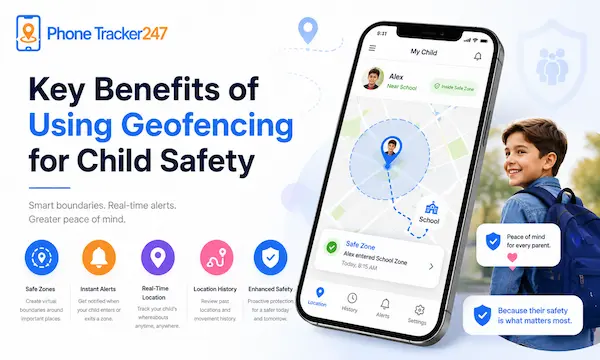
Key Benefits of Using Geofencing for Child Safety
Using a geofencing app for parents creates a proactive safety culture rather than a reactive one.
Automated School Attendance Notifications
Mornings are chaotic, and the “did they make it?” anxiety is a real weight on parents. A geofencing app for parents automates this by sending a “School Arrival” ping the moment they cross the campus line, so you can stop staring at the clock and get to work.
This feature is especially helpful for kids who take public transit or walk. You get a confirmation of their arrival without them having to remember to text you, which is something they rarely do anyway.
Proactive “Danger Zone” Alerts
Safety isn’t just about the “good” places; it is about staying away from the “bad” ones. You can use a geofencing app for parents to mark areas like busy highways, abandoned lots, or neighborhoods that are off-limits.
If your child wanders toward these restricted zones, you get an immediate high-priority alert. This allows you to call them or check their real time location sharing app data before they get too deep into an unsafe situation.
Fostering Independence for Teens
As kids get older, they need to feel like you trust them to explore their world. A geofencing app for parents allows you to grant that independence by replacing manual “check-ins” with automated safety.
It creates a “trust but verify” environment where teens can go to the mall or a movie without being bothered by phone calls. They know that as long as they stay within the agreed-upon zones, they have total freedom to be themselves.
Key Features to Look for in 2026
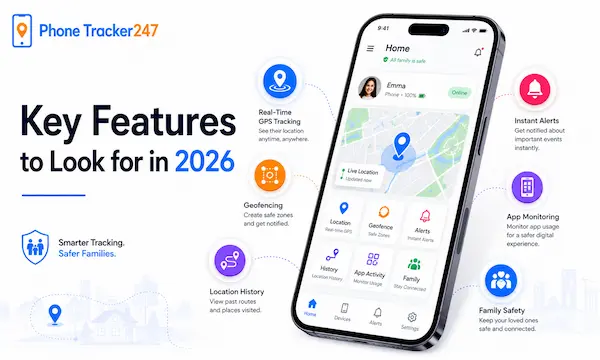
If you are looking for the top apps to monitor kids, ensure they have these specific geofencing capabilities.
- Polygonal Fencing: Allows you to draw custom shapes on a map rather than just simple circles, which is perfect for oddly shaped school campuses.
- Low-Battery Optimization: Uses “fused location” technology so the geofencing app for parents doesn’t kill their phone battery by lunchtime.
- Time-Based Fencing: Lets you set a geofence that is only active during certain hours, like during school or late-night outings.
Table 2: What Parents Should Look for in a Geofencing App
| Feature | Why It Matters for Parents | How PhoneTracker247 Helps |
|---|---|---|
| Real-time entry and exit alerts | Parents know immediately when a child arrives at or leaves an important place | Sends instant notifications when a device crosses a defined boundary |
| Multiple safe zones | Families often need more than one location, such as home, school, and activity centers | Lets parents monitor several important places at once |
| Accurate location tracking | Better accuracy reduces false alerts and improves trust in the app | Uses GPS, Wi-Fi, and cellular data for more reliable positioning |
| Location history | Parents can review movement patterns and confirm daily routines | Helps families see where a child has been throughout the day |
| Easy setup and management | Busy parents need an app that works without a steep learning curve | Designed for simple monitoring and fast geofence setup |
| Family safety focus | Parents want more than a map—they want practical safety support | Combines geofencing with broader phone monitoring and safety tools |
How to Set Up a Geofence in 3 Simple Steps
Most modern geofencing app for parents options are designed to be set up in under five minutes.
- Select the Location: Pinpoint the address on the map (for example, “Northwest High School”).
- Draw the Perimeter: Choose a radius (usually 150–300m) or draw a custom shape around the property lines.
- Customize Notifications: Select “Enter,” “Exit,” or both, and hit save to activate the geofencing app for parents monitoring.
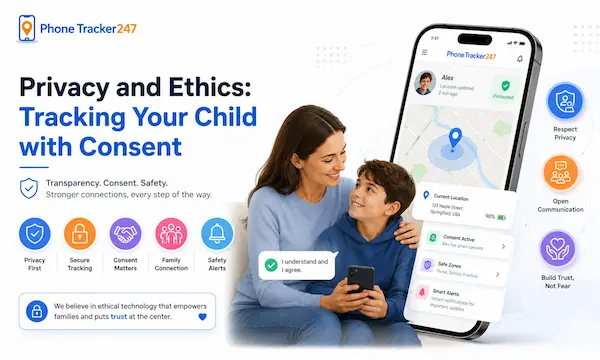
Privacy and Ethics: Tracking Your Child with Consent
While a geofencing app for parents is a safety tool, it is also a data tool that requires an ethical approach.
In 2026, transparency is the best policy for a family safety app. Sit down with your child and show them how the geofencing app for parents works on your phone. Explain that it is not about “spying” on their conversations, but about having a digital backup for their physical safety. When kids understand why the app is there, they are much less likely to try to disable it or leave their phone behind.
FAQs – Geofencing app for parents
1. What is a geofencing app for parents?
A geofencing app lets parents create virtual boundaries and receive alerts when a child enters or leaves those areas.
2. How does geofencing work?
It uses GPS, Wi-Fi, or mobile network data to detect a device’s location relative to a preset zone.
3. Are geofencing apps accurate?
Most are reasonably accurate, but precision can vary based on signal strength, device settings, and the surrounding environment.
4. Can parents set multiple safe zones?
Yes. Many apps allow parents to create several zones, such as home, school, and after-school locations.
5. Do geofencing apps send alerts in real time?
Many do, but the speed of alerts depends on the app, the device, and network conditions.
6. Is a geofencing app enough for child safety?
It helps a lot, but it works best when combined with open communication and other parental safety measures.
7. Do geofencing apps drain battery?
Some location-based features can use more battery, especially with frequent tracking updates.
8. Can geofencing apps show location history?
Yes. Many parental control apps include location history so parents can review past movements.
9. Are geofencing apps legal for parents to use?
In most cases, parents can use them on their minor children’s devices, but local laws and privacy rules should still be respected.
10. What should parents look for in the best geofencing app?
Parents should look for accurate tracking, instant alerts, multiple safe zones, location history, and an easy-to-use dashboard.
Conclusion: Choosing the Right Geofencing App for Parents in 2026
The right geofencing app for parents is more than just a tracking tool; it is a communication bridge. By automating the “I’m safe” check-in, you reduce family friction and increase security across the board. Whether you are protecting a toddler with a GPS watch or a teen with their first car, geofencing provides the 24/7 awareness every modern parent needs to breathe a little easier.
Quick Summary: Which Geofencing App Is Right for Your Family?
| App | Best For | Main Strength | Best Fit |
|---|---|---|---|
| PhoneTracker247 | Parents who want an all-in-one family safety solution | Real-time GPS tracking, geofencing alerts, route history, and broader monitoring tools in one dashboard | Families who want more than basic location sharing |
| Qustodio | Detailed location tracking | Precise geofencing, SOS feature, and location history | Parents of younger children who need close supervision |
| Life360 | Family location sharing | Shared maps, place alerts, and driving-related safety tools | Families with teen drivers or multiple members on the move |
| Bark | Digital safety and monitoring | Geofencing plus online activity monitoring and content alerts | Parents focused on both location and online protection |
| FamiSafe | Everyday routine tracking | Safe-zone alerts, live location, and easy-to-use parental controls | Parents who want a simple daily safety tool |
Why PhoneTracker247 Stands Out
If you want a geofencing app that does more than send basic location alerts, PhoneTracker247 is a strong choice. It helps parents stay informed with real-time updates, instant safe-zone notifications, route history, and a broader family safety dashboard designed for everyday use. Instead of switching between multiple apps, families can manage location awareness and monitoring tools in one place.
Start Using PhoneTracker247 Today
Your child’s safety should never depend on delayed alerts or incomplete information. PhoneTracker247 gives parents a smarter way to stay connected with real-time geofencing, live location visibility, and practical tools built for modern family life. If you want faster alerts, clearer insights, and more peace of mind every day, now is the right time to start with PhoneTracker247.
For daily updates, subscribe to PhoneTracker’s blog!
We may also be found on Facebook!