Choosing internet filtering software is like putting a smart safety gate in front of your family’s digital life. It does not replace guidance, trust, or healthy habits, but it does help reduce the risks that come with unrestricted browsing. Today, children move between phones, tablets, and laptops faster than most parents can track manually. That is why the best internet filtering software does more than block harmful websites. It helps families create safer online routines, improve visibility, and manage internet access in a way that feels practical instead of overwhelming. Let’s find out more in this article with PhoneTracker247.
What is internet filtering software and why do families use it?
Internet filtering software is a tool that controls which websites or types of content can be accessed on a device or network. For families, it is mainly used to block harmful websites, reduce exposure to adult content, and create a safer browsing environment for children.

How internet filtering software works on home and mobile devices
Most internet filtering software checks website traffic against a set of rules. Those rules may block categories like adult content, gambling, violence, phishing, or malware. Some tools also let parents create custom blocklists and approved website lists.
- Category-based filtering: This blocks large groups of websites that may be unsafe or inappropriate for children. It saves parents from checking websites one by one.
- Custom controls: Parents can block specific sites or allow trusted ones for learning and entertainment.
- Cross-device support: Good tools work across multiple devices, which matters because children rarely stay on one screen all day.
For many parents, the biggest value is consistency. A family internet filter creates the same safety layer across daily browsing habits.
The main risks families want to reduce with web filtering software
Families usually look for internet content filtering software because online risks are harder to manage manually than they used to be. The concern is not only explicit content. It also includes scams, manipulative websites, and endless distractions.
- Adult and explicit content: Children can reach inappropriate pages through search, ads, or shared links.
- Malicious websites: Some websites are designed to steal data, spread malware, or trick users into unsafe actions.
- Distracting digital habits: Not every harmful website is shocking. Some simply encourage unhealthy time use and constant scrolling.
That is why many parents now want a broader digital safety approach rather than simple website blocking alone.
See more: Detailed Guide to Setting Up iPod Parental Controls for Parents
The most important features to look for in internet filtering software
Not all internet filtering software for families offers the same level of protection. Some tools only block websites, while others give parents a wider view of how devices are being used. The most effective solution usually combines filtering, visibility, and ease of use.
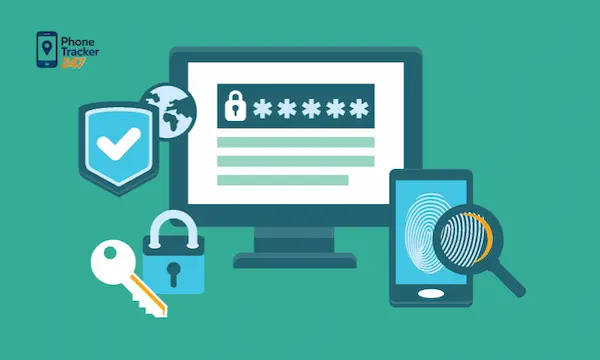
Content filtering categories that block harmful websites
Strong category filtering is the first feature families should check. It helps stop exposure before a child reaches unsafe content.
- Adult content filtering: This is one of the most important categories for most households.
- Violence, gambling, and harmful themes: Broader filtering reduces accidental exposure to disturbing or age-inappropriate content.
- Phishing and malware protection: Filtering also supports device safety, not just content control.
A strong content filter gives parents peace of mind without forcing them to manage every browsing decision manually.
Custom website blocking and allowlists for flexible control
Category filtering is useful, but it is not always precise enough. Families often need to make exceptions for school platforms, approved video sites, or learning tools.
- Block specific domains: Parents can stop access to websites that are distracting or inappropriate.
- Allow trusted sites: Approved learning and family-safe websites stay accessible.
- Adjust rules over time: Children’s online needs change as they grow, so filters should be flexible.
This matters because digital parenting is never one-size-fits-all. Families need room to adapt rules to age, maturity, and daily use.
Activity reports and browsing visibility
Website blocking is only one part of a good family safety system. Parents also benefit from understanding browsing behavior and device usage patterns.
- Browsing visibility: This shows which sites are visited or attempted.
- Usage summaries: Reports help parents spot trends over time instead of reacting to isolated moments.
- Better conversations: When parents have context, they can guide more calmly and more clearly.
PhoneTracker247 is positioned as a privacy-first, consent-based monitoring platform that supports device control, browser activity visibility, app usage monitoring, and family safety rather than covert spying.

Multi-device coverage and easy setup
Children often switch between devices throughout the day. That means filtering software should work across phones, tablets, and computers without requiring parents to manage each device separately.
- Consistent protection: The same rules should apply across all family devices.
- Simpler management: Parents need one clear control point instead of multiple disconnected settings.
- Real-world usability: A tool that is hard to install or update usually becomes less effective over time.
Ease of use is not a small benefit. It often determines whether families keep using the software consistently.
Internet filtering software vs parental control apps
These two terms are often used as if they mean the same thing, but they are not identical. Understanding the difference helps families choose a solution that matches their real needs.
What internet filtering software does well
Internet filtering software is designed to control access to websites and online content. It works well when the main goal is safer browsing.
- Blocks risky content early: It prevents access before children land on harmful pages.
- Supports safer web habits: Children are less likely to drift into unsafe content when filters are active.
- Creates a baseline layer of protection: Even families with strong communication benefit from automated filtering.
For younger children or shared home devices, this may be enough.
Where parental control apps add more protection
Parental control apps often include more than web filtering. They may also support app monitoring, device activity visibility, alerts, and location-based features.
- App oversight: Parents can understand which apps consume time and attention.
- Broader monitoring: The family gets more context than website blocking alone can provide.
- Additional safety tools: Some platforms include location tracking, detailed reports, and wider device monitoring.
PhoneTracker247 presents itself as an all-in-one platform that combines GPS tracking, app usage monitoring, browser history visibility, communication oversight, and device data access while emphasizing lawful, consent-based use.
For families dealing with more than simple web access issues, a broader digital safety platform often makes more sense than a basic filter.

How to compare internet filtering software for families
Choosing the best internet filtering software for families is less about picking the most famous product and more about choosing the right fit. Parents should assess tools based on age needs, daily habits, privacy, and long-term ease of use.
Match the tool to your child’s age and internet habits
Different age groups need different levels of control. A solution that works for a younger child may feel too rigid for a teenager.
- Younger children: Usually need stronger filtering and tighter browsing limits.
- Pre-teens and teens: Often need a balance between safety controls and trust-based independence.
- Different habits: A child who mainly uses educational websites has different risks than one active on search, social apps, and games.
The right tool should support these differences rather than forcing the same rules for every child.
Check privacy, consent, and data security
Families should also examine how a product handles user data. This is important because internet filtering and monitoring tools often process sensitive browsing information.
- Clear privacy standards: Parents should understand how the tool works and what data it collects.
- Strong security practices: Sensitive information should be protected with reliable security methods.
- Transparent positioning: A family safety tool should present itself clearly, not like hidden spyware.
PhoneTracker247 specifically emphasizes privacy-first design, consent-based use, AES-256 encryption, and GDPR/CCPA compliance in its positioning.
Common mistakes families make when choosing a family internet filter
Parents often choose software quickly after one bad online experience. That reaction is understandable, but rushed decisions can lead to poor results.
- Choosing based only on price: Cheap tools may lack the reporting, flexibility, or multi-device support families actually need.
- Picking software that is too complex: If the setup is confusing, parents may stop maintaining it properly.
- Expecting filtering to solve every problem: Browsers are only one part of a child’s digital world.
- Ignoring privacy concerns: Safety should not come at the cost of trust and transparent data handling.
- Skipping family discussion: Software works better when children understand the boundaries and reasons behind them.
These mistakes do not mean parents are doing something wrong. They usually mean the family needs a more realistic and sustainable approach.

Signs your family may need internet filtering software now
Some parents wait until a serious problem appears. In reality, filtering is often most useful as a preventive tool.
- Children are using personal devices earlier
- Browsing happens without direct supervision
- Unsafe search results or explicit pages have already appeared
- Parents cannot track online habits manually anymore
- Current controls are inconsistent across devices
When these signs appear, filtering software can reduce daily stress and strengthen household digital boundaries.
Conclusion: What families should prioritize before choosing internet filtering software
The best internet filtering software is not simply the one that blocks the most websites. It is the one that helps your family create safer browsing habits, maintain clear digital boundaries, and manage devices in a realistic way. For most households, that means looking for strong content filtering, custom controls, browsing visibility, multi-device support, and privacy-focused design.
Families that need more than a basic filter may also benefit from a broader digital safety platform. PhoneTracker247 is positioned to support that need with transparent, consent-based monitoring, browser activity visibility, app tracking, and device oversight built around safety and control.
Protect your family with a solution that supports safer browsing, clearer visibility, and smarter digital control every day.
For daily updates, subscribe to PhoneTracker’s blog!
We may also be found on Facebook!
FAQs – Internet Filtering Software
1. What is internet filtering software?
It blocks or limits access to unsafe websites.
2. Why do families use internet filters?
They help protect children from harmful online content.
3. Can filters block adult websites?
Yes, most tools block adult and explicit content.
4. Can I block specific websites?
Yes, custom blocklists let parents block chosen sites.
5. Can I allow trusted websites only?
Yes, allowlists keep approved websites accessible.
6. Does filtering work on all devices?
Good tools support phones, tablets, and computers.
7. Can parents see browsing activity?
Yes, some tools show browsing history and reports.
8. Is filtering better than parental controls?
It depends; parental controls often add more features.
9. Are internet filters perfect?
No, families should review settings regularly.
10. What should parents look for first?
Choose filtering, reports, easy setup, and privacy.