Choosing the best parental control app for iPhone can feel a lot like locking your front door but leaving the windows open. Apple gives families useful built-in controls, yet many parents still need clearer visibility into daily habits, location awareness, and online activity. That is where the decision becomes practical, not technical. The right tool should help you guide your child, reduce guesswork, and make digital safety easier to manage. In this guide, we break down what really matters in an iPhone parental control app and how we approach family monitoring with PhoneTracker247.
What makes the best parental control app for iPhone
When parents search for the best parental control app for iPhone, they are rarely looking for the longest feature list. They are looking for the best match between real family needs and reliable daily use.

Real-time location and location history support everyday peace of mind
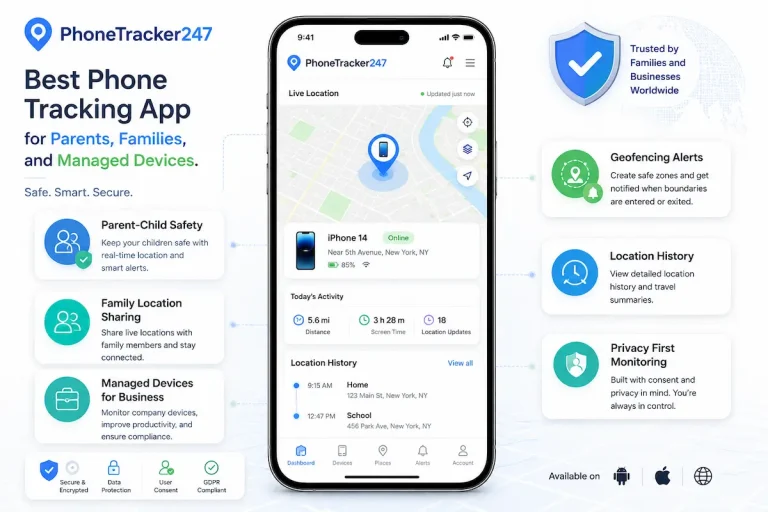
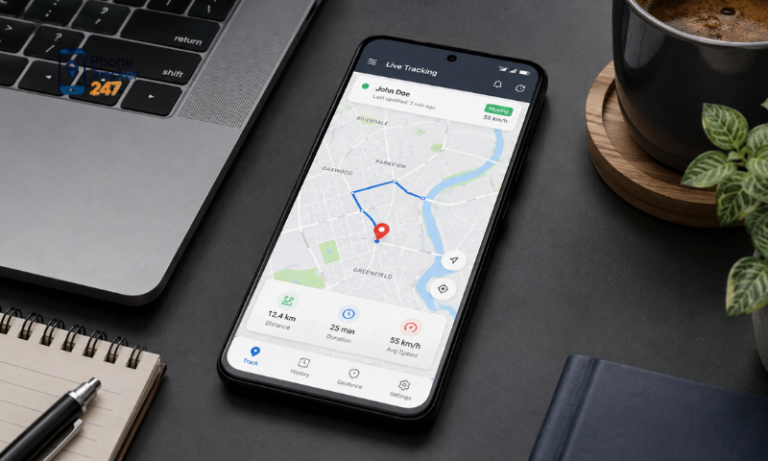
Location tracking is often the first reason parents look beyond standard iPhone settings. It is not only about seeing a dot on a map. It is about understanding movement throughout the day, checking arrival times, and receiving alerts when a child enters or leaves key places. In our platform model, real-time location, location history, and geofencing are core features because they solve common family concerns in a direct way. For busy parents, that kind of visibility can reduce stress fast.
App activity and screen time insights help parents guide instead of guess
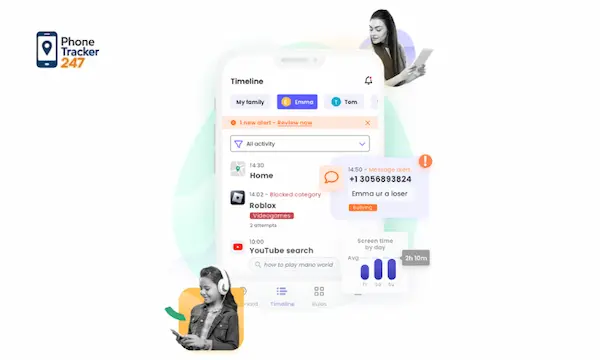
Parents often assume a child is spending too much time on one app, but assumptions are rarely enough. Good app activity monitoring shows which apps are installed, how usage is distributed, and where attention is going over time. Apple can already show app and website activity through Screen Time, which is useful for baseline reporting. A fuller parental control workflow becomes more valuable when those insights sit inside a broader monitoring dashboard, alongside other signals that help parents respond with context instead of reacting blindly.
Web activity awareness improves online safety on iPhone
Web restrictions are important, but browsing visibility can be just as important. Apple allows parents to limit inappropriate web content and control broader content access through Screen Time. That is a strong starting point for safer browsing. Still, many families want more than a filter. They want to understand what kinds of sites are being visited and whether online behavior is changing. In the PhoneTracker247 product structure, browsing history monitoring is part of the core parental control value because it supports early awareness and more informed guidance.
See more: Best Phone Monitoring App for iPhone: What Features Actually Matter in 2026
Screen Time vs a full parental control platform on iPhone
This is where many parents get stuck. They do not know whether Apple’s built-in features are enough or whether they need a more complete parental control app for iPhone.
Where Apple Screen Time works well
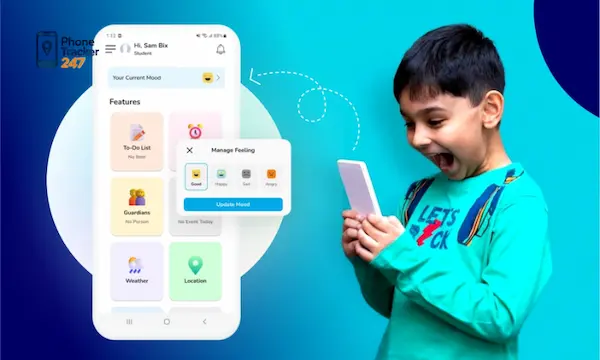
Apple deserves credit here. Screen Time and Family Sharing already cover several important needs: app limits, downtime, purchase approval, web restrictions, content ratings, communication settings, and activity reporting. For younger children especially, these controls can go a long way. If your main goal is to reduce screen time, prevent purchases, and filter basic content, Apple’s native ecosystem may already handle much of the job effectively.
Where parents may want more visibility and centralized monitoring
The gap appears when parents want one place to monitor daily movement, digital activity, and broader behavior patterns with less switching between settings. Native controls are useful, but they are still settings-driven. A full parental control platform is workflow-driven. That difference matters because families often need a dashboard that makes it easy to review data, spot trends, and act quickly. That is the space where PhoneTracker247 is designed to operate: centralized oversight instead of fragmented checking.
Why many families combine iPhone settings with PhoneTracker247
In practice, the strongest setup is often layered. Families can use Apple Screen Time for built-in restrictions and use PhoneTracker247 for broader visibility, centralized monitoring, and family safety workflows. That combination gives parents both control and clarity. Instead of choosing between Apple tools and a parental control platform, many families benefit more from using both together in a way that fits the child’s age, habits, and level of independence.
How PhoneTracker247 helps parents manage iPhone safety with more clarity
A strong parental control app should not overwhelm parents with technical language. It should make family monitoring more practical, more transparent, and easier to use consistently.

A centralized dashboard keeps monitoring more manageable
PhoneTracker247 is not positioned as just a GPS tool. It is described as a layered monitoring platform with device-side capture, a web dashboard, and multiple feature modules working together. That matters because parents do not want to chase information across different menus and reports. They want one place to check what matters, understand what changed, and respond with confidence. A dashboard-first experience supports exactly that kind of everyday use.
Core features support family safety across daily routines
Our core value in a family setting is practical oversight. That includes real-time location, movement history, geofencing alerts, app activity visibility, browsing history awareness, and broader device activity tracking through a centralized system. The product information also notes other modules such as call history, SMS visibility, audio-related tools, and certain advanced capabilities where supported, but those should be framed carefully based on device, platform, and legal conditions. Keeping that distinction clear builds trust and keeps expectations realistic.
Responsible parental monitoring matters as much as features
A lot of content around monitoring apps uses the wrong tone. We take a different approach. PhoneTracker247 is positioned around lawful use, informed consent, privacy, encryption, and use on owned or authorized devices. That gives parents a more responsible framework for family safety. When you are choosing the best parental control app for iPhone, this point should not be secondary. The right platform should help protect children without normalizing secretive or unlawful behavior.
See more: Child and Youth Safety Online: A Practical Guide for Modern Parents
How to choose the right setup for your family
There is no single perfect configuration for every household. The right parental control setup depends on age, trust level, schedule, and how independently your child uses an iPhone.
- For younger kids: focus first on Screen Time, content restrictions, purchase approval, and web filtering through Apple’s built-in controls.
- For pre-teens: add stronger location awareness, app usage visibility, and geofencing so you can manage both movement and digital habits more confidently.
- For teens: aim for accountability, transparency, and discussion, not just strict restriction. Visibility often matters more than blanket blocking.
- For busy parents: choose a solution that gives you one dashboard instead of scattered settings and constant manual checking.
Common mistakes parents make when choosing an iPhone parental control app
Parents often choose too quickly because the keyword sounds simple. In reality, the best parental control app for iPhone is the one that fits how your family actually lives.
- Choosing based only on marketing claims: the longest feature list is not always the most useful one.
- Ignoring ease of use: if the dashboard is confusing, most parents will stop checking it regularly.
- Expecting one feature to solve everything: screen limits, location, browsing, and safety alerts each play a different role.
- Overlooking legal and privacy standards: responsible parental control should always be tied to consent, authorization, and lawful use.
Final thoughts on the best parental control app for iPhone
The best parental control app for iPhone is not simply the one with the most controls. It is the one that helps you protect your child, understand their digital habits, and manage family safety without turning your routine into more work. Apple Screen Time gives parents an excellent foundation, especially for restrictions and family settings.
PhoneTracker247 builds on that need by offering a more centralized monitoring experience designed around clarity, oversight, and responsible use. If you want a smarter way to manage iPhone safety with more confidence, start with the features that matter most to your family and build from there.
For daily updates, subscribe to PhoneTracker’s blog!
We may also be found on Facebook!
FAQs – The Best Parental Control App for iPhone
1. What is the best parental control app for iPhone?
PhoneTracker247 is a strong choice for broader iPhone monitoring.
2. Is Apple Screen Time enough?
It helps, but many parents need more visibility.
3. Can parents track iPhone location?
Yes, location tracking helps monitor daily movement.
4. Can parents see app activity?
Yes, good apps show app usage and activity trends.
5. Can parental apps block websites?
Yes, many tools support web filtering or browsing visibility.
6. Does PhoneTracker247 work with iPhone safety?
Yes, it supports broader family monitoring workflows.
7. Should parents use app limits?
Yes, app limits help manage screen time.
8. What features matter most?
Location, app activity, web safety, and easy reports.
9. Is responsible monitoring important?
Yes, use parental controls legally and transparently.
10. What should parents set first?
Start with Screen Time, content limits, and location safety.