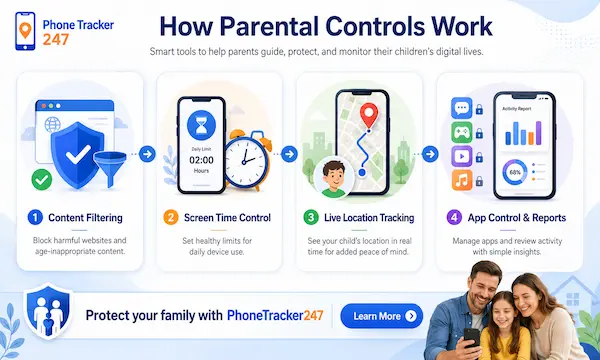
In the digital age, children can access the internet through various devices such as smartphones, tablets, and personal computers. This provides many opportunities for learning and entertainment, but it also carries potential risks if not properly managed. For this reason, many parents today are interested in control tools that help monitor and protect their children while they are using the internet. So, how does parental control work in protecting children on the internet? The article below by PhoneTracker247 will help you understand how parental control tools operate and how they help create a safer online environment for children.
How Does Parental Control Work in Protecting Children on the Internet?
In today’s internet environment, children can access a wide variety of content through devices such as smartphones, tablets, and computers. The internet offers many opportunities for learning, searching for information, and entertainment, but it also carries several risks such as inappropriate content, misinformation, and online safety threats. Therefore, many families choose to use parental control tools to manage device usage and protect children when they access the internet.
So, how does parental control work in protecting children on the internet? Basically, parental control tools work by setting rules and limits on the devices that children use. Once installed, the software helps parents monitor their children’s online activities, filter inappropriate content, and control the amount of time spent on the internet.
Parental control applications are usually designed to connect the parents’ devices with the child’s device. After the setup process, parents can manage everything remotely through a dashboard or a dedicated application. From there, parents can track web browsing history, control app installations, and set rules regarding device usage time.
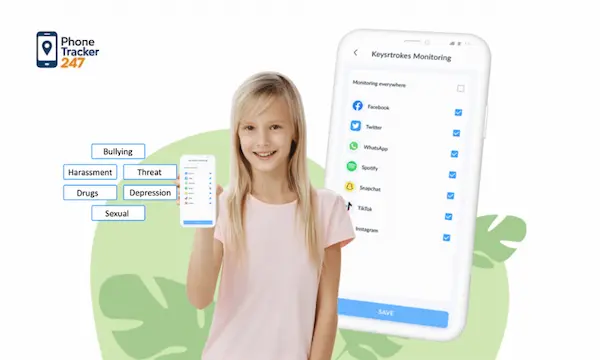
In addition, many parental control tools include smart content filtering systems. These systems automatically detect and block websites or applications that contain content unsuitable for children. Some applications can also send notifications to parents when a child attempts to access restricted content or exceeds the allowed screen time.
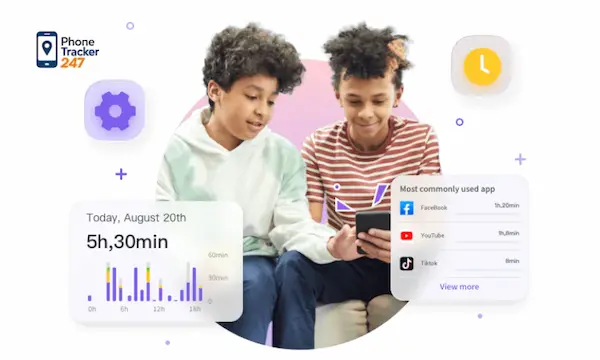
Besides monitoring and controlling access, parental control also helps parents better understand their children’s internet usage habits. Through activity reports, parents can see which apps their children use most often, how long they stay online, and what types of content they tend to access. This helps parents guide their children toward safer and more responsible internet use.
Thanks to these operating mechanisms, parental control has become an effective tool for creating a safer online environment for children while also helping them gradually develop healthy and responsible technology usage habits.
Common Features of Parental Control Tools
Today, parental control tools are equipped with various features designed to help parents manage their children’s online activities more effectively and safely. Thanks to these features, parents can control the content their children access, limit device usage time, and monitor their activities on the internet.
Below are some common features typically found in parental control applications.
See more: How Do Family Locator Apps Work? A 2026 Guide to Technology
Filtering and blocking inappropriate content
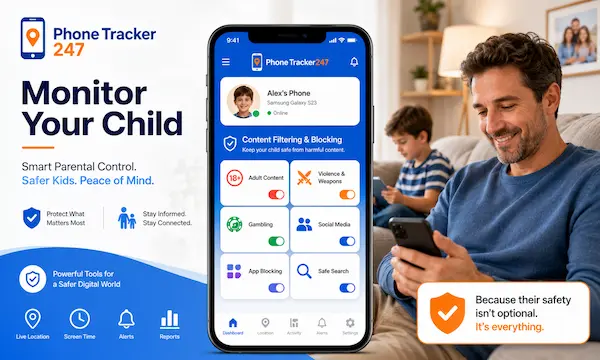
One of the most important features of parental control tools is the ability to filter internet content. The system can automatically detect and block websites or applications that contain content unsuitable for children, such as violent material, adult content, or potentially harmful websites. As a result, children can access the internet in a safer environment and are less likely to encounter negative information.
Limiting device usage time
Using smartphones or computers for long periods can affect children’s health and daily habits. Therefore, many parental control applications allow parents to set daily screen time limits. In addition, parents can schedule device lock times during certain periods, such as study time, meal times, or bedtime, helping children maintain healthier routines.
Monitoring children’s online activities
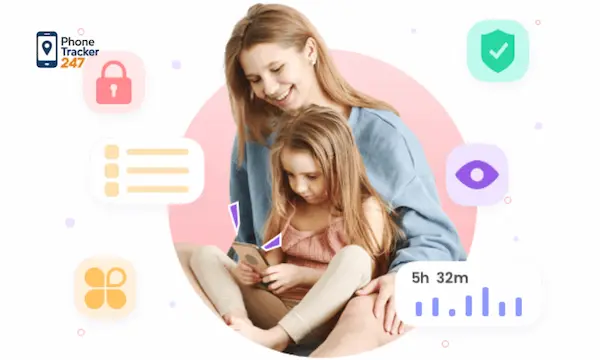
Parental control tools often provide detailed reports about children’s online activities. Parents can view the websites their children have visited, the apps they are using, and the total amount of time spent online each day. Some software can also send alerts if a child attempts to access sensitive content or shows unusual behavior on the internet.
Managing applications and games
Many parental control programs allow parents to control the installation of applications on their children’s devices. Parents can approve or block apps before they are downloaded, especially games or applications that may not be suitable for the child’s age. This helps reduce the risk of children accessing inappropriate content.
Tracking device location
Some parental control applications also include GPS tracking features. This function allows parents to determine the location of the device their child is using through a phone or management dashboard. In certain situations, location tracking can help parents know where their children are and ensure their safety.
Thanks to the combination of these features, parental control tools have become a useful solution that helps parents manage their children’s internet usage more effectively while creating a safer and healthier online environment.
Benefits of Using Parental Control for Families
Using parental control tools is becoming increasingly common in families where children use the internet. These tools not only help parents monitor their children’s online activities but also contribute to creating a safer and healthier digital environment. When set up properly, parental control can bring many practical benefits for both parents and children.
Some notable benefits of using parental control for families include:
- Reducing the risk of children accessing inappropriate content: Thanks to content filtering systems and automatic alerts, parental control tools can block websites or applications that contain content unsuitable for children. This helps parents proactively protect their children from online risks.
- Managing device usage time effectively: Parental control tools allow parents to set daily screen time limits. As a result, children can better balance studying, entertainment, and other activities in their daily lives.
- Understanding children’s internet usage habits: Through activity reports, parents can see which websites their children visit, which apps they use, and how much time they spend online. This helps parents guide and educate their children on how to use the internet more safely.
- Strengthening parental guidance and connection: When parents understand how their children use the internet, they can communicate, guide, and accompany them in accessing online information. This helps build trust and positive communication within the family.
- Encouraging healthy technology habits: Parental control is not only a monitoring tool but also helps children learn to use electronic devices responsibly. With proper guidance, children can gradually develop healthier and safer internet usage habits.
See more: Best Free Parental Control App for Monitoring Kids’ Online Activity
Important Notes When Setting Up Parental Control for Children
Although parental control provides many benefits in managing children’s online activities, parents need to set up and use these tools properly to maximize their effectiveness. Applying reasonable control measures not only helps protect children when using the internet but also allows them to develop positive and responsible technology habits.
Below are some important considerations when setting up parental control for children:
- Talk with children before installing parental control: Parents should explain to their children why parental control tools are being used to ensure their safety on the internet, rather than making them feel monitored or deprived of privacy.
- Set control levels appropriate for the child’s age: Children at different ages have different internet usage needs. Therefore, parents should adjust the settings to match the child’s abilities and level of maturity.
- Combine parental control with internet safety education: Parental control is only a supporting tool. More importantly, children should be taught how to recognize unsafe content and how to protect themselves while using the internet.
- Regularly review and update the settings: Technology and new applications appear constantly, so parents should regularly check and update parental control settings to ensure effective protection.
Setting up parental control correctly, along with guidance and support from parents, will help children use the internet in a safer, healthier, and more responsible way.
Conclusion
The internet offers many benefits for children’s learning and entertainment, but it also comes with various risks if not properly managed. Understanding how parental control works can help parents choose and use the right monitoring tools to protect their children in the online environment.
Parental control solutions not only help filter content and manage screen time but also allow parents to monitor their children’s online activities. When used properly, these tools can become an effective way to create a safer and healthier internet environment for children.
If you are looking for a solution to protect your children while they use the internet, explore and choose suitable parental control applications with PhoneTracker247 to help your kids use technology more safely and effectively.
For daily updates, subscribe to PhoneTracker’s blog!
We may also be found on Facebook!
FAQs – How Does Parental Control Work?
1. How does parental control work?
It sets rules, limits, and filters on a child’s device.
2. What can parental controls block?
They can block adult, violent, or harmful content.
3. Can parental controls limit screen time?
Yes, parents can set daily limits and device schedules.
4. Can parents monitor online activity?
Yes, many tools show websites, apps, and usage reports.
5. Can parental controls manage apps?
Yes, parents can approve, block, or limit apps.
6. Can parental controls track location?
Yes, some tools include GPS location tracking.
7. Do parental controls send alerts?
Yes, alerts can warn parents about risky activity.
8. Are parental controls enough alone?
No, they work best with online safety education.
9. Should parents explain parental controls?
Yes, open conversations help build trust.
10. What should parents set first?
Start with content filters, screen time, and app limits.