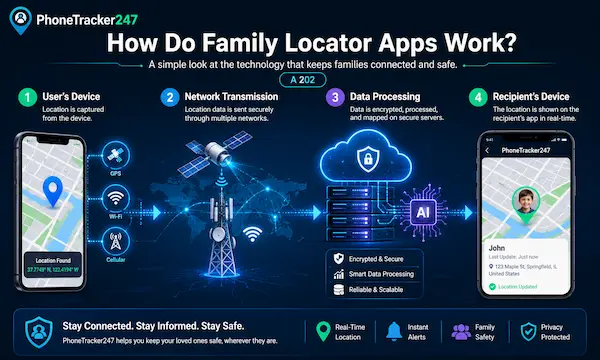
In the fast-paced digital landscape of 2026, staying connected with our loved ones has evolved from a luxury into a fundamental safety requirement. Whether you are a parent ensuring your teenager arrived at soccer practice or a caregiver looking after an elderly relative, understanding the mechanics of modern safety technology is essential. Many people find themselves asking, how do family locator apps work, especially as new features like 5G precision and AI-driven alerts become the industry standard. This comprehensive guide pulls back the curtain on the technology, privacy protocols, and top-tier apps currently defining the market.
Contents
- 1 The Core Technology: How Your Phone Finds Itself
- 2 How the Data Reaches Your Screen: The Cloud Connection
- 3 Essential Features: Moving Beyond a Dot on a Map
- 4 Privacy and Ethics: The Need-to-Know for 2026
- 5 Choosing the Right App: Platform Differences
- 6 The 2026 Outlook: AI and Predictive Safety
- 7 Conclusion: Peace of Mind in a Connected World
- 8 FAQs
The Core Technology: How Your Phone Finds Itself
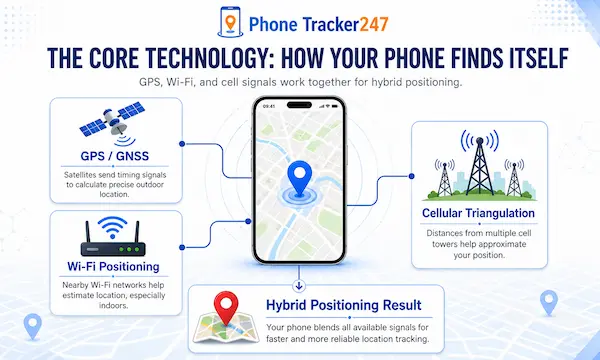
Modern location-sharing relies on a sophisticated “Hybrid Positioning System” that blends various signals to pinpoint a device’s exact coordinates.
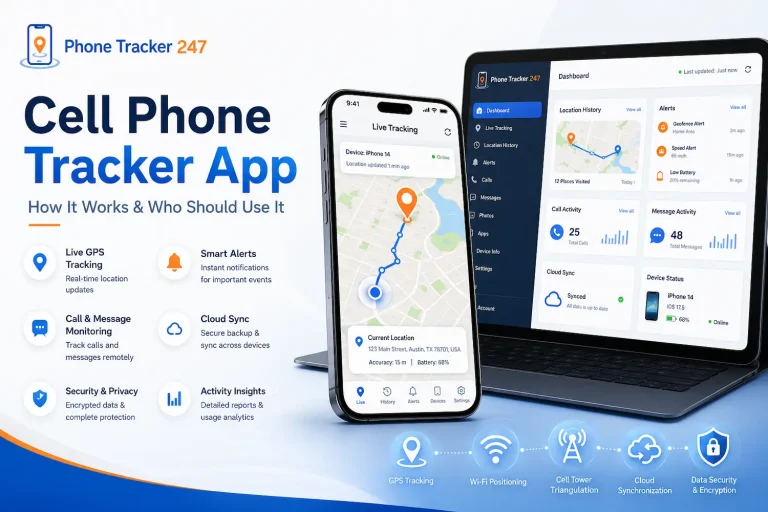
While satellites provide the foundation for most tracking, the integration of multiple data streams ensures that your family stays visible even in dense urban jungles or deep inside buildings. To understand how do family locator apps work, one must look at the three pillars of positioning: GPS, Wi-Fi, and Cellular data.
GPS (Global Positioning System): The Gold Standard
- Satellite Triangulation: Every smartphone contains a GPS receiver that listens for signals from a network of over 30 satellites orbiting the Earth. By calculating the exact time it takes for a signal to arrive from at least four different satellites, the app determines your precise latitude and longitude.
- 2026 Advancements: Modern GPS chips now utilize “Dual-Band” technology, which significantly reduces errors caused by signal bouncing off skyscrapers. This allows for much faster “locks” on location, ensuring that the dot on your map moves smoothly without jumping blocks.
Wi-Fi and Bluetooth Positioning: Indoor Accuracy
- The Power of Proximity: When GPS signals are blocked by roofs or heavy foliage, apps pivot to scanning nearby Wi-Fi routers and Bluetooth beacons. Since the locations of most public routers are indexed in massive global databases, your phone can estimate its position based on the strength of these local signals.
- Low-Energy Scanning: Bluetooth “Safety Beacons” are now commonly placed in malls and airports to assist with indoor navigation. Family locator apps leverage this “micro-location” data to tell you not just that your child is at the mall, but specifically which floor or store they are currently visiting.
How the Data Reaches Your Screen: The Cloud Connection
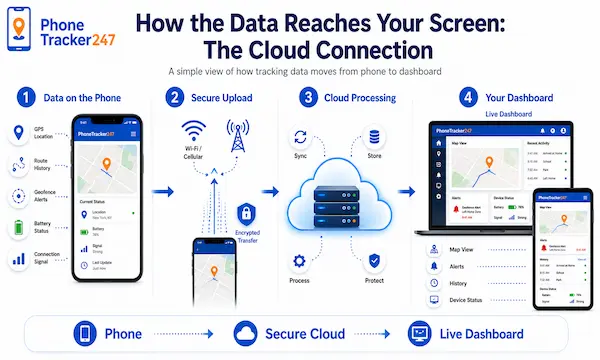
A common question regarding how do family locator apps work involves more than just satellites; it requires a robust cloud infrastructure to transmit that data to your device.
Once a phone identifies its own location, it must encrypt and upload that data to a secure server, which then pushes a notification to the rest of the “Circle” or family group. Whether you use a family locator app for android or an iOS equivalent, the server-side processing remains the backbone of the experience.
Real-Time Telemetry and Data Refresh Rates
- Active vs. Passive Tracking: Leading apps use different refresh intervals depending on the user’s activity level. For instance, if the app detects a user is driving, it may update the location every 2–3 seconds, whereas a stationary device might only “check-in” every few minutes to save power.
- Low-Latency Sync: By 2026, the widespread adoption of 5G has virtually eliminated the “lag” that used to plague tracking apps. Users now experience near-instantaneous updates, allowing for a “Live View” that mimics watching a vehicle on a GPS navigation screen.
Battery Optimization: The Silent Efficiency
- Intelligent Sensor Fusion: To prevent the dreaded “battery drain,” modern apps use the phone’s accelerometer and gyroscope to determine if the device is moving. If the phone is sitting on a nightstand, the app “sleeps” the GPS receiver and only wakes it up once physical movement is detected.
- Smart Backgrounding: Sophisticated algorithms now manage background data refresh cycles based on your remaining battery percentage. If your child’s phone hits 10% battery, the app may automatically switch to a “Power Save” mode that updates less frequently.
Table 1: How Family Locator Apps Work Behind the Scenes
| System Layer | What the App Does | How It Works in Practice | Why It Matters to Families |
|---|---|---|---|
| Hybrid Positioning Engine | Detects the phone’s location using multiple signals | The app combines GPS, Wi-Fi, Bluetooth, and cellular data instead of relying on a single source | This helps maintain more stable location tracking outdoors, indoors, and in dense urban areas |
| GPS Signal Processing | Calculates precise outdoor coordinates | The phone receives signals from multiple satellites and uses them to estimate latitude and longitude | Families can see more accurate movement during driving, commuting, or outdoor activities |
| Wi-Fi and Bluetooth Matching | Improves indoor and short-range location accuracy | When GPS is weak, the app compares nearby Wi-Fi routers and Bluetooth beacons with known location points | This makes it easier to identify whether someone is inside a building, mall, airport, or school zone |
| Cellular Fallback | Keeps tracking active when stronger signals are unavailable | The app estimates location through nearby mobile towers when GPS or Wi-Fi is limited | Families still receive basic location visibility even in low-signal conditions |
| Motion Detection | Checks whether the phone is moving before increasing tracking activity | The app uses sensors such as the accelerometer and gyroscope to detect motion | This reduces unnecessary tracking activity and supports battery efficiency |
| Secure Cloud Upload | Sends location data from the tracked phone to the service server | Once the device identifies its position, the data is encrypted and uploaded to a secure cloud environment | Approved family members can view updated locations from their own devices in near real time |
| Real-Time Sync | Refreshes shared location data across the family group | Update speed changes based on activity, such as driving, walking, or staying still | This helps users see more useful updates without constant manual refreshing |
| Smart Refresh Logic | Balances live tracking with battery life | Active movement may trigger frequent updates, while stationary devices check in less often | Families get timely visibility without excessive battery drain |
| Family Circle Display | Shows shared locations only to authorized members | The system pushes updated data to connected users inside the family group or circle | This creates a shared safety network rather than isolated one-device tracking |
| Cross-Platform Access | Keeps the experience usable across Android and iPhone devices | Third-party apps provide a unified interface and shared subscriptions for mixed-device households | Families do not need to split their safety setup by operating system |
Essential Features: Moving Beyond a Dot on a Map
The best apps in the industry have moved beyond simple tracking to offer a suite of proactive safety tools.
When you look into how do family locator apps work in a practical sense, you will find that features like geofencing and SOS alerts provide more value than a live map ever could. Finding the top family locator app often comes down to which one offers the most intuitive alert system for your specific lifestyle.
Geofencing: Creating Digital Boundaries
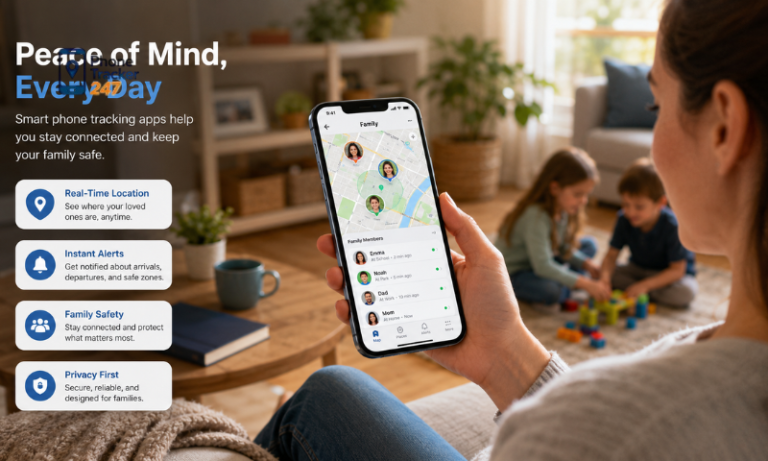
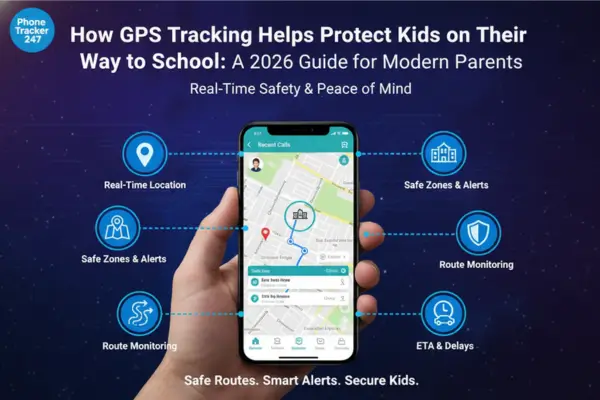
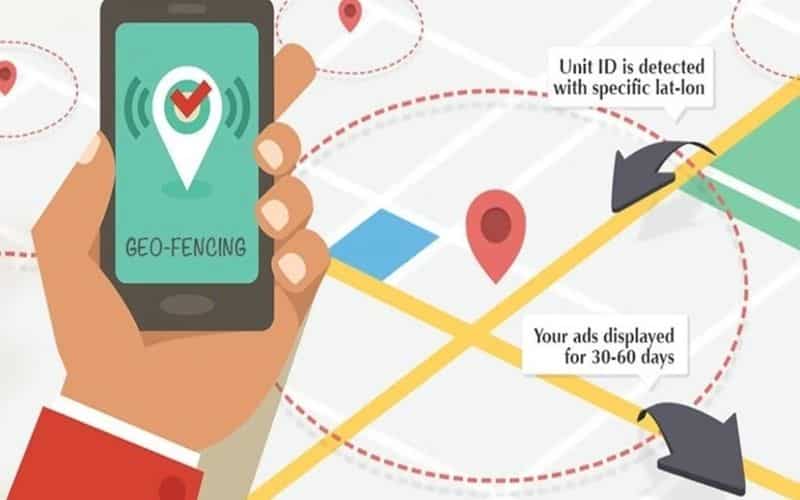
- Instant Notifications: Geofencing allows users to draw “Safe Zones” around specific locations like home, school, or a workplace. When a family member crosses the virtual perimeter of these zones, the app sends an automatic push notification to everyone else in the group.
- Dynamic Arrival Times: Many 2026 apps have integrated traffic data into their geofencing tools. This means you won’t just get an alert that your partner left work; you’ll also receive an estimated time of arrival (ETA) based on current road conditions.
Panic Buttons and SOS Alerts
- Emergency Broadcasting: In a crisis, a user can trigger an SOS alert that overrides “Do Not Disturb” settings on other family members’ phones. This broadcast often includes a 30-second audio clip of the surroundings and a direct link to the user’s live location for emergency services.
- Silent Discretion: Some apps now feature “Silent SOS” modes where a user can trigger an alert by tapping the power button a specific number of times inside their pocket. This is particularly useful for situations where a visible cry for help might escalate a dangerous encounter.
Table 2: Core Safety Features That Make Family Locator Apps Useful
| Feature | What It Does | How It Works | Family Safety Value |
|---|---|---|---|
| Live Location Sharing | Shows where a family member is on the map | The app continuously updates location based on signal quality and movement status | Parents and caregivers can quickly verify arrivals, departures, and current routes |
| Geofencing | Creates digital safe zones around important places | Users set virtual boundaries around home, school, work, or other locations, and the app sends alerts when someone enters or leaves | This reduces the need to constantly check the map manually |
| Arrival and Departure Alerts | Notifies the group when a person reaches or leaves a saved place | The app detects zone crossings and pushes automatic alerts to the family circle | Families receive fast confirmation of routine movement, especially for children and teens |
| ETA-Aware Notifications | Adds travel context to location updates | Some apps combine location with traffic data to estimate arrival times after a person leaves a location | This gives more practical insight than a basic location ping alone |
| SOS Alerts | Sends an emergency signal with live location | In critical situations, the user can trigger an alert that reaches family members immediately | This supports rapid response during unsafe or unexpected events |
| Silent SOS Activation | Lets a user request help discreetly | Some apps allow emergency triggers through hidden gestures, such as repeated button taps | This can be important when visible phone use may worsen the situation |
| Privacy-First Consent | Ensures tracking happens with user awareness and permission | Legitimate family locator apps require opt-in participation and ongoing permission controls | This supports ethical use and strengthens trust within the family |
| Data Encryption | Protects location information while it is transmitted and shared | High-trust apps encrypt location data so that access is limited to authorized users | Families gain a stronger sense of security when sharing sensitive movement data |
| Auto-Delete Location History | Limits long-term storage of movement records | Some apps allow history deletion after a set period, such as 30, 60, or 90 days | This lowers privacy risk while keeping useful short-term history available |
| Predictive Safety Alerts | Identifies unusual delays, detours, or unexpected stops | AI analyzes routine patterns and flags movement that differs from normal behavior | Families can notice potential problems earlier instead of reacting too late |
Privacy and Ethics: The Need-to-Know for 2026
As tracking technology becomes more pervasive, the industry has shifted toward a “Consent-First” model to protect individual rights.
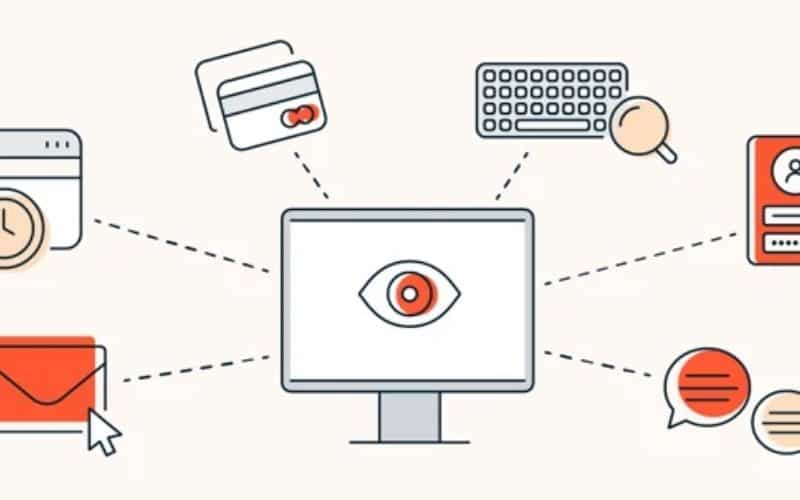
If you are researching how do family locator apps work, you must distinguish between legitimate safety tools and invasive spyware that operates without a user’s knowledge. Modern ethics dictate that location sharing should be a collaborative family decision rather than a clandestine operation.
Consent-Based Tracking vs. Spyware
- Transparent Monitoring: Legitimate family locator apps require all users to opt-in and provide explicit permission before sharing begins. These apps frequently send “Ongoing Notification” reminders to ensure that every person in the circle knows they are currently being located by their family.
- Legal Compliance: In 2026, global privacy laws have made it illegal to track an adult’s location without their verifiable consent. Modern apps are designed with these guardrails in place, often disabling features if a user has not re-confirmed their sharing preferences recently.
Data Encryption and Security Standards
- End-to-End Encryption (E2EE): To ensure that hackers or even the app developers cannot see your family’s movements, top-tier apps now utilize E2EE. This means the location data is encrypted on the sender’s phone and can only be decrypted by the authorized devices within that specific family circle.
- Automatic Data Deletion: Privacy-conscious apps now offer “Self-Destructing” location history. Instead of storing years of movement data, these apps allow you to set a policy where all location logs are permanently erased after 30, 60, or 90 days.
Choosing the Right App: Platform Differences
Deciding which tool to use often depends on the hardware your family carries daily.
When asking how do family locator apps work on different operating systems, it’s important to note that Apple and Google have unique system-level permissions. If your household is split between devices, you might specifically need a family locator app for iphone that plays nicely with Android participants.
Cross-Platform Compatibility
- Breaking the Ecosystem Barrier: While native apps like “Find My” are excellent, they often struggle when one family member switches brands. Third-party apps bridge this gap by providing a unified interface that looks and functions identically on both major mobile platforms.
- Unified Subscription Models: Most premium tracking services now allow for a single “Family Plan” that covers up to ten devices regardless of their OS. This makes it much easier for diverse households to maintain a single safety network without paying for multiple platform-specific services.
The 2026 Outlook: AI and Predictive Safety
As we look toward the future of how do family locator apps work, Artificial Intelligence is playing a larger role in predicting potential risks before they happen.
Apps are no longer just reactive; they are becoming proactive tools that can identify deviations from a normal routine. If your child usually arrives home by 4:00 PM and is still several miles away at 4:15 PM without a traffic delay, the app can nudge you to check in. Understanding how do family locator apps work in the AI era means embracing “Predictive Safety” as a standard feature.
Predictive Route Analysis
- Pattern Recognition: By analyzing months of “Location History,” AI can learn your family’s typical routes and schedules. If a family member takes an unusual detour through a high-crime area or stops in an unfamiliar location for an extended period, the app can flag this as an “Anomalous Event.”
- Reduced False Alarms: Older geofencing technology often sent “false positives” if a GPS signal drifted slightly. In 2026, AI filters out these signal jumps, ensuring that you only receive an alert when a family member has genuinely arrived at or departed from a designated place.
Conclusion: Peace of Mind in a Connected World
The question of how do family locator apps work is no longer just about satellites and maps; it is about creating a secure, private, and efficient ecosystem for family communication. By combining GPS, 5G, and AI, these apps provide a safety net that allows for both independence and oversight. As technology continues to advance, the focus will remain on balancing this high-tech visibility with the fundamental human right to privacy.
Protect What Matters Most with PhoneTracker247
Family safety should never rely on guesswork. If you want a smarter way to stay connected, receive real-time location updates, set instant geofencing alerts, and respond faster in critical moments, PhoneTracker247 Family Locator App gives you the tools to do it with confidence. Start using PhoneTracker247 today and turn everyday location sharing into a stronger, safer, and more proactive family protection system.
FAQs
1. How do family locator apps find a phone?
They use a hybrid positioning system that combines GPS, Wi-Fi, and cellular data to estimate location more accurately.
2. Do family locator apps work indoors?
Yes. When GPS is weak indoors, the app can rely more on nearby Wi-Fi networks and Bluetooth signals.
3. How is location shared with family members?
The phone encrypts its location data, uploads it to a secure server, and then shares it with approved users in the family circle.
4. Are family locator apps really real-time?
Mostly yes. Many apps refresh every few seconds when the user is moving, especially while driving.
5. Do these apps drain battery fast?
Modern apps reduce battery drain by using motion sensors and lowering refresh rates when the phone is not moving.
6. What is geofencing in a family locator app?
Geofencing lets users create safe zones like home or school and receive alerts when someone enters or leaves.
7. Do family locator apps include SOS alerts?
Yes. Many apps offer SOS features that can send an emergency alert and live location to family members.
8. Are family locator apps legal to use?
Yes, when they are used with clear consent. Legitimate apps require users to opt in before location sharing begins.
9. Is location data secure?
Top apps use strong encryption and may also allow automatic deletion of location history after a set period.
10. Can family locator apps predict unusual behavior?
Some advanced apps use AI to detect unusual routes, delays, or stops and alert the family when something seems off.