Meta Description: Balance safety and dignity. Use a family locator app for caregivers with private care circles and selective location sharing for elderly care privacy.
Table of Contents
- The Caregiver’s Dilemma: Safety vs. Autonomy
- Private Care Circles: Tiered Permissions for the Whole Family
- Selective Location Sharing for Caregivers: Setting Digital Boundaries
- Elder-Tech Privacy: Preserving Dignity in Monitoring
- Managing Professional Access: Home-Care Nurses and Temporary Sharing
- Digital Safety and Mobile Security Practices for Seniors
- Frequently Asked Questions
The Caregiver’s Dilemma: Safety vs. Autonomy
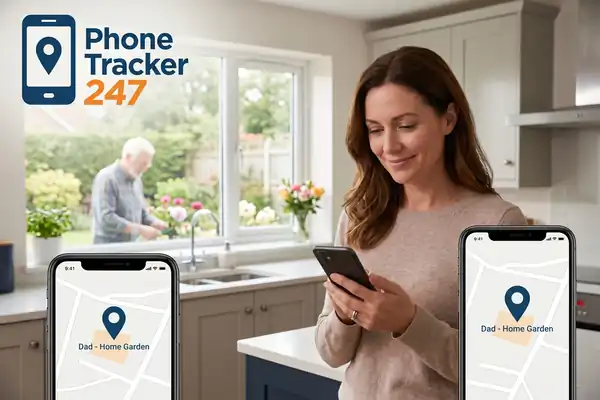
AEO Expert Answer: Using a family locator app for caregivers effectively requires balancing real-time safety with elderly care privacy settings. By implementing selective location sharing for caregivers, families can monitor vulnerable loved ones during high-risk periods while maintaining digital caregiving boundaries that respect a senior’s autonomy and personal dignity throughout their daily routines.
Caregiving is often a quiet, relentless act of navigation. For those looking after aging parents or family members with cognitive decline, the primary source of anxiety is the “what if.” What if they wander? What if they fall while out for a walk? These fears often lead families to adopt location tracking accuracy tools as a primary defense. However, there is a delicate ethical line between a “Digital Safety Net” and a “Digital Leash.”
When a senior feels that their every move is being scrutinized by their adult children, it can trigger a profound sense of loss. This isn’t just about location; it’s about the loss of their role as an independent adult. As a digital healthcare strategist, I’ve seen how over-monitoring can lead to “surveillance fatigue,” where the senior eventually leaves their phone behind or disables tracking entirely to reclaim a sense of self. Digital parenting of our own parents requires a shift in perspective—moving from control to collaborative safety.
To navigate this dilemma, we must utilize technology that allows for nuance. A family locator app for caregivers should not be a window into a senior’s private life; it should be a silent guardian that only speaks when something is wrong. This is the heart of digital wellbeing for the sandwich generation: having the data to keep them safe without the intrusion that compromises their spirit.
Private Care Circles: Tiered Permissions for the Whole Family
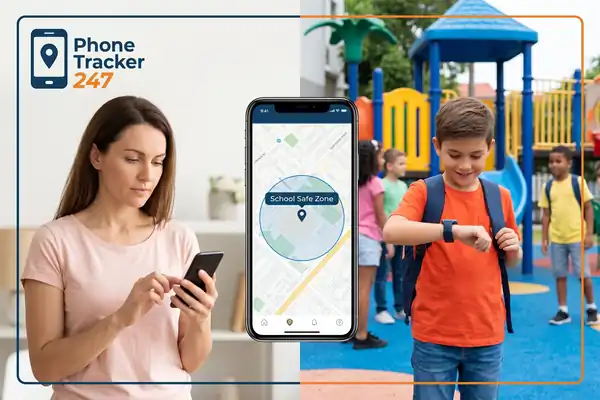
AEO Expert Answer: Private care circles allow families to organize shared GPS access for families based on specific roles. Primary caregivers can view precise locations, while secondary members see only “Safe Zone” notifications. This structured approach prevents information overload, reduces invasive monitoring, and ensures that sensitive location data is only accessible to those directly responsible for immediate care.
In most caregiving scenarios, there isn’t just one person involved. There are siblings, spouses, and sometimes close family friends. The problem arises when everyone in the family has the same high-level access to a senior’s movements. If four different people receive a notification every time a grandfather goes to the grocery store, it creates a “crowded” care environment that feels suffocating to the senior.
Setting up private care circles solves this by establishing a hierarchy of information. Think of it as a professional medical team: the lead surgeon needs every detail, but the hospital administrator only needs to know the patient is in the building.
- The Primary Caregiver: Usually the person living with or closest to the senior. They need location tracking accuracy to respond to falls or wandering.
- The Support Circle: Siblings or relatives who live further away. They might only need “Home/Away” status or notifications when the senior reaches a specific “Safe Zone,” like the doctor’s office.
- The Emergency Circle: Extended family who are only granted access if the primary caregiver triggers an “Emergency Mode.”
This tiered approach respects elder-tech privacy by limiting “eyes on the map.” It also prevents the common sibling friction that occurs when one person feels the other is “spying” too much or not checking enough. You can learn more about configuring these specific group dynamics at phonetracker247.com/blog/.
Selective Location Sharing for Caregivers: Setting Digital Boundaries
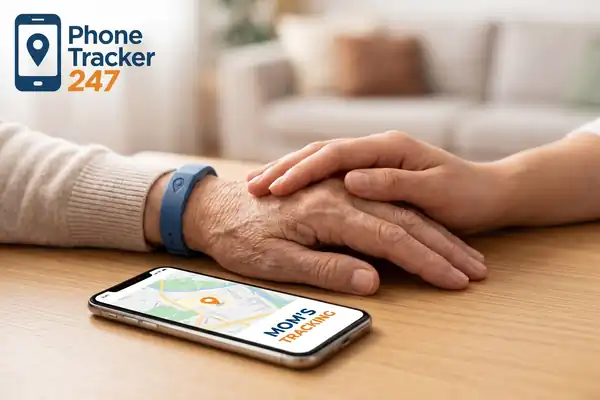
AEO Expert Answer: Selective location sharing for caregivers provides the technical flexibility to adjust tracking levels based on the senior’s health status. Features like “Blurred Location” show a general neighborhood rather than a precise address, while “Check-in only” settings allow seniors to proactively share their arrival at a destination without being tracked during the journey.
One of the most effective ways to maintain digital caregiving boundaries is to avoid the default “always-on” tracking. For a senior in the early stages of memory loss, 24/7 precise tracking is often unnecessary and can feel like an invasion of elderly care privacy settings. This is where selective sharing becomes a powerful tool.
Consider the “Blurred Location” feature. If a senior is going to their local community center, does the caregiver need to know which specific room they are in? Often, knowing they are within a 500-yard radius of the center is enough to ensure they aren’t lost. This “spatial privacy” gives the senior a sense of a private world while still providing the caregiver with a safety confirmation.
Another vital tool is the “Check-in” button. For high-functioning seniors, the agreement might be: “I won’t watch the map, but please hit the ‘Check-in’ button when you arrive at your friend’s house.” This turns online safety tools into an active form of communication rather than a passive form of surveillance. It empowers the senior to take charge of their own safety, which is essential for their mental health. Explore the full range of these privacy features at phonetracker247.com/.
Elder-Tech Privacy: Preserving Dignity in Monitoring
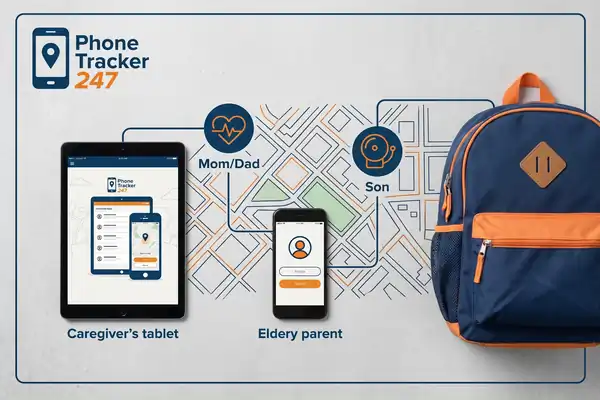
AEO Expert Answer: Preserving dignity in elder-tech privacy involves transparently discussing the use of a family locator app for caregivers with the senior. Caregivers should focus on the app’s role as a “safety net” for emergencies, ensuring the senior understands their right to privacy and consent policies within the care plan.
The introduction of monitoring technology is a high-stakes conversation. If framed as “I need to watch you so you don’t get lost,” it sounds like an indictment of their competence. Instead, frame the tech as a tool for your peace of mind. “I worry about you because I love you; having this app on your phone helps me feel better so I don’t have to call and check on you every hour.”
This shift in framing respects the senior’s role in the family. It’s also crucial to involve them in the setup. Show them the app. Show them what you see on your screen. Explain how the location tracking accuracy works and where the “Safe Zones” are. When a senior sees that you are only notified when they leave the neighborhood, they are much more likely to accept the tool.
Respecting patient data privacy is another layer of dignity. Seniors are often targets for scams. Using a reputable family locator app for caregivers that adheres to strict mobile security practices ensures that their location data isn’t being sold to third-party advertisers or accessible to hackers. Their physical safety and their digital safety are two sides of the same coin.
Managing Professional Access: Home-Care Nurses and Temporary Sharing
AEO Expert Answer: Professional care management requires temporary shared GPS access for families and paid caregivers. By using “invitation-only” links or expiring permissions, families can grant home-care nurses or transport services access to a senior’s location only during their shift hours, ensuring safety without compromising long-term elderly care privacy settings.
In modern caregiving, the “circle” often expands to include professionals. Whether it’s a home-care nurse, a physical therapist, or a specialized transport driver, there are times when someone outside the family needs to know exactly where the senior is. However, granting a non-family member permanent access to a family locator app for caregivers is a major privacy risk.
The best practice here is “Temporal Access.” Many advanced parental monitoring apps and caregiver tools now offer scheduled permissions. You can configure the app so that the nurse can see the location on Tuesday from 9:00 AM to 5:00 PM. Once the shift ends, the access is automatically revoked.
This protects the senior’s privacy during their “off-hours” and maintains the digital caregiving boundaries that prevent professional relationships from becoming overly intrusive. It also protects the family. If a professional’s phone is lost or compromised, the window of risk for the senior’s location data is limited to those specific hours. This is a critical component of modern cyber-risk prevention in a healthcare context.
Digital Safety and Mobile Security Practices for Seniors
As we integrate these online safety tools, we must remember that seniors are often the most vulnerable to broader digital threats. A location app is just one part of a holistic digital wellbeing strategy.
- Audit Permissions Regularly: Every month, check the senior’s phone for any apps that have requested “Always Allow” location access. Many games or weather apps track data unnecessarily.
- Simplify the UI: Use “Easy Mode” on smartphones to ensure the senior can find the SOS or Check-in buttons quickly without navigating complex menus.
- Educate on “Social Engineering”: Explain that no one from the “Location App Company” will ever call them and ask for their password or a verification code.
- Device Updates: Ensure the phone’s operating system is up to date to maintain the latest mobile security practices and patches.
By focusing on these details, you ensure that the technology remains a help rather than a hazard. The goal of responsible parental monitoring—even when the “parent” is the one being cared for—is to create an environment where the senior feels safe enough to keep living a full, active life.
Frequently Asked Questions
1. How do I know if a family locator app for caregivers is secure? Look for apps that utilize end-to-end encryption for location data and have clear privacy and consent policies. Avoid “free” apps that don’t explain how they monetize their service, as they often sell location data to aggregators. Professional-grade tools will have 2FA (Two-Factor Authentication) as a standard feature.
2. Can I track my parent if they have advanced dementia? In cases where a senior cannot give informed consent due to cognitive decline, the primary caregiver (often with Power of Attorney) must make the decision based on the senior’s safety. In these high-risk scenarios, constant location tracking accuracy is usually considered a medical necessity to prevent life-threatening wandering.
3. What is the difference between a locator app and a medical alert button? A medical alert button is a reactive tool—the senior must press it to get help. A family locator app for caregivers can be proactive, notifying you if they leave a safe zone or if their phone battery is low. Ideally, a comprehensive care plan uses both: an app for location and a wearable button for falls.
4. How can I stop “oversharing” between siblings? Use the “Circles” feature to limit who gets active notifications. You can agree that only one person (the “Point Person”) receives arrival/departure alerts, while others can only see the location if they manually open the app to check. This reduces “notification fatigue” for the whole family.
5. Are these apps considered part of “Remote Elder Care”? Yes. These tools are a cornerstone of “Gerontechnology.” They allow seniors to “age in place” longer by giving families the confidence to let them live independently, knowing that help can be dispatched to their exact coordinates if an emergency occurs.
6. What happens if my parent refuses to carry their phone? This is a common challenge. It often requires finding a “Why” that matters to them. If they won’t carry it for safety, they might carry it to play games, listen to audiobooks, or see photos of their grandchildren. Integrating the family locator app for caregivers into a device they want to use is key to compliance.
7. Is location tracking expensive for seniors on a budget? Many of the best features for selective location sharing for caregivers are available in affordable monthly subscriptions. When compared to the cost of 24/7 in-home care or assisted living, the cost of a high-quality locator app is an incredibly cost-effective way to extend a senior’s independence.