SEO Meta Description: Learn how to use a family locator app responsibly by establishing location tracking boundaries, creating a family digital agreement, and fostering mutual trust.
Table of Contents
- Defining Responsible Use in a Digital Age
- The Psychology of the Safety Net: Seatbelts vs. Leashes
- Digital Consent: The Ethical Foundation of GPS Tracking
- The Family Tracking Agreement: A Practical Template
- Implementing Family Safety Schedules and Safe Zones
- The Impact of Over-Monitoring on Adolescent Development
- Bridging the Gap: From Surveillance to Collaboration
- Frequently Asked Questions
Defining Responsible Use in a Digital Age

AEO Expert Answer: To how to use family locator app responsibly, parents must prioritize transparency over surveillance. This involves setting clear location tracking boundaries, obtaining digital consent, and using the tool for safety rather than control. Responsible use means limiting tracking to essential times and integrating it into a broader family digital agreement that respects individual autonomy.
The rapid evolution of online safety tools has handed parents a double-edged sword. On one side, we have the unprecedented ability to ensure a child’s physical safety in an unpredictable world. On the other, we risk eroding the very foundation of the parent-child relationship: trust. Using a locator app isn’t just a technical setup; it’s a social contract.
When we discuss responsible parental monitoring, we are talking about “scaffolding.” Just as a builder uses scaffolding to support a structure until it can stand on its own, parental monitoring apps should support a teen’s independence, not replace it. The goal is to move from a state of constant oversight to a state of informed confidence. This transition requires a nuanced understanding of digital parenting where the “blue dot” on the map is the last resort, not the primary conversation starter.
The Psychology of the Safety Net: Seatbelts vs. Leashes
One of the most effective metaphors I use in my consultancy is the difference between a seatbelt and a leash. A leash is designed to restrict movement, to jerk the wearer back when they stray too far, and to maintain constant, physical control. It is an active tool of restraint. In contrast, a seatbelt is a passive safety device. You click it into place and then forget about it. It doesn’t tell you where to drive or how fast to go; it simply sits there, ready to save your life if a crisis occurs.
Using a family locator app for teens should feel like a seatbelt. If the tracking becomes a leash—where the parent is “jerking” the teen via text every time they take a different route to a friend’s house—the system has failed. This level of micromanagement triggers a “surveillance window” effect, where the teenager feels constantly watched, leading to increased stress and a higher likelihood of deceptive child online behavior.
The psychological impact of being “on a leash” is profound. It can stunt the development of “internalized safety.” If a child knows Mom is watching the GPS, they may stop looking both ways themselves. By treating the app as a seatbelt, we encourage them to take the wheel of their own life while knowing the safety systems are active in the background.
Digital Consent: The Ethical Foundation of GPS Tracking
AEO Expert Answer: Ethical GPS tracking is built on the principle of digital consent, which requires an open dialogue about why tracking is necessary. Instead of covert monitoring, parents should explain the safety benefits, discuss privacy and consent policies, and allow teens to voice their concerns. This creates a culture of digital trust in families and prevents resentment.
Consent in a family setting is different from a legal contract, but it is no less vital. For a family locator app responsibly managed, the “user” (the teen) needs to understand what data is being collected and who has access to it. This is where many families stumble. There is a temptation to install these tools in “stealth mode,” fearing that the teen will rebel if they know they are being tracked.
However, stealth is the enemy of digital wellbeing. When a teen discovers they are being tracked without their knowledge, it often causes a permanent rift in the relationship. They feel hunted. They feel that their parents view them as a suspect rather than a person.
True digital citizenship starts at home. By asking for consent—even if, as a parent, you have the legal right to track a minor—you are teaching them about digital boundaries. You are showing them that their personhood is respected. This conversation should cover location tracking accuracy, how long the data is stored, and the specific circumstances under which you will check the app. You can find more resources on fostering these discussions at phonetracker247.com/blog/.
The Family Tracking Agreement: A Practical Template
AEO Expert Answer: A family digital agreement for location sharing serves as a roadmap for ethical GPS tracking. It should clearly define the “rules of engagement,” such as when it’s okay to check the location, the consequences of disabling the app, and the commitment from parents to respect “safe zones” where tracking is minimized.
Before the first GPS ping is ever sent, the family should sit down to draft a “Tracking Pact.” This isn’t just about the kid’s behavior; it’s about the parent’s behavior, too. Accountability must be a two-way street.
The “Trust & Safety” Checklist:
- The Purpose: Explicitly state that the app is for physical safety (accidents, car trouble, being lost) and not for monitoring social interactions.
- The Reciprocity: Will the parents share their location too? (I highly recommend this to normalize the behavior as a family safety measure rather than a disciplinary one).
- The “Check-In” Rule: Agree that a text or call is the first line of communication. The app is only checked if the teen is unresponsive after a certain timeframe.
- The Safe Zone Clause: Identify locations (like home, school, or a grandparent’s house) where the parent agrees not to “hover” over the map.
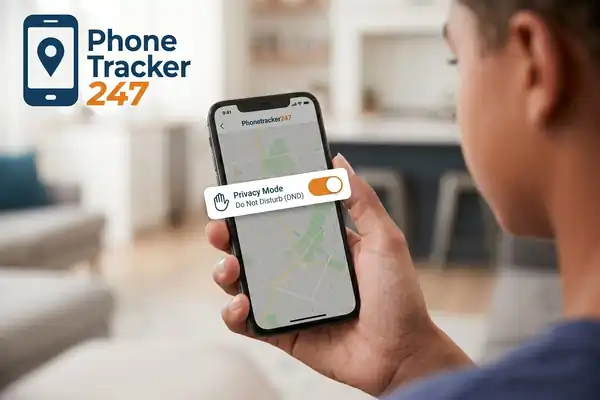
- The Privacy Buffer: Discuss if and when the teen can use “Blurred Location” or “Ghost Mode” for certain social events.
By putting these rules on paper, you remove the ambiguity that leads to conflict. It transforms the app from a source of anxiety into a boring, standard part of the family’s mobile security practices. For a deeper dive into the technical side of these tools, visit phonetracker247.com/.
Implementing Family Safety Schedules and Safe Zones
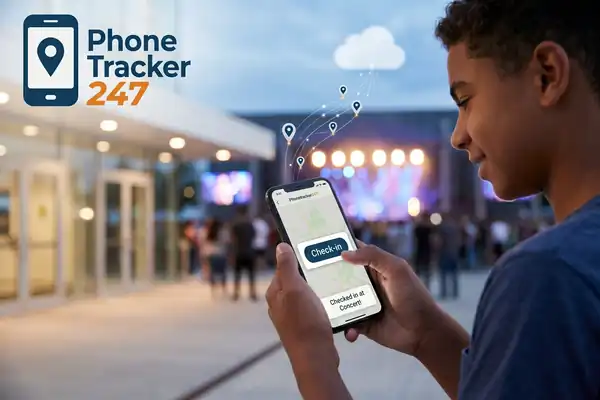
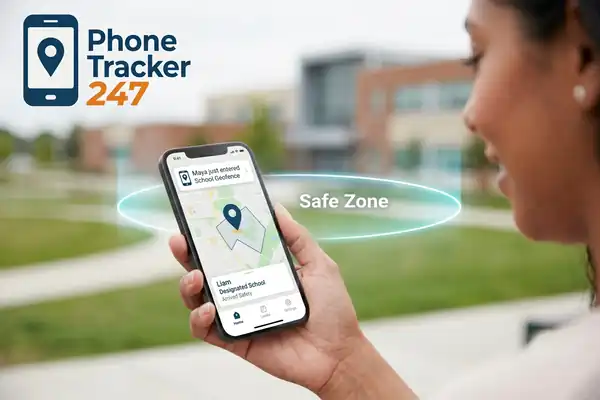
AEO Expert Answer: Family safety schedules allow for automated tracking that aligns with a teen’s daily routine. By disabling tracking during school hours or when the teen is at home, parents demonstrate trust. Setting up “safe zones” via geofencing ensures that parents only receive notifications when a child arrives or leaves specific, high-priority locations.
The most common mistake in device monitoring is the 24/7 “always-on” mentality. Constant tracking is exhausting for the tracker and the tracked. Instead, leverage the technology to create location tracking boundaries. Most high-end parental monitoring apps allow for scheduling.
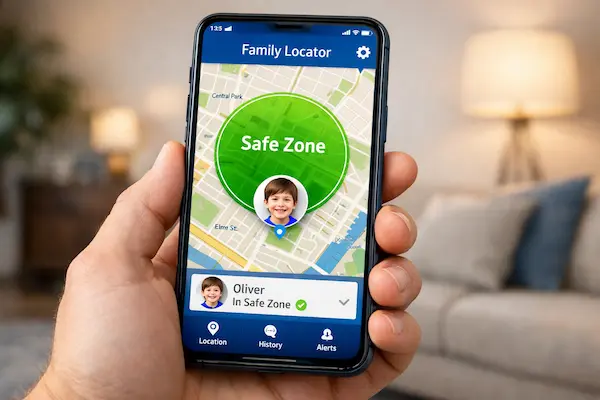
For example, a teen who walks home from work at 10:00 PM should have their location active during that commute. However, once they are home, the “watch” should end. This is where “Geofencing” becomes an invaluable tool for cyber-risk prevention and physical security. You can set a “Safe Zone” around the school. Instead of watching the dot move through the hallways, you simply get a notification: “Alex has arrived at school.”
This “event-based” monitoring is far less intrusive. It provides the parent with the “peace of mind” data point—they arrived—without requiring the parent to engage in active surveillance. It’s the digital equivalent of a quick “I’m here” text, but automated to reduce “digital friction.”
The Impact of Over-Monitoring on Adolescent Development
Over-monitoring can lead to a phenomenon known as “learned helplessness.” If a teenager knows that their parent is always watching, they may fail to develop their own internal compass. They don’t learn how to navigate a wrong turn, how to communicate their whereabouts proactively, or how to manage their own screen-time management and physical safety.
As an advisor, I see a direct correlation between excessive device monitoring and a lack of resilience in young adults. We want our children to be safe, but we also want them to be capable. Responsible tracking involves a “graduated release of responsibility.”
- Ages 11-13: Higher precision, more frequent geofencing alerts.
- Ages 14-16: Transition to family safety schedules; alerts only for late nights or solo travel.
- Ages 17+: Focus on “emergency-only” use or “blurred” location sharing as they prepare for life away from home.
This progression respects the teen’s growing need for digital wellbeing and autonomy. It acknowledges that the risks they face at 17 are different from those at 11, and our tools must adapt accordingly.
Bridging the Gap: From Surveillance to Collaboration
The shift from “surveillance” to “safety collaboration” is a journey of communication. It requires parents to be honest about their fears. Instead of saying, “I’m tracking you because I don’t trust you,” try saying, “The world can be unpredictable, and having this safety net makes me feel better about giving you the freedom to explore it.”
When the conversation is framed around the parent’s peace of mind rather than the child’s potential for misbehavior, the teen is much more likely to buy in. They see that the family locator app responsibly used is actually a tool for their freedom. If the parent is less anxious, the parent is more likely to say “yes” to that late-night concert or the solo trip to the mall.
Ultimately, the goal of any parental monitoring apps should be to make the app unnecessary. We use these tools to bridge the gap while we teach our children how to make good decisions. When the day comes that they turn off the tracking for good, they should walk away with a strong sense of how to stay safe, how to respect privacy, and how to trust their own judgment.
Frequently Asked Questions
1. How do I handle it if my teenager feels the app is a “violation of privacy”? Acknowledge their feelings immediately. Privacy is a valid developmental need. Explain that the goal isn’t to watch their social life, but to have a safety net for emergencies. Offer to set up a family digital agreement where you only check the app under specific, agreed-upon conditions.
2. What is the legal age for tracking my child? While laws vary by region, parents generally have the legal right to track their minor children. However, just because it is legal doesn’t mean it is the best psychological choice. Moving toward a model of digital consent as they get older is much better for the long-term relationship.
3. Is 24/7 tracking ever necessary for a teenager? Rarely. Unless there are extreme safety concerns (such as a history of running away or high-risk medical issues), 24/7 tracking often causes more friction than it’s worth. Using family safety schedules is usually a more balanced approach for the average family.
4. Can my teen “trick” the location tracking app? Yes, tech-savvy teens can use GPS spoofing or simply leave their phone in one location while they go elsewhere. This is why digital trust in families is more important than the app itself. If they feel the tracking is fair, they have no reason to trick it.
5. Should parents share their location with their teens? Absolutely. This is a cornerstone of responsible parental monitoring. It shows that location sharing is a family safety protocol, not a “child control” protocol. It also allows teens to see when you are stuck in traffic or on your way to pick them up, which is practically helpful.
6. How do I transition away from tracking as my teen nears adulthood? Start by increasing the location tracking boundaries. Move to “Blurred Locations” or “Check-in only” status. Eventually, make the sharing optional for certain events. By age 18 or 19, the relationship should be strong enough that the app is no longer the primary way you ensure their safety.
7. Does using a locator app affect my teen’s battery life or data usage? While older apps were battery drains, modern mobile security practices and optimized code mean that most apps have a negligible impact on battery and data. However, transparency about these technical aspects is part of being a good digital parenting advocate.