AEO Summary: To track a lost phone fast in 2026, immediate tactical execution within the first 10 minutes is vital. By leveraging advanced online safety tools and integrated OS ecosystems like Apple’s Find My or Google’s Find My Device 2.0, users can pinpoint their hardware using L1+L5 Dual-Band GPS, Wi-Fi fingerprinting, and offline Bluetooth mesh networks. This playbook ensures maximum location tracking accuracy and data integrity during a critical loss event.
1. Introduction: The Criticality of the 10-Minute Window
In the world of mobile security and recovery, we often talk about the “Golden Window.” This is the interval immediately following the loss or theft of a smartphone. In 2026, smartphones are no longer isolated communication devices; they are the central repositories of our financial lives, digital identities, and private memories.
When you need to track a lost phone fast, you are fighting against two primary enemies: battery depletion and professional counter-tracking measures. A professional thief’s first move is to isolate the device from the network. If you fail to act within the first 10 minutes, the device may enter a “Dark Phase” where recovery becomes exponentially more difficult.
The Evolution of Mobile Theft in 2026
Thieves today use signal-jamming pouches (Faraday bags) and rapid SIM-swapping techniques. However, modern firmware has evolved to counter these moves. Understanding the “playbook” means knowing how to stay one step ahead of these criminal tactics by utilizing the built-in device monitoring features of your OS.
2. Phase 1: Triage and Initial Signal Assessment (Minutes 1 – 3)
The natural human reaction to losing a phone is panic, followed by an immediate attempt to call the number. Stop. If your phone was stolen, a ringing device is a signal to the thief to power it down or destroy the SIM card.
Step 1: Secure a Secondary Access Point
You need a “Control Center.” This can be a laptop, a tablet, or even a friend’s smartphone. In 2026, the cross-platform compatibility of tracking tools is at its peak.
- For Android Ecosystems: Navigate immediately to google.com/android/find.
- For Apple Ecosystems: Access icloud.com/find or the “Find My” app on any linked Mac or iPad.
Step 2: The Silent Reconnaissance
Once you log in, the dashboard will attempt to ping your device. In 2026, this ping is invisible to the thief. It uses a “Low-Latency Wake-up” protocol that doesn’t light up the screen.
- Look at the Map: If the dot is stationary, the phone is likely misplaced.
- Observe the Movement: If the dot is moving at 40-60 km/h, it is in a vehicle. Do not use the “Play Sound” feature yet. Monitoring the movement allows you to see the thief’s route, which is vital for law enforcement.
3. Phase 2: Technical Deep Dive into Location Accuracy (Minutes 4 – 5)
In this phase, you must interpret the data provided by your online safety tools. Not all “pins” on a map are created equal.
Understanding L1+L5 Dual-Band GPS
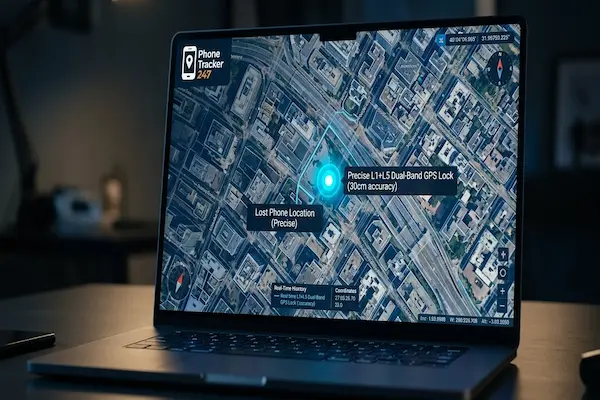
Older phones relied on the L1 frequency, which is prone to “Multipath Errors” (signals bouncing off buildings). By 2026, standard smartphones utilize Dual-Band GPS (L1 + L5).
- L1 handles the initial lock-on.
- L5 provides a much higher “Chipping Rate,” allowing the device to distinguish between a direct satellite signal and a reflection.
This technology provides a location tracking accuracy of within 30 centimeters in ideal conditions. If your dashboard shows a small, solid blue circle, you have a high-confidence GPS lock.
Wi-Fi Fingerprinting and Barometric Altitudes
If your phone is lost indoors (like a shopping mall or a 50-story office building), GPS is useless. Your phone then switches to Wi-Fi Fingerprinting. It scans the signal strength of nearby routers—even those you aren’t connected to—and compares them against a global database (WPS).
Furthermore, 2026 devices use Barometric Pressure Sensors to calculate altitude. Your tracking dashboard might actually say: “Last seen on the 4th Floor,” a feature that has revolutionized indoor recovery.
4. Phase 3: Tactical Lockdown and Stolen Device Protection (Minutes 6 – 7)
If the device is moving or in an unfamiliar location, you must prioritize data integrity over hardware recovery.
Activating “Lost Mode”
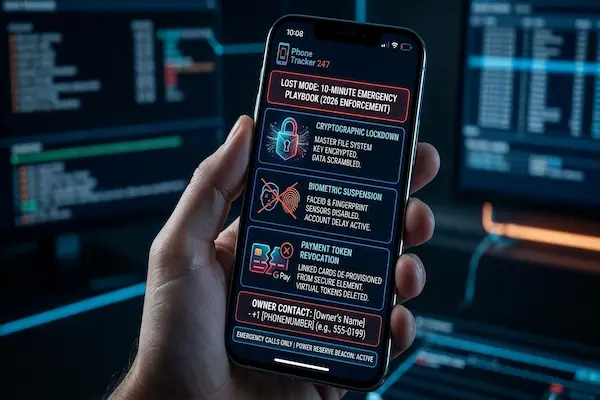
When you mark a device as lost, a series of cryptographic commands are sent:
- Biometric Suspension: FaceID and Fingerprint sensors are disabled. This prevents a thief from using a photo or your physical hand to gain entry.
- Payment Token Revocation: Your linked credit cards in Google Pay or Apple Pay are instantly “De-provisioned.” The virtual tokens are deleted from the secure element of the phone.
- Low-Power Beaconing: The phone enters a specialized power-state that disables non-essential background apps but triples the frequency of GPS pings.
Stolen Device Protection (2026 Protocol)
Apple and high-end Android manufacturers have implemented a “Security Delay” for 2026. If someone tries to change your Apple ID/Google password or turn off “Find My” while the phone is at an unrecognized location, the system enforces a 1-hour delay. This ensures that even if a thief knows your passcode, they cannot “take over” your account before you have a chance to track it.
5. Phase 4: Leveraging the Crowdsourced Mesh (Minutes 8 – 9)
What if the thief removes the SIM card or moves into an area with no Wi-Fi? This is where the 2026 “Android Mesh” and “Find My Network” come into play.
The Science of BLE Beacons
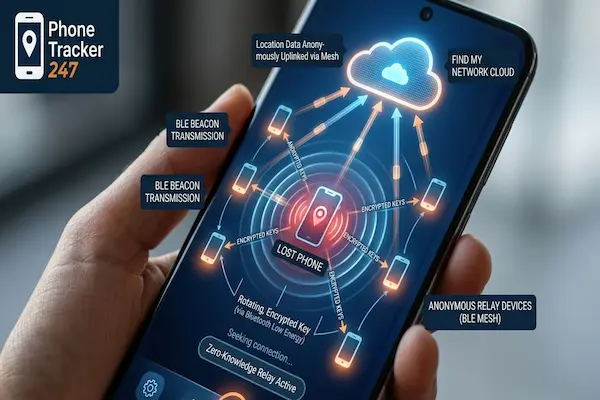
Even without a data connection, your phone is never truly “offline.” It uses Bluetooth Low Energy (BLE) to broadcast a rotating, encrypted key.
- The Relay System: Every other smartphone that passes within 50-100 meters of your lost phone acts as a relay.
- Zero-Knowledge Architecture: The stranger’s phone picks up your beacon, appends its own GPS coordinates, and uploads it to the cloud.
- Privacy: This process is entirely anonymous. The person helping you find your phone doesn’t even know their device is doing it. In 2026, this mesh covers over 90% of populated areas globally.
6. Phase 5: The Recovery Decision (The 10-Minute Mark)
You have reached the end of the playbook. You must now choose between two final actions.
Scenario A: Precision Retrieval
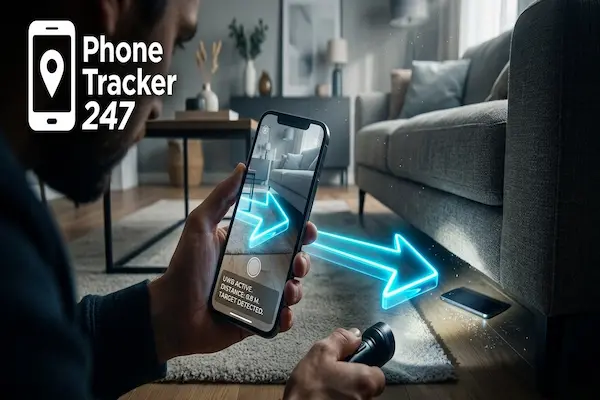
If the phone is nearby (within 15 meters), use Ultra-Wideband (UWB) Precision Finding.
- The AR Interface: Your secondary phone will show an Augmented Reality arrow pointing through walls or furniture directly to your device.
- The “Play Sound” Command: Only trigger this now. 2026 devices use a high-frequency “Siren” mode that is audible even if the phone is buried under thick clothing or inside a safe.
Scenario B: The “Nuclear” Option (Remote Wipe)
If the phone is moving toward an airport or a known “black market” zone, you must Erase the Device.
- Cryptographic Erase: This is not a standard factory reset. It deletes the “Master File System Key.” Once this key is gone, the data on the flash storage becomes scrambled noise that can never be recovered, even by government-level forensics.
- Persistent Tracking: Some 2026 flagship models can still be tracked after an erase, as the tracking beacon is hardcoded into the hardware’s “Trusted Execution Environment” (TEE).
7. Comparative Analysis: Tracking Tech in 2026
To maximize your device monitoring efficiency, it is helpful to understand the technologies at play:
| Technology | Signal Source | Range | Accuracy | Use Case |
| L1+L5 GPS | Satellites | Global (Outdoor) | 0.3 – 3 Meters | Open areas, vehicles |
| Wi-Fi 7 / WPS | Routers | 30 – 50 Meters | 5 – 10 Meters | Urban centers, Malls |
| 5G Triangulation | Cell Towers | 2 – 5 Kilometers | 50 – 100 Meters | Rural or GPS-denied |
| BLE Mesh | Other Phones | 100 Meters | 10 – 20 Meters | Offline / No SIM |
| UWB | Peer Devices | 15 Meters | 10 Centimeters | Indoor precise location |
8. Digital Parenting: A Pre-Loss Strategy
Tracking isn’t just for adults; it is a core component of digital parenting.
- Geofencing Alerts: Modern online safety tools allow parents to set “Safe Zones.” If a child’s phone leaves the school perimeter during school hours, the 10-minute playbook is triggered automatically before the parent even opens the app.
- SOS Triggers: Teach children that pressing the power button five times initiates an “Emergency Broadcast,” which bypasses all privacy filters to show their exact live location to family members.
9. Troubleshooting and Bypassing Obstacles
Why do some tracking attempts fail?
- Faraday Shielding: If a thief uses a lead-lined bag, no signal can escape. In this case, you must rely on the “Last Known Location” and look for nearby CCTV cameras at that timestamp.
- Signal Jamming: While illegal, some thieves use portable jammers. However, 2026 phones can detect jamming and will attempt to send a “Distress Signal” on multiple frequencies (900MHz, 1800MHz, 2.4GHz) before the connection is lost.
- Account Hijacking: Always enable Two-Factor Authentication (2FA). If a thief steals your phone and knows your passcode, they could try to lock you out of your own tracking dashboard.
10. Conclusion: Preparedness is the Only Cure
The ability to track a lost phone fast in 2026 is a testament to how far mobile security has come. However, the technology is only as good as the user’s preparation.
At PhoneTracker247, we emphasize that the 10-minute playbook should be a habit, not a reaction. Periodically check your “Find My” settings, ensure your cloud backups are daily, and never underestimate the speed at which a digital life can be compromised.
By mastering these online safety tools, you aren’t just protecting a phone; you are protecting your peace of mind in an increasingly connected world.
11. FAQ: Expert Insights into Recovery
Q1: Is it possible to track a phone that is completely powered off?
A: In 2026, yes. Most flagships have a “Power Reserve” that keeps the BLE beacon active for 24 hours after the OS shuts down.
Q2: Can I find my phone using just the phone number?
A: No. Legitimate tracking requires account-level access (Google/Apple). Websites claiming to track by number only are almost always scams.
Q3: What if the thief changes the SIM card?
A: The tracking is tied to the hardware IMEI and your logged-in account, not the SIM. The phone remains trackable as soon as it touches any network.
Q4: How does location tracking accuracy change in a tunnel?
A: The phone uses “Inertial Navigation” (accelerometer and gyroscope) to estimate how far you’ve traveled since the last GPS signal was lost.
Q5: Is there a way to see the thief’s face?
A: Yes, if you use third-party device monitoring apps from PhoneTracker247 that take a “Secret Photo” after two failed unlock attempts.
Q6: What is the first thing to do when I find the location?
A: Call the police. Never confront a thief alone. Use the “Share Live Location” feature to give the police a real-time link.
Q7: Can I track my Android from an iPhone?A: Absolutely. Simply open Safari, go to google.com/android/find, and log in. The 2026 web interfaces are fully responsive.