In an era where digital interactions define our personal and professional lives, maintaining a clear record of activity has become a necessity for security and productivity. Whether you are a parent protecting a child from online predators or a business owner securing sensitive company data, a keystroke recorder provides the visibility needed to act before a risk becomes a crisis.
Modern keystroke logging technology has evolved far beyond simple text capture. Today’s high-end tools offer real-time alerts, cross-platform compatibility, and encrypted data storage. In this guide, we will explore the most reliable keystroke recorder app solutions available in 2025, helping you navigate the technical and ethical landscape of digital monitoring.
Contents
- 1 What is a Keystroke Recorder and How Does It Work?
- 2 Why Keystroke Monitoring is Essential
- 3 Best Keystroke Recorder App Solutions for 2026
- 4 Legal and Ethical Considerations of Keystroke Monitoring
- 5 A Flexible Alternative: The Phone Tracker App 247 Advantage
- 6 Frequently Asked Questions (FAQ)
- 7 FAQs – keystroke recorder tool
- 8 Conclusion: Balancing Security with Privacy
- 9 Quick Summary Table
What is a Keystroke Recorder and How Does It Work?
At its core, a keystroke recorder is a piece of software or hardware designed to capture every key pressed on a computer or mobile device. This data, known as a keystroke record, provides a literal transcript of search queries, messages, usernames, and passwords entered on the target device.
Understanding Keystroke Logging Technology
Modern recorders operate by intercepting the signals between the keyboard and the operating system. Advanced versions don’t just record text; they provide context by logging the specific application used, the time of the entry, and even taking periodic screenshots to show exactly what was on the screen when the keys were pressed.
Software vs. Hardware Keystroke Recorders
- Software Recorders: These are the most common and versatile, often installed as a keystroke recorder app on smartphones or as background processes on PCs. They are easy to deploy remotely and often offer “Stealth Mode.”
- Hardware Recorders: These are physical USB or PS/2 “plugs” that sit between the keyboard and the computer. While they are impossible to detect via antivirus software, they require physical access to the machine and cannot be used on mobile devices.

The Difference Between Ethical Monitoring and Malicious Keylogging
The technology itself is neutral; the intent defines its legality. Ethical monitoring involves using a recorder on devices you own (such as a child’s phone) or on company-issued equipment with proper disclosure. Malicious keylogging, or “spyware,” involves installing software on a device you do not own to steal private financial data or identities.
Table 1: Keystroke Recorder Options Compared
| Category | What it captures | Typical features | Biggest strength | Biggest risk | Best fit |
|---|---|---|---|---|---|
| True keystroke recorder (keylogging) | Typed text, shortcuts, sometimes form inputs | Keyword alerts, log search, optional masking | Detailed investigation trail | High privacy and legal exposure if misused or poorly governed | Regulated investigations with strict policy and approvals |
| Session recording (screen + app activity) | On-screen actions and workflows | Playback, screenshots, app timelines | Shows context (what happened, where) | Still sensitive, can capture personal data on screen | Incident review, training, secure operations |
| Workforce analytics (privacy-forward) | App usage, time, productivity signals | Trends, dashboards, coaching reports | Lower sensitivity than typed content | Not enough for forensics if you need exact text | Productivity management with trust protection |
| Endpoint security / DLP | Data movement patterns, risky actions | Blocking, alerts, policy enforcement | Prevents leaks instead of watching everything | Can be complex to deploy well | Insider risk prevention, compliance-heavy orgs |
| Parental safety controls (not keylogging) | Screen time, app limits, safety routines (varies) | Schedules, restrictions, reporting | Safer trust model at home | Not designed for typed-text capture | Families focused on wellbeing and boundaries |
Why Keystroke Monitoring is Essential
The demand for keystroke recorder technology has grown significantly, with a 42% increase in parental adoption over the last two years. This rise is fueled by the need to address specific “pain points” across different lifestyles.
For Parents: The Digital Guardian
Modern predators and cyberbullies on social media often hide in encrypted apps. A keystroke recorder app allows parents to see the sent messages before they are even transmitted, catching red flags like “don’t tell your parents” or mentions of dangerous substances.
For Employers: Securing the Perimeter
In the age of remote work, internal data leaks cost companies an average of $15 million annually. A keystroke record provides an audit trail, ensuring that sensitive financial data or client lists aren’t being typed into unauthorized emails or cloud drives.
For Personal Security: The Ultimate Backup
We’ve all experienced the frustration of a computer crash deleting hours of work. A personal keystroke recorder acts as a silent scribe, saving every word you type so you can recover lost emails, essays, or creative projects instantly.
Best Keystroke Recorder App Solutions for 2026
The global market for monitoring software is surging, with the employee monitoring sector alone valued at over $4.9 billion in 2025. To stay competitive, developers have refined their tools to work seamlessly across different ecosystems.
Keystroke recorder android: Top Apps for Mobile Safety
Android’s open-source nature makes it a popular platform for monitoring. Most high-quality Android recorders now offer:
- Invisible Operation: The app icon is hidden from the app drawer.
- Remote Dashboard: View the keystroke record logs from any web browser.
- Social Media Coverage: Specifically capturing keystrokes within encrypted apps like WhatsApp or Telegram.
- Real-Time Alerts: Get notified immediately if specific “keyword triggers” (like “drugs” or “bullying”) are typed.
- Pros: Easy installation; invisible to the user; real-time dashboard updates.
- Cons: Often requires disabling “Play Protect” to function at full capacity.

Keystroke recorder iphone: Options for iOS Users
Due to Apple’s strict sandboxing, an keystroke recorder iphone solution is traditionally harder to implement. However, in 2026, two main methods prevail:
- iCloud Sync Monitoring: Captures data by syncing with the phone’s backup, requiring no physical installation but providing limited “live” keystroke data.
- Full-Feature Apps: These often require professional installation or specific enterprise profiles to capture real-time typing across all iOS applications.
Leading Desktop Software for Windows and macOS
Desktop recorders remain the gold standard for business security. Many of these tools now integrate AI to flag “insider threat” behavior—such as an employee typing out sensitive patent numbers or competitor names. Statistics show that 86% of large enterprises now use some form of activity monitoring to ensure policy compliance and data integrity.
Legal and Ethical Considerations of Keystroke Monitoring
Before deploying a keystroke recorder, you must understand the legal framework of your region. In the United States, the Electronic Communications Privacy Act (ECPA) generally allows employers to monitor company-owned devices, provided there is a legitimate business reason.
In Europe, the GDPR (General Data Protection Regulation) is much stricter. Employers must prove “legitimate interest” and, in most cases, provide a clear “Privacy Notice” to employees.
- Transparency: Hidden or “covert” monitoring is illegal in many jurisdictions unless there is active suspicion of a crime.
- Data Minimization: You should only collect the data necessary for your stated purpose (e.g., monitoring work output, not private bank passwords).
A Flexible Alternative: The Phone Tracker App 247 Advantage
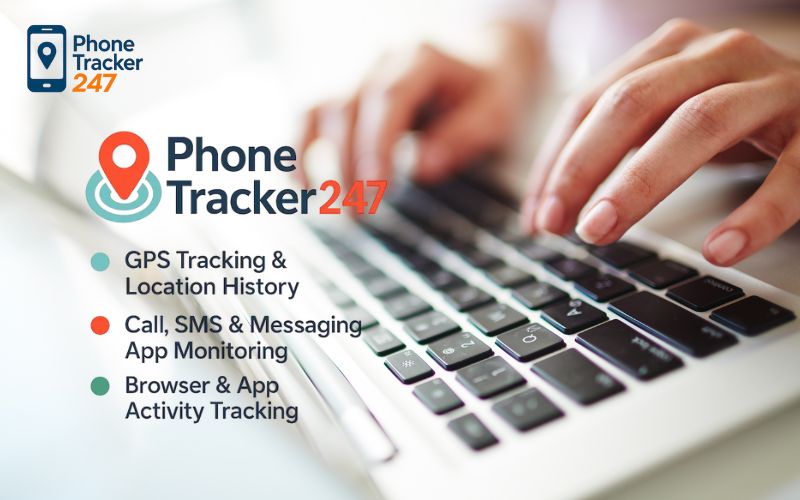
While dedicated keystroke loggers provide granular text data, many families and business owners find that a comprehensive tracking solution is more effective for overall safety. If your primary goal is to ensure a loved one is safe or that a remote worker is where they say they are, Phone Tracker App 247 offers a powerful, user-friendly alternative.
Instead of just looking at what is being typed, Phone Tracker App 247 provides a holistic view of device activity, including high-precision GPS locations, geofencing alerts, and app usage statistics. It bridges the gap between invasive keylogging and simple location tracking, making it an ideal choice for those who want security without over-complicating their digital lives.
Frequently Asked Questions (FAQ)
Is a keystroke recorder legal to use on my own children?
Yes, in most countries, parents have the legal right to monitor their minor children’s digital activity to ensure their safety.
Can a keystroke recorder app be detected by antivirus software?
High-quality, legitimate monitoring apps are often flagged as “Riskware” or “PUPs” (Potentially Unwanted Programs). You usually need to add an exception in your antivirus settings during installation.
Are there free keystroke record tools that are safe?
Be extremely cautious. “Free” keyloggers are often a front for malware designed to steal your data. It is always safer to use a reputable, paid service with a clear privacy policy.
Conclusion: Balancing Security with Privacy
Whether you choose a dedicated keystroke recorder for deep data analysis or a versatile monitoring solution like Phone Tracker App 247, the key is to use these tools responsibly. Digital monitoring is a powerful deterrent against cyberbullying, data theft, and productivity loss, but it works best when paired with open communication and ethical boundaries.
Quick Summary Table
| Your goal | Best approach | Why it’s safer | Do this first |
|---|---|---|---|
| Investigate a serious security incident | DLP/endpoint security + time-boxed session review | Targets risky actions with less sensitive collection than keylogging | Define scope, time window, and who can access logs |
| Improve productivity without privacy backlash | Workforce analytics | Tracks patterns, not what people type | Publish a clear employee monitoring policy |
| Need proof of “what happened” on screen | Session recording | Captures context and workflow | Use redaction/privacy zones where possible |
| Reduce password capture risk | Masking + restricted capture | Prevents sensitive data leakage in logs | Turn on password masking and limit retention |
| Home safety routines for kids/teens | Parental controls (not keylogging) | Lower risk, clearer boundaries | Set schedules + app rules, explain them clearly |
Ready to secure your digital environment? Explore the latest features of Phone Tracker App 247 today and take the first step toward a safer, more transparent digital future for your family or business.
For daily updates, subscribe to PhoneTracker’s blog!
We may also be found on Phone Tracker App on Facebook!