Table of Contents
- The Traveler’s Dilemma: Connectivity vs. Battery Life
- Why You Need a Dedicated Phone Tracker App for Travel
- The Science of Battery Drain in Location Tracking
- Top Features to Look for in a Travel Tracking App
- Digital Parenting and Safety During Family Vacations
- Privacy and Security: Protecting Your Data Abroad
- Expert Tips to Optimize Your Device During Transit
- FAQs
The Traveler’s Dilemma: Connectivity vs. Battery Life
Finding a reliable phone tracker app for travel requires balancing the need for constant location tracking accuracy with the limited energy capacity of a smartphone. While GPS is traditionally power-hungry, modern applications utilize intelligent polling and low-energy sensors to keep you on the map without tethering you to a power bank.
Traveling to a new city—whether it’s the neon-soaked streets of Tokyo or the cobblestone alleys of Rome—is an exercise in navigation. We rely on our devices for everything, but the moment you turn on “Live Location Sharing,” you can almost see the battery percentage drop. This “battery anxiety” often leads travelers to disable safety features exactly when they need them most. However, the landscape of device monitoring has shifted. We are no longer stuck with primitive pings; we now have sophisticated software that understands the nuances of movement and connectivity.
Phone tracker app for travel illustrated with suitcase airplane Eiffel Tower and compass on smartphone
Why You Need a Dedicated Phone Tracker App for Travel
A dedicated phone tracker app for travel offers specialized features like offline caching, geofencing for transit hubs, and emergency SOS triggers that native OS sharing lacks. These tools provide a safety net for solo adventurers and groups, ensuring that location tracking accuracy remains high even in areas with spotty cellular reception.
When you are exploring unfamiliar territory, “good enough” isn’t enough. Standard messaging apps that offer location sharing are often secondary features tacked onto a chat interface. They aren’t optimized for the high-frequency updates required during a cross-country train ride or a hike through a national park. A professional-grade tracker acts as a silent guardian. It logs your journey, allows family members to see your progress in real-time, and provides historical data that can be vital if a device is lost or stolen.
Furthermore, these apps integrate with broader online safety tools. If you find yourself in an area known for pickpocketing, having a tracker that can be accessed remotely from a laptop or a companion’s phone is the difference between a minor inconvenience and a lost digital life.
The Science of Battery Drain in Location Tracking
Battery drain in tracking apps is primarily caused by the GPS hardware constantly communicating with satellites, a process that becomes more taxing in “urban canyons” or dense forests. Efficient apps mitigate this by using A-GPS (Assisted GPS), Wi-Fi triangulation, and cellular tower signals to maintain a fix without activating the high-power GPS chip unnecessarily.
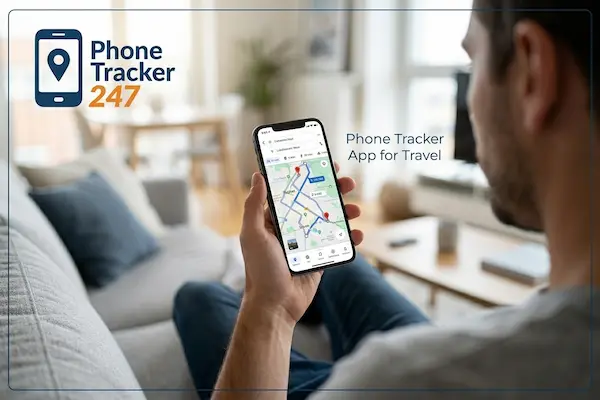
Traveler using phone tracker app for travel to view real-time GPS route map on smartphone
To understand why your phone dies so fast, we have to look at the power consumption of different sensors. Standard GPS can consume upwards of $50-100mA$ when active. If an app requests a high-accuracy update every few seconds, your battery will be depleted in hours. Modern, high-tier tracking apps use “Significant Change” algorithms. They use the phone’s accelerometer and gyroscope to detect if you are actually moving. If you’re sitting in a cafe for an hour, the app puts the GPS to sleep, relying on the low-power motion sensors to wake it up only when you start walking again.
Top Features to Look for in a Travel Tracking App
The ideal travel tracker should prioritize location tracking accuracy, offer offline maps, and include a “Low Power Mode” that adjusts update frequency based on remaining battery life. Look for apps that provide end-to-end encryption, ensuring that your movements are visible only to those you explicitly trust.
- Geofencing Alerts: Automatically notify your group when you arrive at the hotel or the airport.
- Location History: A breadcrumb trail that helps you retrace your steps to that hidden bistro you found yesterday.
- Cross-Platform Compatibility: Ensure it works seamlessly between iOS and Android, as travel groups rarely use the same hardware.
- Low-Data Usage: Roaming data is expensive; the app should compress location packets to keep costs down.
Digital Parenting and Safety During Family Vacations
For families, a phone tracker app for travel is a cornerstone of modern digital parenting, allowing parents to grant teens independence while maintaining a digital tether. These tools reduce the stress of crowded tourist attractions by providing real-time alerts if a family member wanders outside a designated safe zone.
Phone tracker app for travel connecting global routes across world map with landmark icons
Vacations are meant to be relaxing, but losing sight of a child in a crowded Disney park or a busy London Underground station is every parent’s nightmare. Utilizing device monitoring isn’t about “spying”; it’s about creating a safety perimeter. By setting up virtual boundaries (geofences) around the resort or the tour group’s meeting point, parents can receive instant push notifications if a child moves too far away. This allows for a more “free-range” parenting style abroad, where kids can explore the gift shop or the beach while the parents stay informed from a distance.
Privacy and Security: Protecting Your Data Abroad
Using a phone tracker app for travel involves sharing sensitive movement data, making it imperative to choose services with robust online safety tools and transparent privacy policies. Avoid “free” apps that monetize by selling your location history to third-party advertisers or data brokers, especially when roaming on foreign networks.
As a cybersecurity expert, I cannot stress this enough: your location data is a blueprint of your life. When you travel, you are more vulnerable. You are likely using public Wi-Fi in airports and hotels, which can be hotspots for man-in-the-middle attacks. A reputable tracking app will encrypt your data before it even leaves your device. Before installing an app, check if they have a history of data breaches and ensure they allow you to delete your history at any time. Your safety shouldn’t come at the cost of your digital privacy.
Expert Tips to Optimize Your Device During Transit
Phone tracker app for travel offering real-time and secure global location tracking protection
To maximize the efficiency of your phone tracker app for travel, you should manually manage your background app refresh settings and utilize offline maps. Keeping your firmware updated ensures that you are benefiting from the latest power-management APIs provided by Apple or Google.
- Download Offline Maps: Apps like Google Maps or HereWeGo allow you to download entire cities. This prevents your phone from constantly using the radio to download map tiles, saving significant power.
- Adjust Polling Rates: If you are on a long bus ride, you don’t need second-by-second updates. Set the app to update every 10–15 minutes.
- Use a VPN: When checking your tracker on public Wi-Fi, always use a VPN to secure the connection.
- Carry a MagSafe or Slim Power Bank: For those long days of sightseeing, a small 5,000mAh battery can double your tracking time without adding bulk to your pocket.
FAQs
1. Does a phone tracker app for travel work without the internet?
Most apps require a data connection to send your location to others. However, many can log your GPS coordinates offline and “burst” upload them the moment you reconnect to Wi-Fi or a cellular network.
2. Will using a tracker increase my roaming charges?
Location data packets are extremely small (usually just a few kilobytes). As long as you aren’t downloading maps over roaming data, the actual tracking process uses very little data.
3. What is the most battery-efficient way to share my location?
The most efficient method is using an app that utilizes “Cell-ID” or Wi-Fi positioning rather than constant GPS pings. Setting the update frequency to “Balanced” rather than “Best” also helps significantly.
4. Can I track a phone if the SIM card is changed in a foreign country?
Yes, if the app is linked to the device’s hardware ID or an account (like iCloud or Google), it will continue to work as long as the new SIM has a data plan and the app is still installed.
5. Is it legal to use a phone tracker app for travel on my friends?
Legally and ethically, you must have the consent of any adult you are tracking. Most reputable apps are built around “Circles” where everyone must opt-in to share their location.
6. How accurate is location tracking in remote hiking areas?
In remote areas, location tracking accuracy depends on a clear view of the sky for GPS satellites. If you are in a deep canyon or under heavy canopy, the accuracy might drop from 5 meters to 50 meters or more.
For more guides on staying safe in the digital world, visit PhoneTracker247.com or explore our latest tips on the official blog.