In the digital age, children gain access to phones and tablets at a very early age, making the management of screen time and online content a top priority for parents. Today’s best iOS parental control apps not only allow monitoring of device activity but also help limit screen time, filter inappropriate content, and ensure digital safety for children. This article by PhoneTracker247 will introduce the 10 best iOS parental control apps, helping parents easily choose the right solution for their family.
Contents
Why use an iOS parental control app?
In the digital age, children are increasingly exposed to smartphones, tablets, and internet-connected devices at a very early age. Without proper supervision, they may face several risks:
- Exposure to inappropriate content: Children may watch videos, play games, or visit websites containing violent, explicit, or unsuitable material.
- Excessive device usage: Lack of time management can lead to screen addiction, negatively affecting their studies, sleep, and overall health.
- Security and personal information risks: Children might download unsafe apps, share personal data, or fall victim to online scams.
To address these challenges, the best iOS parental control apps have been developed, providing parents with tools to:
- Monitor device activity in detail, tracking how and when children use their devices.
- Set time limits on apps or overall device usage to encourage healthy habits.
- Filter inappropriate content, ensuring a safe digital environment.
- Send alerts and protect children from potential online threats.
Thanks to these features, iOS parental control apps not only give parents peace of mind but also help teach children responsible technology use, promoting a healthy balance between learning, play, and rest.
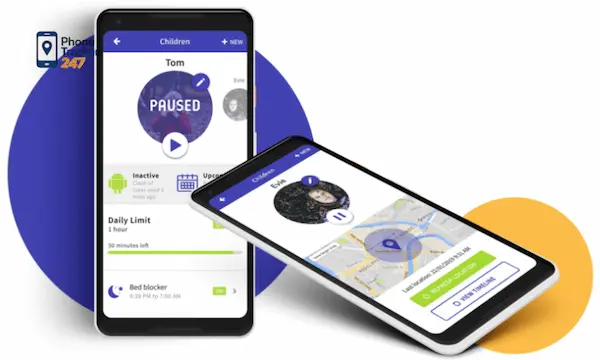
Top 10 Best iOS Parental Control Apps Today
Choosing the best iOS parental control app is essential for parents who want to monitor their children’s device activity, manage screen time, and filter inappropriate content. These apps help create a safer digital environment while teaching children healthy technology habits. Below is a detailed overview of 10 leading apps, highlighting their features, advantages, and potential limitations:
Qustodio
- Features: Monitors device activity, manages apps, sets screen time limits, generates detailed reports.
- Pros: User-friendly interface, supports multiple devices, suitable for families with several children.
- Cons: Higher price point compared to some other apps.
- Analysis: Qustodio excels in providing comprehensive oversight, making it ideal for parents seeking granular control over both apps and web activity. Its reporting tools give insights into usage trends, helping parents make informed decisions.
Bark
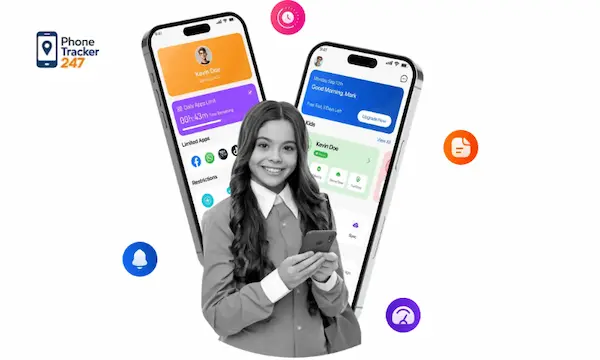
- Features: Monitors texts, social media activity, and alerts for sensitive content.
- Pros: Focuses on social media risks and cyberbullying protection.
- Cons: Limited control over detailed app usage time.
- Analysis: Bark is particularly useful for older children active on social platforms. It emphasizes alerts and safety notifications, though it may not replace a full time management tool.
See more: Effective Tips for Parental Control for Video Games to Keep Kids Gaming Safely
Net Nanny
- Features: Web content filtering, screen time management, online activity monitoring.
- Pros: Strong content filters suitable for children of all ages.
- Cons: Requires an internet connection to update filters.
- Analysis: Net Nanny’s filtering system is highly customizable, allowing parents to block inappropriate content without restricting educational resources. Ideal for families concerned with online safety.
OurPact
- Features: Device scheduling, app blocking, web restriction.
- Pros: Easy to set up, flexible schedules for learning or play.
- Cons: Some features are only available in paid versions.
- Analysis: OurPact is best for parents wanting a simple scheduling tool, enabling them to manage screen time according to school, homework, and leisure periods.
FamilyTime
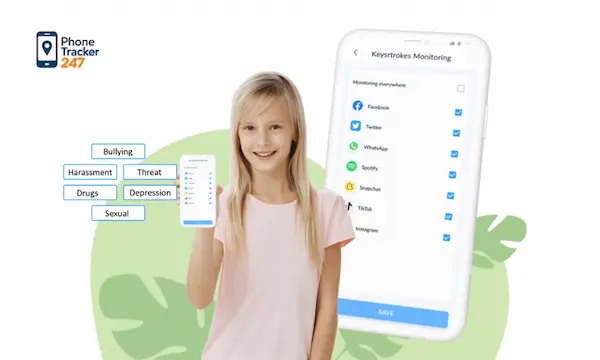
- Features: Location tracking, app management, detailed usage reports.
- Pros: Combines device control with GPS monitoring.
- Cons: Interface may feel complex for beginners.
- Analysis: FamilyTime provides dual functionality—monitoring both device activity and children’s whereabouts—making it ideal for families with commuting children or teens.
Kaspersky Safe Kids
- Features: Device protection, location tracking, content recommendations.
- Pros: Safe and lightweight, minimal impact on device performance.
- Cons: Some advanced features require a paid subscription.
- Analysis: Kaspersky Safe Kids is excellent for parents prioritizing security and privacy while still providing basic parental control features.
Norton Family
- Features: Web monitoring, screen time limits, alerts for risky websites.
- Pros: Trusted brand, reliable protection.
- Cons: User interface may feel clunky for newcomers.
- Analysis: Norton Family leverages the company’s cybersecurity expertise, ensuring children are protected from harmful websites, though customization may be slightly less intuitive.
Mobicip
- Features: App management, web filtering, browsing history tracking.
- Pros: Easy to use, supports multiple platforms.
- Cons: Some advanced features only available in paid versions.
- Analysis: Mobicip is suitable for families with mixed devices (iOS, Android, and desktops) seeking basic parental controls across all devices.
Screen Time
- Features: Screen time limits, app control, detailed reports.
- Pros: Ideal for balancing study and leisure periods.
- Cons: Lacks advanced web content filtering.
- Analysis: Screen Time is perfect for parents who mainly want to regulate how long children spend on devices rather than detailed monitoring of internet activity.
Google Family Link
- Features: Monitors device usage, manages apps, easy setup for children’s accounts.
- Pros: Free, simple, integrates with Google accounts.
- Cons: Limited features compared to professional parental control apps.
- Analysis: Family Link is ideal for parents looking for a no-cost, simple solution, particularly for younger children using Google devices or apps.
See more: Top best OS X parental control software for Mac in 2026
Comparison of the Best iOS Parental Control Apps
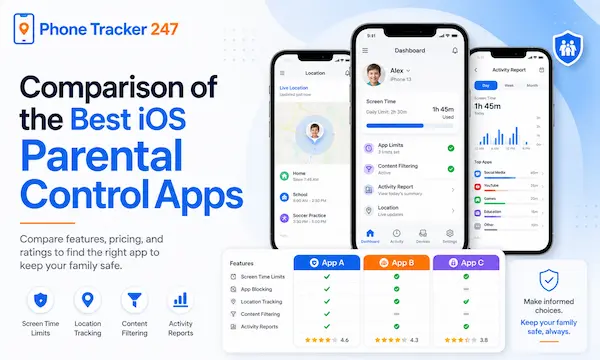
When choosing a parental control app on iOS, parents should consider features such as monitoring messages and social media, setting screen time limits, filtering web content, ease of use, and cost. Below is a detailed comparison of 10 popular apps:
| App | Message & Social Media Monitoring | Screen Time Limits | Web Content Filtering | Ease of Use | Cost |
| Qustodio | ✅ | ✅ | ✅ | ✅ | High |
| Bark | ✅ | ✅ | ✅ | Average | Average |
| Net Nanny | ✅ | ✅ | ✅ | ✅ | High |
| OurPact | ❌ | ✅ | ✅ | ✅ | Low |
| FamilyTime | ✅ | ✅ | ✅ | Average | Average |
| Kaspersky Safe Kids | ✅ | ✅ | ✅ | ✅ | Low |
| Norton Family | ✅ | ✅ | ✅ | Average | Low |
| Mobicip | ❌ | ✅ | ✅ | Average | Average |
| Screen Time | ❌ | ✅ | ❌ | ✅ | Low |
| Google Family Link | ❌ | ✅ | ❌ | ✅ | Free |
Note: Depending on your specific needs—such as monitoring social media, controlling messages, or managing screen time—parents can choose the most suitable app to effectively protect their children in the digital environment.
Notes When Using iOS Parental Control Apps
To ensure that using the best iOS parental control apps truly protects and guides children, parents should keep several important points in mind:
- Set Reasonable Limits – Avoid overly strict rules. Balance study, play, and entertainment time so children feel comfortable and cooperate willingly.
- Regularly Monitor Activity – Check periodic reports from the app to understand your child’s device usage and detect potential issues early.
- Explain the Purpose to Children – Kids are more likely to accept and follow the rules when they understand why the app is used, helping them develop healthy digital habits.
- Keep the App Updated – Always install the latest version to ensure security features, content filtering, and time management functions work effectively.
- Combine with Digital Literacy Education – In addition to the app, parents should teach children how to use devices safely, recognize harmful content, and manage their own screen time responsibly.
By following these guidelines, parents can maximize the benefits of iOS parental control apps while fostering responsible and safe device use in children.
FAQs – Best iOS parental control app
1. Why should parents use an iOS parental control app?
It helps parents manage screen time, filter inappropriate content, and monitor device activity for safer digital use.
2. What can an iOS parental control app do?
It can track activity, set app or device time limits, filter web content, and send safety alerts.
3. What is the best iOS parental control app for full monitoring?
Qustodio is presented as a strong all-in-one option for monitoring, screen time control, and detailed reports.
4. Which iOS parental control app is best for social media monitoring?
Bark is best for monitoring texts, social media activity, and sensitive content alerts.
5. Which app is best for web content filtering?
Net Nanny is a strong choice for web filtering and safer browsing control.
6. Which app is best for screen time scheduling?
OurPact is a good option for parents who want flexible device schedules and app blocking.
7. Which iOS parental control app includes location tracking?
FamilyTime and Kaspersky Safe Kids both include location tracking features.
8. What is the best free parental control app for iOS?
Google Family Link is the free option highlighted in the article.
9. What should parents compare before choosing an app?
They should compare monitoring features, screen time tools, web filtering, ease of use, and cost.
10. How can parents use parental control apps effectively?
They should set reasonable limits, review reports regularly, explain the purpose to children, and keep the app updated.
Conclusion
Using a best iOS parental control app is an effective solution to protect children in the digital age. Applications like Qustodio, Bark, Net Nanny, and OurPact provide advanced monitoring, usage control, and content filtering, giving parents peace of mind.
At PhoneTracker247, we encourage you to choose the app that best fits your family’s needs. Not only will it safeguard your children, but it will also help them develop healthy device habits and a balanced approach to technology.
For daily updates, subscribe to PhoneTracker’s blog!
We may also be found on Facebook!