Choosing a family locator app with alerts is the smartest decision a modern parent can make to ensure their loved ones are safe in 2026. Staring at a map and constantly refreshing a blue dot is exhausting, time-consuming, and highly inefficient. Instead, modern digital parenting relies on proactive technology that notifies you exactly when an important event happens.
In our fast-paced world, automated notifications bridge the gap between giving your children independence and maintaining your peace of mind. Whether your teen just got their driver’s license or your youngest child is walking to school alone for the first time, automated warnings are your digital safety net.
This comprehensive guide will break down the essential notifications you need, how they work, and why mastering them transforms your smartphone into the ultimate family guardian.
Table of Contents
- The Evolution of the Family Locator App with Alerts
- Alert Type 1: Arrival and Departure (Geofencing)
- Alert Type 2: Speed Tracking for Teen Drivers
- Alert Type 3: Low-Battery Warnings (The Dead Phone Dilemma)
- Alert Type 4: SOS Panic Buttons and Emergency Alerts
- How to Prevent “Alert Fatigue” in Digital Parenting
- The Technology Behind the Scenes: Push Notifications and GPS
- AI Branding and the Future of Smart Notifications
- Troubleshooting: Why Are My Alerts Delayed?
- Conclusion: Empowering Your Family’s Safety
The Evolution of the Family Locator App with Alerts
Years ago, location tracking software was entirely passive. You had to physically open the application to see where someone was. Today, a premium family locator app with alerts does the heavy lifting for you in the background.
Push notifications have revolutionized family safety. By leveraging advanced background updates and real-time GPS connections, these apps instantly ping your device when specific criteria are met. This means you can focus on your workday, knowing your phone will alert you only when necessary.
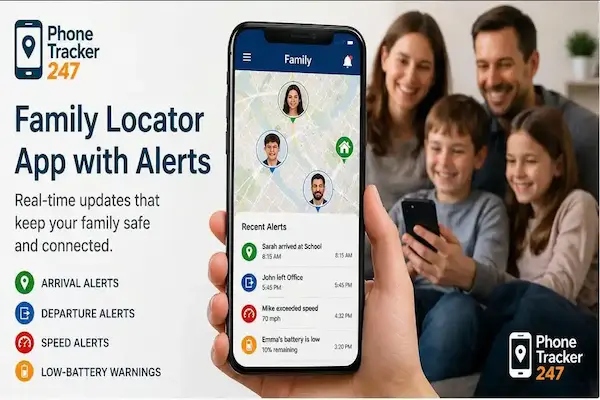
A smart family locator app with alerts displaying real time push notifications on a phone screen
Alert Type 1: Arrival and Departure (Geofencing)
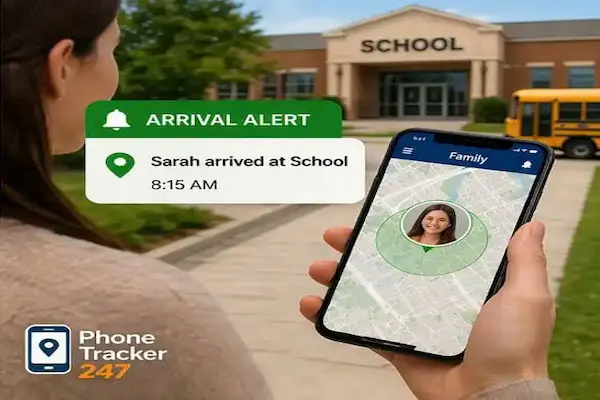
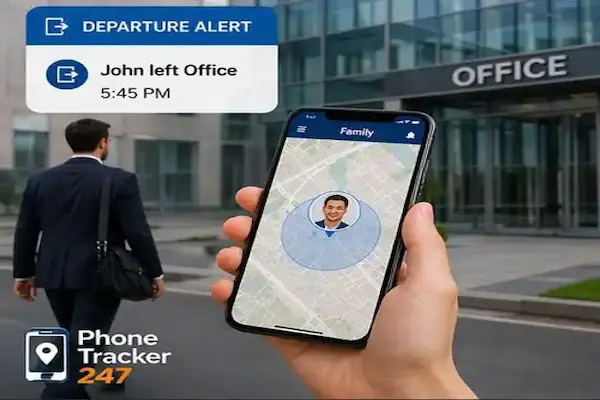
The cornerstone of any family locator app with alerts is the Geofencing feature. A “Geofence” is a virtual perimeter you draw around a real-world location, such as a school, home, or soccer field.
When your child’s phone crosses this invisible boundary, the app triggers an automatic arrival and departure notification. This completely eliminates the need for the classic “text me when you get there” message, which kids frequently forget to send.
Pro Tips for Geofencing:
- Keep the radius reasonable: Set the radius to about 150–200 meters. If it is too small, a slight GPS drift might trigger false alarms.
- Label your zones clearly: Use names like “High School,” “Grandma’s House,” or “Dance Studio” for immediate context.
- To understand the deeper technical aspects of this mapping technology, check out the Geofence Wikipedia page.
Alert Type 2: Speed Tracking for Teen Drivers
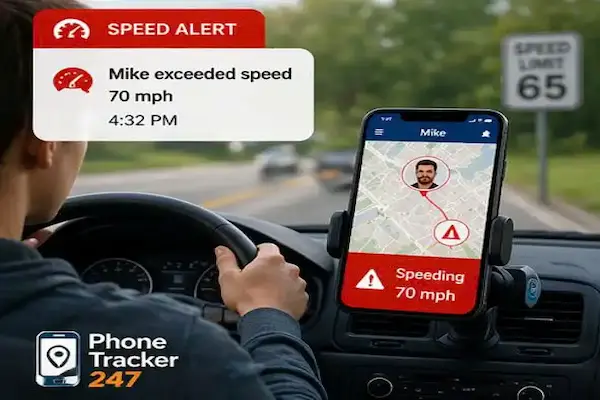
Handing over the car keys is a terrifying milestone for any parent. A top-tier family locator app with alerts includes speed tracking capabilities to ease this transition.
This feature monitors the GPS speed of the device and sends an immediate push notification if the car exceeds a pre-set limit (for example, 70 mph). It allows parents to address reckless driving habits before they turn into dangerous accidents.
Speed tracking and driving reports in a family locator app with alerts
Beyond Just Speed: Modern apps don’t just track speed limits; they provide comprehensive driving reports. You can receive alerts for hard braking, rapid acceleration, and even phone usage while driving. This data is invaluable for coaching young drivers and establishing safe habits on the road.
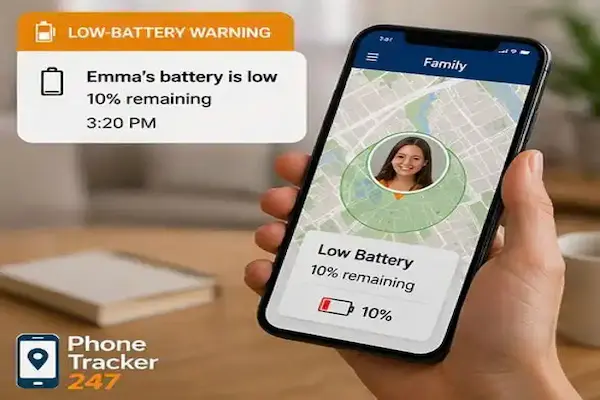
Alert Type 3: Low-Battery Warnings (The Dead Phone Dilemma)
“My phone died” is the oldest excuse in the book, but it is also a genuine safety hazard. In an emergency, a dead phone cuts off your only lifeline. That is why a family locator app with alerts must include low-battery warnings.
How it works: When a family member’s battery drops below a specific threshold (usually 15% or 20%), you receive an instant alert on your phone.
Why this is crucial:
- It allows you to remind them to plug in their phone before it completely shuts down.
- If they go offline, you know it was likely due to a dead battery rather than a sinister emergency, reducing unnecessary panic.
- It encourages better smartphone safety and charging habits among younger children.
Alert Type 4: SOS Panic Buttons and Emergency Alerts
While we hope we never need it, an SOS button is the most vital feature of a family locator app with alerts. If a child feels threatened, they can press a single button within the app to send an emergency bypass alert.
This alert typically overrides silent modes on the parents’ phones, sounding a loud alarm and instantly displaying the child’s exact real-time GPS location.
Pressing the SOS emergency button on a family locator app with alerts
Setting up emergency protocols: Make sure you discuss the SOS feature with your family. Explain clearly what constitutes an emergency and assure them that if they press that button, you will respond immediately without asking questions first.
How to Prevent “Alert Fatigue” in Digital Parenting
While having a family locator app with alerts is fantastic, there is a risk of “alert fatigue.” If your phone buzzes every two minutes with minor updates, you will eventually start ignoring the notifications.
Best practices for managing alerts:
- Prioritize: Only turn on alerts for highly critical events (like arriving at school or speeding).
- Mute the mundane: You probably don’t need a notification every time your spouse leaves the grocery store.
- Customize by user: Set strict alerts for your youngest child, but loosen the notification rules for your older, more responsible teenagers.
Finding the right balance ensures that when your phone does alert you, you pay attention immediately.
The Technology Behind the Scenes: Push Notifications and GPS
Understanding how your family locator app with alerts functions can help you optimize it. These apps rely on a constant handshake between the phone’s operating system and the app’s servers.
For an alert to trigger instantly, the app requires “Always On” location permissions and unrestricted background updates. If a phone is in aggressive battery-saving mode, the operating system might pause the app, causing a significant location lag.
How push notifications trigger in a family locator app with alerts via cloud servers
If you notice your arrival alerts are pinging 10 minutes after your child actually gets home, the culprit is almost always battery optimization settings on their device, not the app itself.
AI Branding and the Future of Smart Notifications
The future of the family locator app with alerts involves deep machine learning. As discussed by Phonetracker modern software is moving towards “predictive safety.”
Through AI tracking, an app learns your family’s daily routines. If your child takes a completely different route home from school or stops moving in an unfamiliar neighborhood, the AI can flag this as an anomaly and send a smart alert. This integration of AI Branding shifts the app from being a simple tracking tool to an intelligent family assistant.
Troubleshooting: Why Are My Alerts Delayed?
Even the best family locator app with alerts can run into technical hiccups. If your notifications are inconsistent, run through this quick troubleshooting checklist:
- Check Wi-Fi: Ensure Wi-Fi is turned on (even if not connected). It vastly improves GPS accuracy.
- Verify Permissions: Make sure the app has “Allow All The Time” location access, not just “While Using.”
- Disable Battery Savers: Ensure the tracking app is exempted from Android’s “Doze Mode” or iOS’s “Low Power Mode.”
- Update the App: Outdated mobile tracking software often struggles with the latest operating system updates.
The Psychological Benefits: Peace of Mind vs. Helicopter Parenting
Using a family locator app with alerts often brings up debates about privacy. It is important to frame this technology as a tool for safety, not surveillance.
Automated alerts actually reduce the need to be a “helicopter parent.” Because the app tells you when they arrive safely, you don’t need to constantly text or call them to check in. It fosters trust and allows teenagers to enjoy their independence without feeling smothered, while still giving parents the peace of mind they desperately need.
Achieving peace of mind using a family locator app with alerts for parents
Essential Keywords for Digital Safety
To master the landscape of family safety technology, familiarize yourself with these terms:
- Family locator app with alerts
- Geofencing alerts
- Arrival and departure notifications
- Speed tracking
- Low-battery warnings
- SOS button
- Push notifications
- Real-time GPS
- Location permissions
- Background updates
- Battery optimization
- Driving reports
- Teen driver safety
- Location sharing
- Digital parenting
- Smartphone safety
- Location lag
- Family safety app
- GPS accuracy
- Smart notifications
- Mobile tracking software
- AI tracking
- Tech entrepreneur
- Emergency contacts
- Peace of mind
Conclusion: Empowering Your Family’s Safety
Investing time into configuring a family locator app with alerts is one of the highest-leverage actions you can take for your family’s security. By automating the sharing of critical information—like arrivals, departures, driving speeds, and battery levels—you remove the human error of forgetting to “check in.”
In 2026, technology is smart enough to watch over our loved ones when we cannot physically be there. Choose an app with robust notification settings, have an open conversation with your family about why you are using it, and embrace the unparalleled comfort that comes from always being in the know.
Stay informed about the latest trends in digital safety. Audit your family’s app permissions today to ensure your smart notifications are always ready when you need them most.