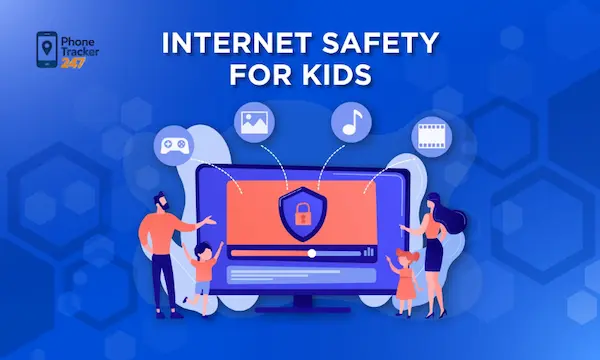
The internet can feel like a giant city with no closing hours. It offers learning, entertainment, creativity, and connection, but it also opens doors to scams, harmful content, strangers, and unhealthy digital habits. That is why internet safety for kids is no longer a nice extra for parents. It is part of everyday parenting.
The good news is that protecting children online does not require constant fear or extreme control. It requires clear rules, honest conversation, smart tools, and steady guidance. When families build those habits early, children gain more than protection. They gain confidence, judgment, and healthier digital behavior. Let’s find out more in this article with PhoneTracker247.
The biggest online dangers parents should understand
Before setting rules, parents need a clear view of the most common threats. That makes online safety conversations more specific and more useful.

Inappropriate content can appear by accident
Children do not always search for harmful content directly. They may reach it through autoplay, suggested videos, shared links, pop-ups, or game advertisements. Even a simple spelling mistake in a search bar can lead to unsafe pages.
- Unexpected exposure: children may see disturbing images or adult topics before they are ready.
- Algorithm drift: one harmless click can lead to more extreme or low-quality content.
- Curiosity loops: once exposed, some children return to risky material without telling parents.
Strangers and grooming risks often start casually
Dangerous contact online rarely begins with obvious threats. It often starts with friendly messages, praise, gaming teamwork, or shared interests. That is why children need practical scripts for what to do when conversations become personal.
- Trust-building tactics: strangers may ask about age, school, location, or family routines.
- Secrecy pressure: a child may be told to keep a conversation private.
- Migration to private channels: grooming often moves from public chats to direct messages or less visible apps.
Scams and privacy risks target children too
Children are not too young to be manipulated online. In fact, limited judgment can make them easier targets for fake prizes, login tricks, or requests for photos and personal information.
| Risk | What it looks like | Why it matters |
| Phishing | Fake links, login pages, prize claims | Can steal account access or data |
| Oversharing | Posting school name, address clues, routines | Makes children easier to track or target |
| App permissions | Games or apps asking for camera, contacts, location | Expands privacy exposure without clear benefit |
| Fake friendships | Unknown users acting supportive or familiar | Can lead to emotional manipulation |
How to teach internet safety for kids at home
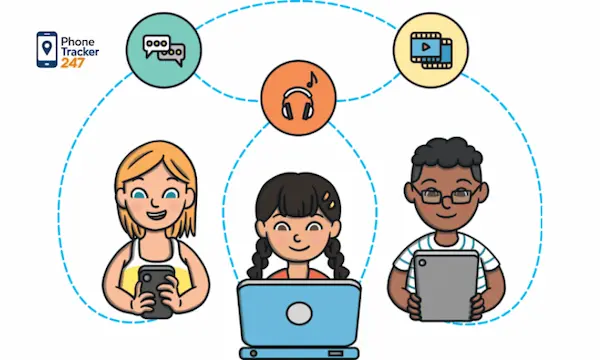
Strong online protection starts with family habits. Parents do not need a perfect script. They need clear communication, repeatable rules, and calm follow-through.
Start with open conversation, not fear
Children speak up more when they expect help instead of punishment. If every mistake leads to anger, they may hide problems. A better approach is to frame safety as teamwork.
- Say what matters: explain that the goal is protection, not spying.
- Normalize speaking up: tell your child to come to you after anything confusing, scary, or embarrassing.
- Avoid shame: focus on what to do next instead of only what went wrong.
A useful line is simple: If something online makes you uncomfortable, pause, leave, and tell me. Children remember short instructions better than long speeches.
See more: 10 Best Real Time Location Sharing Apps for 2026 (Tested)
Create family rules that are easy to follow
Rules work best when they are specific. Vague advice like be careful online is too broad for children to use in real situations. Clear rules reduce confusion and make correction easier.
- Never share full name, home address, school, passwords, or live location with strangers.
- Never click unknown links, downloads, or prize offers without asking.
- Never move a chat to another app without parental approval.
- Always ask before downloading a new app, joining a new game server, or changing privacy settings.
Teach children how to think, not just what to avoid
The strongest form of internet safety for kids is judgment. Filters can block many risks, but they cannot replace decision-making. Teach children to pause and ask basic questions before they act.
- Who sent this?
- Why are they asking?
- What happens if I click?
- Would I say or share this in real life?
That habit turns online safety into a skill, not just a restriction.
Smart tools that make online safety easier
Technology should support parenting, not replace it. The right setup reduces exposure, reinforces rules, and gives parents better visibility into digital habits.
Use parental controls as reinforcement
Parental controls help parents shape safer digital environments. They can limit screen time, block adult content, manage app access, and reduce accidental exposure.
- Content filtering: blocks inappropriate websites and search results.
- App controls: restrict downloads, purchases, and age-inappropriate platforms.
- Screen limits: set device downtime and healthy usage windows.
These tools work best when children know why they exist. Hidden control often creates resistance. Transparent use builds cooperation.
Check privacy settings on every major platform
Many apps collect more information than families realize. Review privacy settings on browsers, games, social apps, video platforms, and messaging tools. The safest default is usually the best place to start.
- Set accounts to private
- Turn off location sharing unless needed
- Restrict who can message, comment, or view content
- Review camera, microphone, and contact permissions
Monitor patterns, not just incidents
Parents often react only after a problem appears. A better system is to watch behavior patterns over time. That helps you spot issues before they escalate.
- Sudden secrecy around devices
- Late-night use or hidden accounts
- Mood changes after gaming or social media
- Contact with unknown users across multiple apps
For families that want stronger visibility, platforms like PhoneTracker247 position themselves as safety-focused monitoring tools built around transparency, consent, and device protection rather than covert spying. That privacy-first angle matters when families want oversight without crossing ethical lines.
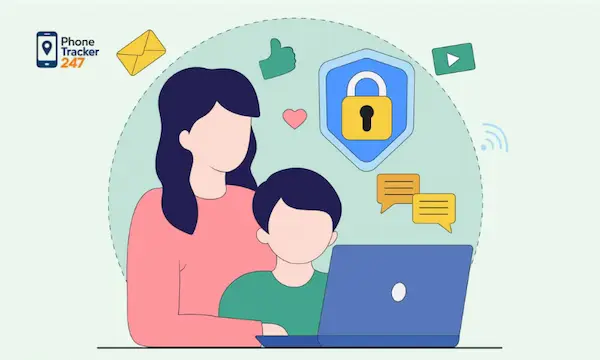
Age-based internet safety tips for kids
Children need different guidance at different stages. A rule that works for an eight-year-old may fail completely with a teenager.
Young children need close supervision
For younger kids, online safety should focus on co-use and simple boundaries. At this stage, parents should choose platforms, control access, and stay physically nearby during internet use.
- Use child-friendly apps and approved websites
- Keep devices in shared spaces
- Supervise searches, videos, and game chats
- Use short, repeatable safety phrases
School-age children need routines and digital judgment
As children grow, they need more explanation and more responsibility. They can begin learning privacy basics, scam awareness, and respectful online behavior.
- Teach them to identify unsafe links and fake offers
- Explain why personal information must stay private
- Review friend requests, group chats, and game interactions
- Build a habit of asking before acting
Teens need boundaries with trust
Teenagers usually want more independence, and strict control without discussion can backfire. Parents should shift from full supervision to guided accountability.
- Set non-negotiables for privacy, location, and stranger contact
- Discuss reputation, consent, and digital footprints
- Watch for emotional warning signs tied to social media use
- Keep regular conversations active, even when things seem fine
What to do if your child faces an online problem
Even careful families run into problems. The goal is not perfect prevention. The goal is fast, calm, effective response.
Stay calm and gather facts
If your child reports a problem, avoid panic. A strong emotional reaction may teach them not to tell you next time. Start by understanding what happened.
- Ask what they saw, shared, or received
- Take screenshots when relevant
- Save usernames, links, or messages
- Find out whether the contact is ongoing
Secure the account and block further harm
Once you understand the issue, reduce exposure immediately. Quick action can stop a small problem from becoming a larger one.
- Block the user
- Report the account or content
- Change passwords
- Review privacy and device settings
- Remove suspicious apps or permissions
Use the incident as a teaching moment
Children learn best when safety advice connects to real experience. After the immediate issue is handled, talk through what happened and what should happen next time.
- Identify the warning signs
- Reinforce the family safety rule involved
- Practice the safer response
- End with support, not blame
Building a safer digital future for your child
Internet safety for kids is not about raising fearful children. It is about raising prepared children. The internet will remain part of school, friendship, entertainment, and daily life, so families need a system that grows with it. Start with conversation. Add clear rules. Use practical tools. Revisit those habits often. The result is not only stronger protection, but also better digital judgment.
Want a safer and more transparent way to support your child’s digital life? Explore how PhoneTracker247 helps families monitor devices responsibly, protect privacy, and build healthier online habits with clear consent and safety in mind.
For daily updates, subscribe to PhoneTracker’s blog!
We may also be found on Facebook!
FAQs – Internet Safety for Kids
1. What is internet safety for kids?
It means helping children use the internet safely and responsibly.
2. Why is internet safety important for kids?
It helps protect kids from scams, strangers, and harmful content.
3. What online risks should parents watch for?
Adult content, phishing, grooming, oversharing, and unsafe apps.
4. How can parents teach internet safety?
Use clear rules, calm talks, and repeatable safety habits.
5. Should kids share personal information online?
No, kids should not share addresses, schools, passwords, or location.
6. Can parental controls help?
Yes, they can block content, limit apps, and manage screen time.
7. Should parents check privacy settings?
Yes, review privacy settings on apps, games, and browsers.
8. What should kids do if something feels unsafe?
They should pause, leave, and tell a trusted adult.
9. Are monitoring tools useful?
Yes, when used legally, transparently, and responsibly.
10. What is the best safety approach?
Use education, clear rules, smart tools, and regular check-ins.