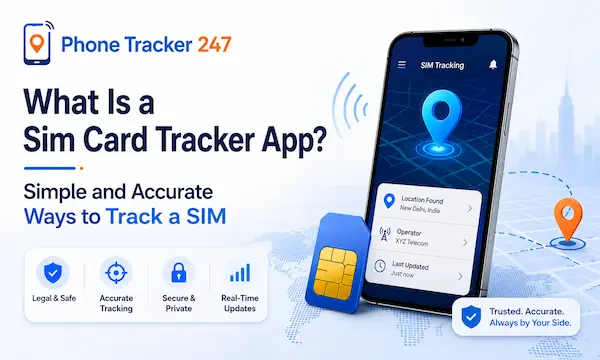
In the digital age, managing and tracking SIM information is becoming increasingly important for both individual users and businesses. A Sim Card Tracker App is considered a useful solution for tracking, checking, and managing SIM cards quickly and conveniently right on a mobile phone. In the article below, PhoneTracker247 will help you understand what a Sim Card Tracker App is, how it works, and how to use it effectively to track a SIM in a simple yet highly accurate way.
How does a Sim Card Tracker App work?
A Sim Card Tracker App is an application that helps users track and manage SIM cards by connecting data from mobile carriers or mobile device systems. Depending on the app, the level of tracking may vary, from checking basic SIM information to updating activity status in real time.
In terms of how it works, the app usually operates through the following data synchronization and processing mechanisms:
- Syncing SIM data from the mobile carrier: This may include the phone number, activation status, and subscriber information, if access is authorized
- Connecting with the mobile device: This allows the app to continuously update any SIM-related changes during use
- Updating location information (depending on the app): Some apps can display the approximate location of the device when permission is granted
Thanks to this mechanism, the system can reflect the SIM’s status almost in real time, making it easier for users to monitor and manage their devices more effectively.
Key features of Sim Card Tracker App
A Sim Card Tracker App does more than simply display basic SIM information. It also integrates a range of advanced features to help users manage, monitor, and protect their SIM cards more effectively. Below are some of the most common and important features found in SIM tracking applications today.
1. Check SIM information
This is a basic but essential feature that helps users clearly understand the status of the SIM card currently in use.
- Displays the phone number inserted in the device
- Provides mobile carrier information such as Viettel, MobiFone, or VinaPhone
- Checks the SIM status, such as active, locked, or invalid
This feature allows users to verify and manage SIM information more accurately and conveniently.
See more: Mobile Phone Tracker Reviews: Top Most Accurate Phone Tracking Apps in 2026
2. Device location tracking (depending on access permissions)
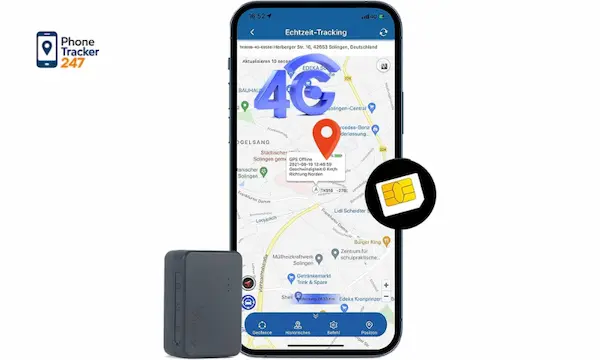
Some apps, when granted permission, can support device location tracking through the SIM card or GPS.
- Identifies the approximate location of the device
- Helps locate a lost phone
- Tracks movement history in certain cases
However, this feature depends on access permissions and the security policies of each system.
3. Alerts when the SIM is changed or removed
This is an important feature related to device and SIM security.
- Sends notifications when the SIM is removed from the device
- Alerts users when an unrecognized SIM change is detected
- Helps identify unauthorized use
This enables users to respond quickly to potential security risks involving their device.
4. Manage multiple SIM cards in one app
This feature is especially useful for individuals or businesses that use multiple phone numbers.
- Tracks multiple SIM cards from a single interface
- Sorts SIM cards based on usage purpose
- Manages the status of each SIM separately
It helps optimize SIM management and saves time during daily use.
5. Store SIM activity history
This feature allows users to monitor the full usage history of a SIM card.
- Records changes in SIM status over time
- Stores login information or related activity data
- Supports troubleshooting when issues occur
This provides an important basis for reviewing and evaluating the safety and activity of the SIM card.
Overall, the features of a Sim Card Tracker App are designed to improve SIM control, security, and management in a more comprehensive way for modern users.
Benefits of using Sim Card Tracker App
A Sim Card Tracker App is becoming increasingly popular thanks to its ability to support SIM and mobile device management in a smart and convenient way. Below are some of the key benefits this application offers to both individual users and businesses.
- Improved security: It helps detect unusual SIM-related changes early, reducing the risk of unauthorized use
- Easier management: It allows users to monitor multiple SIM cards at the same time within a single application, making control more convenient
- Time-saving: Users can quickly look up information directly on their phone without having to contact the mobile carrier in person
- Device recovery support: In some cases, it may help locate a phone if it is lost
Overall, this is a useful tool for both individuals and businesses that want to manage SIM cards more effectively and securely.
How to use Sim Card Tracker App effectively
To get the most out of a Sim Card Tracker App, users need to follow the correct installation and initial setup process, while also performing regular checks to ensure data accuracy. Proper use not only helps manage SIM cards more effectively but also improves the security level of the device.
1. Download and install the app
- Download the app from the App Store or Google Play
- Choose apps with good reviews and trusted publishers
- Grant all necessary permissions so the app can operate smoothly
This is the foundation for ensuring the tracking system works accurately.
See more: Free Secret Phone Tracker: Safe Guide to Tracking Phones for Free in 2026
2. Register an account and grant access
- Create a user account by following the instructions
- Grant access to SIM data, location, or device information if required
- Make sure permissions are only given to trusted apps
Proper access allows the app to function with its full range of features.
3. Add the SIM card or device to track
- Enter the SIM information or phone number into the system
- Link the device that needs to be monitored
- Organize SIM cards by usage purpose, such as personal or work
This makes it easier for users to manage multiple SIM cards at the same time.
4. Set up alerts and tracking mode
- Turn on alerts when the SIM is changed or removed
- Choose a tracking mode that matches your needs
- Adjust notification settings to a suitable level
This is an important step for improving proactive security.
5. Monitor and review data regularly
- Check the SIM activity history on a regular basis
- Monitor connection status and device activity
- Detect unusual behavior early if any issues arise
Regular monitoring helps keep the system stable, accurate, and secure over time.
Overall, using a Sim Card Tracker App correctly helps users manage SIM cards more efficiently while also improving device security and control during everyday use.
Conclusion
A Sim Card Tracker App is a convenient solution for managing and tracking SIM cards in the digital age, helping users control information, improve security, and optimize mobile device management. However, to ensure data safety, you should choose an official and trustworthy application and use it for the right purposes.
If you are looking for a more effective SIM management solution for personal or business use, explore reputable apps to ensure the safest and most accurate experience.
For daily updates, subscribe to PhoneTracker’s blog!
We may also be found on Facebook!
FAQs
1. What is a Sim Card Tracker App?
An app that monitors SIM card details and activity.
2. How does it work?
It reads SIM and device data after permission is granted.
3. Can it show SIM details?
Yes. It can show number, carrier, and status.
4. Can it track location?
Some apps can show device location.
5. Can it detect SIM changes?
Yes. Some apps alert users when the SIM is changed.
6. Can it manage multiple SIMs?
Yes. Some apps support multiple SIM cards.
7. Does it save activity history?
Yes. Some apps store SIM activity records.
8. Why use a SIM tracker app?
For security, monitoring, and easier SIM management.
9. What permissions does it need?
Usually SIM, device, and location access.
10. How do you use it safely?
Use a trusted app and review permissions carefully.