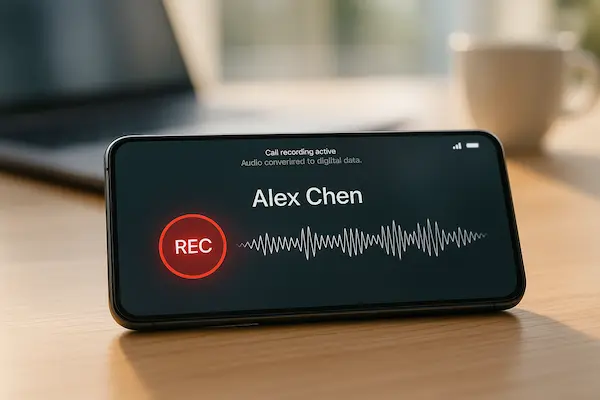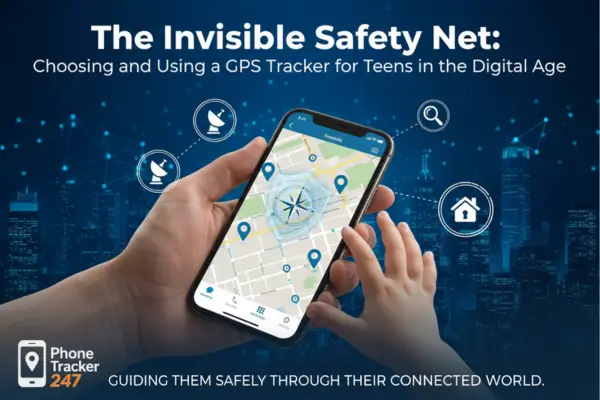
Phones quietly log where you sleep, work, shop and relax, which makes that trail extremely valuable to stalkers, thieves, data brokers and abusive partners if it ever leaks. Learning how to Secure Phone Location Data is no longer about paranoia, it is basic digital hygiene – understanding how your phone, apps, networks and cloud accounts track you, then locking those channels down so your movements stay under your control, not everyone else’s.
Contents
- 1 1. Why Phone Location Data Is So Sensitive Now
- 2 2. Core Principles To Secure Phone Location Data
- 3 3. Securing Phone Location Settings On iOS And Android
- 4 4. Stopping Apps From Quietly Harvesting Your Location
- 5 5. Protecting Against Stalkers, Abusive Partners And Spyware
- 6 6. Network And Carrier Level Protection For Phone Location
- 7 7. Securing Phone Location Data In Families And Shared Devices
- 8 8. Work Phones, BYOD And Company Tracking
- 9 9. Cloud, Backups And Data Broker Exposure
- 10 10. Building A Simple Secure Phone Location Data Plan
- 11 FAQs – Secure Phone Location Data
- 12 Conclusion And Quick Action Summary
1. Why Phone Location Data Is So Sensitive Now
Phone location looks harmless at first glance, but it quietly reveals far more than a simple dot on a map. It shows daily routines, weak spots and private places, which is why learning how to Secure Phone Location Data now matters as much as using strong passwords.
1. How phones track you without much effort
Modern smartphones are built to know where they are at all times. GPS gives precise coordinates, while nearby Wi Fi networks, Bluetooth beacons and cell towers help refine that picture indoors and in busy cities. On top of that, features like Location History or Significant Locations can keep a long running log of where you spend your days and nights, even if you rarely open your maps app.
2. The most common abuses of exposed location
When that trail is exposed or misused, it becomes a powerful tool for the wrong people. Stalkers and abusive partners can predict where you will be and when you will be alone. Thieves can infer when a home is usually empty. Scammers can craft messages that reference real places you visit, making their stories sound legitimate. Even legitimate companies, such as data brokers and ad networks, may quietly turn months of movement into detailed profiles you never knowingly approved.
3. Why you need a clear protection plan now
Location tracking is enabled by default across devices, apps and networks, so choosing to ignore it still has consequences. As more parts of your life run through a single phone, the impact of a location leak only grows. A simple, written plan to Secure Phone Location Data helps you cut unnecessary tracking, spot risky patterns early and decide who is allowed to see your movements, in what detail and for how long.

2. Core Principles To Secure Phone Location Data
Before changing settings or installing new apps, it helps to have a simple mental model. Three basic rules can guide every decision you make to Secure Phone Location Data without turning your phone into something unusable.
1. Collect less location data by default
The safest location trail is the one that never exists. Start by asking whether each feature really needs precise, always on location. Many apps work fine with approximate location, or only need access while you are actively using them. If a service still works when location is off, leave it off by default and only turn it on for short, specific tasks like navigation.
2. Share with fewer apps and companies
Every extra app or company that can see where you are is another place where things can go wrong. Apply a least privilege mindset to your phone: only grant location to apps that genuinely need it, and prefer tools that let you choose between precise and approximate access. If you would feel uncomfortable explaining to a stranger why an app knows your exact movements, that app probably does not deserve that level of access.
3. Store for shorter periods and review regularly
Even with careful settings, some location data will still be created. The goal is to reduce how long it sticks around and to keep an eye on it. Turn on auto delete options where available, clear old histories a few times a year and schedule a quick monthly review of your most used devices. Treat this review as part of your routine to Secure Phone Location Data, the same way you might check smoke alarms or change passwords from time to time.

3. Securing Phone Location Settings On iOS And Android
Most of the power to Secure Phone Location Data lives inside the settings you already have. If you learn where they are and set a few clear rules, both iOS and Android can work in your favour instead of leaking more than you realise.
1. Locking down location services on iOS
Start in Settings → Privacy & Security → Location Services. Go through your apps one by one and decide who really needs to know where you are. For many apps, “While Using the App” is enough, and a few do not need location at all. Where iOS offers “Precise Location”, turn it off unless the app truly needs exact coordinates, such as maps or ride hailing.
Next, scroll to System Services. Disable options that clearly do not add value for you, such as unnecessary analytics or location based suggestions. For “Find My”, check which devices and people can see your location and remove anything you do not recognise or no longer need.
2. Hardening Android location controls
On Android, open Settings → Location and look at “App location permissions”. Focus on apps set to “Allow all the time” and ask whether they really need that level of access. In most cases, changing them to “Allow only while using the app” or “Ask every time” will not break anything important.
Then, review Google Location History and Web and App Activity in your Google account. If you do not use features that rely on constant tracking, consider turning these off or enabling auto delete so old data is cleared without you having to remember.
3. Building a repeatable baseline for every device
Once you find a configuration that feels safe but still convenient, write it down or take screenshots. This becomes your baseline recipe to Secure Phone Location Data on every phone in your family or team. Each time you set up a new device, you simply follow the same steps instead of guessing from scratch, which keeps your protection consistent over time.
4. Stopping Apps From Quietly Harvesting Your Location
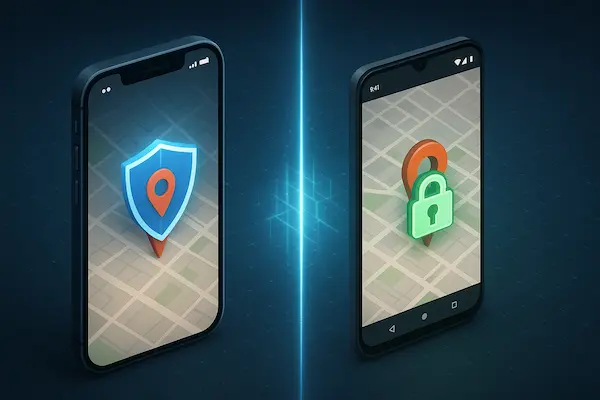
Even with good system settings, many apps still collect more than they need. To truly Secure Phone Location Data, you have to control what those apps can see in the background.
1. How everyday apps collect and share your location
Weather, shopping, food delivery, social media and even some “utility” apps often ask for location by default. Sometimes it powers a real feature, but in many cases it mainly feeds analytics, ad networks and data brokers through hidden SDKs inside the app. The more apps you allow, the bigger and clearer your location profile becomes.
2. Auditing permissions and removing high risk apps
Open your phone’s permissions screen and list apps that can access location. For each one, ask: “Does this need to know where I am to work” If not, switch it to “Never”, “While using” or uninstall it. Pay special attention to rarely used apps, random utilities and older games – they are often the noisiest with the least benefit. A 20 minute audit can cut a large chunk of silent tracking.
3. Choosing privacy first apps and better habits
Before installing new apps, check who makes them, what permissions they ask for and whether reviews mention privacy concerns. If two apps do the same job, pick the one that requests fewer privileges. Once a week, quickly check new installs and delete anything you are not really using, so your effort to Secure Phone Location Data does not get undone by app clutter.
Table 1 – Quick App Permissions Audit To Secure Phone Location Data
| App type | Why it wants location | Do we need it | Recommended action |
|---|---|---|---|
| Weather | Local forecast | Sometimes | Allow while using |
| Social media | Check ins, place tags | Rarely | Approximate or turn off |
| Food delivery | Find nearby options, address | Yes | Allow while using |
| Shopping | Local offers, store finder | Usually no | Remove permission |
| Utilities/games | Often ads and analytics only | No | Revoke location or uninstall |
5. Protecting Against Stalkers, Abusive Partners And Spyware
For some people, learning to Secure Phone Location Data is not about privacy in theory, it is about staying physically safe. If someone dangerous has access to your phone or accounts, you need calm, careful steps – not panic.
1. Warning signs someone may be tracking your phone
Common red flags include a partner or ex knowing where you are too often, commenting on places you never told them about, or “coincidentally” showing up wherever you go. Technically, you might notice fast battery drain, strange apps you do not remember installing, or accounts logged in on devices you do not recognise. If you use family location sharing or “Find My” type apps, check whether anyone still has access who should not.
2. Checking for stalkerware and tightening accounts safely
If you suspect tracking, start by changing passwords and turning on two factor authentication for your main accounts (Apple ID, Google, email, cloud) from a device you believe is safe, not from the suspicious phone. Then review app lists and remove tools you do not recognise or no longer need, especially ones with vague names and broad permissions. When possible, use built in security or “security checkup” tools rather than downloading random cleaner apps that could make things worse.
3. When to get offline help and use a different device
If you are in an abusive or controlling situation, do not try to fix everything alone or confront the other person about tracking from the same phone they may be watching. Use a trusted friend’s device, a work phone or a public computer to look up local support services, hotlines or legal help, and follow their guidance. Technology can support your plan to Secure Phone Location Data, but it cannot replace the safety planning and real world support that professionals and trusted people can offer.

6. Network And Carrier Level Protection For Phone Location
Even with tight settings and careful app choices, some tracking happens on the network side. To fully Secure Phone Location Data, you need a few simple habits around Wi Fi, Bluetooth, your carrier and your SIM.
1. Wi Fi, Bluetooth and proximity tracking risks
When your phone searches for Wi Fi or stays discoverable over Bluetooth, it can be logged by routers, hotspots and beacons in shops or stations. If auto connect is on everywhere, it becomes easy to map where you spend time. Turn off auto connect to open networks, forget old hotspots, and avoid leaving Wi Fi and Bluetooth on all day in crowded public spaces.
2. Carrier, SIM and location based services
Your carrier always sees which towers your phone uses, and weak account security can lead to SIM swapping or port out fraud. That kind of takeover lets attackers intercept SMS, reset passwords and pivot into your accounts. You cannot hide entirely from the network, but you can make it much harder for anyone else to change, move or abuse your number.
3. Practical steps to protect location at network level
Set a PIN on your SIM, add extra verification to your carrier account and ask for a port out lock if your provider offers it. At home, secure your router with a strong password and updates. On the move, prefer mobile data over random open Wi Fi for anything sensitive. These small changes close off easy ways for others to quietly track where your phone has been.

Table 2 – Network And Carrier Checklist To Secure Phone Location Data
| Layer | Key risk | Simple protection step | How often to review |
|---|---|---|---|
| Wi Fi | Tracking via open/shared networks | Turn off auto connect, forget old networks | Every 3 months |
| Bluetooth | Proximity tracking via beacons | Disable when not in use | Weekly habit |
| Carrier | Weak account security | Add extra verification on changes | Once a year |
| SIM | SIM swap / port out fraud | Set SIM PIN and port out lock if available | Once a year |
| Hotspots | Rogue access points | Use mobile data for sensitive tasks | Case by case |
Family phones mix parents, kids and shared devices, so you need simple rules to Secure Phone Location Data without turning every phone into a control tool.
1. Safe family location sharing
Use built in tools like Apple Family Sharing or Google Family Link instead of random tracking apps. Agree why you share location, who can see it and when. Keep alerts for key events like arriving at school or getting home, not constant live tracking. Regularly review who has access and remove old caregivers, ex partners or friends who no longer need it.
2. Teens, privacy and realistic rules
With teens, pure surveillance usually fails. Explain the risks of posting live location, sharing home addresses or joining unknown location based groups. Set a few clear rules and allow some private time, such as no precise sharing but regular check in messages. When teens see Secure Phone Location Data as protection, not punishment, they are more likely to cooperate.
3. Shared devices and emergency plans
On shared tablets or old phones, turn on screen locks and use child or guest profiles instead of one shared account. This prevents one person casually browsing another person’s location history. Also agree what to do if a phone is lost or stolen: who uses Find My, when to call the carrier to block the SIM and when to involve a trusted adult or the police.
8. Work Phones, BYOD And Company Tracking
Work devices add another layer of complexity, because employers have real security needs but staff still deserve privacy. You need a clear line between legitimate monitoring and overreach if you want to Secure Phone Location Data in a professional setting.
1. What employers can realistically see on work phones
On fully managed company phones, IT may control apps, updates, VPN and sometimes location for fleet or safety reasons. That does not mean every manager can see everywhere you go, but it does mean work data should never be treated like a private space. On personal phones with a work profile, the company usually sees work apps and traffic, not your private photos, chats or non work apps, as long as the MDM is configured properly.
2. Designing fair policies that balance safety and privacy
Good companies write down exactly what is monitored, why, who can access it and how long data is kept. Clear policies explain when location is used (for example, during working hours or on call) and when it is not (days off, lunch breaks, personal errands). Sharing these rules openly builds trust and helps staff understand that location is being used for safety, compliance or logistics, not to micromanage their personal life.
3. BYOD setups and keeping personal location private
In bring your own device setups, insist on a proper work profile or container instead of giving full device access to IT. Keep sensitive personal accounts, chats and location based apps on the personal side, and avoid installing random tracking tools “for work” without written policy. This separation makes it much easier to Secure Phone Location Data at home while still letting your employer protect company information on the work side of the same phone.
9. Cloud, Backups And Data Broker Exposure
Even with a clean phone, copies of your movements live in the cloud, in backups and in profiles sold by advertisers. To really Secure Phone Location Data, you need to tighten those as well.
1. Cleaning up location history in major accounts
Check your Google account for Location History and Maps Timeline, then turn them off or set auto delete for older entries. In Apple services, clear Maps history and review any “frequent” or “recent” locations. For other apps, look for “history”, “timeline” or “activity” screens and trim anything that stores your movements longer than you are comfortable with.
2. Reducing what data brokers and ad networks see
Turn on “limit ad tracking” or its equivalent, reset your advertising ID from time to time and use browsers with strong tracking protection. Say no when apps ask to use your data “to improve ads” unless you really trust them. Fewer trusted services is safer than dozens of apps quietly selling your location.
3. Responding to leaks and breaches
When a service you use suffers a breach, check whether location data was involved. If it might be, change passwords, tighten two factor authentication and review what history that service keeps going forward. Keep a short list of accounts that hold the richest picture of your movements and review them a few times a year so old trails do not pile up unnoticed.
10. Building A Simple Secure Phone Location Data Plan
All the tips in this guide work best when they become a routine, not a one time clean up. A short written plan to Secure Phone Location Data helps you stay consistent, involve other people in your life and avoid sliding back into old habits.
1. One page policy for home or small teams
Start with a single page that anyone can understand. Write down which devices you are protecting, what is allowed, what is off limits and who is responsible for each part. Include simple rules like: which apps can use location, when family or colleagues are allowed to share live location, how long location histories are kept and what to do if a phone is lost or stolen. Keep the language plain so kids, parents and non technical colleagues can read it without needing a glossary.
2. Monthly 15 minute checklist you can actually follow
Turn your policy into a short checklist and schedule 15 minutes once a month. In that block, you can:
- Review app permissions and remove anything you no longer use
- Check location settings on iOS or Android for new apps or changes after updates
- Clear or auto delete old location histories in your main accounts
- Glance at network and carrier settings, including SIM PIN and router password
If you miss a month, do not give up – just pick it up again next time. Consistency over time matters more than perfection in any one session.
3. Simple scripts to explain location safety to others
Many problems start because people feel awkward saying no. Prepare a few short phrases you can reuse, such as:
- “I keep location sharing off by default for safety, but I will text you when I arrive.”
- “I try not to install apps that want constant location, can we use this other one instead”
- “We have a family rule to check permissions once a month so our phones do not leak more than we expect.”
Having these scripts ready makes it easier to stick to your plan and to bring others along with you, instead of trying to lecture them about privacy on the spot.
FAQs – Secure Phone Location Data
1. What is the quickest way to Secure Phone Location Data?
Review app location permissions, set most to “While using” or “Never”, then clear or auto delete location history in your main accounts.
2. Can hackers track my phone if GPS is off?
Yes, they sometimes can, using Wi Fi, Bluetooth, networks or infected apps, so you still need strong settings and clean devices.
3. How do I see which apps are using my phone location?
Open your phone’s privacy or permissions screen and check the list of apps with location access, starting with any set to “Always”.
4. What should I do if I think my ex is tracking my phone?
Change passwords and enable two factor authentication from a safe device, then review apps and sharing, and seek local support if you feel unsafe.
5. Do VPNs really help protect my phone’s location?
A VPN hides your IP based location from some sites but does not stop GPS or app based tracking, so it is only one part of protection.
6. How often should I review location settings on my phone?
Once a month is usually enough for a quick check of app permissions, system settings and cloud history.
7. Is family location sharing safe for teens?
It can be, if you use clear rules, limit who can see live location and talk openly about when tracking is on or off.
8. Can my mobile carrier share my location with others?
Carriers can share location data when required by law or for certain services, so you should secure your account and avoid linking it to risky apps.
Conclusion And Quick Action Summary
Location trails are now a live safety and privacy issue, not a distant tech problem. One leaked account, a careless app or an angry ex can turn your movements into a weapon, which is why learning to Secure Phone Location Data belongs in the same category as locking your front door and teaching kids how to cross the street.
Key takeaways in plain language
- Your location history can reveal routines, weak spots and deeply private places.
- Most protection comes from basics: tighter phone settings, cleaner app permissions, safer networks and shorter cloud history.
- Families and teams work best with clear rules and honest conversations, not secret tracking.
Quick Summary Table – Secure Phone Location Data Checklist
| Area | One key action | Time needed | Owner |
|---|---|---|---|
| Phone settings | Tighten iOS or Android location controls | 20 minutes | You |
| Apps | Remove or limit apps with location access | 20 minutes | You + tech savvy family |
| Cloud history | Trim maps and account timelines | 15 minutes | You |
| Network & SIM | Set SIM PIN and review Wi Fi habits | 20 minutes | You or home admin |
| Family rules | Agree when sharing is on or off | 30 minutes | Whole household |
| Routine | Monthly 15 minute privacy check | 15 minutes | You |
Call to action with PhoneTracker247
If you are a parent or caregiver, trying to manage all of this by hand can feel overwhelming. A focused safety platform like PhoneTracker247 helps you turn this checklist into something you can actually maintain, with clearer reports, centralised controls and tools built for open, consent based family use rather than silent surveillance.
Start small: secure one phone today using the table above, then bring PhoneTracker247 into the mix to apply those protections more consistently across your family. The more you treat location safety as a shared routine instead of a one time fix, the harder it becomes for anyone else to quietly turn your movements into their advantage.
For daily updates, subscribe to PhoneTracker’s blog!
We may also be found on Facebook!