Before we dig into menus and settings, it helps to have a simple picture of what Phone Location History Tracking is, why your phone records these trips at all and how this hidden history can affect your privacy, safety and everyday life.
Contents
- 1 1. What Is Phone Location History Tracking And Why It Matters
- 2 2. Where Phone Location History Comes From On Your Devices
- 3 3. How Phone Location History Tracking Works Behind The Scenes
- 4 4. How To Read Your Phone Location History Timeline Correctly
- 5 5. Phone Location History Tracking On Android And Google Accounts
- 6 6. Phone Location History Tracking On iPhone And Apple ID
- 7 7. Privacy, Security And Misuse Risks Of Phone Location History Tracking
- 8 8. How To Control, Limit Or Delete Phone Location History Safely
- 9 9. Real World Use Cases: When Phone Location History Helps And When It Hurts
- 10 FAQs: Phone Location History Tracking
- 11 Turning Phone Location History Tracking Into A Safer Daily Habit
1. What Is Phone Location History Tracking And Why It Matters
At its simplest, Phone Location History Tracking is a log of where your phone has been over time. Your device and some apps store location points with timestamps, then turn them into a map or timeline so you can see past routes and places. The data can be very detailed, which is why it is important to understand what you are looking at before you react to it.
1. Phone location history vs live location vs simple GPS
GPS is the technical layer your phone uses to work out where it is right now. Live location is when an app actively shares that current position with someone else. Phone location history is different again. It is the stored record of past locations, usually shown as a list of days, trips and visits. You can turn live sharing off while history is still being saved, or keep history off while only sharing location during a trip.
2. How Phone Location History Tracking builds a timeline
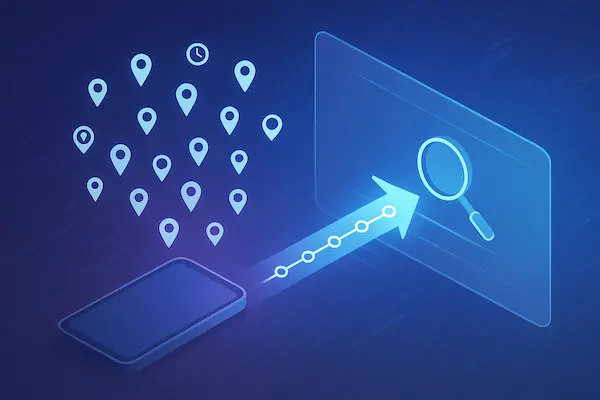
When location history is on, your phone occasionally records where it thinks you are, then your account or app connects those points into trips and stops. That is how your timeline ends up showing commutes, errands and journeys without anyone typing them in. It is a machine made story of your movements, built from many small location samples.
3. Why understanding location history matters
Knowing how Phone Location History Tracking works helps you stay calm when the timeline looks odd, use it for useful things like finding routes or confirming visits and decide how much of this record you really want to keep. Instead of being surprised by a hidden log, you can treat it as a tool you review, adjust or delete on your own terms.

2. Where Phone Location History Comes From On Your Devices
Before you change any settings, it helps to know exactly where the data for Phone Location History Tracking is coming from. Your timeline is rarely owned by a single app. It is usually a mix of system logs, account level history and records kept by individual apps.
Table 1: Main sources of phone location history
| Source | Example | What it stores | Where to manage it |
|---|---|---|---|
| Android system location | Android Location services | Recent device location and background checks | Android Settings → Location |
| iOS significant locations | iPhone Significant Locations | Frequent places and visits your phone detects | iOS Settings → Privacy → Location |
| Google Maps Timeline | Google account Location History | Detailed timeline of routes, stops and visits | Google Maps → Your Timeline |
| Apple Maps and iCloud data | Apple Maps, iCloud | Recent searches, routes and some visit history | Apple Maps settings, iCloud account |
| App level history | Social, fitness, ride apps | Trips, check ins, tracked workouts or rides | In app privacy or location settings |
1. System level location history on Android and iOS
Both Android and iOS keep basic records of where your phone has been so they can power features like suggestions, nearby results and device security. On Android, this sits under Location in Settings. On iPhone, a key feature is Significant Locations, which quietly tracks places your phone thinks are important, such as home and work.
These system logs may not look like a full map timeline, but they feed into how your phone sorts and labels places. Even if you never open a map app, the system can still hold a short history of where you go.
2. Google Maps Timeline and account based Phone Location History Tracking
For many people, the most visible part of Phone Location History Tracking is Google Maps Timeline. When Location History is enabled for your Google account, Maps saves regular snapshots of your position and turns them into a rich timeline of trips, routes and visits. This history is tied to your account, not only to one device, so the same timeline can appear on any phone or laptop where you sign in.
Apple has a lighter version of this idea, using Apple Maps and iCloud to keep some recent routes and search history. It is usually less detailed than Google Maps, but it still influences what your phone suggests and which places appear as recent or frequent.
3. App specific history in social, fitness and ride apps
On top of system and account history, many apps build their own mini timeline. Fitness apps keep running routes and training maps. Ride apps remember pickup and drop off points. Social apps can log check ins, tagged places and nearby friend features. None of these may call themselves “location history”, but together they form a detailed picture of your movements.
You often need to open each app’s privacy or location settings to clear or limit this kind of history. Ignoring it can leave you thinking you have disabled Phone Location History Tracking, while several apps are still quietly keeping their own location stories in the background.
3. How Phone Location History Tracking Works Behind The Scenes
To read your timeline calmly, it helps to know how Phone Location History Tracking is built. Your phone is not recording every step like a camera, it is stitching together lots of small location samples.
1. GPS, Wi Fi and cell towers working together
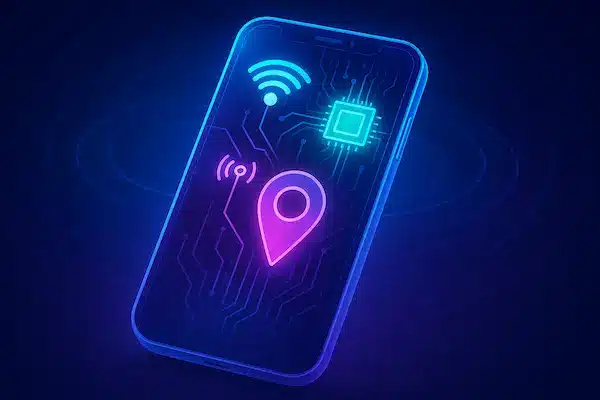
Your phone mixes several signals at once: GPS from satellites, nearby Wi Fi networks and cell towers, sometimes with Bluetooth and motion sensors. Together they give a picture that is usually good enough to draw routes and stops, even if a few points land slightly off.
2. How your phone guesses home, work and regular places
When history is on, your device looks for patterns. The place it sees most nights becomes home, the place it sees most weekdays becomes work, and other repeated spots may show as frequent locations. These are guesses based on time and repetition, not personal knowledge about your life.
3. Why phone location history can be wrong or incomplete
Signals can be blocked or confused by tall buildings, bad reception or low battery. Sometimes your phone thinks you visited a place when you only passed nearby, or it misses parts of a trip when data was off. Remember that your timeline is an estimate, not a perfect legal record, so focus on overall patterns instead of panicking over every single dot.
To get the most value from phone location history, compare it with real-time updates, here’s how to track phone location live GPS

4. How To Read Your Phone Location History Timeline Correctly
Seeing every trip laid out on a map can feel intense the first time. Reading your timeline correctly means treating Phone Location History Tracking as a rough story about your days, not as a perfect replay of your life.
1. Reading daily and weekly patterns instead of single dots
Start wide, then zoom in. Look at a whole day or week and ask simple questions:
- Do the main routes match what you remember
- Are home, work or school roughly in the right place
- Do the times for leaving and arriving feel realistic
If the big picture makes sense, small odd dots matter less. Location history is best for confirming general patterns, like how often you visit an area or which route you usually take, not for checking every minute.
2. Understanding routes, stops and timestamps in context
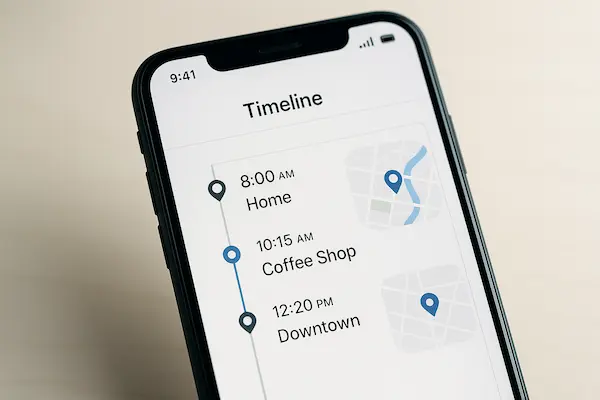
Timeline views often show lines for movement and blocks or pins for stops. A short stop might simply mean you paused at a traffic light or walked slowly past a shop. A long stop usually means you stayed in one place for a while. When the time stamps look slightly off, think about traffic, waiting, or time spent indoors where GPS is weaker.
When you see something that looks wrong, compare it with what you remember doing that day rather than assuming Phone Location History Tracking is either completely right or completely wrong. Often the truth is in between.
3. Common mistakes people make when reading phone location history
People often panic because they:
- Treat every pin as proof they were exactly inside a specific building
- Forget that phones can drift a little on the map, especially indoors
- Ignore missing chunks that came from low battery or settings being off
A healthier habit is to use location history as a starting point for questions, not as a final verdict. If an entry surprises you, ask whether a signal glitch, slow movement or shared Wi Fi could explain it before you jump to bigger conclusions.
5. Phone Location History Tracking On Android And Google Accounts
For many people, the most visible part of Phone Location History Tracking is Google Maps on an Android phone. Your Google account can quietly collect a long timeline of places and routes if Location History is turned on.
1. How to open and read your Google Maps Timeline
On an Android device, open Google Maps, tap your profile picture and choose Your Timeline. You will see a calendar, a map and a list of days. Pick a date to see where your phone thinks you went, which routes you took and which places you visited. You can tap any place or trip to see more details, such as times and travel mode.
It is worth spending a few minutes just exploring before changing anything. Get used to how the map, list and times work together so you know what a normal day looks like in your own timeline.
2. How Android location settings affect what appears in history
What you see in Timeline depends heavily on your Android Location settings. If Location is off at system level, very little history will appear. If it is on, but battery saving or approximate location is enabled, routes may look rough or incomplete. App permissions matter too. If Maps cannot access location in the background, your history will have more gaps.
To understand your own Phone Location History Tracking on Android, check both system Location settings and the Google Maps location permission. That combination decides how often your position is recorded and how detailed your trips look.
3. How to pause, edit or delete Google Location History safely
You can control this data directly from your Google account. In Google Maps Timeline or in your account Activity controls, you can pause Location History so new entries stop being added. You can also delete a single day, a custom range or your entire history.
If you decide to clean up, move slowly. Deleting everything at once cannot be undone and may affect some personalised features. Many people start by removing a few specific days or places that feel too sensitive, then review how that changes their experience before making bigger edits.
4. What really happens when you delete Maps location history
When you delete Location History from your Google account, the points that built your timeline should no longer be available in Maps Timeline. That does not mean every trace of those trips vanishes from the universe. Other services, such as mobile providers, receipts, photos with location tags or third party apps, may still hold their own records.
That is why a realistic approach treats deleting history as one important layer of privacy, not as a magic eraser. Controlling Phone Location History Tracking on Android is a strong step toward better privacy, but it works best when combined with regular checks of app permissions and a habit of only turning tracking on when you actually need it.

6. Phone Location History Tracking On iPhone And Apple ID
On iPhone, Phone Location History Tracking works a bit differently than on Android. Apple focuses more on a few key features like Significant Locations and Apple Maps, and ties much of the history to your Apple ID and privacy choices.
1. What iPhone Significant Locations actually record
iOS has a feature called Significant Locations inside Privacy settings. When it is turned on, your iPhone keeps a list of places it believes are important to you. It does this by noticing where you spend a lot of time and how often you return. Entries usually include city, place names and rough visit times.
This list is meant to stay on your device, encrypted and tied to your passcode or Face ID. It feeds features like better traffic predictions and photo memories, not a public map. Many people do not realise it exists until they explore the settings.
2. How to view and interpret iPhone location history
To see these records, go to Settings, choose Privacy and Security, then Location Services. Scroll down to System Services and tap Significant Locations. After authentication, you will see a list of cities and, inside each, a list of places your phone has flagged as important.
When you open a place, you can view a small map and a list of visits. Treat these entries as clusters rather than precise logs. They are good at showing that you often visit a certain area, but not at proving the exact minute you arrived or left a specific building.
3. How to turn off or clear iPhone location history features
If you are not comfortable with this feature, you can turn it off in the same menu by toggling Significant Locations off. You can also clear the existing history with a single tap, which removes the stored list of places from the device.
This does not stop all use of location on your iPhone. Maps, Find My and other apps can still use live location if you let them. It simply removes this deeper layer of long term history and prevents new entries from being added.
4. Limits of Apple Maps history compared to Google Maps Timeline
Apple Maps and related services keep some recent routes and search history, but they usually feel lighter than a full Google Maps Timeline. You may see recent places and directions you asked for, yet you will not always get the same day by day route playback that Google offers.
For some users this is a benefit, because there is less detailed history to worry about. For others it can be frustrating when they expect a full trip log. Either way, it is important to remember that Phone Location History Tracking on iPhone is spread across Significant Locations, Maps and app specific logs. To get real control, you need to review privacy settings, Maps history and per app permissions together, not just flip a single switch.
7. Privacy, Security And Misuse Risks Of Phone Location History Tracking
Location data is some of the most sensitive data you have. When Phone Location History Tracking is left on without clear limits, it can quietly reveal patterns about your life that you never meant to share.
Table 2: Risks and protections for different users
| User type | Main risk from phone location history | Simple protection steps |
|---|---|---|
| Individual | Profiling, tracking daily routines, data leaks from hacked apps | Limit history, review settings often, delete old entries regularly |
| Families | Overcontrol, conflict, exposing teen or child routines | Set clear rules, share devices carefully, avoid unnecessary history checks |
| Employees | Tracking outside work hours, blurred line between work and home | Use separate work and personal devices, clarify company location policy |
| Victims | Stalking, harassment, location based threats | Turn off or clear history, lock down accounts, seek legal and support help |
1. Real privacy risks of detailed phone location history
A long timeline can show where you live, where you work, when you leave home, which routes you take and which places you visit repeatedly. In the wrong hands, this pattern can be used to guess your habits, beliefs or relationships. Even if you trust the main service, third party apps or hacked accounts can expose more than you planned.
2. How stalkers or abusers could misuse location timelines
Someone who wants to control or harm another person can use detailed history to check stories, know where someone has been, wait in places they visit often or pressure them about every trip. That is why people in sensitive situations are often advised to review and reduce Phone Location History Tracking as one of the first safety steps.
3. Legal basics: who can access location history and when
In some cases, location data can be requested by law enforcement or appear in legal disputes, depending on local rules and the type of account. Employers may also collect location for work phones or fleet devices. Understanding basic policy in your region and reading the terms for the tools you use helps you avoid surprises about who might see your history.
4. Healthy boundaries for families, partners and employers
Even when everyone has good intentions, it is easy to cross a line. Parents may overuse history to watch teens, partners may rely on timelines instead of trust, and employers may forget that staff have a life outside work. Setting clear boundaries, using location history for safety and logistics only, and agreeing when you will not look at it are all part of using this powerful data in a fair, respectful way.
8. How To Control, Limit Or Delete Phone Location History Safely
You do not have to accept every default setting your phone gives you. With a few careful changes, you can keep useful features while making Phone Location History Tracking much lighter and more respectful of your privacy.
1. Turning off or limiting history at system and account level
Start with the biggest switches. On Android and iPhone, open Location in Settings and review whether you really need location on all the time. Then check your Google or Apple account pages to see if Location History or similar features are active.
If you still want navigation and nearby results, choose options that limit history instead of turning everything off. For example, keep location on while using maps, but turn off long term account based history that builds a detailed timeline.
2. Deleting single entries versus wiping your whole timeline
Most major services give you a choice between deleting everything and deleting only parts. Removing a single day, place or trip is less dramatic and can be enough if there are only a few sensitive entries you do not want stored.
Full deletion of history is a stronger privacy step, but it can also reset helpful features like tailored suggestions or commute times. Before you wipe everything, export or review anything you might still need and make sure you understand that this action cannot usually be undone.
3. Keeping useful features while reducing tracking
For many people, the right balance is to keep a light version of Phone Location History Tracking instead of turning it off completely. You might:
- Allow maps to use location while the app is open, but not in the background
- Turn off Location History at account level, while keeping live location for trips
- Disable history in social and fitness apps that do not need a long record of your movements
This way you still get good directions, weather and nearby search results without keeping a permanent timeline of every place you go.
4. Setting a regular schedule to review location history settings
Privacy is not a one time fix. Phones update, new apps arrive and old settings get forgotten. Set a reminder every few months to open your location settings, check account pages and quickly scan your timeline. Remove anything that feels too sensitive and tighten any permissions that drifted wider than you would like.
Treating this as a simple digital habit keeps Phone Location History Tracking under your control instead of letting it quietly grow in the background for years.
Read more: Top 10 Best Phone Tracker Apps 2026
9. Real World Use Cases: When Phone Location History Helps And When It Hurts
Phone Location History Tracking is not always good or always bad. It depends on how you use it and who can see it.
1. Helpful uses in everyday life
Location history can be very useful when you want to:
- Find where you parked or which café you visited on a trip
- Rebuild a travel route or remember which clients you visited and when
- Check roughly when a delivery, job visit or journey took place
In these cases, your timeline works like a simple logbook that supports your memory and paperwork.
2. When too much history becomes a problem
Trouble starts when long, detailed history is used to control or argue instead of to help. Partners may dig through trips to check stories, parents may over monitor teens, or timelines can appear in legal disputes where dots on a map are read in the worst possible way. Years of data kept without thinking can become a source of tension, even if you have done nothing wrong.
3. Choosing the right level of tracking for you
There is no single setting for everyone. Some people are happy to keep a detailed timeline, others prefer a short history or almost none. The important thing is to decide on purpose. Look at how you actually use your phone, who might see the data and how you feel when you open your own timeline, then set Phone Location History Tracking so it supports your work, memory and safety without storing more of your life than you want.
FAQs: Phone Location History Tracking
1. What is Phone Location History Tracking?
It is the stored record of where your phone has been over time, usually shown as a map or timeline with routes and places you visited.
2. How is phone location history different from live location sharing?
Live location shows where you are right now, while phone location history keeps past locations and trips that you can review later.
3. How accurate is Phone Location History Tracking?
It is usually close enough to show general routes and places, but single points can be a bit off because GPS, Wi Fi and cell signals are not perfect.
4. Can I turn off Phone Location History Tracking without breaking maps?
Yes, you can keep location on while using maps but turn off long term account based history or limit background tracking in your settings.
5. How do I delete my phone location history safely?
Use your Google or Apple account controls and in app settings to delete single entries, a date range or all history after you decide what you still need.
6. Who can see my phone location history?
Usually it is visible only to you through your accounts, but in some cases apps, employers or authorities may access parts of it depending on permissions and local law.
7. Is Phone Location History Tracking good or bad for privacy?
It can help with navigation, safety and record keeping, but keeping years of detailed history increases privacy risks if accounts or apps are misused or breached.
8. How often should I review my phone location history settings?
Checking every few months, or after major life or device changes, is enough for most people to keep Phone Location History Tracking under control.
Turning Phone Location History Tracking Into A Safer Daily Habit
Location data is now part of almost every modern phone, and public debates about privacy, tracking and timelines keep growing. Instead of ignoring it or panicking about it, you can treat Phone Location History Tracking as one more habit to manage, just like passwords or backups.
Quick summary: what to check and why it matters
Use this table as a fast reminder whenever you review your phone and accounts.
| What to check | What you are looking for | Why it matters |
|---|---|---|
| System location settings on your phone | When location is on, which modes are enabled | Controls how often your device can record where you are |
| Google or Apple account location history | Whether long term timeline style history is active | Decides how deep and detailed your Phone Location History Tracking becomes |
| Maps and navigation apps | Timeline, recent places and route history | Shows how much your daily travel is stored and reused |
| Social, fitness and ride apps | In app location history and tracking options | Stops extra copies of your movements building up silently |
| Emergency and family safety features | Who can see live location in a crisis and how it is shared | Keeps useful safety tools without constant routine tracking |
Once you understand each layer, you can choose which ones to keep, which ones to limit and which ones to turn off completely so your timeline matches your real comfort level.
Use PhoneTracker247 for safer, smarter visibility
You do not have to choose between total tracking and total blindness. For many families and teams, the goal is simple: protect people and devices in real situations, without keeping more history than needed. This is where PhoneTracker247 can help.
Used correctly, PhoneTracker247 can:
- Highlight unusual changes in phone activity or movement patterns
- Focus attention on the moments that matter, instead of storing every small trip
- Support agreed family or company rules about location and device use
- Give parents or managers a single, clear view of safety signals without digging manually through every timeline
Instead of relying only on raw Phone Location History Tracking from many different apps, you can use PhoneTracker247 as a central safety layer. It lets you see important risks sooner, while still following the privacy limits and house rules you have set together.
If you are ready to move from passive tracking to active control, start by reviewing your location settings, cleaning up old history and writing simple rules for how your family or team will use location data. Then add PhoneTracker247 as the tool that puts those rules into practice. The aim is not to watch every step, but to make sure the people and devices you care about stay safer in the real world with less data drifting around in the background.
For daily updates, subscribe to PhoneTracker’s blog!
We may also be found on PhoneTracker247 on Facebook!