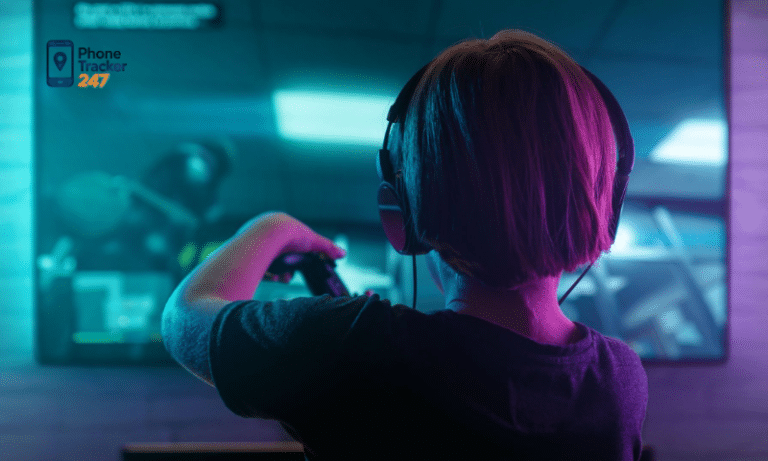
As children are exposed to video games at increasingly younger ages, they gain both entertainment opportunities and potential risks, such as excessive playtime or inappropriate content. Parental Control for Video Games is a powerful tool for parents, helping manage playtime, restrict unsuitable content, and ensure a safe gaming experience. In this article, PhoneTracker247 shares effective tips for using parental controls, allowing kids to enjoy gaming while staying properly protected.
Contents
Why Parental Control Is Important for Children Playing Video Games
Parental control for video games is a crucial tool for parents to monitor, manage, and protect their children while gaming. It not only safeguards their online experience but also promotes healthy physical, mental, and social development. Here are the key reasons why parental control is essential:
- Prevent Exposure to Inappropriate Content: Many video games today feature violent scenes, horror elements, or inappropriate language that are not suitable for children. Parental control tools help filter out such content, ensuring that children are only exposed to age-appropriate games and protecting them from potential negative influences.
- Manage Gaming Time Effectively: Children can easily become engrossed in games, neglecting schoolwork, daily routines, or sleep. Parental control allows parents to set specific playtime limits, whether daily, weekly, or per session, helping children maintain a balanced schedule between gaming, learning, and rest.
- Protect Personal Information: Online games often require users to share information, and children may unknowingly disclose personal data such as names, addresses, or account credentials. Parental control features help restrict the sharing of sensitive information, minimizing risks of exploitation or online fraud.
- Promote Healthy Gaming Habits: When parents supervise gaming with the right tools, children learn to balance playtime with other activities. This guidance encourages responsible use of video games, helping children develop habits that integrate entertainment, education, and social interaction in a healthy way.
- Foster Parental Involvement: Using parental control provides parents with the opportunity to engage with their children’s gaming activities. By guiding and discussing gameplay, parents can create a safe, educational, and enjoyable gaming environment while strengthening trust and communication with their child.
Overall, parental control is not just a safety measure—it’s a way to ensure children enjoy video games responsibly, safely, and as part of a balanced lifestyle.

Key Features of Parental Control for Video Games
Parental control for video games goes beyond simply limiting playtime. These tools offer a variety of features designed to help parents monitor, guide, and protect their children while gaming. The main features typically include:
Time Management
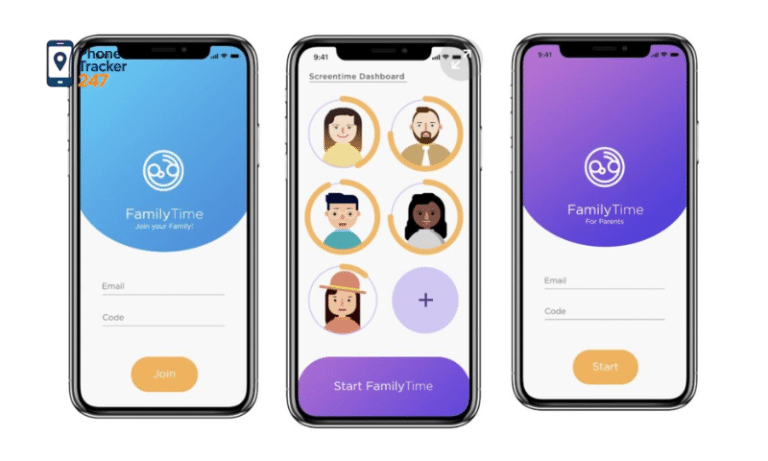
Effective time management goes beyond setting arbitrary limits. Parents can schedule daily, session-based, or weekly playtime and enforce automatic alerts, game locks, or pauses when limits are exceeded. This helps children develop self-discipline, avoid excessive gaming, and maintain a balanced lifestyle that prioritizes education, sleep, physical activity, and social interaction. Advanced systems can even provide analytics, showing which days or times children are most engaged, helping parents refine schedules strategically.
See more: Top best OS X parental control software for Mac in 2026
Content Filtering
Content filtering is critical in protecting children from inappropriate material. Parental control tools can block games or in-game features based on age ratings, violence levels, language, or online interaction risks. Some platforms also offer customizable filters that allow parents to approve specific games while restricting others, giving a nuanced approach rather than a blanket ban. This ensures children are exposed only to age-appropriate experiences while still allowing creative and educational gameplay.
Activity Monitoring
Activity monitoring provides parents with a granular view of their child’s gaming behavior. Reports may include total playtime, favorite games, online interactions, and in-game achievements. By analyzing these patterns, parents can detect potential issues, such as addiction tendencies, exposure to risky content, or problematic social interactions, and adjust guidance proactively. This feature turns gaming from a passive pastime into an opportunity for informed parenting.
In-Game Purchase Restrictions
Many modern games feature microtransactions, which can lead to accidental overspending. Parental control tools can block or require approval for in-game purchases, preventing financial risks and teaching children about responsible spending. Some systems allow parents to set spending limits, review purchase histories, or restrict virtual currencies altogether, combining safety with lessons in financial literacy.
Risk Alerts
Advanced parental control solutions include intelligent risk detection, sending real-time alerts if children encounter strangers, access sensitive content, or exhibit unusual in-game behaviors. This proactive approach enables parents to intervene immediately, providing guidance or restriction before a minor issue escalates into a serious problem. Some platforms even offer behavioral insights, helping parents understand potential emotional or social triggers.
By leveraging these features comprehensively, parents can create a safe, structured, and educational gaming environment. Not only does this protect children from immediate risks, but it also promotes long-term healthy habits, responsible decision-making, and a balanced approach to digital entertainment.
Tips for Setting Up Parental Control Effectively
To make parental control for video games truly effective, parents need more than just basic installation—they should apply smart management strategies. Here are key tips to optimize monitoring and protect children while gaming:
- Set a dedicated password: Protect all parental control settings with a password to prevent children from turning off or altering restrictions. This basic step is crucial to ensure limits are consistently enforced.
- Configure age-appropriate settings: Choose content restrictions based on your child’s age. This ensures safety without being overly restrictive, allowing children to enjoy gaming in a healthy and suitable environment.
- Establish reasonable playtime: Set specific playtime limits, such as 1–2 hours per day, and avoid allowing gaming during study hours or bedtime. A balanced schedule helps children manage entertainment alongside other activities.
- Discuss with your child: Explain why parental controls are in place so your child understands and cooperates. When children know the purpose is protective and supportive, they are more likely to follow the rules.
- Keep software up to date: Regularly update parental control tools to the latest version. This ensures all monitoring features work effectively, remain compatible with new games, and include the latest security improvements.
See more: Detailed Guide to Setting Up iPod Parental Controls for Parents
Important Notes When Monitoring Children Playing Video Games
In addition to using parental control for video games, parents should actively monitor and guide their children’s gaming habits to ensure safety and healthy development. Here are key points to keep in mind:
- Avoid over-controlling: Allow children some independence in managing their gaming time. Intervene only when necessary to prevent them from feeling excessively controlled, which can lead to resistance or negative reactions.
- Encourage healthy gaming: Choose games that are educational, creative, or promote healthy e-sports activities. This helps children enjoy gaming while developing cognitive skills, hand-eye coordination, and social abilities.
- Watch for signs of gaming addiction: Be alert to behaviors such as skipping school, losing sleep, losing interest in other activities, or reacting negatively when gaming time is limited. Early detection allows for timely intervention.
- Engage in gaming together: Spend time playing with your children to understand their preferences, observe their behavior, and teach time management and in-game financial skills. This strengthens your bond and helps children balance entertainment with responsibilities.
Conclusion
Parental control for video games is a useful tool that helps children play games safely, healthily, and in balance with their studies, sleep, and other activities. Apply control features, combine them with monitoring, and guide your child so that gaming becomes a positive and enriching experience.
Don’t wait until problems arise! Start setting up parental controls with PhoneTracker247 today to protect your child and build healthy gaming habits.