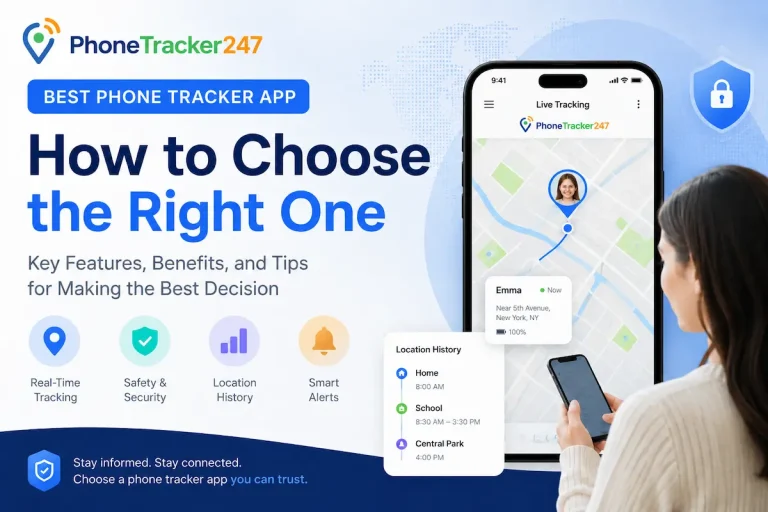
Mobile phone tracking apps are increasingly being used to support GPS location tracking, monitor device activity, and enhance overall user safety. These applications not only help locate a device in case it is lost or stolen but also provide detailed activity reports that improve personal data security. This article will take a closer look at GPS tracking, activity reports, and key device safety features offered by mobile phone tracking apps. Let’s explore the details with PhoneTracker247 in this article.
How Mobile Phone Tracking Apps Work
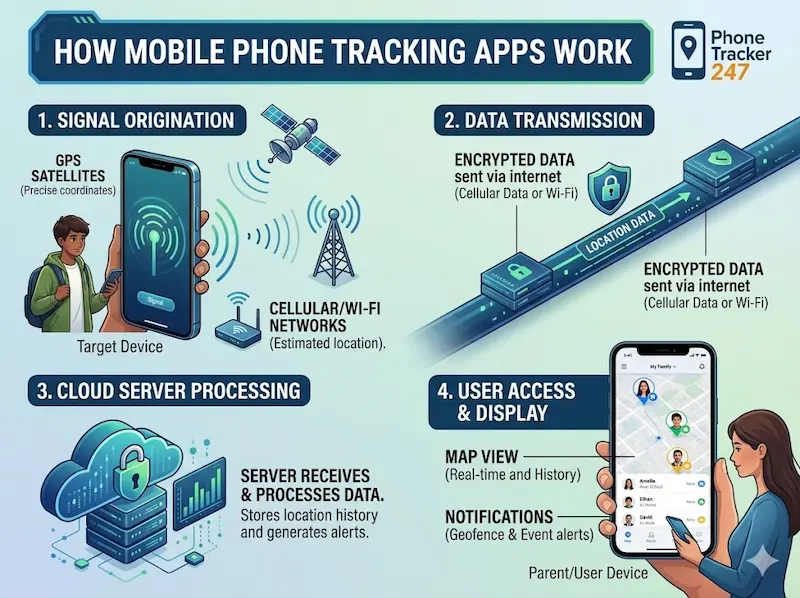
Mobile phone tracking apps operate by collecting, processing, and analyzing data from a device to provide key information such as location, activity, and safety status. These apps typically rely on multiple technologies to ensure accurate and continuous tracking.
The system works by combining different data sources and syncing them to a centralized platform, allowing users to monitor the device remotely in real time.
Key points of how it works:
- Data collection from multiple sources: GPS, Wi-Fi signals, and mobile network data are used together to determine accurate device location
- Real-time location tracking: The app continuously updates the device’s position for live monitoring
- Cloud-based data synchronization: All collected data is sent to a cloud system for remote access via smartphone or computer
- Activity processing and analysis: The system organizes data into readable information such as location history and usage behavior
This combination of technologies allows users to track and manage devices efficiently from anywhere with an internet connection.
GPS Tracking Features in Tracking Apps
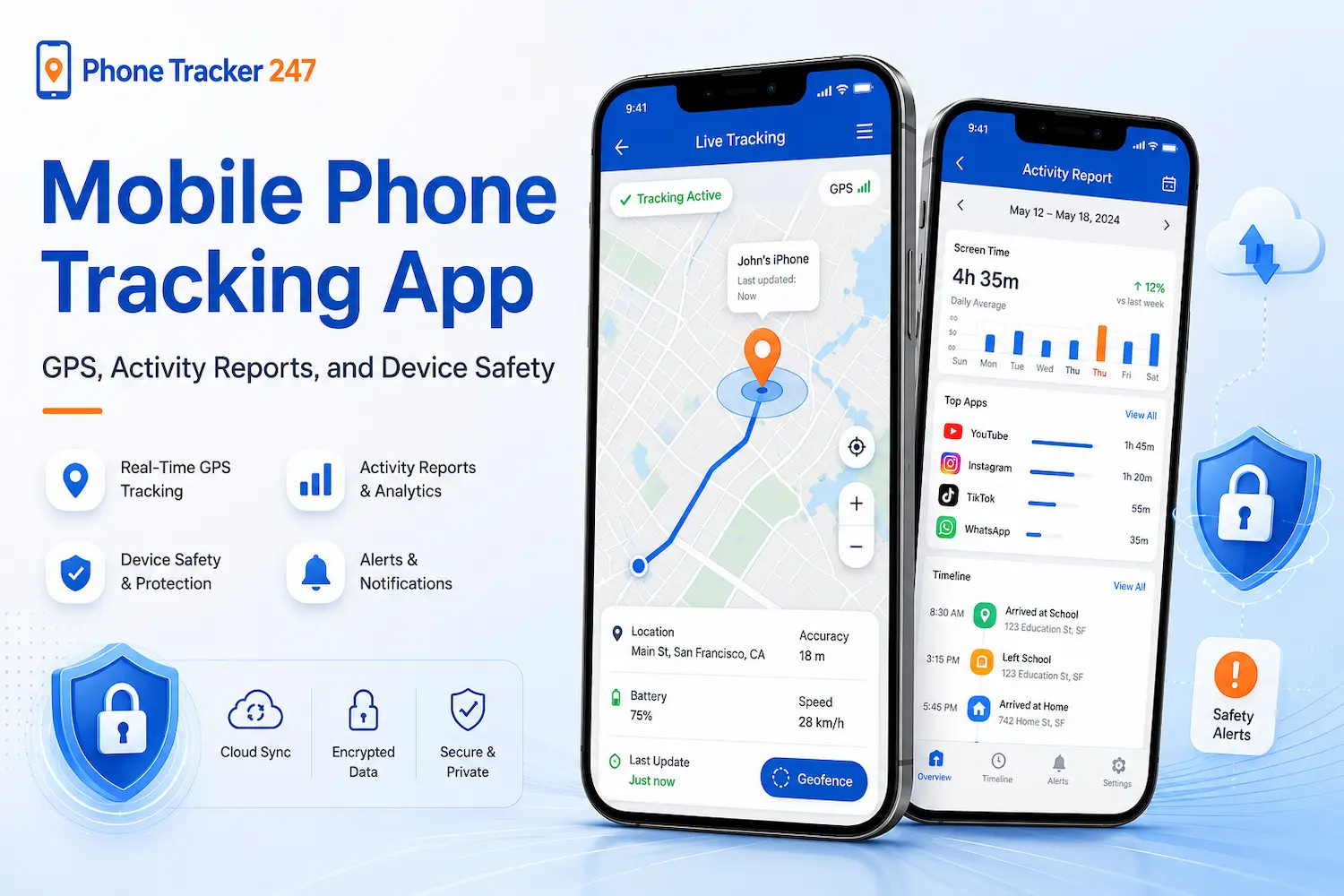
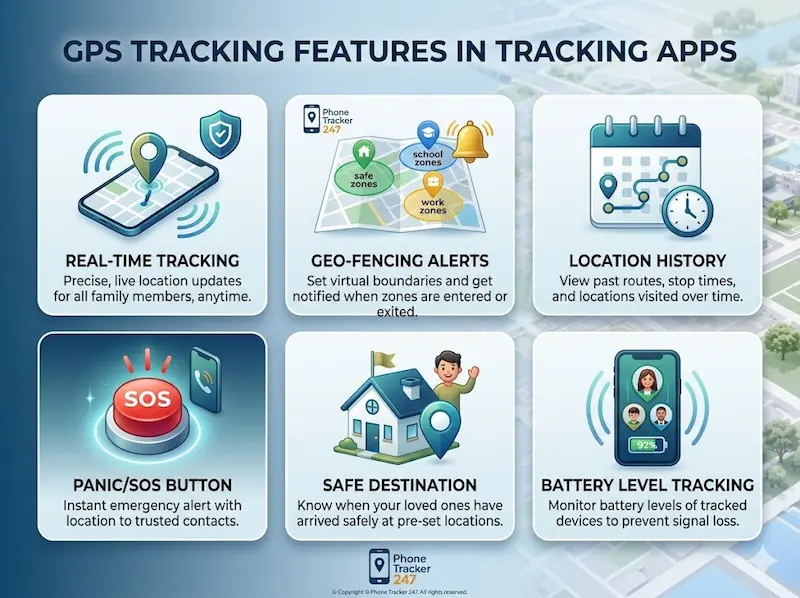
GPS tracking is one of the most essential functions in mobile phone tracking applications, enabling continuous and accurate monitoring of a device’s location. This feature is built on a combination of satellite signals and network data, allowing users to track movement with high precision in real time.
Rather than simply showing a static position, GPS tracking systems continuously update and process location data to provide a dynamic view of the device’s movement patterns.
Real-time location tracking
Real-time tracking allows users to see exactly where a device is at any given moment.
- Displays live location updates on an interactive map
- Continuously refreshes position as the device moves
- Combines GPS signals with Wi-Fi and mobile data for higher accuracy
- Helps users quickly respond if a device is lost or moved unexpectedly
This feature is particularly important for safety, emergency response, and active monitoring situations.
Location history tracking
In addition to live tracking, most apps also store historical location data for later review.
- Records all visited locations over a specific time period
- Allows users to replay movement routes step by step
- Helps identify travel patterns and frequently visited places
- Supports better analysis of device usage and movement behavior
Location history is useful for both security monitoring and behavioral analysis, especially when reviewing past activities or verifying movements.
See more: Tracker App for Phone: Core Features Every User Needs
What Do Activity Reports Include?
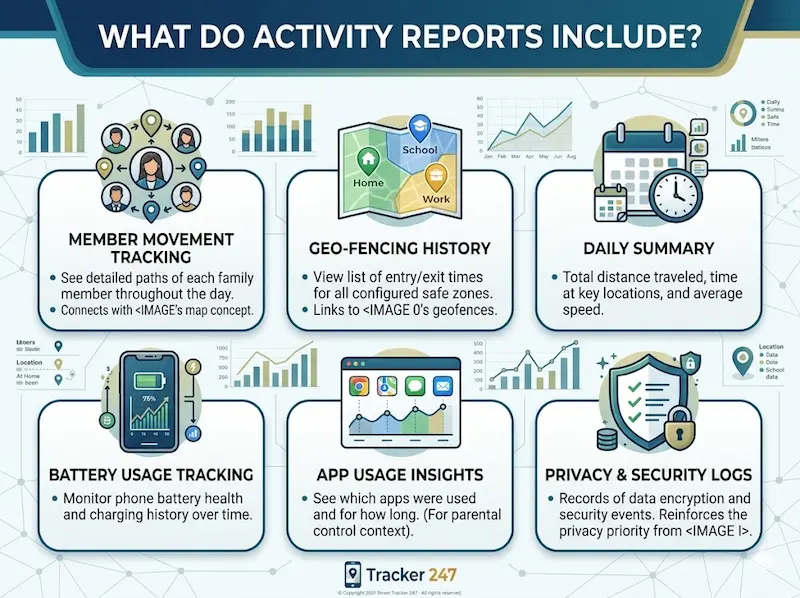
Activity reports in mobile phone tracking apps are designed to give users a clear and structured overview of how a device is being used on a daily basis. These insights help improve digital behavior awareness, device management, and overall security monitoring.
Instead of showing raw data, the system processes information into meaningful reports that are easy to understand and analyze.
App usage monitoring
This feature tracks which applications are being used and for how long.
- Displays a detailed list of all opened apps
- Shows duration of each app usage session
- Helps identify frequently used or high-consumption apps
This allows users to understand usage habits and detect unusual app activity.
Screen time tracking
Screen time tracking focuses on overall device usage patterns throughout the day.
- Measures total time the device is actively used
- Breaks down usage by day, week, or custom time periods
- Helps identify excessive or unbalanced device usage
This feature is especially useful for managing digital well-being and productivity.
Detailed activity analytics
Beyond basic tracking, advanced analytics provide deeper insights into user behavior.
- Aggregates data into visual or structured reports
- Highlights usage trends over time
- Helps compare activity patterns across different days or weeks
These analytics allow users to make more informed decisions about device usage and security management.
Device Safety Features
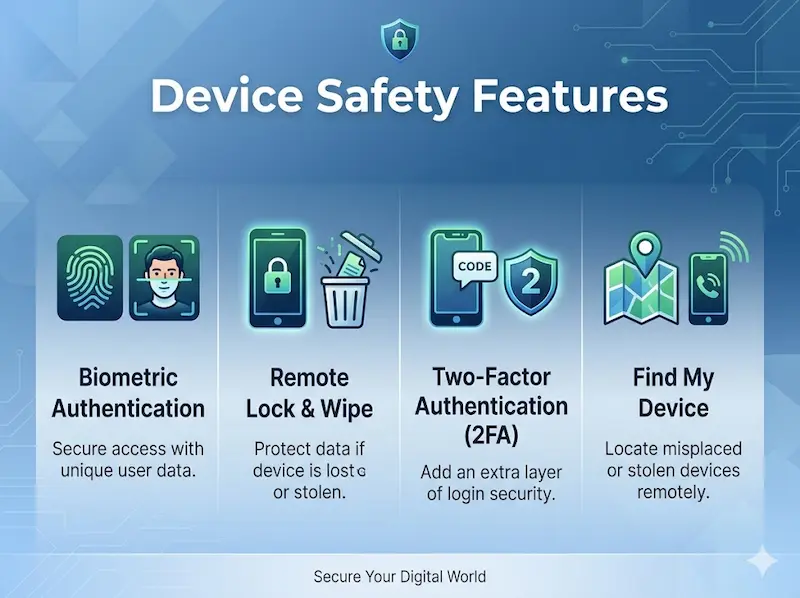
Modern mobile phone tracking apps are no longer limited to location tracking. They also play an important role in protecting devices from loss, theft, and unauthorized access. These safety features are designed to give users greater control over their devices and reduce the risk of personal data exposure.
Alerts for unusual activity
One of the most important safety functions is real-time alerting when suspicious behavior is detected.
- The system monitors login attempts and device usage patterns
- Notifications are sent when unknown devices try to access the account
- Unusual location changes or access behavior can also trigger alerts
This helps users respond quickly to potential security threats before any serious damage occurs.
Remote lock and data wipe
In cases where a device is lost or stolen, remote control features become essential.
- Users can remotely lock the device to prevent unauthorized access
- Some apps allow full data erasure to protect sensitive information
- Actions can be executed instantly from another phone or computer
This feature significantly reduces the risk of personal data being misused.
Personal data protection
Beyond tracking and control, modern apps also focus heavily on data security and privacy protection.
- Data encryption ensures that stored information cannot be easily accessed by third parties
- Secure cloud storage protects user data from physical device damage
- Access control mechanisms limit who can view or modify information
These security layers help ensure that personal data remains safe even in high-risk situations like device theft or hacking attempts.
Important Notes When Using Mobile Phone Tracking Apps
Using mobile phone tracking applications must always comply with legal regulations and be based on transparent, ethical use to avoid privacy violations. These tools are designed to improve safety and device management, but improper use can lead to serious legal and ethical issues.
Key points to keep in mind:
- Only use with the consent of the person being tracked: Always ensure the user is aware and agrees to being monitored.
- Avoid misuse that violates personal privacy: Tracking should never be used for unauthorized surveillance or intrusive monitoring.
- Choose reputable apps with clear privacy policies: Select trusted providers that clearly explain how data is collected, stored, and used.
- Review app permissions before installation: Check what data the app can access to ensure it aligns with your intended use.
Responsible use of tracking apps ensures both device security and respect for personal privacy rights.
See more: Download Phone Tracker here
Conclusion
Mobile phone tracking apps offer many benefits, including location tracking, device management, and personal data protection. However, users should clearly understand how they work and use them responsibly to ensure safety and privacy compliance.
If you are looking for an effective device tracking and security solution, choose a trusted app that fits your needs to ensure maximum protection for your personal data.
For daily updates, subscribe to PhoneTracker’s blog!
We may also be found on Facebook!
FAQs
1. What is a mobile phone tracking app?
It is an app that helps monitor a phone’s location and activity.
2. How does a mobile phone tracking app work?
It uses GPS, network data, app permissions, and a secure dashboard.
3. Can it track real-time location?
Yes, many apps provide live GPS location tracking on a map.
4. Does it show location history?
Yes, some apps show routes, visited places, and movement history.
5. Can parents use a phone tracking app?
Yes, parents can use it to help protect children with proper consent.
6. Can businesses use phone tracking apps?
Yes, businesses can monitor company-owned devices with clear policy and authorization.
7. What features should I look for?
GPS tracking, geofencing, alerts, reports, call logs, SMS history, and privacy controls.
8. Is phone tracking legal?
Yes, when used on owned devices or with clear consent and lawful purpose.
9. Is my data protected?
A reliable app should use encryption, secure access, and strong privacy controls.
10. Is PhoneTracker247 suitable for phone tracking?
Yes, PhoneTracker247 supports GPS tracking, activity reports, monitoring tools, and a simple dashboard.