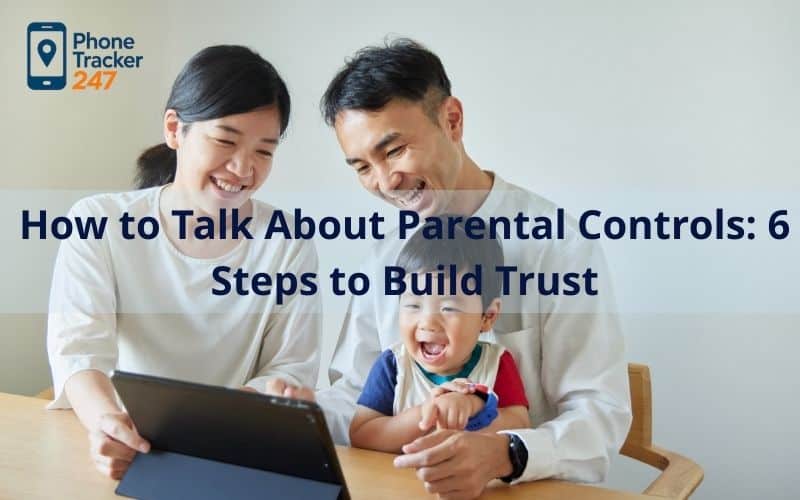
The phone tracking landscape has changed dramatically in 2026. It is no longer just about blocking websites; today’s digital world includes AI-driven feeds, private messaging, and complex social platforms. For many families, the biggest challenge is not choosing the right app, but understanding how to talk about parental control in a way that does not create fear or resistance.
In reality, how to talk about parental control often matters more than the software itself. When installed in secret, tech-savvy teens can usually find a workaround quickly. When introduced through open and respectful conversation, these tools are more likely to be seen as protection rather than punishment.
Contents
- 1 Why the “Talk” Matters More Than the App in 2026
- 2 Timing the Conversation: When is the Right Moment?
- 3 Age-Appropriate Scripts: What to Actually Say
- 4 Addressing the “Spying” Accusation Head-On
- 5 Creating a 2026 Family Digital Safety Contract
- 6 Common Pitfalls to Avoid During the Conversation
- 7 Final Thoughts: Monitoring as a Partnership
- 8 FAQs – How to Talk About Parental Controls
Why the “Talk” Matters More Than the App in 2026
The foundation of any digital safety strategy in 2026 must be transparency because “hidden” apps are easily defeated by modern operating systems.
When you sit down to figure out how to talk about parental controls, your goal shouldn’t be to explain how you are going to “catch” them doing something wrong. Instead, you are explaining how you are going to protect them from a digital world that is often too big for a young brain to handle alone. By being upfront, you remove the “spy” narrative and replace it with a “coach” narrative. This shift in perspective is the difference between a child who hides their phone and a child who comes to you when they see something scary online.

Timing the Conversation: When is the Right Moment?
Choosing the right time to bring up monitoring software is just as critical as the words you use during the discussion.
Before the First Device
- Establishing the Ground Rules: The best time to figure out how to talk about parental controls is the moment you hand over a new smartphone or tablet. By making the software a prerequisite for ownership, it becomes a standard part of the “phone contract” rather than a sudden intrusion.
- Creating a Positive Association: Frame the app as a tool that allows them to have the phone in the first place. You can explain that because the app is there to help, you feel much more comfortable giving them the freedom to explore the internet.
After a Digital Incident
- Turning Mistakes into Lessons: If your child has already stumbled across inappropriate content or dealt with social media bullying, use that experience as a natural bridge. It’s easier to explain the need for protection when they’ve already seen why the digital world can be a bit overwhelming.
- Restoring a Sense of Safety: Instead of using the incident as an excuse to “punish” them with tracking, present it as a way to ensure it doesn’t happen again. Tell them the app is there to act as a shield so they can go back to enjoying their apps without the extra stress.
Table 1: Age-Based Scripts: How to Talk About Parental Controls (Without Breaking Trust)
| Age group | What kids care about most | Your message (use this wording) | What to set up (keep it fair) | Trust move that prevents pushback |
|---|---|---|---|---|
| 5–10 (Young kids) | Feeling safe; avoiding “scary stuff” | “This is like training wheels for the internet. It helps block scary things and keeps you safe while you learn.” | Content filters, app install approval, simple time limits | “If something feels weird online, you tell me—you won’t be in trouble.” |
| 11–13 (Pre-teens) | Reputation, embarrassment, “footprint” | “My job isn’t to control you—it’s to help you avoid mistakes that can last years. The internet remembers.” | Social/app guardrails, safer search, basic reporting (not constant checking) | “I trust you. I don’t trust the internet + algorithms.” |
| 14+ (Teens) | Autonomy + privacy | “Let’s treat this like a safety net, not surveillance. We’ll agree on boundaries and review them.” | Location sharing for safety, driving-related safety features, risk-based checks only | “We only look deeper if there’s a real safety concern—not curiosity.” |

Teens are developmentally wired to seek autonomy, which is why “spying” accusations are common; this is also why transparent, negotiated limits reduce conflict.
Age-Appropriate Scripts: What to Actually Say
Knowing how to talk about parental controls requires a different vocabulary depending on whether you are talking to a second-grader or a high school junior.
For Young Children (Ages 5-10)
- The Training Wheels Analogy: For this age group, keep things simple and physical. Explain that just like they wouldn’t ride a bike without a helmet or cross a busy street without holding a hand, they shouldn’t navigate the “internet street” without a safety helper.
- Focus on Content, Not Privacy: Kids this age don’t usually care about privacy yet; they care about being scared or seeing things they don’t like. Tell them the app is like a filter that keeps the “scary stuff” away so they can focus on their favorite games and videos.
For Pre-Teens (Ages 11-13)
- Discussing Digital Footprints: At this stage, it is vital to discuss parental controls for social media. Explain that mistakes made online now can follow them for years, and your job is to help them curate a digital life they can be proud of as they grow up.
- Focus on External Threats: Shift the focus from “I don’t trust you” to “I don’t trust the world.” Explain that there are people and algorithms designed to trick them, and the software is there to flag those risks before they become a real problem.
For Teenagers (Ages 14+)
- Emphasizing Safety Networks: With older kids, the conversation about how to talk about parental controls should center on high-value features like crash detection and location sharing. Frame it as a “safety net” that allows them to stay out later or drive further because you know they have a way to signal for help instantly.
- Negotiating Boundaries: Be willing to listen to their concerns about privacy. You might agree to only check their location if they don’t answer their phone after three calls, or only review their browser history if the AI flags a significant safety risk like self-harm or predatory behavior.
Addressing the “Spying” Accusation Head-On
During adolescence, privacy is not just a preference, it is a developmental need. Research in teen psychology shows that autonomy and identity formation peak between ages 13 and 17, which explains why monitoring can feel like a threat to independence. Studies from organizations like the American Psychological Association note that teenagers are neurologically wired to seek autonomy while their impulse control systems are still developing. In simple terms, they want freedom before they fully have the tools to manage all its risks.
That tension is often what fuels the “You’re spying on me” reaction. When learning how to talk about parental control, it helps to recognize that this pushback is developmentally normal, not defiance. Acknowledging the teen’s need for privacy lowers defensiveness. Framing monitoring as temporary guidance, rather than permanent surveillance, aligns better with what research calls “authoritative parenting,” a balanced approach linked to stronger trust and better long-term outcomes.
There is also a safety reality to consider. According to data from the Pew Research Center, a significant percentage of teens report experiencing cyberbullying or unwanted online contact. The digital world directly affects mental health, sleep, and even physical safety. Explaining that monitoring is tied to risk prevention, not curiosity, clarifies the difference between control and care.

Creating a 2026 Family Digital Safety Contract
Behavioral research consistently shows that teenagers respond better to clear expectations than to vague warnings. A written family agreement removes ambiguity and supports what psychologists call predictable structure, which increases adolescents’ sense of security even when they resist rules.
A good digital safety for teens contract should be a two-way agreement. It should outline boundaries for the teen, but also commitments from the parent. For example, access to private messages may only happen if there is a credible safety concern. This shared framework increases perceived fairness, which research links to higher compliance and lower secrecy among teens. When teens feel heard, they are less likely to engage in risky concealment behaviors.
Table 2: 2026 Family Digital Safety Contract
| Contract section | Teen/Child agrees to | Parent agrees to | “Fairness” rule (prevents the spy narrative) | Review cadence |
|---|---|---|---|---|
| Purpose (why we’re doing this) | Use devices safely; ask for help early | Protect, guide, and stay calm | “Monitoring = protection, not punishment.” | Revisit when a new device/app appears |
| Privacy boundaries | No secret accounts; no hiding risky behavior | No reading private messages unless credible safety concern | “We won’t ‘trap’ you—no secret installs.” | Every 30–60 days |
| Screen-time & routines | Follow bedtime/school timers | Set realistic limits that match school/sports | “Limits can change as responsibility grows.” | Monthly |
| High-risk rules (non-negotiables) | No meeting strangers; report threats/harassment | Act fast, document, and help you exit safely | Tie rules to real risk: cyberbullying/unwanted contact is common | After any incident |
| What triggers a deeper check | If I’m in trouble, I tell you | Only investigate with a clear reason (self-harm signals, predation, threats) | “We name triggers in advance—no surprise inspections.” | As needed |
| Earned freedom | Show consistency for X weeks | Reduce restrictions gradually | “Autonomy is earned, not taken.” | Every 6–8 weeks |
| Consequences & repair | Accept consequences; rebuild trust | Focus on learning, not shame | “We fix the problem together—no ‘gotcha’ parenting.” | After each rule break |
Common Pitfalls to Avoid During the Conversation
One major mistake in how to talk about parental control is using monitoring as a trap. Developmental psychology shows that when adolescents feel deceived, trust drops sharply and secrecy increases. Revealing hidden tracking only after catching a mistake often reinforces an “us vs. them” dynamic.
Another common error is failing to adjust controls over time. As teens demonstrate responsibility, gradual increases in digital freedom reinforce competence and accountability. Studies on adolescent motivation suggest that earned autonomy strengthens internal decision-making skills. Over-monitoring a nearly adult teen can backfire, pushing behavior underground instead of guiding it safely.

Final Thoughts: Monitoring as a Partnership
At the end of the day, learning how to talk about parental control is not a one-time speech you give and forget. It is an ongoing conversation that evolves as your child grows, makes mistakes, and earns more independence.
Even when choosing from the top 10 phone tracker app options, the real goal is guidance, not control. If you are looking for a solution built for modern digital risks, PhoneTracker247 offers the tools to support open communication while keeping your family protected.
For more information:
Website: phonetracker247.com
Facebook: https://www.facebook.com/phonetracker247
Gmail: contact@phonetracker247.com
FAQs – How to Talk About Parental Controls
1. What should I say first when introducing parental controls?
Start with purpose: safety + support, not punishment. Say what you’re protecting (sleep, focus, scams), then invite questions.
2. How do I explain parental controls without sounding like I don’t trust my child?
Separate trust in them from distrust in the internet: “I trust you. I don’t trust apps, strangers, and algorithms.”
3. When is the best time to have this conversation?
Not during a conflict. Pick a calm moment—before a new phone, new app, or new school term.
4. Should I tell my child what I’m monitoring?
Yes. Transparency reduces backlash. Explain what you can see and what you won’t look at unless there’s a safety concern.
5. Do parental controls work better as rules or as an agreement?
An agreement works best. Write down the rules, the why, and what happens if something goes wrong—so it feels fair.
6. How do I talk to teens who say “You’re spying on me”?
Acknowledge privacy, then set boundaries: “We’re not reading messages. We’re setting safety limits and checking in.”
7. What are reasonable, age-appropriate controls to start with?
Younger kids: filters + app approvals + bedtime. Teens: time routines + safety alerts + limited checks only when triggered.
8. What if my child refuses or gets angry?
Pause and validate feelings. Keep the limit, but offer choices (e.g., bedtime time vs. daily total) to restore autonomy.
9. How often should we review or relax restrictions?
Every 4–8 weeks. If responsibility improves, reduce restrictions gradually—earned freedom builds cooperation.
10. What’s the biggest mistake parents make with parental controls?
Secret monitoring. It breaks trust fast. If safety requires deeper checks, name the trigger and talk first whenever possible.