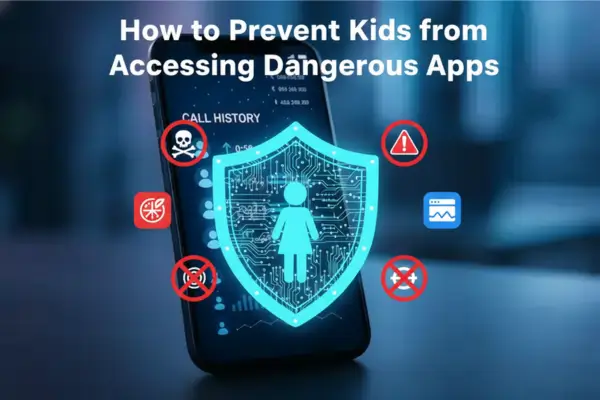
Master How to Prevent Kids from Accessing Dangerous Apps using expert device monitoring strategies. Protect your child’s digital well-being with our 2026 guide.
Contents
- 1 Why App Safety is the New Frontier of Parenting
- 2 Understanding What Makes an App Dangerous
- 3 Native Controls vs. Professional Solutions: How to Prevent Kids from Accessing Dangerous Apps
- 4 Implementing Advanced Device Monitoring for Cyber Risk Prevention
- 5 Navigating the Ethics of Monitoring
- 6 Technical Guide: Mobile Security Practices to Stop Sideloading
- 7 Frequently Asked Questions (FAQs)
- 8 Conclusion: Proactive Guardianship
Why App Safety is the New Frontier of Parenting
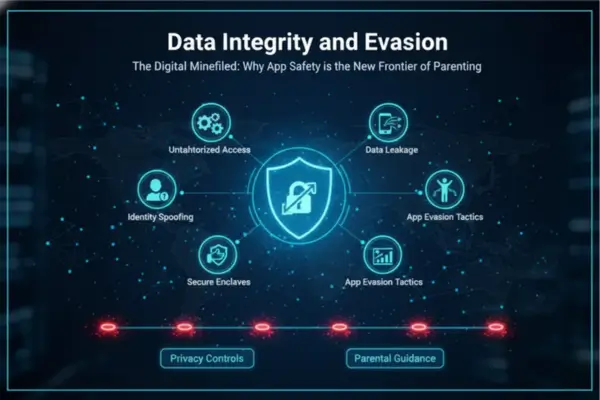
The Digital Minefield: Why App Safety is the New Frontier of Parenting
In the sprawling ecosystem of the 2026 app market, the smartphone has become a double-edged sword. While it offers educational resources and connectivity, it also serves as a portal to high-risk environments that can severely impact a child’s mental and physical safety. For guardians navigating the complexities of parenting in the digital age, understanding How to Prevent Kids from Accessing Dangerous Apps is no longer optional—it is a critical necessity. The danger is not merely about “too much screen time”; it is about the specific nature of the applications that facilitate cyberbullying, predatory grooming, and exposure to explicit content.
The challenge lies in the sheer volume of new software released daily. From anonymous chat rooms disguised as games to “vault” apps that look like calculators but hide illicit photos, the deception is sophisticated. Parents often feel overwhelmed, attempting to police a digital landscape that evolves faster than they can learn. However, by combining robust online safety tools with a deep understanding of mobile security practices, it is possible to create a secure perimeter. This guide provides a comprehensive, expert-led roadmap for cyber risk prevention, ensuring that your child’s device remains a tool for growth rather than a source of harm.
Table 1: Dangerous App Risk Signals (and What Parents Should Do)
Use this table to help parents quickly identify which app behaviors are risky for children (privacy, spending, content, or contact risks) and which control to use first. It keeps the advice practical and evidence-based, not fear-based.
| Risk signal in an app | Why it matters for kids | What parents should do first | Native controls that help |
|---|---|---|---|
| No clear age suitability | Kids may access content that is not age-appropriate | Check age rating and app purpose before install | iPhone: Screen Time + age-appropriate app access (Family Sharing) • Android: Family Link + Google Play content restrictions |
| In-app purchases / pay-to-click prompts | Accidental spending and pressure tactics are common | Require approval or disable in-app purchases | iPhone: Content & Privacy Restrictions → iTunes & App Store Purchases • Android: Google Play / Family Link purchase approvals |
| Open chat or unmoderated user content | Increased exposure to strangers, scams, or harmful content | Delay install until rules are clear; review app settings together | iPhone: App limits + content/privacy restrictions • Android: Family Link app approvals + app blocking |
| Location sharing enabled by default | Can expose a child’s real-time location | Turn off location unless truly needed; review permissions | iPhone: Screen Time restrictions can prevent privacy changes • Android: Family Link helps manage app permissions |
| Excessive notifications / autoplay loops | Drives compulsive use and longer screen time | Turn off autoplay and non-essential notifications | Family media rules + app limits (both platforms) |
| App requests too many permissions | Unnecessary access to camera, mic, contacts, or location | Review permissions before approving install | Android: Family Link permission management • iPhone: Content & Privacy + app permission review |
| Disappearing messages / hidden content patterns | Makes supervision harder and risk events easier to miss | Use a “pause first” rule and only allow with clear family rules | Combine app approval + screen time limits + regular check-ins |
| Frequent installs of new apps | “App hopping” can bypass family rules | Require parent approval for new downloads | iPhone: Ask to Buy / Screen Time • Android: Family Link purchase/download approvals |
Understanding What Makes an App Dangerous
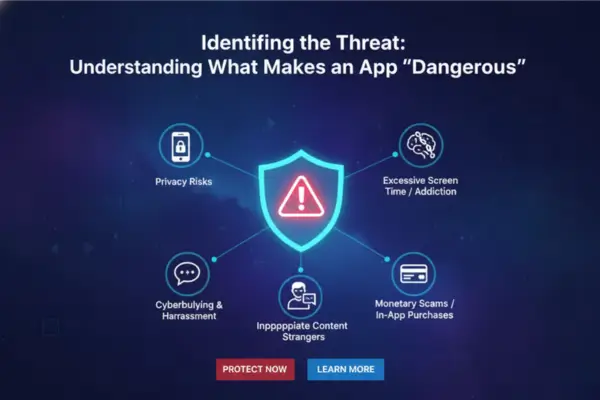
Identifying the Threat: Understanding What Makes an App “Dangerous”
The first step in learning How to Prevent Kids from Accessing Dangerous Apps is recognizing that “danger” takes many forms. It is not just about apps rated “Mature.” In the current cybersecurity climate, danger often lurks in apps that appear benign but feature unmoderated user-generated content, location sharing, or ephemeral (disappearing) messaging.
The Rise of “Vault” Apps and Hidden Risks
One of the most insidious threats in children’s online behavior is the use of “Vault” or “Ghost” apps. These applications often masquerade as functional utilities—such as a calculator, an audio manager, or a battery saver.2 However, when a specific passcode is entered, they open a hidden repository for photos, videos, and secret browser histories.
Recognizing these apps is difficult without advanced device monitoring. Teens use them to hide sexting, bullying evidence, or illicit downloads from their parents. A standard manual check of the phone will likely miss these, as the icon and interface look perfectly normal. This evasion tactic underscores the need for software that can analyze app package names and permissions, rather than just app icons.
Anonymous Messaging and Predatory Grooming
Apps like Kik, Whisper, or various “Omegle” clones (random video chat) are prime hunting grounds for online predators.3 The anonymity provided by these platforms removes accountability, emboldening bullies and groomers. Furthermore, apps that broadcast location tracking accuracy to strangers (often found in social discovery or dating apps) pose a direct physical safety risk.4
Parents must scrutinize any app that allows:
- communication with strangers.
- disappearing messages.
- location sharing.
- in-app purchases without limits.
Native Controls vs. Professional Solutions: How to Prevent Kids from Accessing Dangerous Apps
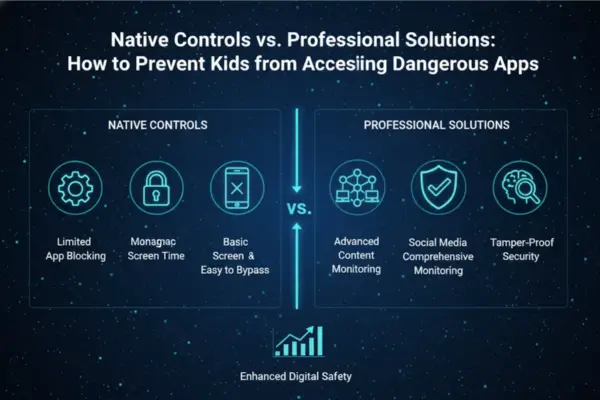
When devising a strategy for How to Prevent Kids from Accessing Dangerous Apps, parents usually start with the operating system’s built-in tools. While Apple’s Screen Time and Google’s Family Link offer a baseline of protection, they often lack the granularity and stealth required for older, tech-savvy teenagers who can easily bypass them.
Utilizing iOS and Android Built-in Restrictions
Native iOS (Screen Time): allows parents to set content rating restrictions (e.g., “Don’t allow apps rated 17+”).5 It also permits the disabling of the “App Store” entirely, preventing new downloads.6
Native Android (Family Link): Requires parental approval for any new app download from the Google Play Store.7
- The Limitation: These tools generally only work within the official app stores. They often fail to stop “sideloading” (installing apps from the web) or the use of web-based versions of dangerous apps (e.g., accessing Instagram via Safari instead of the app). Furthermore, they rarely provide context on why an app is dangerous or offer keystroke tracking to see what is happening inside the allowed apps.
The Superiority of Third-Party Parental Monitoring Apps
For comprehensive protection, specialized parental monitoring apps, like those analyzed on PhoneTracker247 are essential. These solutions operate at the system level, offering features that native controls cannot match:
- Blacklisting: Instantly blocking specific apps regardless of age rating.
- Usage Logging: Seeing exactly when and for how long an app is used.
- Installation Alerts: Getting a real-time notification the moment any new software is added to the device.
By leveraging these professional online safety tools, parents gain the upper hand, moving from reactive discipline to proactive cyber risk prevention.
Implementing Advanced Device Monitoring for Cyber Risk Prevention
Implementing Advanced Device Monitoring for Cyber Risk Prevention
While native settings offer basic protection, a robust strategy for How to Prevent Kids from Accessing Dangerous Apps often requires the deployment of advanced monitoring suites. These tools provide the necessary visibility to detect when a child attempts to circumvent safety protocols.
Screen Time Management and App Blocking
Effective screen time management is not just about limiting hours; it is about limiting access. High-quality monitoring software allows parents to categorize apps. For instance, “Educational” apps can be unlimited, while “Social Media” apps are restricted to one hour per day, and “Dangerous” apps are permanently blocked.
If a parent identifies a new viral app that poses a risk (e.g., a new anonymous bullying platform), they can remotely add it to the blocklist on the child’s device instantly. This capability is vital for maintaining digital well-being in a fast-moving digital culture.
Real-Time Alerts for New Installations
A critical vulnerability in digital parenting is the time lag between a child installing a dangerous app and the parent noticing it. Professional monitoring solutions bridge this gap. If a child downloads a known vault app or a dating simulator, the parent receives an immediate alert on their own device.
This immediate feedback loop allows for “in-the-moment” parenting. Instead of discovering the app weeks later, the parent can intervene immediately, discuss the risks, and remove the software before any harm occurs. This responsiveness is a key component of effective mobile security practices.
Table 2: Parent App Safety Setup Checklist (iPhone vs Android)
This setup checklist gives parents a clean, platform-by-platform roadmap for iPhone and Android. It’s especially useful for “how-to” sections because it turns broad advice into concrete actions using official Apple and Google tools.
| Safety goal | iPhone / iPad (Apple) | Android (Google) | Why it matters |
|---|---|---|---|
| Control app installs | Use Screen Time and Content & Privacy Restrictions to limit app installs/deletes | Use Family Link to allow/block apps and manage what a child can download | Prevents impulsive installs of risky apps |
| Control purchases & in-app spending | Restrict in-app purchases in Screen Time settings; use Ask to Buy in Family Sharing | Turn on purchase/download approvals in Google Play / Family Link | Reduces accidental purchases and hidden spending |
| Set daily screen limits | Set app/category limits and child controls in Screen Time | Set Daily limits and weekly schedules in Family Link | Helps reduce overuse and late-night scrolling |
| Block or limit specific apps | Use app/category limits and content controls | Block or unblock apps in Family Link | Lets parents act on specific risk apps, not just “all screen time” |
| Manage privacy-sensitive settings | Use Content & Privacy Restrictions (can prevent changes to privacy settings like location sharing) | Use Family Link to manage app permissions and supervised settings | Limits risky access to location, contacts, camera, etc. |
| Use age-appropriate content controls | Family Sharing + Screen Time can help limit access to age-inappropriate apps/content | Family Link supports Google Play content restrictions and app approvals | Keeps choices aligned with the child’s age |
| Respond to child requests safely | Children can send app exception requests; parent approves/denies | Children can send download/purchase approval requests via Family Link / Google Play | Creates a transparent system instead of secret workarounds |
| Build family rules around the tools | Add screen-free times/zones, discuss rules, revisit regularly | Same family rules apply (the tech should support the plan) | Technical controls work best with communication and consistency |
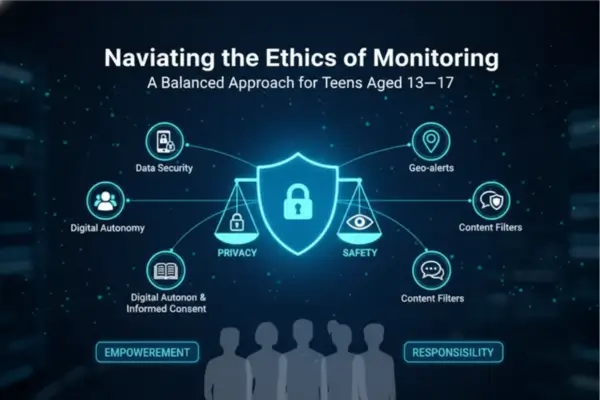
Navigating the Ethics of Monitoring
The technological capability to block and monitor must be balanced with ethical considerations. The most effective method regarding How to Prevent Kids from Accessing Dangerous Apps involves deploying these tools within a framework of trust and transparency.
Privacy Policy and Consent: The Trust Framework
Surveillance without consent can damage the parent-child relationship, leading to rebellion and further secrecy. For older children and teens, it is crucial to establish a “Digital Safety Contract.”
- Transparency: Explain that device monitoring is not about spying on their friendships, but about protecting them from predators, scams, and dangerous content.
- Consent: Walk them through the privacy policy and consent aspects. Let them know that you will receive alerts if they download unsafe apps.
By framing these online safety tools as a digital seatbelt rather than a shackle, parents can foster cooperation.
Compliance with Regulations and Data Safety
When selecting a third-party app to help manage this process, parents must ensure the provider adheres to strict compliance with regulations like COPPA and GDPR. The data regarding your child’s installed apps and location is sensitive.
Technical Guide: Mobile Security Practices to Stop Sideloading
A critical nuance in How to Prevent Kids from Accessing Dangerous Apps is detecting software designed to look innocent or software installed outside of official stores. Tech-savvy kids often “sideload” apps (installing via APK files on Android or Enterprise Profiles on iOS) to bypass parental controls.8
To prevent this:
- Android: Go to Settings > Security > “Install unknown apps” or “Unknown sources.” Ensure this is toggled OFF for the browser and file manager. Use a monitoring app that alerts you if this setting is changed.
- iOS: Ensure that “Profile & Device Management” in Settings is empty. If you see a configuration profile you didn’t install, delete it immediately, as it may be allowing unauthorized apps to run.
- Web Filtering: Many dangerous apps have browser-based versions. Ensure your monitoring solution includes a web filter that blocks the URLs associated with these services.
Frequently Asked Questions (FAQs)
1) What makes an app dangerous for kids?
Risk usually comes from stranger chat, disappearing messages, location sharing, and unsafe user interactions — not just the age rating.
2) Are age ratings enough?
No. Age ratings help, but parents should also check features and permissions before approving an app.
3) Can built-in controls block dangerous apps?
Yes. Apple Screen Time and Google Family Link can block/limit apps and add parental controls.
4) Can I stop new app installs?
Yes. Apple can prevent install/delete/in-app purchases, and Family Link can require parent approval for downloads.
5) Can kids still bypass basic controls?
Sometimes. Your article is right: kids may use web versions of apps or sideloading to get around basic store-only controls.
6) What about “vault” apps?
They’re high-risk because they can hide photos/files behind fake utility icons (like calculator-style apps).
7) Which settings matter most besides blocking apps?
Check privacy and app permissions first — especially location, camera, mic, and contacts.
8) How do I prevent spending in risky apps?
Turn on purchase restrictions/approvals in Apple Screen Time or Google Play/Family Link.
9) Should I block apps silently?
No. A clear parent-child safety agreement works better than secret monitoring alone.
10) What’s the best 2026 setup?
Use a layered approach: install controls, content/privacy restrictions, permission checks, web filtering, and regular check-ins.
Conclusion: Proactive Guardianship
Mastering How to Prevent Kids from Accessing Dangerous Apps requires vigilance, technical literacy, and emotional intelligence. The digital landscape is not static; new threats emerge daily, disguised as games or social utilities. By relying solely on native controls, parents leave gaps in their defense that vulnerable children can slip through.
Ultimately, the goal is to guide children toward digital well-being, teaching them to recognize danger themselves. Until they reach that maturity, these tools serve as the essential guardrails, ensuring that one wrong download does not lead to permanent consequences. By taking these proactive steps today, you ensure a safer, more secure digital future for your family.
For daily updates, subscribe to PhoneTracker’s blog!
We may also be found on Facebook!