Children spend a lot of time online for school, friends and fun, so their phones and accounts hold both their biggest risks and their most private spaces. Parents want to protect them, but children also need some privacy to grow, make mistakes and learn.
This guide explains how Child Privacy and Parental Control can work together in 2026. You will see how to set healthy limits, when stronger controls are needed and how to adjust rules as children grow, while still respecting their privacy and local law as much as possible.
Contents
- 1 Key Takeaways Child Privacy and Parental Control at a Glance
- 2 What Does Child Privacy Really Mean in the Digital Age
- 3 Legal And Ethical Basics of Child Privacy and Parental Control
- 4 Seeing Child Privacy From the Childs Point of View
- 5 What Is Parental Control in 2026 And How It Has Evolved
- 6 Key Online Risks And How Much Control They Really Need
- 7 How to Choose the Right Parental Control Tools for Your Family
- 8 How to Set Up Parental Controls Without Violating Child Privacy
- 9 Age by Age Guide to Child Privacy and Parental Control
- 10 How to Talk With Children About Privacy Tracking And Rules
- 11 Child Privacy and Parental Control on School Devices And Apps
- 12 How Apps Platforms And Games Use Childrens Data
- 13 Special Situations in Child Privacy and Parental Control
- 14 Child Privacy and Parental Control Trends in 2026
- 15 FAQs Child Privacy and Parental Control
- 16 Conclusion: Child Privacy and Parental Control in 2026
Key Takeaways Child Privacy and Parental Control at a Glance
Before we go into details, here is the big picture of how Child Privacy and Parental Control can work together.
1. Main Idea What Is the Right Balance Between Child Privacy and Parental Control
The goal is not total control or total freedom. The right balance depends on age, maturity and risk. Good parental control creates safety and structure while still leaving room for private thoughts and conversations that children need in order to learn.
2. When Parental Control Protects Children And When It Hurts
Parental control helps when it blocks clear dangers such as explicit content, risky strangers or spending traps, especially for younger children. It becomes harmful when parents monitor every message, follow every step or refuse to relax controls as the child grows.
3. How to Respect Child Privacy While Using Parental Control Tools
You can use parental control tools and still respect child privacy by being open about what you do, limiting what you monitor and updating settings over time. Focus on safety tools such as content filters, basic app limits and location in real risk moments instead of reading every private chat.
4. Why Open Communication Is Stronger Than Any App
No app can replace honest talk. The strongest protection comes when children understand the risks, know the rules and feel safe telling you when something goes wrong. When you talk clearly about privacy, tracking and boundaries, parental control becomes a shared safety plan, not a secret test.
What Does Child Privacy Really Mean in the Digital Age
Before using any parental control tool, you need to know what child privacy is. It is not zero privacy or total freedom. It is about giving children a safe space that grows with their age and maturity.
1. What Is Child Privacy Online And Offline
Child privacy means children have some control over their information, their time online and who they talk to. At every age the size of this private space is different, but it should always exist. Healthy Child Privacy and Parental Control respects that children are people, not just devices to manage.
2. Why Children Need Private Space As They Grow
As children grow, they test ideas, friendships and identity. They need some private space to make small mistakes and talk to trusted friends. If parents remove all privacy, children often move to secret accounts or devices, which is more risky and harder to guide.
3. How Digital Footprints Affect a Childs Future
Posts, photos and comments can stay online for years and affect school, work and relationships later. Protecting child privacy means teaching children to think before they share, not just watching them and deleting problems after they happen.
4. The Difference Between Supervision And Surveillance
Supervision means knowing the main apps, basic contacts and time limits and stepping in when there is a clear risk. Surveillance means reading every message, checking every notification and tracking every move. The first supports child privacy and parental control working together, the second usually harms trust and long term safety.
Legal And Ethical Basics of Child Privacy and Parental Control
Before you decide how much to monitor, you need to understand the basic rules. Child privacy is protected by law in many countries, but parents also have a duty to keep children safe. Child Privacy and Parental Control sits exactly between these two ideas.
1. What Rights Do Children Have Over Their Personal Data
Many systems now treat children as people with their own data rights. In simple terms this means their photos, messages, location and school work are not just objects for adults to inspect at any time. Good parenting respects these rights while still guiding children to use them wisely.
2. How Far Do Parental Rights Extend in the Online World
Parents have a clear responsibility to protect children from serious harm. This allows them to set rules, use parental control tools and check what happens on devices in real risk situations. It does not mean unlimited access to every private chat forever, especially as children reach teenage years.
3. High Level Overview of Child Privacy Regulations in 2026
In 2026 many regions have stronger rules for children’s data, such as limits on tracking, targeted ads and data sharing. Platforms often need extra care when handling child accounts, and companies can face penalties if they misuse children’s information. For parents this means that Child Privacy and Parental Control now happens inside a clearer legal framework than before.
4. Why Legal Does Not Always Mean Ethical for Parental Control
Some actions that are technically allowed may still damage trust and emotional safety. Reading every diary style message or using hidden monitoring may feel legal but can harm the relationship and a child’s sense of privacy. The safest approach is to ask not only “is this allowed” but also “is this fair and respectful for my child at this age”.
Seeing Child Privacy From the Childs Point of View
To balance Child Privacy and Parental Control, parents need to see how each age group experiences privacy. What feels like protection to you can feel like spying to your child if the level is wrong for their stage.
1. Under 7 How Young Children Experience Privacy And Safety
Young children mostly use shared family devices for simple games and videos. Close supervision and strong parental control are normal here. Keep devices in common spaces, pick age appropriate content and use simple time limits. Privacy is minimal but kindness and clear rules still matter.
2. Ages 7 to 11 First Accounts First Secrets First Boundaries
From 7 to 11, children start using their own logins and want small secrets with friends. Child Privacy and Parental Control should give them room to explore with clear rails. Use filters, time limits and app rules, and tell them how and when you may check their devices instead of doing it in secret.
3. Ages 12 to 15 Identity Friends Social Media And Private Chats
For 12 to 15 year olds, chats and social media feel deeply personal. Reading every message can feel like a betrayal. At this stage, move from full access to shared agreements. Keep controls for high risk areas such as unknown adults or explicit content, but rely more on regular talks than on total monitoring.
4. Ages 16 to 18 Preparing Teenagers for Adult Digital Life
Older teens are practising adult life. If child privacy and parental control still means full access for parents, many will just hide things elsewhere. Focus on coaching, reputation and safety, keep only a few clear safety nets and give them real ownership of their devices so they can carry healthy habits into adulthood.
What Is Parental Control in 2026 And How It Has Evolved
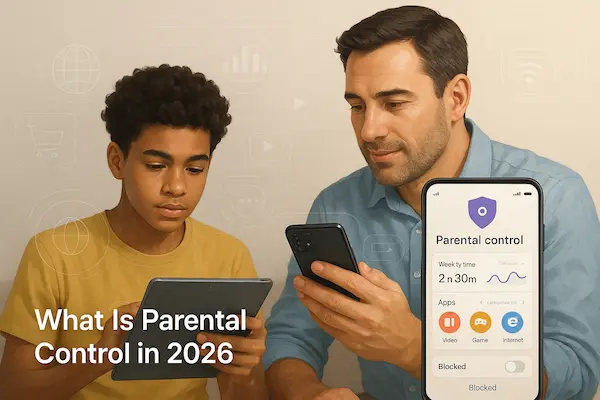
Parental control in 2026 is a full set of tools, not just a simple web filter. To keep Child Privacy and Parental Control in balance, parents need to know what these tools can do and where they should stop.
1. From Simple Filters to Digital Parenting Tools
Old parental control mostly blocked adult sites. Today it can manage apps, screen time, location, spending and more. This extra power only works well if parents match settings to each child instead of locking everything by default.
2. Main Types of Parental Control
Most tools fall into four groups
- Device settings such as screen time, app limits and passcodes
- Network or router filters for all devices at home
- Controls inside streaming, game and social apps
- Family and child account settings from big platforms
A good plan uses a few key tools that fit your family instead of switching on every option.
3. What Parental Control Can And Cannot Do
Parental control can block obvious risks, slow down screen time and give a basic overview of device use. It cannot remove every danger or replace talking, teaching and clear family rules. Tools should support Child Privacy and Parental Control, not replace parenting.
4. Risks of Too Much Control
If parents use very strict settings everywhere, children may feel watched all the time and start hiding what they do on other devices or accounts. That often increases long term risk. It is safer to start with core protections, explain them clearly and relax or adjust controls as trust and maturity grow.
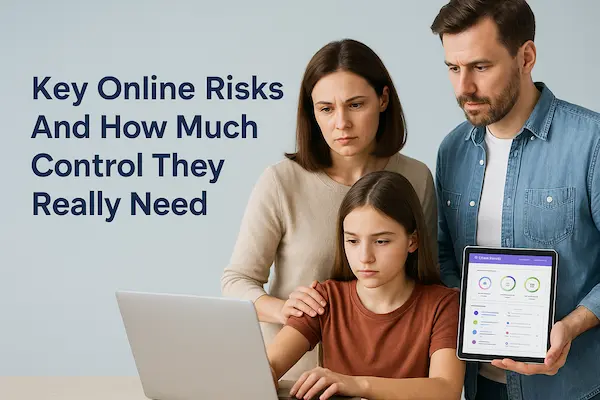
Key Online Risks And How Much Control They Really Need
Not every risk needs maximum lockdown. To keep Child Privacy and Parental Control healthy, match the level of control to the type of risk and the child’s age.
1. Screen Time And Digital Wellbeing
Too much screen time can hurt sleep, mood and school. Use simple tools like bedtime schedules and daily limits, then talk with your child about how they feel, instead of turning every minute into a fight.
2. Harmful And Inappropriate Content
Violent, sexual or hateful content needs stronger filters, especially for younger kids. Turn on safe search, age ratings and basic content blocks, then add honest talks as they get older so they learn to handle what they see.
3. Contact Risks Strangers Grooming And Bullying
Unknown adults and bullying peers are serious threats. For younger children, keep accounts private and approve contacts. For teens, focus on privacy settings, block and report tools and clear rules for what to do if someone crosses the line.
4. Privacy Risks Data Collection And Oversharing
Apps collect data quietly while children may overshare photos, location and details about their life. Use parental controls to limit location sharing and app permissions, and teach children why their information matters so Child Privacy and Parental Control both protect their digital footprint.
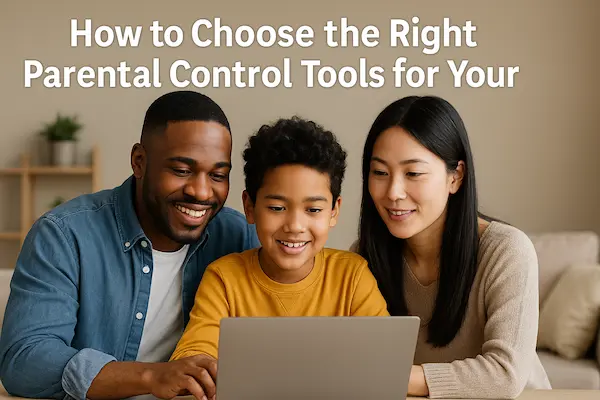
How to Choose the Right Parental Control Tools for Your Family
Not every tool that calls itself parental control is good for Child Privacy and Parental Control. You need something simple, transparent and safe for your childs data.
1. What You Really Need From Parental Control
Focus on a few core features
- Screen time and bedtime limits
- Content filters by age
- Basic app and game control
- Location only for real safety needs
If you cannot explain to your child what a tool does, it is probably too complex.
Table 1: Main Types of Parental Control And Their Privacy Impact
| Solution type | Best for | Privacy impact on the child | Recommended use |
|---|---|---|---|
| Built in device controls | Most families as a starting point | Moderate, visible and easy to explain | Start here for basic rules and limits |
| Dedicated parental control apps | Families that need more detailed controls | Higher, depends on settings and data policy | Use one trusted app, with age appropriate settings |
| Network or router controls | Shared home devices and younger children | Lower for personal data but can feel strict | Good for blocking harmful sites on home Wi Fi |
2. Red Flags That Look More Like Spyware
Avoid tools that
- Promise secret or invisible monitoring
- Ask you to root or jailbreak the device or turn off security
- Are not in official app stores
- Hide company identity or have no real contact
These work against Child Privacy and Parental Control and can damage both trust and safety.
3. Built In Controls Versus Outside Apps
Start with built in controls from Apple, Google, consoles and big platforms. Only add one outside parental control app if you truly need extra features. Fewer tools that you understand well are better than many overlapping apps no one can explain.
How to Set Up Parental Controls Without Violating Child Privacy
The way you set things up matters as much as which tools you choose. A clear plan helps Child Privacy and Parental Control work together instead of turning into quiet spying.
1. Decide Your Goals Before You Install Any Parental Control App
Write down in one sentence why you want controls
for example bedtime, safer games, less contact with strangers.
If you cannot explain your goal simply, you may be trying to control too much or fix a deeper problem with a technical shortcut.
2. Set Device And Account Privacy Settings First
Before adding apps, tighten the basics
- Set strong passcodes and do not share them with others
- Turn on child or family profiles on main platforms
- Adjust privacy and safety settings inside social, game and video apps
Often these steps already give a big safety boost for child privacy and parental control.
3. Use Parental Control Features in Layers Not All At Once
Start with the most important protections for your child’s age, such as content filters and screen time, then add more only if needed. Turning on every option at the strictest level can confuse you and frustrate your child. Fewer, well chosen rules are easier to explain and respect.
4. Review And Relax Controls As Your Child Grows
Parental control settings should change over time. Plan regular check ins where you review what is working, what feels too strict and what can be relaxed. As trust and maturity increase, loosen some controls and shift more responsibility to your child so Child Privacy and Parental Control keep growing together.
Age by Age Guide to Child Privacy and Parental Control
Each age needs a different mix of freedom and control. This overview shows how Child Privacy and Parental Control can change as children grow.
Table 2: Age by Age Overview Table
| Age group | Typical risks | Recommended controls | Privacy level | Conversation focus |
|---|---|---|---|---|
| Under 7 | Random clicks, scary content, in app ads | Strong filters, strict screen time, shared devices only | Very low, mostly supervised | Simple safety rules and clear yes or no limits |
| Ages 7 to 11 | First accounts, mild bullying, simple oversharing | Filters, time limits, app approvals, basic check ins | Low but increasing | Rules for apps, friends and what to share online |
| Ages 12 to 15 | Social pressure, bullying, risky chats and images | Protections for unknown adults, spot checks, privacy rules | Medium and growing fast | Trust, peer pressure, photos and reputation |
| Ages 16 to 18 | Reputation damage, relationships, future impact | Light safety nets, emergency rules, guidance not control | High, close to adult privacy | Work, future and long term digital footprint |
1. Under 7 Full Control With Simple Explanations
Use strong filters, strict screen time and shared devices. Sit nearby when they go online and explain rules in very simple words. At this age Child Privacy and Parental Control is almost full control with gentle guidance.
2. Ages 7 to 11 Guided Freedom With Clear Rules
Let children choose some games and apps inside agreed rules. Keep filters, time limits and app approvals, and tell them clearly how and when you may check devices. Privacy is small but starting to grow.
3. Ages 12 to 15 Shared Control And Growing Privacy
Keep protections for unknown adults and explicit content, but move from full access to agreed spot checks when there are real concerns. Talk often about bullying, group chats, photos and pressure from friends. Here trust and honest talks matter as much as tools.
4. Ages 16 to 18 Privacy First With Safety Nets
Give teens real control of most settings and accounts. Keep only a few clear safety nets such as emergency rules or rare location checks. Child Privacy and Parental Control becomes coaching so they can carry healthy habits into adult life.
How to Talk With Children About Privacy Tracking And Rules
Talking is the glue that keeps Child Privacy and Parental Control working. Without clear talk, even good settings can feel like spying.
1. How to Explain Family Rules Without Creating Fear
Start with safety, not punishment.
Tell your child the rules exist to protect them, not to catch them. Ask what they already know and what feels unfair, so rules become a two way conversation.
2. How to Tell Your Child You Use Location Sharing And Parental Control
Be direct and honest.
Explain which tools you use, for example location on the way home or app limits at night, and show the settings on the device. Let your child ask questions so everything is clear.
3. What to Do When Children Say You Do Not Trust Me
Link rules to the online world, not to their value as a person.
You can say you trust them but do not always trust apps, strangers or algorithms. Explain that controls will change as they grow and show they can handle more freedom.
4. How to Involve Children in Setting Their Own Digital Boundaries
As they get older, ask for their ideas.
Let them help choose screen time limits, quiet hours and which apps feel good or bad for them. Turn this into a short family agreement so Child Privacy and Parental Control feels like teamwork, not surveillance.
Child Privacy and Parental Control on School Devices And Apps
School devices and learning platforms are now part of daily life, so they also affect Child Privacy and Parental Control.
1. Who Owns Data on School Devices
School laptops and accounts usually belong to the school. The school decides which apps are used and what activity is logged. Parents still need a basic picture of what is collected about their child.
2. How Schools Use Filters And Monitoring
Schools often use filters and classroom monitoring to keep students safe and on task. Explain to your child that school devices follow school rules, even when they bring them home.
3. Questions Parents Can Ask Schools
You can ask
- Which apps and platforms students use
- What data is stored and who can see it
- How online bullying or unsafe behaviour is handled
This helps you align school practice with your own Child Privacy and Parental Control plan.
4. Handling Different School And Family Rules
If school monitoring feels too strict or too loose, talk calmly with teachers and ask for clarity. At home, explain the difference between school devices and personal devices so your child understands which rules apply where.
How Apps Platforms And Games Use Childrens Data
Apps and games do not just entertain. They also collect data. To keep Child Privacy and Parental Control strong, parents need a basic idea of how this works.
1. How Social Media And Games Track Children
Most apps track what children watch, play, click, how long they stay and sometimes where they are. This data is used to keep them engaged and to shape what they see next, so privacy settings really matter.
2. Dark Patterns And In App Purchases
Features like endless scroll, autoplay and loot boxes are designed to keep children online and spending. A good Child Privacy and Parental Control plan looks not only at content but also at these addictive design tricks.
3. Privacy Settings To Review Together
With your child, check
- Who can see their profile
- Who can contact them
- Whether the account is public or searchable
- How location is used
For younger children, turn off public sharing wherever possible.
4. Teaching Children To Check Permissions
Teach children to pause before tapping accept. Show them how to question why a simple game wants camera, microphone or location access. When they can spot risky permissions themselves, Child Privacy and Parental Control becomes a shared habit, not just a parent setting.
Special Situations in Child Privacy and Parental Control
Some families face extra challenges where Child Privacy and Parental Control need more care and flexibility.
1. Shared Custody And Different Rules
When children live in two homes, device rules may clash. Try to agree on a simple shared baseline for screen time, apps and privacy. If you cannot match everything, at least explain calmly to your child why rules differ in each home.
2. Neurodivergent Children And Special Needs
Some children need more structure and clearer limits online. Extra parental control can help them feel safer, but still explain rules at their level and avoid full surveillance. Focus on tools that reduce overload and confusion, not on reading everything.
3. High Risk Situations That Need Tighter Monitoring
In cases of self harm risk, serious bullying or unsafe contacts, you may need stronger monitoring for a while. If you increase control, be as honest as safety allows and plan when and how you will step back so emergency settings do not become permanent.
4. When to Ask for Professional Or Legal Help
If there are threats, online abuse or heavy conflict with a co parent, do not handle it alone. A school counsellor, therapist or lawyer can help you build a safer Child Privacy and Parental Control plan for everyone involved.
Child Privacy and Parental Control Trends in 2026
The digital world is changing fast. Knowing the main trends helps you keep Child Privacy and Parental Control up to date.
1. New Laws And Age Appropriate Design
More regions now require safer defaults and special protection for child users. Apps aimed at children must be more careful about tracking and profiling, which supports parents but still needs checking in real settings.
2. Safer Defaults for Child And Teen Accounts
Big platforms are adding child and teen modes with stricter privacy by default. Treat these as a starting point, not a full solution. Parents still need to review and adjust settings to match family values.
3. AI And Smart Devices Around Children
Voice assistants, smart toys and AI features inside apps collect voice, images and behaviour. Include these devices in your Child Privacy and Parental Control plan, not just phones and tablets.
4. From Surveillance Parenting to Coaching Parenting
Expert advice is moving away from heavy spying toward coaching and shared rules. The long term trend is clear
families that talk often, adjust controls by age and use tools openly usually get better safety and stronger trust than those that rely on secret monitoring.
FAQs Child Privacy and Parental Control
1. What does child privacy mean in the digital world?
Child privacy means children have some control over their information, time online and who they talk to, at a level that fits their age and maturity. It is not zero privacy and not total freedom.
2. How much should I monitor my childs phone at different ages?
Younger children need close supervision and strong filters. As they grow, move from full access to shared rules and spot checks, then mainly to guidance and advice in the later teen years.
3. Is it legal to read my childs messages or social media?
In many places parents can access a minor childs devices, but constant secret reading can still harm trust. Use message checks only for clear safety concerns, not as a daily habit.
4. How can I explain parental control settings to my child?
Show the settings on the device and describe them in simple language as safety tools, not traps. Invite questions so Child Privacy and Parental Control feels clear and fair.
5. What is the safest way to use location tracking for children?
Use location for clear reasons such as trips home or new places and tell your child when it is active. Avoid silent, constant tracking unless there is a real risk.
6. How do I protect my childs data from apps and advertisers?
Use child or teen profiles, limit public sharing, review privacy settings and turn off unnecessary location and ad options. Teach your child to check app permissions before installing.
7. What should I do if my child finds out I monitored them in secret?
Stay calm, listen and explain your safety worries. Apologise if you went too far and agree new rules that protect them while giving more privacy.
8. How can separated parents agree on digital rules?
Try to agree on a basic shared plan for devices, screen time and privacy, even if other topics are tense. If needed, ask a mediator, counsellor or school staff to help shape a simple, stable set of rules.
Conclusion: Child Privacy and Parental Control in 2026
In 2026, a good plan for Child Privacy and Parental Control is not all or nothing. Too little control leaves children exposed. Too much control breaks trust and pushes them to hide. The goal is age based rules, clear tools and open talk.
Quick Summary Table
| Area | Parent focus | Main tools | Privacy for child |
|---|---|---|---|
| Young children | Safety and basic habits | Strong filters, strict screen time, shared use | Very low, close supervision |
| Older children | Skills and routines | App approvals, time limits, family rules | Low but growing |
| Teens | Trust and real world risks | Privacy settings, spot checks, honest talks | Medium to high |
| Apps and platforms | Data and addictive design | Child profiles, privacy checks, purchase locks | Grows with maturity |
| Location tracking | Trips and emergencies | Family location sharing with clear rules | Only when there is real need |
If a rule or app does not fit this table or you cannot calmly explain it to your child, it is probably not right for your plan.
What Parents Can Do Next
You do not need a perfect system on day one. A few small, clear moves already make Child Privacy and Parental Control much stronger.
- Tonight, look at one main device together with your child. Ask which apps they like most and turn on one or two safety settings that you both agree are reasonable.
- This week, write down a short set of family rules for screens and apps: when devices are off, which apps are fine for now, and what your child should do if something online feels wrong.
- Every few months, come back to these rules, update them by age and talk about any new apps or school tools that have appeared.
When these talks become normal, Child Privacy and Parental Control turns from a list of settings into a simple plan you and your child build together.
Used this way, PhoneTracker247 becomes a quiet safety tool that supports the rules you both agreed on, while real protection still comes from the way you listen, explain and act when something on their screen does not feel right.
For daily updates, subscribe to PhoneTracker’s blog!
We may also be found on Facebook!