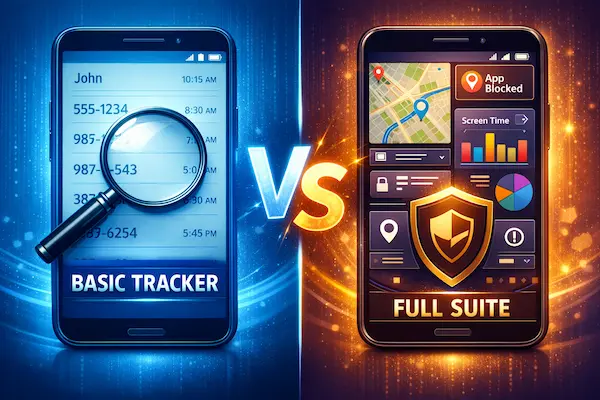
A call history tracker can feel like the quickest way to make sense of sudden unknown calls or a spike in call time. But the better choice depends on your goal, your child’s age, and whether the solution builds safer routines or just adds tension.
Contents
- 1 1) The 60-Second Answer
- 2 2) What a Call History Tracker Actually Does
- 3 3) What a Full Parental Control Suite Adds
- 4 4) What You Really Need: The Decision Framework
- 5 5) A 60-Second Decision Tree (Yes/No)
- 6 6) Use Cases That Fit a Call History Tracker
- 7 7) Privacy, Consent, and Family Boundaries
- 8 8) Choosing the Right Tool Without Overbuying
- 9 9) Setup Playbook: Start Minimal, Escalate Only If Needed
- 10 10) What’s New This Year in Call Logs and Parental Controls
- 11 11) Real Scenarios and What to Do Next
- 12 FAQs: The Questions Families Ask Most
- 13 Conclusion:
1) The 60-Second Answer
A call history tracker is a narrow tool. It helps you answer call-log questions like “Is there a pattern of unknown callers?” or “Did calls spike this week?” A full parental control suite is broader. It helps you shape routines with guardrails like schedules, downtime, and app boundaries, which often reduces risk before you ever need to inspect call logs.
1) Definition in plain English
A call history tracker focuses on call activity: incoming and outgoing calls, timestamps, and sometimes call duration, depending on the device and setup. A full parental control suite focuses on daily guardrails: time limits, app controls, content settings, and family rules that are easier to live with long term.
2) Use it when
- You have a specific concern about calls, like repeated unknown numbers or a sudden spike in missed calls
- You want a short, time-bound check to confirm a pattern, then move back to normal routines
- You plan to be transparent with your child about what you’re reviewing and why
3) Avoid it when
- You are trying to solve a broader problem like screen addiction, unsafe apps, or late-night usage patterns
- You feel tempted to check constantly for reassurance, even when nothing new happened
- Your child experiences it as a “gotcha” tool rather than a safety plan
4) Key takeaways
- Choose the simplest tool that solves the real problem
- The goal is safety routines, not unlimited visibility
- Limit access, limit retention, and set a review cadence
- A narrow tool works best with a clear stop date
- Trust usually improves when rules are predictable
2) What a Call History Tracker Actually Does
A call history tracker is designed to show call activity in a clear, searchable way, so parents can spot patterns without guessing. Used well, it answers a narrow question, then you stop. Used poorly, it becomes a habit that creates stress and “prove it” conversations.
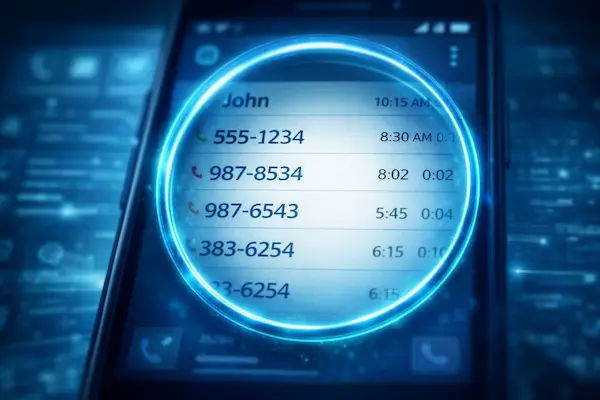
1) What call logs usually include
Most call logs focus on a few core details:
- Incoming and outgoing calls
- Phone numbers or saved contact names
- Time and date stamps
- Missed calls and rejected calls
- Sometimes call duration (varies by device, carrier, and permissions)
That data can be useful for noticing changes: a sudden increase in late-night calls, repeated missed calls from the same number, or a cluster of unknown callers. A call history tracker is strongest when you are looking for patterns over a short period, not trying to reconstruct every moment of a child’s day.
2) What it does not include (common misunderstandings)
A call log is not the full story. Even with a call history tracker, you often will not see:
- The content of calls
- Context for why a call happened
- Calls made through third-party apps (many use internet calling instead of the phone dialer)
- A complete picture of social relationships
Also, call activity can look “suspicious” when it is not. Unknown numbers might be delivery drivers, school offices, bank verification calls, friends using new SIMs, or spam. A call history tracker helps you see the pattern, but it does not tell you what the pattern means.
3) The most useful insights from call logs
If you want this to stay safety-first, focus on these practical signals:
- Repeated calls from one unknown number over several days
- A sudden spike in missed calls that coincides with mood changes
- A new cluster of late-night calls that disrupts sleep
- Short repeated calls that may indicate pressure or harassment
- Call activity paired with avoidance, anxiety, or sudden secrecy
The best move is to treat these as conversation starters, not verdicts. A calm question beats a confrontation every time.
4) Mini Glossary
- Call log: a record of incoming and outgoing calls with timestamps.
- Call duration: how long a call lasted, if available.
- Unknown caller: a number not saved as a contact or hidden by caller ID.
- Retention: how long call records are stored before being deleted.
- Pattern: repeated activity over time that may signal a real issue.
3) What a Full Parental Control Suite Adds
A call history tracker shows one slice of activity. A full parental control suite is built to shape routines and reduce risk earlier, so you are not relying on call logs as your main safety plan. For many families, that difference matters more than extra features.
1) Guardrails that change daily behavior
A full suite typically adds tools that manage how the phone is used, not just who called whom. Depending on the platform, this can include:
- Screen time limits and schedules (school hours, bedtime, homework blocks)
- App approvals, app blocking, and age-appropriate restrictions
- Content filters and safer browsing settings
- Downtime modes that reduce late-night pressure and impulse use
These guardrails help because they prevent problems from forming in the first place. In contrast, a call history tracker often shows you the results after a pattern is already established.
2) Safety workflows, not just visibility
A full suite also supports safety routines that are easier to agree on as a family:
- Permission-based controls with clear rules
- Alerts tied to specific triggers (not constant monitoring)
- Location and device safety settings that support real-life routines
- Shared family agreements and predictable review habits
This matters for trust. When rules are visible and predictable, kids feel less “watched” and more “supported,” even if they do not love the limits.
3) When more features helps vs when it creates conflict
More tools help when the risk is broad: unsafe apps, late-night habits, ongoing contact issues, or repeated boundary breaks. They also help when parents need structure, not constant checking.
More tools can create conflict when parents use them impulsively, turn on everything at once, or change rules without discussion. If the suite becomes a punishment machine, it backfires. A safe approach is to start with the smallest set of controls that solves the problem, then review monthly and scale down when routines stabilize.
A simple rule: if your main question is “Who is calling and how often?”, a call history tracker may be enough. If your main need is “How do we set healthier phone boundaries day to day?”, a full suite is usually the better fit.

4) What You Really Need: The Decision Framework
A call history tracker is only the right choice when your goal is narrow, time-bound, and transparent. If the real issue is broader, like late-night use, unsafe apps, or constant conflict around the phone, a full suite often solves the root problem better than digging through logs. Use this framework to decide without overbuying, overtracking, or damaging trust.
1) The clarity test (your goal in one sentence)
Write one sentence: “I want to use a call history tracker to _______.”
Good goals are specific and safety-driven: “confirm repeated unknown calls this week” or “check whether missed calls are spiking during school pickup.”
Bad goals are vague or emotional: “make sure nothing is happening” or “prove what you said.”
If you cannot write a clear purpose, pause and start with conversation and routines first.
2) Risk level (low, medium, high) and what changes
Low risk: mild curiosity, no warning signs. Start with talk and basic boundaries.
Medium risk: repeated unknown callers, sudden spikes, mood changes, sleep disruption. A call history tracker can help confirm patterns for a short window.
High risk: harassment, coercion, threats, grooming signals, or ongoing secrecy with stress. Use stronger guardrails, involve a safety plan, and prioritize support over investigation.
The higher the risk, the more you need a plan, not just data.
3) Age and independence (what is reasonable)
Under 13: more structure is normal, but transparency still matters.
Ages 13-15: explain the purpose, keep it time-limited, and avoid constant reviews.
Ages 16-17: default to trust-first routines and use a call history tracker only for specific concerns, not as a daily habit.
A useful rule is “more independence means fewer checks and clearer limits.”
4) Time windows vs always-on (the boundary test)
Decide the review window before you start. Examples:
- 7 days to confirm unknown caller patterns
- 14 days during a harassment concern
- One school week to compare pickup-time spikes
If you feel tempted to check daily “just to be sure,” you are likely moving toward anxiety-driven monitoring. A call history tracker should be used like a flashlight, not like overhead lighting that never turns off.
5) Data minimization (how little can you collect)
Collect the least amount of data that answers the question:
- Do you need names and numbers, or just unknown caller frequency?
- Do you need durations, or only repeated missed calls?
- Do you need retention beyond the review window?
Less data lowers conflict and lowers misuse risk.
6) Trust impact (what your child will feel)
Ask one honest question: “If I were 14, how would I experience this?”
A call history tracker feels safer when:
- you tell your child what you’re checking and why
- you set a stop date
- you do not use logs as ammunition in arguments
It feels invasive when it becomes secret, constant, or used to “win” conflicts.
7) Exit plan (how you scale down)
Decide how it ends:
- What is the stop date?
- What outcome means “we’re done reviewing”?
- What is the lighter alternative (check-ins, bedtime rules, app limits)?
A strong parent plan always includes a way to reduce monitoring as things improve.

Table 1: Call History Tracker vs Full Parental Control Suite (Side-by-Side)
| Category | Call history tracker | Full parental control suite |
|---|---|---|
| Best for | narrow call-log questions | broader safety and routine needs |
| Strength | quick pattern visibility | guardrails and daily structure |
| Limits | little context, easy to misread | more setup, more rules to manage |
| Overreach risk | high if checked constantly | high if turned on all at once |
| Setup effort | low to medium | medium to high |
| Safest default | short window, minimal retention | start small, add only if needed |
| When to upgrade | repeated risk signals persist | conflict is ongoing or risk is broad |
5) A 60-Second Decision Tree (Yes/No)
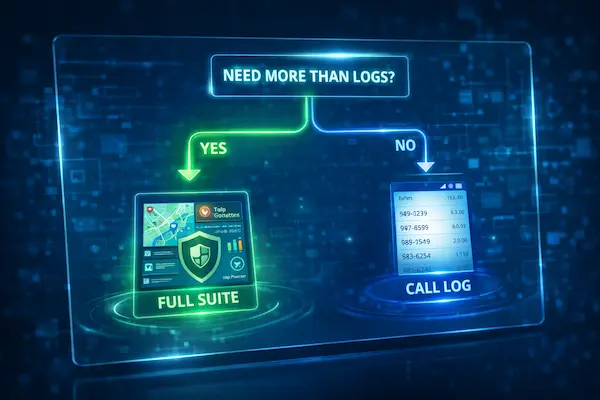
A call history tracker is most useful when it answers a specific question and then you stop. This quick decision tree helps you choose between “logs are enough,” “you need broader guardrails,” or “pause and reset the family rules first.”
1) The 10 Yes/No questions
- Is your concern mainly about calls (unknown numbers, missed calls, call spikes)?
- Can you explain your purpose in one sentence without using “prove” or “catch”?
- Are you willing to tell your child what you’re checking and why?
- Can you commit to a short review window (7 to 14 days)?
- Will you avoid screenshots and confrontation using logs as ammunition?
- Are sleep, screen time, or app use the real root problem instead of calls?
- Has your child shown stress, fear, or avoidance related to calling?
- Do you suspect harassment, coercion, or repeated pressure from a specific number?
- Is the phone use causing ongoing conflict that rules have not fixed?
- Do you already have clear routines (bedtime, downtime, homework) in place?
2) Result 1: A call history tracker is enough (with limits)
Choose this path if your answers are mostly “Yes” to 1 through 5, and “No” to 6 and 9.
Use a call history tracker for a short window, focus on patterns, minimize retention, and stop once the question is answered.
3) Result 2: You need a full parental control suite
Choose this path if you answered “Yes” to 6 or 9, especially if routines and boundaries are the real issue.
A suite is better when you need schedules, downtime, app limits, and predictable guardrails. Logs alone won’t solve a daily boundary problem, and a call history tracker can become a distraction from the real fix.
4) Result 3: Pause and reset family rules first
Choose this path if you answered “No” to 2 or 3, or “No” to 4 and 5.
If the purpose is unclear, secrecy is planned, or emotions are high, tracking will likely escalate conflict. Reset the plan first: agree on time windows, a stop date, and how you will talk about what you find. Then decide whether a call history tracker is still necessary.
6) Use Cases That Fit a Call History Tracker
A call history tracker works best when the problem is narrow, the window is short, and the goal is safety rather than control. These are the most common situations where call logs can genuinely help without turning into constant monitoring.
1) Short-term onboarding (new phone, new routine)
When a child gets a first phone, changes schools, or starts a new commute, families often need a short adjustment period. A call history tracker can help confirm that key contacts are being used correctly (school, parents, pickup helpers) and that calls are not spiking at odd hours. Keep it time-bound, like one school week, then scale down once routines stabilize.
2) Repeated unknown callers or suspected harassment (pattern check, not interrogation)
If unknown numbers keep appearing, call logs can help you spot repetition: the same number calling multiple times, clusters of missed calls, or patterns that match your child’s mood changes. A call history tracker is useful here because it turns a vague worry into a clear pattern you can respond to calmly. The boundary is tone: the purpose is to protect, not to accuse.
3) Co-parent coordination and contact transparency
In co-parenting situations, confusion around “who should call whom” can create unnecessary conflict. A call history tracker can support a shared agreement on approved contacts and predictable check-in routines, especially for younger kids. The safest approach is a single shared rule set: transparency, limited access, and no using logs as ammunition between adults.
4) Supporting a teen who wants help setting boundaries
Sometimes teens are not hiding anything. They are overwhelmed by constant calls, social pressure, or someone who will not stop reaching out. In those cases, a call history tracker can help a parent and teen work together to identify patterns and decide what to do next: block a number, set quiet hours, or adjust contact expectations. When the teen is part of the plan, the tool is far less likely to damage trust.
Used this way, a call history tracker becomes a short-term clarity tool, not a long-term surveillance habit.
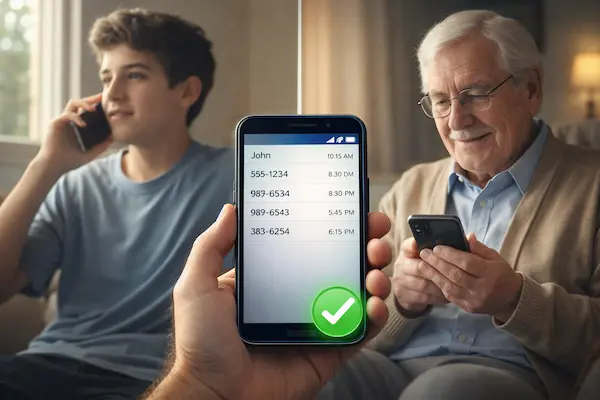
7) Privacy, Consent, and Family Boundaries
A call history tracker can reveal sensitive relationship data, even when the intent is safety. The fastest way to keep this from becoming invasive is to set rules before you ever review a log: what you’re checking, how often, who can see it, and when it stops.
1) Transparency rules that prevent “spy” dynamics
If you want the tool to work without breaking trust, make it visible. Tell your child what you will review and why, and keep the scope narrow. A call history tracker should not be used as a surprise test. The simplest standard is: “We review call patterns only when a specific safety concern appears, and we stop after the concern is addressed.”
Also set a tone rule: logs are not weapons. If you plan to confront, screenshot, or “prove” something, you are already moving away from safety and toward control.
2) Consent and a simple family agreement
You do not need a long contract. You need a short agreement that is easy to repeat:
- Purpose: the safety issue we’re addressing
- Time window: when reviews happen and when they stop
- Access: which adult(s) can view the logs
- Boundaries: no screenshots, no sharing with other relatives, no public shaming
- Review rhythm: how often you will check (and the maximum)
When kids know the rules, they may not love them, but they can predict them. A call history tracker feels far less intrusive when it is predictable.
3) Data retention and access control (who sees what, for how long)
Retention is where many parents over-collect without realizing it. If your tool stores call data, decide in advance:
- How long you keep records (shorter is safer)
- Whether you really need call duration or only unknown caller patterns
- Whether logs are reviewed weekly, then monthly, then stopped
Limit access to 1 or 2 adults, maximum. The more people who can view call logs, the more likely it becomes gossip and conflict. A call history tracker should never become group-chat content.
4) What to avoid (screenshots, third-party sharing, always-on reviews)
Avoid these behaviors, because they almost always backfire:
- Screenshotting logs to “win” arguments
- Sharing call activity with other adults who are not part of the safety plan
- Reviewing daily out of habit
- Turning a narrow tool into a permanent monitoring routine
- Using logs to punish instead of protect
A helpful final rule: if you wouldn’t want your own call history reviewed and discussed without context, your child probably won’t either. Use a call history tracker like a safety check, not like a permanent audit.
8) Choosing the Right Tool Without Overbuying
A call history tracker should help you answer a narrow safety question fast, with clear limits and minimal data. If the tool pushes secrecy or endless monitoring, it will likely create conflict at home.
1) Green flags
- Clear data and retention rules
- Strong access control and security
- Filters for unknown and repeated numbers
- Short time-range reviews (7–14 days)
A good call history tracker makes it easy to scale down.
2) Red flags
- Stealth mode or “spy” marketing
- Vague privacy terms, unclear retention
- Encourages exports, screenshots, or constant checking
If it is built to hide, it is built to break trust.
3) Quick must-have checklist
- Incoming/outgoing/missed logs
- Unknown caller filter
- Time-range selection
- Limit who can view
- Short retention options
Table 2: Safe Setup Checklist for a Call History Tracker
| Step | Keep it safe |
|---|---|
| Explain purpose | one sentence, safety-focused |
| Set time window | 7–14 days, then stop |
| Limit access | 1–2 trusted adults only |
| Minimize retention | shortest possible |
| Check cadence | one check, then stop |
| No screenshots | never use logs as proof |
| Review monthly | scale down over time |
| Reset plan | reduce if conflict rises |
9) Setup Playbook: Start Minimal, Escalate Only If Needed
A call history tracker should sit inside a simple family routine, not replace it. The safest setup starts with the least intrusive step, uses a short time window, and includes a clear stop date so monitoring does not become a habit.
1) The least-intrusive ladder
Start here and only move up if the concern persists:
- Step 1: Talk and clarify the safety issue (what happened, what you’re trying to prevent)
- Step 2: Agree on quiet hours and phone routines (bedtime, school focus)
- Step 3: Use built-in device tools first when possible (basic limits, do-not-disturb)
- Step 4: Use a call history tracker for a short window to confirm patterns
- Step 5: Upgrade to a full suite only if the risk is broader than call logs
This keeps the tool from becoming the default solution for every worry.
2) Set time windows and stop “always-on”
Before you enable anything, decide:
- Review window: 7 days or 14 days
- Check cadence: one review, then stop
- Trigger rule: what counts as a real reason to review again
A call history tracker works best like a flashlight: turn it on when needed, then turn it off. If you check daily “just to be sure,” the tool becomes anxiety-driven and trust suffers.
3) Copy-paste family agreement
Copy this into a family chat and fill it in:
- We use a call history tracker for: ________
- We will review call activity during: ________ (dates)
- We check no more than: ________ times per week
- Adults with access: ________
- Retention setting: ________
- Boundaries: no screenshots, no sharing, no punishment-based use
- Review date to scale down: ________
4) Monthly scale-down routine
Once a month, ask:
- Did the original safety concern improve?
- What can we remove now?
- Are we checking less than last month?
If the answer is “we’re checking more,” reset the rules immediately. A call history tracker should shrink over time as routines and trust improve.
10) What’s New This Year in Call Logs and Parental Controls
A call history tracker is being searched more this year because families are dealing with more unknown callers, more spam, and more pressure to react quickly when something looks off. At the same time, teens are pushing harder for privacy and clearer boundaries, so “always-on monitoring” is backfiring faster.
1) Update note (Last updated + what changed)
Last updated: Dec 16, 2025.
- Unknown and spam calls are showing up more often on teen phones
- Families are shifting to short review windows instead of constant checking
- Retention and access controls matter more because oversharing causes conflict
2) New patterns families are noticing
Parents are seeing spikes that are not “bad behavior,” just a noisier phone environment: verification calls, delivery drivers, school numbers, and spam. A call history tracker helps separate noise from a real pattern, like repeated calls from the same unknown number or a sudden burst of missed calls tied to stress. Families are also noticing that call logs alone rarely solve broader issues like late-night usage or app-driven communication, which is why routines and guardrails matter more.
3) What parents should do differently now
- Use a call history tracker to confirm patterns, not to build arguments
- Set a 7–14 day window, then stop and review the outcome
- Limit access to 1–2 adults and avoid screenshots
- Minimize retention by default
- If the real issue is habits and boundaries, use a full suite instead of chasing logs
11) Real Scenarios and What to Do Next
A call history tracker should lead to calmer decisions, not confrontations. Use it to confirm patterns, then act with a simple safety plan.
1) Repeated unknown calls and missed calls
Use a call history tracker to see if the same number repeats across days or if it is just spam noise. If it repeats, block and report it, then ask your child neutrally if they recognize the number.
2) A sudden spike in call time
A spike is context, not proof. Check whether calls concentrate on one number or many. A call history tracker helps you spot that pattern, then your next step is a calm conversation, not an accusation.
3) Bullying, harassment, or coercion signals
If repeated calls line up with stress, fear, or sleep disruption, treat it as safety. Use the log to confirm repetition, block where possible, and focus on support. A call history tracker is not the whole story, so prioritize your child’s wellbeing.
4) When to upgrade to a full suite
Upgrade when the real issue is habits and boundaries: late-night use, unsafe apps, or ongoing conflict. A call history tracker is a narrow tool, while a full suite adds routines like schedules and limits.
FAQs: The Questions Families Ask Most
1) Is a call history tracker enough for safety?
Sometimes. If the concern is narrow, time-bound, and you only need to confirm patterns, a call history tracker can be enough.
2) When do I need a full parental control suite instead?
When the real issue is daily boundaries: late-night use, unsafe apps, or ongoing conflict that call logs cannot fix.
3) How often should parents review call logs?
As little as possible. One review should answer one question, then you stop checking.
4) Do I need months of call history retention?
Usually no. Short retention is safer and reduces conflict and misuse risk.
5) What if my teen feels it is invasive?
Explain the purpose, set a stop date, and use time windows. A call history tracker should feel predictable, not surprising.
6) How do we rebuild trust after conflict?
Apologize, reduce checking, shorten the review window, and rewrite the rules together.
7) What are the biggest red flags in tracking tools?
Stealth mode, vague data handling, unlimited retention, and marketing that encourages spying.
8) What is the safest setup for a call history tracker?
Clear purpose, 7–14 day window, minimal retention, 1–2 adults with access, and no screenshots.
Conclusion:
Interest in the call history tracker category is rising as families deal with more unknown callers, more spam noise, and faster-moving social pressure on kids. The key lesson is not “track more.” It is “track smarter.” When parents use call logs with a short window, clear purpose, and strict access limits, it can reduce risk without escalating conflict.
The clearest dividing line is intent and routine. If you are using a call history tracker to confirm a pattern, then stop and act on it calmly, it can support safety. If you are checking constantly for reassurance, saving long histories “just in case,” or using logs as proof in arguments, the tool quickly becomes counterproductive and can damage trust.
Quick Summary Table
| Decision point | Call history tracker | Full parental control suite |
|---|---|---|
| Best for | narrow call pattern questions | broader boundaries and routines |
| Review window | 7–14 days, then stop | ongoing schedules with monthly review |
| Data approach | minimal retention | guardrails, not endless logs |
| Trust impact | lower if transparent | lower if rules are predictable |
| Upgrade when | risk signals persist | habits and conflict are ongoing |
If you want a safer, simpler way to apply these rules in real life, use PhoneTracker247 with a privacy-first approach: set a clear purpose, keep a short review window, limit access to 1–2 adults, and minimize retention by default. Done right, a call history tracker becomes a short-term clarity tool that protects your child while keeping family trust intact.
For daily updates, subscribe to PhoneTracker’s blog!
We may also be found on Facebook!