In today’s digital-first workplace, companies rely heavily on computers, mobile phones, and cloud systems to operate efficiently. As remote work, hybrid teams, and distributed operations become the norm, business owners and managers face a growing challenge: how to ensure productivity, data security, and accountability without damaging employee trust. This is where business computer monitoring software plays a crucial role.
This in-depth guide explores what business computer monitoring software is, why companies use it, its key features. If you are evaluating monitoring tools for your organization, this article will help you make an informed, compliant, and ethical decision.
Contents
- 1 What Is Business Computer Monitoring Software?
- 2 Why Businesses Use Computer Monitoring Software
- 3 Key Features of Business Computer Monitoring Software
- 4 Mobile and Phone Tracking in Business Monitoring
- 5 Business Computer Monitoring Software vs Employee Surveillance
- 6 Industries That Benefit Most from Computer Monitoring Software
- 7 How Phone Tracking Apps Complement Computer Monitoring
- 8 How to Choose the Right Business Computer Monitoring Software
- 9 Common Mistakes Businesses Make When Using Monitoring Software
- 10 Best Practices for Implementing Business Computer Monitoring Software
- 11 Future Trends in Business Computer Monitoring Software
- 12 FAQs – Business Computer Monitoring Software
- 13 Conclusion: Is Business Computer Monitoring Software Worth It?
What Is Business Computer Monitoring Software?
Business computer monitoring software is designed to help organizations track, analyze, and manage how company-owned computers are used during work hours. It provides visibility into digital activity so leaders can optimize performance and reduce operational risks.
Definition and Core Purpose
Business computer monitoring software refers to tools that record and analyze employee activity on work computers. These systems track actions such as application usage, websites visited, time spent on tasks, and system access.
The core purpose is not surveillance, but insight. Companies use this data to improve productivity, identify inefficiencies, and protect sensitive information from misuse or accidental exposure.
How Business Computer Monitoring Software Works
Most monitoring platforms operate by installing an agent on company computers. This agent collects activity data and securely sends it to a centralized dashboard for managers or IT teams.
Depending on the solution, monitoring can be real-time or summarized in reports, allowing businesses to choose between active supervision and performance-based analysis.

Why Businesses Use Computer Monitoring Software
Modern organizations adopt monitoring tools to balance flexibility with control. With employees working across locations and devices, visibility has become a business necessity.
Improving Employee Productivity
Monitoring software helps businesses understand how work time is actually spent. By analyzing application and website usage, managers can identify distractions or inefficient workflows.
This data allows teams to make improvements based on evidence rather than assumptions, creating fairer performance evaluations.
Preventing Insider Threats and Data Leaks
Internal risks are one of the leading causes of data breaches. Business computer monitoring software helps detect unusual behavior such as unauthorized file transfers or access to restricted systems.
Early detection enables companies to respond quickly, reducing financial and reputational damage.
Managing Remote and Hybrid Workforces
Remote work offers flexibility, but it also reduces direct oversight. Monitoring tools provide accountability without requiring constant check-ins or micromanagement.
When implemented transparently, these tools help managers support remote teams while maintaining consistent standards.
Key Features of Business Computer Monitoring Software
The effectiveness of any monitoring solution depends on its features. The best platforms focus on actionable insights rather than excessive data collection.
Activity and Time Tracking
Activity tracking records how much time employees spend on specific applications, websites, or tasks. This helps businesses understand productivity patterns across roles and departments.
Time tracking also supports accurate project costing and workload balancing, especially for service-based teams.
Screen Monitoring and Live View
Some solutions offer periodic screenshots or live screen viewing. These features are commonly used for quality assurance, onboarding, or compliance audits.
When used sparingly and with consent, screen monitoring can support training without invading employee privacy.
File, Email, and Data Monitoring
Data monitoring focuses on how files are accessed, modified, or shared. This is especially important for companies handling sensitive customer or financial information.
By pairing data monitoring with access controls and an enterprise password manager, businesses create a more secure and auditable digital environment.
Table 1: Core Features of Business Computer Monitoring Software
| Feature (Computer Monitoring) | What it captures | Best used for | Example KPI / Output | Privacy-friendly setup (recommended) |
|---|---|---|---|---|
| App & website usage analytics | Time spent by app/site, categories, active vs idle | Productivity baselining, workload balance | % productive time, top distractions, focus windows | Track categories (work/neutral/personal) + aggregate by role/team |
| Time tracking (task/project) | Work sessions, task durations, activity intervals | Costing, billing, capacity planning | Hours per project, cost per deliverable | Measure outcomes + allow manual corrections with manager review |
| Screen monitoring (screenshots/live view) | Periodic screenshots or live screen view | QA, training, compliance audits | QA sampling logs, training evidence | Limited sampling, work-hours only, no audio, clear approval workflow |
| File & data monitoring | File access, copy/move, uploads, external drives | Prevent leaks, protect customer/IP | DLP events, risky transfers | Monitor risk events (exfil patterns) rather than full file contents |
| Email/cloud access signals | Access events, sharing links, external recipients | Security + policy enforcement | External share alerts, risky domains | Track metadata unless incident response requires deeper review |
| Alerts & anomaly detection | Unusual behavior patterns | Early breach detection | Spike in downloads, unusual logins | Use threshold-based alerts + audit trail for investigations |
| Reporting & dashboards | Summaries by user/team/device | Management visibility | Weekly productivity & risk report | Role-based views; managers see team-level first, drill-down only when justified |
Mobile and Phone Tracking in Business Monitoring
As work increasingly happens on smartphones, monitoring computers alone is no longer enough. Many companies now extend oversight to mobile devices.
What Is a Phone Tracking App for Business?
A business-focused phone tracking app monitors activity on company-issued smartphones. Unlike personal tracking tools, these apps are designed for professional use and compliance.
They are commonly used for field employees, sales teams, and remote workers who rely on mobile devices throughout the day.
Key Features of Business Phone Tracking Apps
- GPS location tracking and location history
- App usage and screen time insights
- Call and message metadata, where legally allowed
- Geofencing for attendance and safety monitoring
These features complement desktop monitoring, creating a unified view of employee activity.
Business Computer Monitoring Software vs Employee Surveillance
One of the biggest concerns around monitoring tools is the fear of excessive surveillance. Understanding the difference is essential for ethical implementation.
Ethical and Transparent Monitoring Practices
Ethical monitoring focuses on work-related activity during working hours. Employees should be clearly informed about what is tracked and why.
Clear documentation and training around legal employee monitoring help organizations maintain trust while protecting business interests.
Legal Compliance in the US, UK, and EU
Laws such as GDPR require businesses to justify data collection and protect employee privacy. Consent, documentation, and data minimization are key legal principles.
Companies using business computer monitoring software must work closely with legal and HR teams to ensure compliance across regions.
Industries That Benefit Most from Computer Monitoring Software
While many organizations can benefit from monitoring tools, some industries rely on them more heavily due to operational or regulatory demands.
IT and Software Development Companies
Technology teams use monitoring software to track development time and protect intellectual property. It also helps identify bottlenecks in complex projects.
Access logs and activity reports are especially valuable for maintaining security in collaborative environments.
Call Centers and Customer Support Teams
In customer-facing roles, monitoring supports quality control and performance benchmarking. Managers can review workflows and identify training needs.
This leads to more consistent service quality and improved customer satisfaction.
Finance, Legal, and Compliance-Driven Businesses
Highly regulated industries use monitoring tools to maintain audit trails and demonstrate compliance. Data visibility reduces regulatory risk.
For these sectors, monitoring is often a requirement rather than an option.
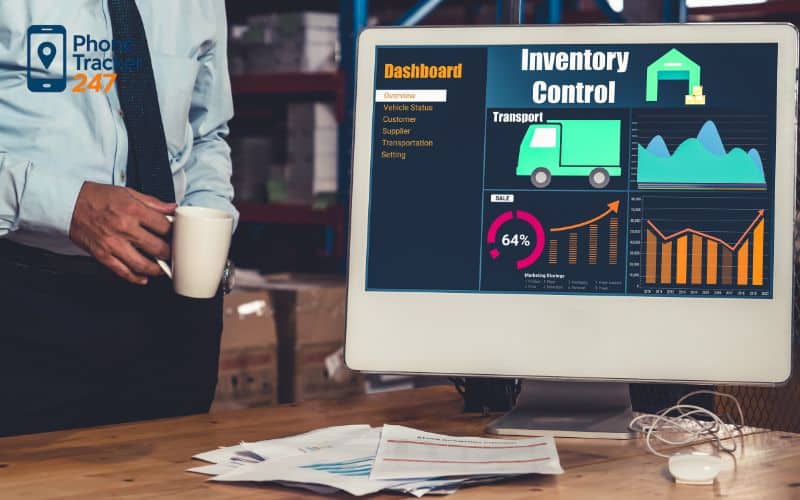
How Phone Tracking Apps Complement Computer Monitoring
Businesses that rely on mobile workforces often combine desktop and mobile monitoring for better insights.
Cross-Device Visibility
Using both computer and phone monitoring tools allows companies to understand the full workday. This is especially useful for roles that switch between office and field work.
Solutions like employee phone tracking software help bridge the gap between desk-based and mobile activity.
Supporting Field and Remote Employees
GPS tracking and mobile activity reports help managers coordinate field teams more efficiently. This improves scheduling, safety, and response times.
When combined with desktop data, managers gain a clearer picture of overall productivity.
How to Choose the Right Business Computer Monitoring Software
Selecting the right solution requires more than comparing features. Businesses must consider scalability, security, and usability.
Scalability and Team Size
Small businesses may need lightweight tools, while enterprises require advanced analytics and role-based access. The software should grow with your organization.
Scalable platforms reduce the need for costly migrations later.
Security, Privacy, and Data Storage
Strong encryption and secure data storage are non-negotiable. Businesses should understand where data is stored and who can access it.
Privacy controls help limit data exposure and build employee confidence.
Ease of Use and Integration
User-friendly dashboards and clear reports increase adoption among managers. Integration with existing tools such as project management systems is also important.
A complex system that no one uses delivers little value.
Common Mistakes Businesses Make When Using Monitoring Software
Even the best tools can fail if implemented incorrectly. Awareness of common pitfalls helps organizations avoid unnecessary conflict.
Over-Monitoring and Employee Burnout
Excessive tracking can create stress and reduce morale. Monitoring should focus on outcomes, not constant observation.
Clear boundaries prevent monitoring from becoming counterproductive.
Ignoring Legal and HR Policies
Failing to document monitoring policies or inform employees can lead to legal issues. HR involvement is essential from the beginning.
Well-defined policies protect both the company and its workforce.
Best Practices for Implementing Business Computer Monitoring Software
A thoughtful implementation strategy ensures long-term success and acceptance.
Creating Clear Monitoring Policies
Policies should explain what is monitored, how data is used, and how long it is retained. This clarity reduces misunderstandings.
Policies should also align with company values and legal requirements.
Communicating with Employees
Open communication is critical. Employees should understand that monitoring supports productivity and security, not punishment.
Regular feedback sessions help address concerns and improve the system over time.
Table 2: Implementation Checklist for Employee Computer Monitoring
| Step | What to do (practical) | Owner | Deliverable | Risk reduced |
|---|---|---|---|---|
| 1) Define purpose & scope | Clarify “why” (security, productivity, compliance) + what devices are in-scope | Leadership + HR | Monitoring scope statement | Mission creep / over-monitoring |
| 2) Legal & regional check | Map requirements by region (EU/UK/US), confirm lawful basis and notices | Legal | Compliance memo | Regulatory violations |
| 3) Write the policy | Explain what’s tracked, when, retention, access, escalation | HR + Legal | Employee Monitoring Policy | Trust issues + disputes |
| 4) Communicate & train | Announce transparently; manager training on ethical use | HR | Training deck + FAQ | Misuse by managers |
| 5) Data minimization | Turn off non-essential tracking; prefer aggregated reporting | IT + Security | Configuration baseline | Privacy exposure |
| 6) Access control & audit | Role-based access, logs for who viewed what, approvals for drills | IT + Security | RBAC + audit logs | Insider misuse |
| 7) Retention & deletion | Set retention windows (e.g., 30/60/90 days) + deletion process | Security | Retention schedule | Excessive data storage |
| 8) Pilot first | Run a small pilot, collect feedback, adjust thresholds | Ops + IT | Pilot report | Low adoption / backlash |
| 9) Review outcomes | Measure if goals improved (incidents down, throughput up) | Leadership | Quarterly review | “Monitoring for monitoring’s sake” |
Future Trends in Business Computer Monitoring Software
Monitoring technology continues to evolve alongside workplace trends.
AI-Powered Productivity Insights
Artificial intelligence is transforming raw activity data into meaningful insights. AI can identify patterns and suggest improvements automatically.
This reduces manual analysis and supports smarter decision-making.
Shift Toward Outcome-Based Monitoring
Many companies are moving away from tracking hours toward measuring results. Outcome-based monitoring focuses on goals and deliverables.
This approach aligns better with flexible and remote work models.
FAQs – Business Computer Monitoring Software
1) What is business computer monitoring software?
Software that tracks how company computers are used to improve performance and reduce risk.
2) How does employee computer monitoring work?
A lightweight agent collects activity data and shows it in a central dashboard.
3) What should a business monitor first?
Start with apps/websites, work time, and system access.
4) Do I need screenshots or live screen view?
Only for QA/audits/training—keep it limited and clearly disclosed.
5) Why monitor files and data activity?
To detect risky transfers, protect IP, and reduce data-leak incidents.
6) Is workplace computer monitoring legal?
Often yes—when there’s a clear purpose, written policy, and proper employee notice.
7) How do I keep monitoring privacy-friendly?
Use data minimization, role-based access, and short retention periods.
8) What reports should managers look at?
Weekly team trends: top apps/sites, focus time, anomalies, and workload balance.
9) What’s the best way to roll it out?
Run a small pilot, collect feedback, then scale with training and clear rules.
10) What’s the #1 mistake to avoid?
Over-monitoring without transparency—this kills trust and adoption.
Conclusion: Is Business Computer Monitoring Software Worth It?
For modern organizations, business computer monitoring software is no longer just a control mechanism. It is a strategic tool that supports productivity, security, and operational clarity. When implemented ethically and transparently, it benefits both employers and employees.
By combining desktop monitoring with mobile solutions such as a business phone tracker app or mobile device monitoring for employers, companies can gain a complete picture of how work happens across devices. The key is balance: clear policies, legal compliance, and a focus on outcomes rather than constant surveillance.
Used correctly, business computer monitoring software empowers organizations to adapt, grow, and thrive in an increasingly digital workplace.