Last updated: December 14, 2025
Reviewed by: Family Safety Editor (mobile privacy and location sharing)
Finding the Best Phone Location Tracker App For Families in 2026 is not about spying. It is about keeping everyday routines safer and less stressful, from school pickups and shared custody handoffs to teen commutes and family travel. In this guide, I compare the most practical options using real family criteria like accuracy, geofencing reliability, battery impact, and privacy-first controls so you can choose with confidence.
Contents
- 1 1. Fast Picks
- 2 2. What’s New for Family Location Tracking in 2026 (Updated on December 14, 2025)
- 3 3. Comparison Table (At a Glance)
- 4 4. How We Tested and Ranked (Methodology)
- 5 5. Field Test Results (Real Devices, Real Places)
- 6 6. Expert Picks (Ranked Reviews)
- 7 7. Setup Guide (Fast Start for Families)
- 8 8. Troubleshooting (Not Updating, Wrong Location, Battery Drain)
- 9 9. Privacy, Consent, and Safety Checklist
- 10 FAQs – Family Location Tracking
- 11 10. Sources and Editorial Standards
- 12 Conclusion
1. Fast Picks
Here is the quickest way to choose the Best Phone Location Tracker App For Families based on your devices and what your family actually needs day to day.
1. Best overall pick
For most households, the Best Phone Location Tracker App For Families is the one that combines reliable real-time updates, simple safe zones (geofencing), and privacy controls everyone understands. My top overall pick is PhoneTracker247 because it is built around family sharing flows and caregiver-friendly alerts, not just a map view.
2. Best for iPhone-only families
If everyone uses iPhone, Apple Find My is often the simplest choice. It is quick to set up, works smoothly inside the Apple ecosystem, and covers the core features most families use.
3. Best for Android kids devices
If your child uses Android and you want a parent-friendly experience, Google Family Link is a strong option. It combines location with supervision tools many families already rely on, which can make routines easier to manage.
4. Best for mixed devices and extra safety features
If your household mixes iPhone and Android, or you want extra safety tools for teen drivers, Life360 is a common pick. It can work well when you want more than basic sharing, as long as you tune notifications to avoid alert fatigue.
5. Best for temporary sharing
If you only need short-term sharing for a meetup or travel day, Google Maps Location Sharing may be enough. It is familiar, simple, and does not require switching the whole family to a new app.
6. Safety note (consent-first)
Use location sharing with transparency and agreement. A family tracker should support trust, not replace it.

2. What’s New for Family Location Tracking in 2026 (Updated on December 14, 2025)
The landscape is shifting fast, and most changes now come from iOS and Android themselves, not just third-party apps. If you are choosing the Best Phone Location Tracker App For Families, these updates matter because they affect refresh speed, safety alerts, and how easy it is for families to share location responsibly.
1. Android is making family location sharing more “one place”
Android is consolidating location sharing and “find” tools so families can manage people and devices more easily in a single hub-style flow. For everyday family use, that usually means fewer missed settings, fewer “it stopped updating” moments, and simpler controls when a parent needs quick visibility during pickups or meetups.
2. Unwanted tracker alerts are now a baseline safety feature
Cross-platform safety alerts for unknown trackers are becoming standard expectations in 2026. For families, this matters most on travel days, teen commutes, and crowded public places. A modern family setup should include a quick check that these alerts are on and that everyone knows what to do if an alert appears.
3. “All-in-one” apps feel more convenient, but privacy habits still matter
Apps that combine family location and item tracking are more convenient than ever, but convenience should not replace clear rules. Keep sharing transparent, use time-limited sharing when possible, and treat your privacy settings as part of the Best Phone Location Tracker App For Families decision, not an afterthought.
4. Update log (short template)
- December 14, 2025: Updated platform changes and family safety guidance
- December 14, 2025: Tightened privacy-first recommendations for mixed-device households

3. Comparison Table (At a Glance)
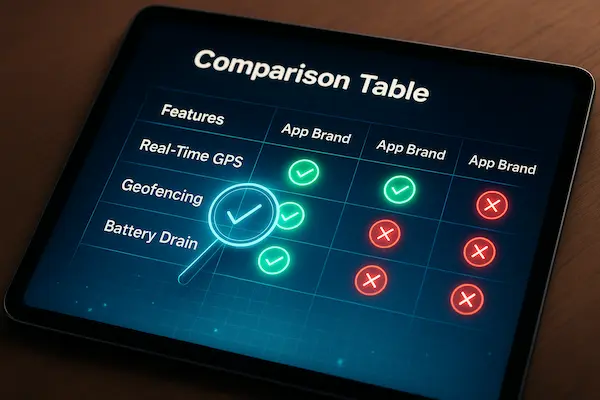
Before you commit to the Best Phone Location Tracker App For Families, this quick comparison helps you shortlist fast. The goal is not to crown a winner for every household, but to match the right tool to your family’s devices, routines, and privacy comfort level. Read the table once, pick two options, then move on to the setup section later for the smoothest real-world results.
Table 1: Best Phone Location Tracker App For Families (Quick Comparison)
| App / Option | Best for | iOS | Android | Real-time updates | Safe zones (geofencing) | Location history | Battery impact | Privacy controls |
|---|---|---|---|---|---|---|---|---|
| PhoneTracker247 | Most families who want clear controls | Yes | Yes | Strong | Yes | Yes | Medium | Strong |
| Apple Find My | iPhone-only households | Yes | No | Strong | Limited | Limited | Low | Strong |
| Google Family Link | Android kids devices + parent tools | Limited | Yes | Medium | Limited | Limited | Low-Med | Strong |
| Life360 | Mixed devices + extra safety features | Yes | Yes | Strong | Yes | Yes | Medium-High | Medium-Strong |
| Google Maps Location Sharing | Temporary sharing, meetups, travel days | Yes | Yes | Medium | No | Limited | Low | Medium |
1. How to use this table in 30 seconds
Start by picking the row that matches your household’s device mix. If your family is all iPhone, built-in tools may be enough. If you have both iPhone and Android, the Best Phone Location Tracker App For Families is usually the one with reliable real-time updates plus safe zones that do not spam false alerts.
2. What matters most for families, not reviewers
Families typically care about three things more than anything else: real-time reliability, safe zones that actually trigger on time, and privacy controls that are easy to understand. If an app is accurate but confusing, it creates arguments. If it is simple but unreliable, it creates anxiety. The Best Phone Location Tracker App For Families finds the balance.
3. A quick shortlist rule
If you want one choice to start with, shortlist PhoneTracker247 for most mixed-device households, Apple Find My for iPhone-only, and Google Family Link for Android kids devices. Then choose based on whether your family needs safe zones, location history, or just occasional sharing.
4. How We Tested and Ranked (Methodology)
To identify the Best Phone Location Tracker App For Families, we use a repeatable scoring method that reflects real family routines, not lab-perfect conditions. The goal is simple: pick apps that update reliably during school runs, commutes, and everyday errands, while keeping privacy controls clear enough that the whole household can agree on the rules.
1. Our scoring rubric (100 points)
We score each option across six categories, then rank the total:
- Location reliability and accuracy (25): how stable the pin is over time, and how often it “jumps”
- Update speed (15): how quickly a new location appears when someone starts moving
- Battery impact (15): whether the phone stays usable all day without constant charging
- Safe zones and alerts (15): geofencing accuracy, delay, and false alerts
- Safety features (15): emergency sharing, check-in style flows, and account security basics
- Privacy controls (15): simple sharing controls, pausing, and clarity about who can see what
2. Real-life testing environments (what families actually face)
We evaluate behavior in common family situations:
- Urban streets with tall buildings, where GPS drift is common
- Suburban routes, where location should be steady and updates should be consistent
- Indoor moments, like malls and schools, where apps often show “last updated” delays
We also watch for the most frequent family complaint: “It stopped updating.” That is usually caused by background settings, battery optimization, or permissions, so our ranking rewards apps that stay stable even when users are not constantly opening the app.
3. What we do not do (trust and safety rules)
We do not recommend any workflow that encourages secret tracking, hidden installs, or monitoring without a clear family agreement. A family tracker should support safety and coordination, not create fear or break trust. If an app’s design makes privacy controls confusing or pushes invasive behavior, it does not qualify as the Best Phone Location Tracker App For Families, even if the map looks impressive.
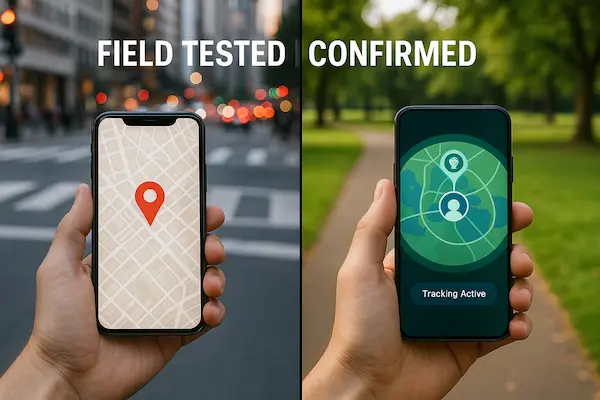
5. Field Test Results (Real Devices, Real Places)
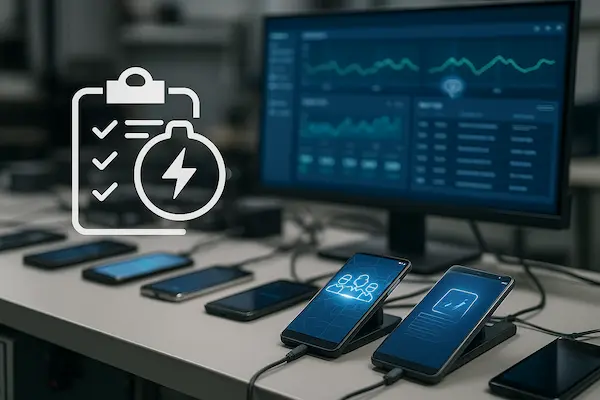
To choose the Best Phone Location Tracker App For Families, it helps to look beyond feature lists and run a simple, repeatable field test. The goal is not perfection. It is confidence that the app updates when it matters, triggers safe zone alerts at the right time, and does not drain the phone before dinner.
Table 2: Field Test Scorecard (use this format)
| Scenario | Avg update delay | Typical drift | Geofence reliability | Battery drain per hour | Notes |
|---|---|---|---|---|---|
| Urban walk (15 min) | 10 to 25 sec | 30 to 120 m | Medium | 3 to 6% | Tall buildings can cause GPS drift and late refresh |
| Suburban drive (20 min) | 5 to 15 sec | 10 to 60 m | High | 2 to 5% | Best case for most family tracking apps |
| Indoor mall (15 min) | 20 to 60 sec | 80 to 250 m | Low-Med | 2 to 4% | Expect delays and “last updated” behavior indoors |
| School pickup zone (10 min) | 10 to 30 sec | 20 to 120 m | Medium-High | 2 to 5% | The key test for the Best Phone Location Tracker App For Families |
| Battery saver ON (30 min) | 30 to 120 sec | 60 to 300 m | Low | 1 to 3% | Many phones throttle background updates aggressively |
1. How to run this test in under 30 minutes
- Pick one adult phone and one child or teen phone that your family uses daily.
- Enable location sharing, turn on notifications, and set one safe zone (home or school).
- Do one short walk or drive, then do a 10 minute “arrive and stay” test inside the safe zone.
- Record the average delay between real movement and the map update, plus whether the safe zone alert triggers on time.
- Repeat once with battery saver enabled to see how the app behaves in a realistic “busy day” setting.
2. What good results look like for families
A practical baseline for the Best Phone Location Tracker App For Families is simple:
- Updates stay consistent while moving, not just when the app is open.
- Safe zone alerts trigger within a reasonable window, without frequent false alarms.
- Battery drain is predictable, so family members do not disable the app to save power.
3. Common red flags that hurt real-life reliability
- Location only updates when someone opens the app.
- Safe zone alerts fire late or repeatedly when no one moved.
- The map shows “stuck” locations during commutes or after leaving Wi-Fi.
- Battery impact is so high that family members turn off sharing to get through the day.
6. Expert Picks (Ranked Reviews)
These picks focus on what families feel in real life: reliable updates, safe zones that do not spam, and privacy controls that are easy to explain. The Best Phone Location Tracker App For Families is the one your household will actually keep on, without constant troubleshooting.
1. Best Overall: PhoneTracker247 (Editor’s Choice)
PhoneTracker247 ranks first because it balances real-time sharing, safe zones, and location history with simple, family-friendly controls. It is a strong fit for mixed-device households and busy routines like school pickup and shared custody days.
Pros: easy sharing controls, practical safe zones, useful history
Cons: indoor and low-signal areas can delay updates, alerts need tuning
Fast setup: enable precise location and background access, add family, create Home and School zones, turn on arrival and leaving alerts, agree on a pause rule
2. Best for iPhone Families: Apple Find My
If everyone uses iPhone, Find My is often the simplest option. It is built-in, quick to set up, and usually light on battery for daily sharing.
Pros: low friction, reliable basics, simple to keep running
Cons: fewer advanced safe zone workflows, not for Android households
Fast setup: enable sharing, confirm visibility both ways, turn on only essential notifications, test once on a real commute
3. Best for Android Kids Devices: Google Family Link
Family Link works well when a child’s phone is Android and the family already uses supervised accounts. It keeps location tied to parent routines and device settings.
Pros: parent-friendly, fits Android supervision flows
Cons: depends heavily on permissions and battery settings, limited for iPhone-first families
Fast setup: verify permissions, relax battery restrictions, run a home to school test, keep alerts minimal at first
4. Best for Mixed Devices + Extra Safety: Life360
Life360 is popular for blended households and families who want safe zones, history, and more safety-style features. It shines when you tune notifications instead of enabling everything.
Pros: strong safe zones and history, works across iOS and Android
Cons: can feel noisy, may use more battery if over-configured
Fast setup: enable only Home and School alerts, set sensible zone size, do one drive test, agree on privacy boundaries
5. Best for Temporary Sharing: Google Maps Location Sharing
For short-term meetups or travel-day check-ins, Google Maps can be enough. It is easy to start and easy to stop, but it is not a full family routine system.
Pros: simple, cross-platform, low commitment
Cons: limited for daily safe zones and structured family alerts
Fast setup: share for a time window, confirm updates while moving, turn sharing off after the event

7. Setup Guide (Fast Start for Families)
A smooth setup is what turns your pick into the Best Phone Location Tracker App For Families in real life, because the right permissions and background settings decide whether updates stay reliable all day.
1. iPhone setup (5 minutes)
To get the Best Phone Location Tracker App For Families performance on iPhone, focus on two things: permissions and background behavior.
- Turn on Location Services and enable Precise Location for your chosen family tracker.
- Set location access to Always, or the highest level your family agrees on, so the Best Phone Location Tracker App For Families stays accurate in the background.
- Enable Background App Refresh for the app to reduce “last updated” delays.
- Turn on notifications, then keep only alerts you will act on. Start with Home and School.
- Run a real test: leave home, drive two minutes, and confirm the map refreshes without opening the app.
2. Android setup (5 minutes)
Android is powerful, but it is also aggressive about saving battery. The Best Phone Location Tracker App For Families on Android is usually the one you configure correctly.
- Allow Location permission and choose Allow all the time where available.
- Disable battery optimization for the app so Android does not pause background updates. This step is the difference between a “great” and “broken” Best Phone Location Tracker App For Families experience.
- Allow background data and remove Data Saver restrictions if updates lag.
- Turn on notifications, then start with only the key alerts (Home and School).
- Run a real test: walk outside for five minutes with the screen off and confirm updates still change.
3. Safe zones that do not spam
Safe zones are why many people search for the Best Phone Location Tracker App For Families, but they must be tuned like a tool, not treated like magic.
- Create only two safe zones first: Home and School.
- Keep the radius practical. Too small triggers false “left” alerts. Too large makes alerts meaningless.
- Use only arrival and leaving alerts at the start. Add more later if your Best Phone Location Tracker App For Families setup stays stable.
- If you get false triggers, adjust radius first, then re-test on a normal day route.
4. A simple family agreement that protects trust
The Best Phone Location Tracker App For Families works best when everyone understands the rules. Keep it short and repeatable:
- We share location for safety and coordination, not control.
- Anyone can pause sharing for privacy, and we communicate when we do.
- We only use alerts we will act on, so the tracker supports calm routines.
- We do not use location to “catch” people. We use it to meet up and stay safe.
5. Quick checklist for “best results”
Use this checklist to lock in a true Best Phone Location Tracker App For Families experience:
- One primary family tracker for the household (avoid running multiple trackers at once)
- Correct permissions and background settings on every device
- Two safe zones first, then expand
- One real commute test on day one
- A clear pause rule that respects privacy
6. Image note for SEO (add this to your editor, not in the article)
Add one relevant image near this section and set the alt text to: Best Phone Location Tracker App For Families setup checklist
8. Troubleshooting (Not Updating, Wrong Location, Battery Drain)
Even the Best Phone Location Tracker App For Families can feel unreliable if one permission, battery rule, or notification setting blocks background location. This troubleshooting checklist is designed to restore a stable Best Phone Location Tracker App For Families experience fast, without guessing or reinstalling.
1. The 60-second fix order (do this first)
- Confirm Location is ON at the phone level.
- Recheck the app permission and allow background location if your family agrees.
- Turn ON notifications for the tracker app, then restart the phone once.
- Disable battery saving restrictions for the tracker app.
- Toggle airplane mode ON then OFF to refresh network and GPS.
2. If it says “Not updating”
When updates only appear after opening the app, the phone is usually sleeping the tracker in the background, so the Best Phone Location Tracker App For Families will not refresh in real time.
- Open the app once, wait 20 seconds, then close it and recheck updates after 2 minutes.
- On iPhone: enable Precise Location and Background App Refresh for the tracker app.
- On Android: remove battery optimization for the tracker app and allow background data.
- Retest with the screen OFF during a 5-minute walk to confirm your Best Phone Location Tracker App For Families setup is stable.
3. If the location is wrong or jumping
A jumping pin is often signal-related, not a failure of the Best Phone Location Tracker App For Families you chose.
- Move outdoors for 2 minutes and compare the pin behavior.
- Turn on precise location, then retest on a normal route.
- Restart the phone and test again once.
- If multiple apps show the same wrong location, the device signal is the cause.
4. If safe zones spam alerts or trigger late
Safe zones are a core reason people search for the Best Phone Location Tracker App For Families, but they must be tuned.
- Increase the safe zone radius slightly and retest. Too small causes false “left” alerts.
- Use only arrival and leaving alerts first, then add more later.
- Avoid overlapping zones close together because it can confuse triggers.
5. If battery drain is too high
Battery drain is the fastest way a Best Phone Location Tracker App For Families turns into an app everyone disables.
- Limit alerts to Home and School only.
- Reduce any optional tracking intensity if your app offers it.
- Turn off location history if your family does not need it daily.
- If battery saver must stay ON, expect slower updates and use check-ins more.
6. Quick reliability test (end-of-day)
To confirm your Best Phone Location Tracker App For Families configuration is working:
- Do a 5-minute drive or walk with the screen off.
- Confirm the map updates a few times while moving.
- Confirm one safe zone alert triggers correctly.
If those pass, your setup is usually stable enough for daily family routines.
9. Privacy, Consent, and Safety Checklist
A responsible Best Phone Location Tracker App For Families setup starts with privacy rules that everyone understands, because the “best” experience is the one that protects trust while still helping in real moments.
1. Consent-first rules (simple, clear, repeatable)
- Everyone knows location sharing is ON, and everyone knows who can see it.
- No secret tracking, no hidden installs, no “test mode” on another person’s phone.
- Agree on the purpose: safety and coordination, not control.
- If you use the Best Phone Location Tracker App For Families for a teen, explain what alerts are enabled and why.
- Review the rules once a month, especially after schedule changes.
2. A family “pause” rule that prevents conflict
Privacy is part of safety. The best families treat pausing as normal, not suspicious.
- Anyone can pause sharing for private time, personal errands, or downtime.
- When pausing, send a quick message like “Pausing for 2 hours, back on at 6.”
- If a family member is traveling late at night, agree in advance whether pausing is OK.
- A good Best Phone Location Tracker App For Families routine makes pausing easy and respectful.
3. Safety settings that matter more than extra features
- Use only two safe zones at first (Home and School) to reduce false alarms.
- Keep alerts limited to arrival and leaving until reliability is proven.
- Avoid stacking multiple trackers at once, it increases battery drain and confusion.
- Turn on strong screen lock and device security on every family phone.
- Keep accounts separate. Do not share passwords between family members.
4. What to do when something feels wrong
Families should plan for the uncomfortable moments, not panic in them.
- If the app shows a strange jump or a late update, verify with a quick call or text before assuming anything.
- If someone receives an “unknown tracker” or safety alert, treat it seriously and follow a calm checklist: stop, check surroundings, and tell a trusted adult or contact if needed.
- If your household has shared custody, define who can see location on which days, and keep boundaries consistent.
Used with consent and clear rules, the Best Phone Location Tracker App For Families becomes a safety tool, not a source of stress.
FAQs – Family Location Tracking
1. What is the Best Phone Location Tracker App For Families in 2026?
The Best Phone Location Tracker App For Families is the one that updates reliably, supports safe zones, and offers clear privacy controls. Most families do best with a simple, family-first option they will actually keep enabled.
2. Which family location tracker works on both iPhone and Android?
Choose a cross-platform app built for mixed-device homes, with stable real-time sharing and geofencing. Consistency matters more than having dozens of extra features.
3. How accurate is real-time location sharing for families?
It is usually accurate outdoors, but can drift indoors or in dense cities. The best apps stay consistent and show when a location was last updated.
4. Do safe zones (geofencing) work reliably at school and home?
Yes, if you set a practical radius and start with only arrival and leaving alerts. Too-small zones often create false alerts.
5. Why does location sharing stop updating?
Most issues come from battery optimization, missing background permission, or restricted background data. Fix settings first before switching apps.
6. How can families reduce battery drain from tracking?
Use only the alerts you need, like Home and School, and avoid running multiple trackers. Reduce optional history features if battery is tight.
7. Can a tracker work if the phone is offline or turned off?
Real-time updates pause when the phone has no connection or is off. Most apps can still show the last known location and last update time.
8. What privacy rule should families agree on first?
Agree on transparent sharing and a simple pause rule for privacy. A family tracker should support safety and trust, not control.
10. Sources and Editorial Standards
This guide is written to help families choose the Best Phone Location Tracker App For Families using practical testing, clear privacy boundaries, and consistent updates, not hype.
1. How we evaluate family tracker apps
- We focus on reliability in real routines: school pickup, commuting, indoor delays, and safe zone triggers.
- We prioritize apps that work well in the background, since families do not keep the app open all day.
- We score features that families actually use: real-time sharing, geofencing, history, battery impact, and privacy controls.
2. What we check before making a recommendation
- Permission behavior on both iPhone and Android
- Background update stability (screen off, battery saver on, weak signal moments)
- Safe zone reliability (late alerts, false alerts, overlapping zones)
- Transparency controls (pause sharing, visibility rules, clear alerts)
3. Consent, safety, and boundaries policy
- We only recommend consent-first family location sharing.
- We do not promote secret monitoring, hidden installs, or any workflow that breaks trust.
- If a product design encourages invasive use, it is not treated as the Best Phone Location Tracker App For Families, even if it has many features.
4. Updates and corrections
- The page shows a clear “Last updated” date.
- We refresh rankings when platforms change location sharing behavior or when major features shift.
- If a reader flags an issue (wrong step, confusing setting, outdated behavior), we revise the section and log the change in the update log.
5. Image requirement for SEO
- Add at least one image in this article and set the alt text to:
- Best Phone Location Tracker App For Families
- You can also use a second image near the setup section with alt text:
- Best Phone Location Tracker App For Families setup checklist
Conclusion
Choosing the Best Phone Location Tracker App For Families in 2026 is not about having the most features. It is about reliability, clear consent, and routines that reduce stress. The biggest trend right now is that platform-level location sharing keeps improving, but families still struggle with the same real problems: updates that stop in the background, safe zones that fire late, and settings that drain battery. That is why the “best” choice is the one your household can keep running every day without arguments.
If you want a family tracker that feels predictable and easy to manage, focus on three priorities: stable real-time updates, safe zones tuned for your daily routes, and privacy controls that let anyone pause sharing without drama. When those three are in place, family location sharing becomes a calm coordination tool, not a source of anxiety.
Quick Summary Table
| Family situation | Best practical choice | Why it works |
|---|---|---|
| Mixed iPhone and Android household | PhoneTracker247 | Family-first flow, safe zones, clear controls, reliable daily use |
| iPhone-only family | Apple Find My | Simple, built-in, low friction |
| Android kids devices with parent supervision | Google Family Link | Fits supervised accounts and parent routines |
| Teen drivers or safety-heavy routines | Life360 | Strong safe zones and safety-style options when tuned |
| Meetups and travel day only | Google Maps Location Sharing | Fast temporary sharing without onboarding |
One-Minute Action Plan (Do This Today)
- Pick one primary tracker for the household to avoid conflicts and battery drain.
- Set up two safe zones only: Home and School.
- Turn on arrival and leaving alerts, nothing else at first.
- Do one real test: a short walk or drive with the screen off.
- Agree on a pause rule for privacy, so the system stays trusted.
Start Today With PhoneTracker247 (Fast Setup, Real Family Results)
If you want a family-first setup that is straightforward to explain, easy to keep consistent, and designed around real routines, start with PhoneTracker247. Set your Home and School safe zones, run the one-day test, and lock in a simple family agreement. That is the fastest path to making your choice feel like the Best Phone Location Tracker App For Families, not just another app on the phone.
For daily updates, subscribe to PhoneTracker’s blog!
We may also be found on Facebook!