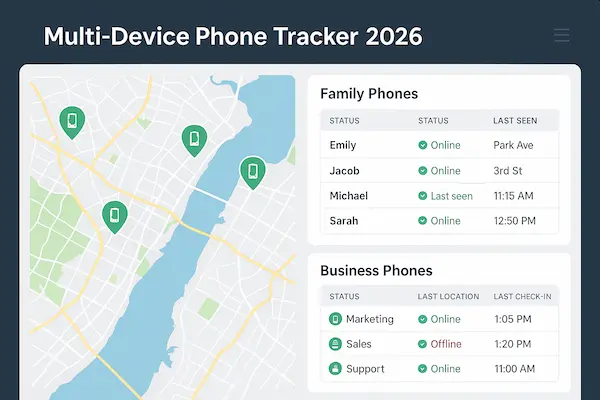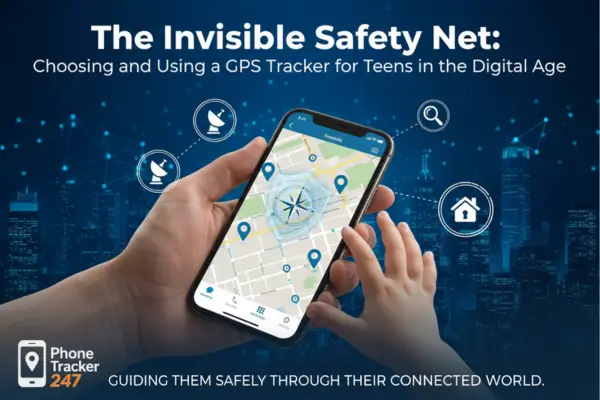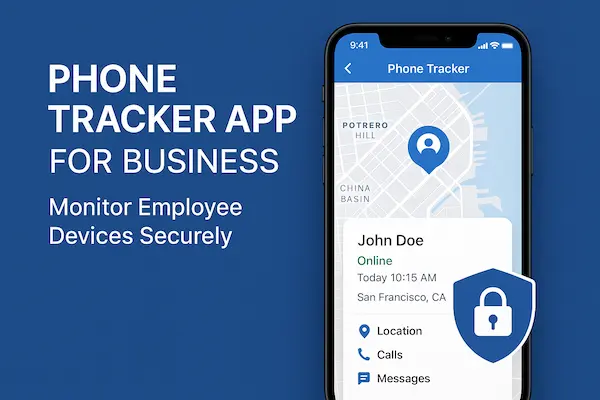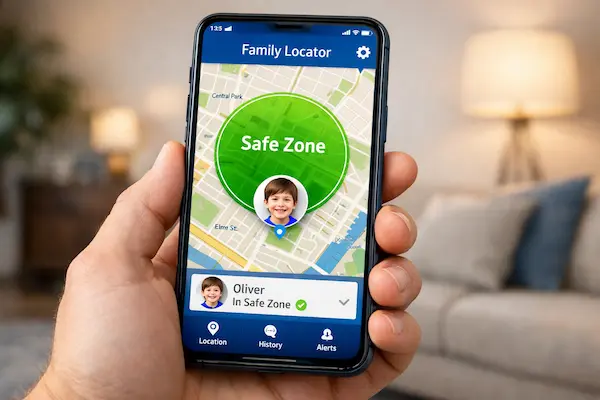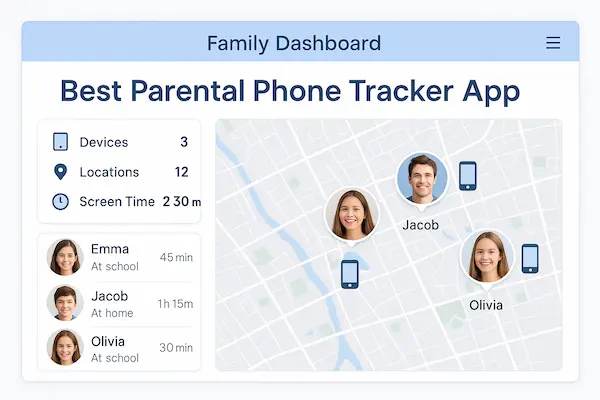
Before you choose the best parental phone tracker app, it helps to be clear about what you actually want it to do for your family. Most parents don’t need a spy tool-need a safety layer that fits into real life: school runs, late buses, group chats, gaming, and homework. The goal is not to watch every tap and swipe, but to know that your child is safe, reachable, and not sliding into trouble online.
Contents
- 1 Quick Answer: What Is the Best Parental Phone Tracker App in 2026?
- 2 Why Parents Need a Parental Phone Tracker App in 2026
- 3 Must-Have Features of the Best Parental Phone Tracker App for Kids and Teens
- 4 Is It Legal and Ethical to Use a Parental Phone Tracker App?
- 5 How to Evaluate and Choose the Best Parental Phone Tracker App for Your Family
- 6 Best Parental Phone Tracker Apps in 2026: Quick Comparison
- 7 Why Many Families Pick PhoneTracker247 as Their Best Parental Phone Tracker App
- 8 Step-by-Step: How to Set Up a Parental Phone Tracker App in Under 15 Minutes
- 9 Special Situations Where a Parental Phone Tracker App Really Helps
- 10 FAQ: About the Best Parental Phone Tracker App
- 11 Conclusion: How to Choose the Best Parental Phone Tracker App for Your Family in 2026
Quick Answer: What Is the Best Parental Phone Tracker App in 2026?
The best parental phone tracker app in 2026 is not a spy tool, but a calm safety layer: it shows where your child is, warns you about real risks, and helps you set clear rules around phone and screen use. Done right, it protects your child and your relationship at the same time. The best parental tracker is really a family safety app—built around routines, check-ins, and emergency alerts, not secrecy.
1. Short Definition
In simple terms, the best parental phone tracker app is a family safety hub: it shows where your child is, highlights important changes in their contacts and usage, and lets you set age-appropriate limits on apps and content. It’s built for parents, but designed so you can explain it honestly to your child.
2. Key Criteria
A tool deserves to be called the best parental phone tracker app only if it:
- Delivers trustworthy GPS and geofencing for everyday routines.
- Offers screen-time and app controls that match school and family rules.
- Supports the real social apps kids use (WhatsApp, Instagram, Snapchat, TikTok, Discord, games).
- Uses AI alerts to surface genuine risks like bullying, grooming, sexting, or self-harm.
- Has strong encryption, clear consent, and guidance aligned with local laws.
3. One-Sentence Verdict
For most families, the best parental phone tracker app in 2026 is the one that balances solid GPS tracking, focused AI safety alerts, and flexible screen-time controls with a privacy-first, consent-based approach-exactly the combination that platforms like PhoneTracker247 are built to deliver.

Why Parents Need a Parental Phone Tracker App in 2026
Kids now carry an always-online device into school, bedrooms, and everywhere in between. From your side it looks like “just scrolling”; on their side it can be group chats, strangers, pressure, and drama you never see. A parental phone tracker app gives you just enough visibility to act early, without grabbing the phone out of their hands every time you are worried.
1. How Kids Use Phones, Social Apps, and Games Now
- Younger kids binge short videos and jump into multiplayer games with open chat.
- Tweens live in WhatsApp, Messenger, or Discord groups that mix classmates, older teens, and sometimes strangers.
- Teens juggle several Instagram, Snapchat, TikTok or niche accounts, some public, some private.
Without a parental phone tracker app, you mostly see a quiet child on a screen, not the intensity of what actually happens there.
2. Real-World Risks That Make a Parental Phone Tracker App Necessar
A parental phone tracker app responds to problems that are very real:
- Cyberbullying and pile-ons that follow kids 24/7.
- Grooming that starts as “friendly” game or chat messages.
- Sexting and explicit content shared under peer pressure.
- Late-night use that slowly damages sleep, focus, and mood.
The best parental phone tracker app won’t erase risk, but it lets you spot warning signs early: unusual late-night activity, new unknown contacts, or movements that don’t match agreed plans.
3. When a Parental Phone Tracker App Moves From Optional to Essential
A parental phone tracker app becomes critical when:
- Your child travels alone regularly (school, clubs, friends’ houses).
- They are deeply involved in online communities or gaming with people you don’t know.
- You already see red flags: secret accounts, deleted chats, sudden mood swings around phone use.
- There are safety or custody concerns where a clear record of location and activity really matters.
In these cases, relying on occasional manual checks is not realistic. A well-configured parental phone tracker app gives you continuous, structured visibility while your child gradually becomes more independent.
Quick summary – Why a parental phone tracker app matters in 2026
| What’s changed in kids’ digital life | What parents usually see | How a parental phone tracker app helps |
|---|---|---|
| Always-on chats, games, and social feeds | “Quiet kid, always on the phone” | Shows who they talk to, when, and how patterns shift |
| Mixed spaces with strangers and older teens | New names and vague stories | Flags unknown contacts and risky interaction patterns |
| Late-night scrolling and group-chat drama | Tired mornings, slipping grades, bad mood | Reveals late-night use and supports healthier screen rules |
| More independence outside the home | “Text me when you arrive” anxiety | Confirms safe arrivals and highlights unusual detours |
Must-Have Features of the Best Parental Phone Tracker App for Kids and Teens
If an app wants to be called the Best Parental Phone Tracker App, it has to do a few simple things really well: show you where your child is, highlight real risks in their digital life, and make phone rules easier to follow-not harder.
1. Location and Movement You Can Trust
A parental tracker lives or dies on its map. The best parental phone tracker app should:
- Update location often enough that “on the way home” actually means something.
- Handle busy places like malls, stations, or big campuses without jumping all over the screen.
- Show a clear route history so you can see the story of the day-home, school, clubs, friends’ houses-at a glance.
For day-to-day safety, prioritize live GPS phone tracking with geofences and reliable refresh intervals.
You shouldn’t need to be “good with tech” to answer one simple question: “Where is my child right now, and did they get there safely?”
2. Social, Screen Time, and Web Controls Parents Actually Use
Most problems don’t start on the map; they start in chats, social feeds, and endless scrolling. A serious parental phone tracker app should:
- Cover the real apps kids use: WhatsApp, Instagram, Snapchat, TikTok, Discord, and popular game chats.
- Give you a pattern view of calls and messages (who, when, how often) instead of forcing you to read every line.
- Let you set school-time, homework, and bedtime rules in a few taps, then apply them consistently.
- Enforce safe search and basic web filtering, with room to relax rules as your child grows.
The Best Parental Phone Tracker App turns phone rules into something predictable and fair, not a new argument every weekend.
3. AI Safety, Privacy, and Legal Fit
Risks move quickly, and parents are busy. That’s where intelligence and trust come in. The best parental phone tracker app in 2026 should:
- Use AI to surface a small number of important alerts-possible bullying, grooming, sexting, self-harm, scams-instead of spamming you all day.
- Explain clearly what is monitored, what is not, and why, so you can talk honestly with your child.
- Protect data with strong encryption and sensible retention policies, so your child’s history isn’t a long-term liability.
- Offer practical guidance on using parental tracking with consent and within local law, not just a vague disclaimer.
In short, the Best Parental Phone Tracker App protects your child, your time, and your peace of mind-giving you just enough visibility to act when it matters, without crossing the line into constant, secret surveillance.

Is It Legal and Ethical to Use a Parental Phone Tracker App?
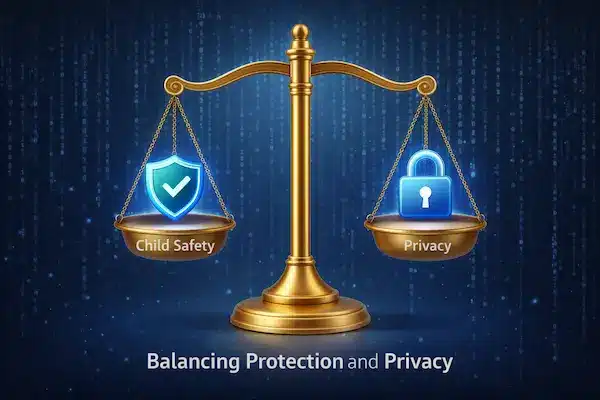
Most parents who look for the best parental phone tracker app just want a safer way to look after their kids, not to spy. The big questions are: is it legal where I live, and am I using it in a way I’d feel comfortable explaining to my child?
1. Legal basics
In many places, parents or legal guardians can use a parental phone tracker app on:
- Devices they own or provide.
- Children who are still minors.
- For clear safety and supervision reasons.
But rules on recording content, storing data, and older teens’ privacy do vary, so any serious guide to the best parental phone tracker app should be honest: check local law or a lawyer if you are unsure.
2. Consent and age
Even when the law allows tracking, how you do it matters:
- With younger kids, explain simply that their phone has safety tools so you know they’re safe.
- With tweens and teens, be direct: say you use a parental phone tracker app, what it sees, and what it doesn’t.
The best parental phone tracker app supports this with clear, human-readable explanations and age-based settings instead of one hard “on/off” switch.
3. Balancing teen privacy and safety
As teens grow, they need more space:
- Focus on location, time patterns, and serious risk alerts, not reading every message.
- Set boundaries together and review them regularly.
A real Best Parental Phone Tracker App can work for a 10-year-old and a 16-year-old by letting you dial controls up or down as they mature.
4. Data security and trust
Using a parental tracker means trusting someone with sensitive data. Look for:
- Real encryption (in transit and at rest).
- Clear policies on what is stored, for how long, and why.
- Easy delete options if you switch tools.
If an app wants to be the best parental phone tracker app, it must protect your child’s data as carefully as you protect your child.
How to Evaluate and Choose the Best Parental Phone Tracker App for Your Family
There’s no one best parental phone tracker app for everyone. The right choice depends on your kids’ ages, your devices, and how strict or flexible you want to be.
1. Check compatibility first
- Does it support Android and iOS, and the OS versions you actually use?
- How many child and parent devices can you connect on one plan?
If it won’t run smoothly on your real devices, it’s not your best parental phone tracker app.
2. Look at accuracy, speed, and battery
- GPS needs to be accurate enough for real school runs and city trips.
- Alerts should arrive in time to matter.
- The app should not drain the phone by lunchtime.
If your child complains the phone is slow or hot, that app won’t last.
3. Test the parent dashboard
On a busy day you should be able to see:
- Where your child is.
- Any important alerts.
- Rough patterns of use.
Changing geofences, bedtime rules, or app limits should take seconds, not an evening with a manual. The best parental phone tracker app feels like a simple control panel, not a full-time job.
4. Check support and updates
Look for:
- Clear setup guides and in-app tips.
- Real support (not just a dead email address).
- Regular updates that keep up with new apps and risks.
An app that wants to be the best parental phone tracker app in 2026 can’t look abandoned.
5. Compare pricing realistically
Free tools often pay for themselves with ads or data. With a paid parental phone tracker app, you’re usually buying:
- Better security and support.
- More complete coverage of devices and features.
Check what you actually get at each price point, and whether there’s a trial or refund if it’s not a fit.
6. Quick checklist to pick your best parental phone tracker app
Before you commit, ask of each option:
- Does it cover the safety areas you care about (location, social, web, screen time)?
- Can you adjust by age and personality?
- Are you comfortable explaining it to your child?
- Do the privacy and legal policies seem clear and defensible?
- Is the cost and time you’ll spend managing it realistic for your family?
If you can say “yes” to all five, you’ve likely found the best parental phone tracker app for your family, not just for a comparison chart.
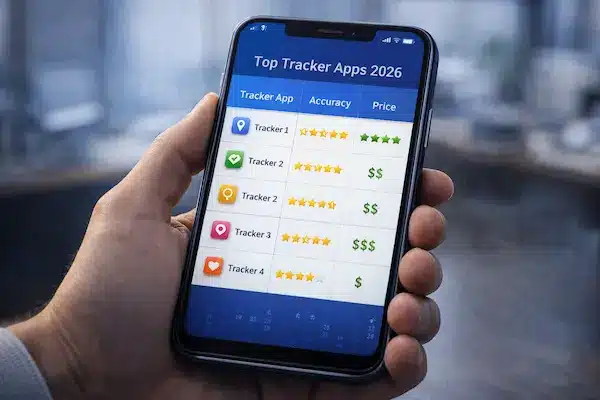
Best Parental Phone Tracker Apps in 2026: Quick Comparison
When you look at any “top 5 best parental phone tracker app” list, the logos matter less than the fit with your real life. You’re choosing a safety tool for your family, not just another app to try for a weekend.
1. How to read any “top 5” list
For each parental phone tracker app, ask five simple questions:
- Does it cover what you care about (location, social apps, web, screen time)?
- Is GPS accurate enough for your daily routes?
- Is the dashboard easy to read on a busy day?
- Are privacy and data policies clear enough that you’d explain them to your child?
- Can you afford to keep using it for years, not just a free trial?
If an option fails on any of these, it’s not the best parental phone tracker app for your family, no matter where it ranks.
2. Best overall: a balanced app like PhoneTracker247
For many parents, the best parental phone tracker app is the one that stays balanced:
- Reliable GPS and simple route history.
- Coverage of real social and messaging apps, with pattern-level insight instead of full-on spying.
- Straightforward screen-time rules and AI safety alerts focused on real risks.
A balanced tool like PhoneTracker247 can work for younger kids now and still make sense when they become teens.
3. When a different “best” makes more sense
Your personal best parental phone tracker app may be:
- A simpler app with strong filters for a child’s first phone.
- A privacy-sensitive app that focuses on location and risk alerts for older teens.
- A co-parenting-friendly app with shared access and clear logs.
The right choice is the one that fits your kids, your devices, and your parenting style-not just the app that appears first on a generic comparison page.
Why Many Families Pick PhoneTracker247 as Their Best Parental Phone Tracker App
When parents choose their own best parental phone tracker app, they usually want one thing: peace of mind without constant conflict. PhoneTracker247 is built around that idea-enough insight to keep kids safe, without turning their phone into a secret surveillance tool.
PhoneTracker247 focuses on:
- Clear location and routes – a family map and simple history so you can see if everyone got where they should.
- Real-life app coverage – visibility into patterns on chats and social apps, not every single message.
- Simple, stable rules – school-time, homework, and bedtime limits you can set once and adjust as kids grow.
- Focused safety alerts – signals for possible bullying, grooming, sexting, self-harm, or scams, instead of endless notifications.
It can start with younger kids (first phone, first walks to school) and still make sense for teens, as you dial monitoring down from detailed controls to location and high-level risk alerts.
Quick summary – Why PhoneTracker247 often becomes a family’s “best parental phone tracker app”
| What parents want | How PhoneTracker247 is built to help |
|---|---|
| A calm way to know kids are safe | Reliable GPS, clear family map, and easy-to-read route history |
| Insight without reading every private message | Pattern-level view of calls/chats plus focused safety alerts |
| Fewer fights about phone and screen rules | Straightforward schedules for school, homework, and bedtime |
| Protection that still respects privacy and data | Privacy-first settings and responsible handling of sensitive data |
For many households, that balance is what makes PhoneTracker247 feel like their best parental phone tracker app, not just another tracking utility.
Step-by-Step: How to Set Up a Parental Phone Tracker App in Under 15 Minutes
Getting a parental phone tracker app running is usually easier than deciding to use it. The goal is to make it feel like a shared safety tool, not a secret hack.
1. Talk first, then touch the phone
Before installing anything, tell your child why you’re adding a parental phone tracker app:
safety on the way to school, fewer worries when they’re out, healthier screen time.
Agree on the basics-what you’ll track (location, screen rules, major risk alerts) and what you won’t (every private message).
2. Install on your child’s phone
- Download the app from the official store.
- Create or log in to your parent account.
- Grant the permissions it genuinely needs: location, notifications, and (if you want) usage/screen-time access.
Show your child the icon and remind them: “This is the safety app we talked about.” It keeps the parental phone tracker app transparent from day one.
3. Set up your parent dashboard
On your own phone or the web dashboard:
- Add your child’s device and check it shows as online.
- Create a few simple geofences: home and school are enough to start.
- Set basic rules for school time and bedtime instead of trying to control every hour.
- Turn on a small number of alerts first-arrivals/departures and serious safety alerts.
The best parental phone tracker app is the one you can understand in a quick glance on a busy day.
4. Tune during the first week
For the first few days:
- Check the app briefly in the evening to see if locations and alerts look right.
- Loosen or tighten rules that obviously don’t fit your real routine.
- Ask your child how the new rules feel and adjust where it makes sense.
Used this way, a parental phone tracker app becomes part of normal family safety-like seat belts or house rules-rather than a one-time spy move everyone quietly resents.
Special Situations Where a Parental Phone Tracker App Really Helps
Real families don’t live in a textbook. Even the best parental phone tracker app has to work in messy situations: shared custody, tech-savvy kids, and travel.
1. Co-parenting and shared custody
With shared custody, arguments often start with “who was where, when?”. A transparent parental phone tracker app can:
- Record pickups, drop-offs, and routes in one shared view.
- Give both parents the same facts, in real time.
If you use tracking in this context, agree in writing how data will and will not be used, so the app supports the child-not a conflict.
2. Tech-savvy kids who try to turn tracking off
Some kids will test boundaries: disabling GPS, uninstalling the app, or using “secret” accounts. The best parental phone tracker app will:
- Alert you if it loses permissions, is removed, or goes offline for too long.
- Show suspicious gaps in data or location blackouts.
The key is not “out-hacking” your child, but making it clear: if the safety tool is turned off, rules get stricter, not looser.
3. Travel, emergencies, and “just in case”
On school trips, visits to relatives, or holidays abroad, a well-set-up parental phone tracker app can:
- Confirm safe arrivals at airports, stations, and hotels.
- Help you react faster if plans change or a child gets lost.
In a crisis, you’ll be glad your parental phone tracker app was already part of your normal safety routine.
FAQ: About the Best Parental Phone Tracker App
1. Is it legal to use a parental phone tracker app on my child’s phone?
Often yes, if you’re the parent/guardian, the child is a minor, and you provide the device-but laws differ, so even with the best parental phone tracker app you should check local rules.
2. Do I need to tell my child about the app?
You usually should. A parental phone tracker app works best as a safety tool you can explain, not a secret you hope they never discover.
3. Can a parental phone tracker app see all messages and photos?
Some can, but most families don’t need that. A good best parental phone tracker app focuses on location, patterns, and serious risk alerts, not spying on everything.
4. Will a parental phone tracker app drain the battery?
A well-built parental phone tracker app uses some battery but should still let the phone last a normal day-if it gets hot or dies fast, choose another app.
5. What if my child turns off location or mobile data?
Tracking will be limited, but a solid app shows the last known location and warns you, so you can address it directly with your child.
6. Can I use one account for multiple kids?
Yes, most modern parental phone tracker apps let you add several child devices and set different rules for each one.
7. When should I start and stop using a parental phone tracker app?
Many parents start when a child gets their first smartphone and slowly loosen controls in the teen years as trust and responsibility grow.
8. How do I choose the best parental phone tracker app for my family?
Pick the app that runs well on your devices, covers location and screen use at the level you need, has clear privacy policies, and feels easy to explain to your child-that’s your real best parental phone tracker app.
Conclusion: How to Choose the Best Parental Phone Tracker App for Your Family in 2026
At the end of the day, the best parental phone tracker app is not the one with the longest feature list, but the one that actually makes your family feel safer and calmer. It should help you know where your child is, notice real risks in their digital life, and keep phone rules clear-without turning their device into a constant battleground.
If you can explain to your child why you use the app, what it sees, and how the rules will change as they grow, you’re already ahead of most families. Technology is just the tool; the real safety comes from your relationship, your boundaries, and your willingness to talk.
A simple 5-step way to pick your best parental phone tracker app
- Define your priorities
Decide what matters most right now: location safety, social app risks, web content, or screen time. - Check real-world fit
Make sure the app runs smoothly on your actual devices and covers the platforms your kids really use. - Review privacy and data handling
Read how data is stored, encrypted, and deleted. If it feels vague, move on-no app is “best” if it mishandles your child’s information. - Test the experience together
Use the trial, show your child the app, and start with simple rules. Adjust based on how it feels in real life, not just in theory. - Commit to regular check-ins
Review alerts, update rules, and talk about what’s working every few months. Your best parental phone tracker app should grow with your child, not freeze them at one age forever.
Quick conclusion summary – Turning a parental phone tracker app into a long-term safety tool
| Key decision point | What to aim for in your best parental phone tracker app |
|---|---|
| Safety focus | Clear location, sensible alerts, and support for the risks your child faces |
| Family fit | Works on all your devices and can be tuned for different ages and personalities |
| Trust and communication | Easy to explain to your child; supports open conversations, not secrets |
| Privacy and legal comfort | Strong encryption, honest policies, and use that fits local rules |
| Long-term usability | Simple dashboard, fair pricing, and updates that keep pace with new risks |
If an app scores well on all five, it’s a strong candidate to become the best parental phone tracker app for your family-not just this year, but through the next stages of your child’s digital life.
Turning this checklist into a real setup with PhoneTracker247
Once you know what “best” looks like for your family, the next step is to put it into practice with a tool that can actually match those standards. That is where PhoneTracker247 can fit:
- For safety focus, you can set clear location sharing, simple geofences and focused alerts for real risks instead of endless notifications.
- For family fit, you can create separate profiles for each child and tune rules by age, routine and personality.
- For trust and communication, you can keep the setup transparent – show your child what is on, what is off, and when you will check it.
- For privacy and legal comfort, you can limit tracking to devices you provide and keep controls aligned with the rules you have agreed.
- For long-term usability, you get a single dashboard that is easy to read and adjust as your child moves from first phone to teenager.
You do not need to change everything at once. Start with one device you provide for your child, install PhoneTracker247, turn on only the few features that match your top worries, and then walk through the settings together.
Used this way, PhoneTracker247 helps a parental phone tracker app stop feeling like spying and become a calm, long-term part of your family safety plan.
For daily updates, subscribe to PhoneTracker’s blog!
We may also be found on Facebook!