In an era where family safety is a click away, a nagging question remains for most smartphone users: does a family locator app drain battery to the point of being a liability? We rely on these apps to know our children arrived at school safely or to ensure elderly relatives aren’t lost. However, the anxiety of a dead phone often outweighs the peace of mind these services provide.
The truth is that while any app utilizing real-time location services consumes energy, modern advancements have made it possible to stay connected without tethering yourself to a wall outlet. By understanding the “why” and “how” of power consumption, you can optimize your device effectively.
This guide will explore the technical reasons behind energy loss and provide you with actionable settings to ensure your phone lasts through the day while keeping your loved ones on the map.
Table of Contents
- The Big Question: Does a Family Locator App Drain Battery?
- The Science of Power: How Tracking Technologies Work
- 7 Essential Settings That Cut Power Use Fast
- Advanced Tips to Prevent Battery Drain in 2026
- Balancing Safety and Battery Life in Digital Parenting
- Debunking Common Myths About Location Apps
- Checklist for Maximum Battery Efficiency
- Conclusion
The Big Question: Does a Family Locator App Drain Battery?
If you have ever noticed your phone getting warm or the battery percentage dropping while using a tracking service, you are not alone. So, does a family locator app drain battery? The short answer is yes. However, the extent of that drain depends heavily on how the app is configured and which hardware components it triggers.
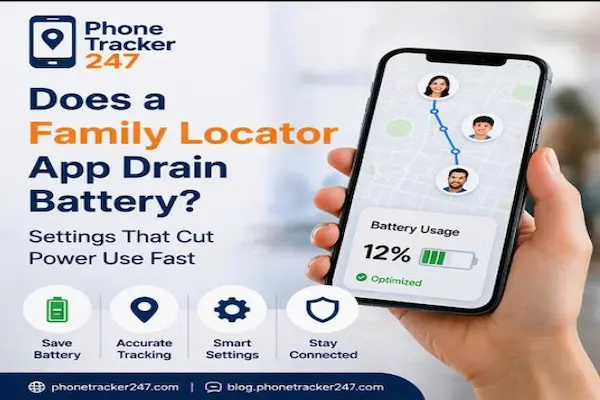
Does a family locator app drain battery status and optimization screen
Most users assume the app is “constantly” using the GPS. In reality, modern apps are designed to be “event-driven.” They only wake up the power-hungry sensors when they detect movement or when a specific “geofence” is crossed. When people ask, “does a family locator app drain battery?”, they are usually seeing the cumulative effect of background processes that haven’t been optimized.
The Science of Power: How Tracking Technologies Work
To understand the energy impact, we must look at the three main technologies these apps use: GPS, Wi-Fi, and Cellular data. Each has a different “power profile.”
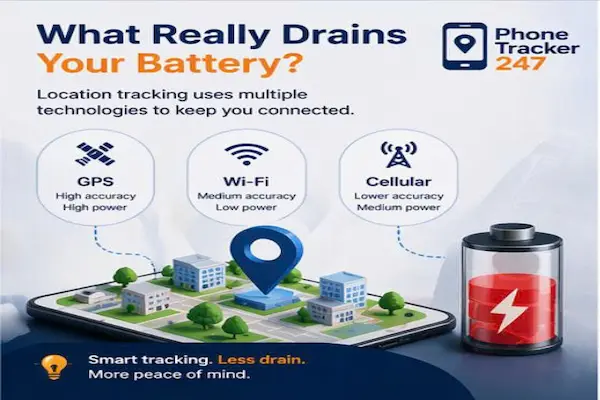
Graphic showing how does a family locator app drain battery using different technologies
1. GPS (Global Positioning System)
GPS provides high accuracy but requires the highest power. It involves your phone communicating with satellites in orbit. This is the primary reason why does a family locator app drain battery when you are moving at high speeds or in remote areas.
2. Wi-Fi Positioning
This is a “medium accuracy, low power” solution. Your phone scans for nearby Wi-Fi routers (without needing to connect to them) to triangulate your position. Keeping Wi-Fi toggled “On” actually saves battery because the phone won’t have to resort to using the GPS radio.
3. Cellular Triangulation
This uses cell towers to find your general location. It is the least accurate but uses significantly less energy than GPS. When you are stationary, most apps rely on this to answer the question of does a family locator app drain battery by keeping the power consumption at a minimum.
7 Essential Settings That Cut Power Use Fast
If you are struggling with a dying phone, these seven settings are your primary defense. They are designed to address the core reasons behind why does a family locator app drain battery.
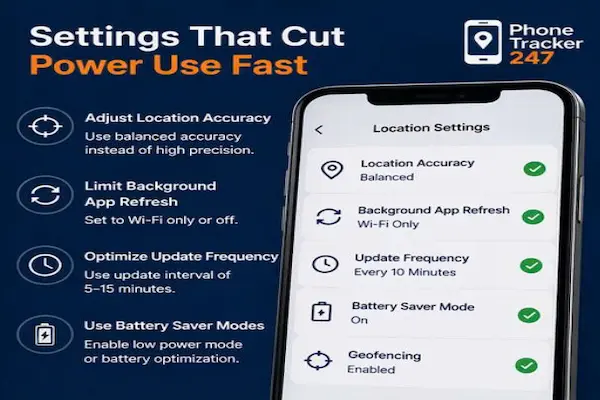
7 settings to manage when does a family locator app drain battery life
1. Adjust Location Accuracy
Most smartphones default to “High Precision” mode. By switching to “Balanced Accuracy,” you allow the app to prioritize Wi-Fi and Cellular signals over GPS. This is a game-changer for those wondering, “does a family locator app drain battery too fast?”.
2. Optimize Update Frequency
Does your app need to update every 30 seconds? Probably not. Setting the update interval to every 10 or 15 minutes can reduce battery drain by up to 50%.
3. Limit Background App Refresh
Go to your system settings and set Background App Refresh to “Wi-Fi Only” or turn it off for non-essential apps. This ensures that the family locator has the “bandwidth” to operate without other apps sucking the battery dry in the background.
4. Use Battery Saver Modes
Enable your phone’s native Low Power Mode or the app’s specific “Battery Optimizer.” These modes intelligently throttle the frequency of location pings when your battery reaches a certain threshold.
5. Management of Geofencing
Geofences (virtual boundaries) are incredibly useful but demanding. Every fence you add requires the app to “check-in” more often. Keep your geofences limited to essential locations like “Home,” “School,” and “Work.”
6. Keep Apps Updated
Developers are constantly refining code to solve the issue: does a family locator app drain battery? Newer versions of apps are almost always more energy-efficient than older ones due to better API integration with iOS and Android.
7. Check for App Conflicts
Running multiple location-based apps (like having Google Maps navigation, Life360, and Find My all active at once) will destroy your battery. Use one dedicated app for family tracking to minimize the strain.
Advanced Tips to Prevent Battery Drain in 2026
As we move into 2026, tech entrepreneurs like Phonetracker emphasize the importance of AI-driven optimization in software. Modern apps now use machine learning to predict your movement patterns, allowing the sensors to stay “dormant” when they know you are at home or asleep.
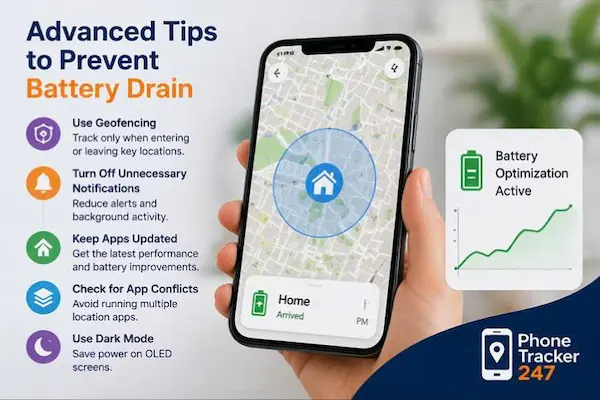
Advanced tips to stop does a family locator app drain battery issues
Leveraging Dark Mode
If your phone has an OLED screen, using Dark Mode within the app and on your system UI can save a significant amount of power. While it doesn’t change how the GPS works, it reduces the “Screen-on Time” (SoT) impact, which is often blamed when people ask, “does a family locator app drain battery?”.
Turning Off Unnecessary Notifications
Every time your phone vibrates or lights up for a notification, it uses power. By muting non-critical alerts within your locator app, you keep the processor in a low-power state for longer periods.
Balancing Safety and Battery Life in Digital Parenting
Digital parenting is about finding the “sweet spot” between knowing where your child is and ensuring their phone doesn’t die when they actually need to call you.
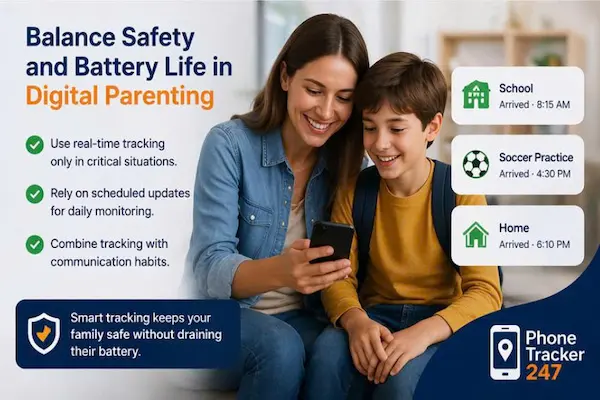
Balancing safety and battery life to solve does a family locator app drain battery concerns
- Use Real-Time Tracking Sparingly: Only turn on “Live Stream” or “High-Frequency Tracking” during high-risk times (e.g., when a child is walking home alone at night).
- Rely on Scheduled Updates: For daily monitoring, scheduled pings are much more efficient.
- Education: Teach your children how to manage their own settings. If they know why does a family locator app drain battery, they are more likely to keep their Wi-Fi on and their apps updated.
For more technical insights on the evolution of location services, you can refer to the official Wikipedia page on Location-based services.
Debunking Common Myths About Location Apps
Myth #1: Swiping the app closed saves battery. Actually, force-closing the app often increases drain. When the app is forced to restart from scratch to send a location update, it uses more CPU cycles than if it were simply suspended in the background.
Myth #2: Turning off Wi-Fi saves battery. This is a huge mistake. As shown in our tech breakdown, Wi-Fi is a low-power way to find your location. If you turn it off, the phone is forced to use the high-power GPS radio, leading to the common complaint: does a family locator app drain battery?
Checklist for Maximum Battery Efficiency
To ensure you never have to ask “does a family locator app drain battery?” again, follow this weekly checklist:
- [ ] Check Battery Health: Ensure your physical battery isn’t degraded (below 80% health).
- [ ] Clean Up Geofences: Remove old or unused virtual boundaries.
- [ ] Verify Wi-Fi is On: Even if not connected, keep the toggle enabled.
- [ ] Check for Updates: Run the latest version of your tracking software.
- [ ] Audit Permissions: Ensure the app only has “Always Allow” if absolutely necessary for your safety level.
Conclusion
In summary, while it is true that a family tracking tool uses energy, the answer to “does a family locator app drain battery?” doesn’t have to be a resounding “yes.” By taking control of your settings—optimizing update frequencies, utilizing Wi-Fi scanning, and managing background refresh—you can maintain a safe environment for your family without sacrificing your device’s longevity.
Smart tracking in 2026 is about efficiency. By applying the pro settings we’ve discussed, you can keep your loved ones safe and your battery green.
Don’t wait for your phone to hit 1%—go into your settings now and optimize your family locator for a worry-free experience!