When keeping your loved ones safe, family locator app accuracy is the single most critical factor you rely on. Nothing is more frustrating than opening your tracking map only to see your child’s or partner’s GPS pin drifting blocks away from their actual location. This common phenomenon, known as “GPS drift,” can cause unnecessary panic and confusion.
In this comprehensive guide, we will dive deep into the technology behind these applications. We will explore exactly why these frustrating geographical errors happen on your smartphone. More importantly, we will provide you with actionable, step-by-step solutions to dramatically improve your family locator app accuracy.
Whether you are using an iPhone or an Android device, optimizing your settings is easier than you think. By the end of this article, you will have all the knowledge needed to ensure your tracking pins stay locked onto their true targets.
Table of Contents
- Understanding Family Locator App Accuracy
- How Location Tracking Apps Actually Work
- Top Reasons Why GPS Pins Drift
- 7 Actionable Ways to Improve Family Locator App Accuracy
- The Future of Tracking Technology and AI Integration
- Frequently Asked Questions (FAQ)
- Final Thoughts on Keeping Your Family Safe
Contents
Understanding Family Locator App Accuracy
To truly maximize your family locator app accuracy, you first need to understand the basic mechanics of mobile tracking. Your smartphone does not rely on just one single piece of technology to find out where you are. Instead, it uses a complex, layered system to pinpoint your exact coordinates on the globe.
When one system fails or is obstructed, the phone relies on the next best option. This fallback mechanism is often the primary reason why you experience sudden jumps in location. If you want the highest level of family locator app accuracy, all of these underlying systems must be functioning together in perfect harmony.
How Location Tracking Apps Actually Work
Your smartphone utilizes a combination of GPS (Global Positioning System), cellular towers, and Wi-Fi networks to determine your location. GPS is a satellite-based navigation system that provides the most precise location data. To get a perfect fix, your phone’s internal antenna needs a clear line of sight to at least four different satellites in orbit.
When a clear line of sight is available, your family locator app accuracy can be precise down to just a few meters. However, satellites are positioned roughly 20,000 kilometers above the Earth. Because of this massive distance, the signals they send down to your phone are incredibly weak and easily disrupted by physical objects.
If the GPS signal drops, your phone automatically switches to cellular tower triangulation. It measures the time it takes for a signal to bounce between nearby cell towers to guess your location. While this keeps you connected, it significantly reduces your family locator app accuracy, often resulting in a wider location radius.
The Reality of GPS Pin Drift
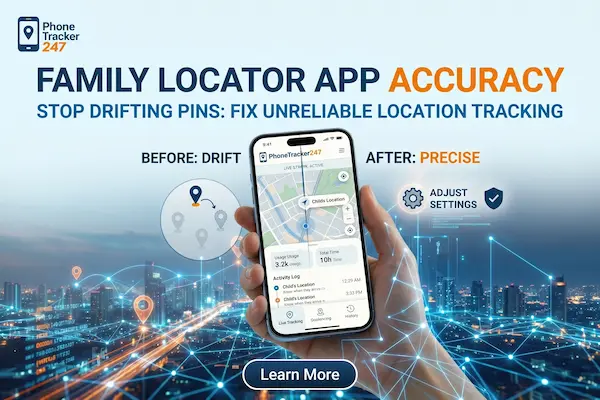
GPS pin drift happens when your app receives conflicting or weak data from these location sources. You might look at your screen and see a family member’s avatar “walking” across a river or standing in the middle of a highway. This does not mean they are actually there; it simply means their device is struggling to calculate its true mathematical position.
Top Reasons Why GPS Pins Drift
To effectively troubleshoot and enhance your family locator app accuracy, we need to identify the exact culprits causing the interference. Several environmental and software factors can block signals or force your phone to stop updating its location in real-time.
1. Environmental Obstructions and “Urban Canyons”
The most common enemy of family locator app accuracy is the physical environment around the device. As mentioned earlier, GPS signals from space are easily blocked by dense materials. If your loved one walks into a large shopping mall, a concrete parking garage, or a basement, the app will instantly lose its high-precision satellite connection.
Furthermore, people living in major metropolitan areas often experience the “urban canyon” effect. Towering skyscrapers can block satellite signals from reaching the street level directly. Instead, the signal bounces off the glass and steel of the buildings before hitting the phone, tricking the device into thinking it is further away than it actually is.
2. Battery Saving Modes and Background Restrictions
Modern smartphones are designed to conserve battery life aggressively. One of the biggest drains on a battery is continuous, real-time GPS tracking. Therefore, operating systems like iOS and Android will often put location apps to “sleep” when they are running in the background.
When the operating system restricts an app’s background activity, it stops asking the GPS chip for location updates. This severely damages your family locator app accuracy, causing the app to display a “stale” or outdated location until the user physically unlocks their phone and opens the app again.
3. Wi-Fi and Bluetooth Deactivation
Many users turn off Wi-Fi and Bluetooth when they leave the house to save battery. However, disabling these features is a massive mistake if you care about family locator app accuracy. Companies like Apple and Google have mapped millions of public Wi-Fi routers and Bluetooth beacons around the world.
Even if you are not connected to a specific Wi-Fi network, your phone can passively scan for nearby routers. It checks these routers against a massive global database to pinpoint your location instantly, especially when you are indoors where satellites cannot reach. Turning off Wi-Fi forces your phone to rely solely on inaccurate cell towers.
7 Actionable Ways to Improve Family Locator App Accuracy
Now that we know the causes of pin drift, let’s explore how to fix them. By implementing the following seven technical adjustments on your family’s devices, you can achieve the highest possible level of family locator app accuracy.
Step 1: Enable “High Accuracy” Location Mode
The first and most crucial step is ensuring the device is allowed to use all available sensors. On Android devices, you must navigate to the Location settings and ensure “Google Location Accuracy” is toggled on. This setting allows the phone to use Wi-Fi, mobile networks, and sensors alongside GPS to estimate the location.
On iOS devices, go to Settings, Privacy & Security, and Location Services. Tap on your specific family locator app and ensure the “Precise Location” toggle is turned on. Without this enabled, Apple will only provide the app with a generalized, approximate location, which completely ruins your family locator app accuracy. For a deeper understanding of how precise satellite data works, you can read more about the Global Positioning System on Wikipedia.
Step 2: Keep Wi-Fi and Bluetooth Toggled On
As discussed, Wi-Fi positioning is essential for indoor tracking. Make it a strict household rule to keep Wi-Fi and Bluetooth turned on at all times, even when traveling. You do not need to actively connect to public networks; the mere act of having the antenna scanning is enough.
This simple habit provides a massive boost to your family locator app accuracy when someone enters a school, an office building, or a grocery store. It bridges the gap seamlessly when the direct line of sight to the sky is lost.

Step 3: Disable Battery Optimization for the App
To prevent the operating system from “strangling” your app’s background updates, you must exempt the locator app from battery optimization. On Android, go to Settings, Apps, find your locator app, and select “Unrestricted” under the battery usage menu.
On iPhones, ensure that “Background App Refresh” is turned on for the app. By giving the app permission to run freely in the background, you guarantee that it can ping its location to the server constantly. This eliminates stale data and drastically improves real-time family locator app accuracy.
Step 4: Grant “Always” Location Permissions
When you first install a tracking app, the phone will ask how often it can access your location. If you select “While Using the App,” the app will literally stop working the second you put the phone in your pocket.
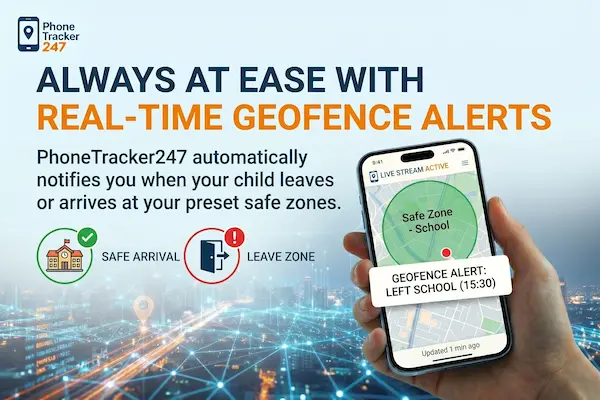
For the best family locator app accuracy, you must dive into the device settings and change the permission to “Always Allow.” This ensures the app has continuous access to the GPS chip, allowing you to track movement history and receive accurate geofencing alerts when your child arrives at school.
Step 5: Keep the App and Operating System Updated
Software bugs are a silent killer of family locator app accuracy. App developers frequently release patches to fix mapping algorithms, improve battery efficiency, and resolve background syncing issues.
Make sure automatic updates are enabled in the App Store or Google Play Store. Furthermore, keeping the core operating system updated ensures that the phone’s communication with the physical GPS hardware remains optimized and free of glitches.
Step 6: Calibrate the Device’s Compass
Sometimes the GPS knows exactly where you are, but the phone’s internal compass gets confused about which direction you are facing. This can cause the avatar on your map to face the wrong way or jump erratically.
To fix this and fine-tune your family locator app accuracy, open Google Maps or Apple Maps and move your phone in a “Figure 8” motion. This simple action recalibrates the internal sensors, aligning the software with the physical hardware and stabilizing the GPS pin.
Step 7: Clear the App’s Cache (Android Specific)
If you are using an Android device and suddenly experience terrible family locator app accuracy, the app’s temporary data cache might be corrupted. Accumulated junk files can cause the software to freeze or send delayed location pings to the server.
Go to Settings, select Apps, find your family locator, tap Storage, and hit “Clear Cache.” This acts as a soft reset for the app’s internal memory without deleting your account or history, often resolving stubborn location freezing issues instantly.
The Future of Tracking Technology and AI Integration
The tech landscape is evolving rapidly, and the future of family locator app accuracy looks incredibly promising. Developers are no longer just relying on raw GPS data; they are integrating Artificial Intelligence to predict and smooth out location errors. AI algorithms can now analyze movement patterns to intelligently filter out impossible GPS jumps, ensuring a much smoother tracking experience.
We are seeing a massive shift in how brands and tech entrepreneurs approach consumer safety software. Leading minds in the industry recognize that user experience heavily relies on seamless background technology. For instance, experts like Minh Phuong Albert – Tech Entrepreneur, Creator, AI Branding emphasize the importance of AI-driven solutions to build smarter, more reliable digital ecosystems.
As AI continues to learn and adapt, future apps will be able to distinguish between a user walking into a tunnel and a true loss of signal. This means that the frustrating days of extreme GPS pin drift will soon be entirely a thing of the past.

Frequently Asked Questions (FAQ)
Q: Why does my child’s location jump to the neighbor’s house? A: This is classic GPS drift caused by interference. If they are indoors, the satellite signal is weak, and the phone is guessing the location based on the nearest cell tower or Wi-Fi router. Improving family locator app accuracy here requires leaving Wi-Fi turned on.
Q: Does weather affect family locator app accuracy? A: Yes, extreme weather conditions can have a minor impact. Heavy rain, thick cloud cover, and severe solar storms can slightly degrade the GPS signal traveling from space to your phone, temporarily reducing family locator app accuracy.
Q: Will these settings drain my battery significantly? A: While granting “Always Allow” location access and disabling battery optimization will consume more power, modern apps are highly optimized. The slight trade-off in battery life is well worth the massive improvement in reliable family locator app accuracy and peace of mind.
Conclusion: Maximizing Your Family Locator App Accuracy
Ensuring the safety of your loved ones in a digital world requires reliable tools. While technology is never 100% perfect, taking a proactive approach to your smartphone’s settings makes a world of difference. GPS drift and signal drops are common, but they are entirely manageable.
By enabling high-accuracy modes, preventing aggressive battery optimization, and keeping Wi-Fi scanning active, you take full control of your software. Remember, family locator app accuracy depends just as much on how you configure the device as it does on the satellites in the sky.
Take ten minutes today to review the settings on your family’s smartphones using the seven steps outlined above. By doing so, you will eliminate frustrating pin drift, guarantee real-time updates, and enjoy the true peace of mind that comes with flawless family locator app accuracy.