The internet feels a lot like a modern city. It gives you access to work, learning, shopping, and connection in seconds, but not every street is safe, and not every sign tells the truth. That is why learning practical internet safety tips matters more than ever. A few smart habits can help you avoid scams, protect your personal data, and reduce the risk of account theft or privacy loss. Whether you are browsing for yourself, helping your child stay safer online, or managing family devices, the right approach starts with awareness, simple routines, and better digital choices every day. Let’s find out more in this article with PhoneTracker247.
Internet Safety Tips to Protect Your Accounts and Devices
Strong account security and well-maintained devices form the base of online protection. These steps may seem basic, but they reduce a large share of common digital threats. When users ignore them, even safe browsing habits become less effective.
Use strong passwords and a password manager
Passwords still protect many of the most important parts of your digital life. Weak or reused passwords remain one of the easiest ways for attackers to break into accounts. Stronger credentials reduce that risk immediately.
- Create long, unique passwords
Use a passphrase or a combination of unrelated words, numbers, and symbols that is difficult to guess and easy to avoid repeating. - Never reuse passwords across key accounts
Your email, banking apps, cloud storage, and social platforms should all have separate passwords. - Use a password manager for convenience
A password manager helps generate strong login details and stores them securely, so you do not need to remember everything yourself.
Turn on two-factor authentication whenever possible
Two-factor authentication adds a second layer of protection after your password. Even if someone gets your login details, they still need another verification step to enter the account.
- Protect your most important accounts first
Start with email, financial apps, work accounts, and social media profiles because they often connect to other services. - Use authentication apps when available
These are often more secure than relying only on text-message codes. - Treat 2FA as a standard setting
It takes only a few extra seconds during login, but it can prevent major problems later.
See more: How to remove Parental Controls on Android
Keep devices, apps, and browsers updated
Software updates do more than add features. Many updates fix security weaknesses that criminals actively try to exploit. Delaying them gives outdated systems more time to remain vulnerable.
- Update phones, tablets, and computers regularly
Device operating systems need security patches just as much as apps do. - Do not ignore browser updates
Browsers handle passwords, payment details, and site permissions, so keeping them current is essential. - Enable auto-updates where practical
Automatic updates reduce the chance of forgetting critical fixes.

Internet Safety Tips for Safer Browsing and Communication
A large share of online threats appears during normal browsing, messaging, and daily communication. This makes user behavior just as important as device settings. Safer browsing starts with slowing down and checking before reacting.
Think before clicking links, pop-ups, or attachments
Many scams succeed because they trigger an emotional response first. Fear, urgency, curiosity, and excitement all reduce caution. Learning to pause before clicking is one of the most useful internet safety tips.
- Check who sent the message
A familiar brand name does not guarantee a real sender. Look closely at the email address, domain, or profile details. - Avoid unexpected attachments
Files can carry malware or direct you to fake login pages. - Question urgent language
Messages that say your account will close, your package failed, or your prize is waiting often push people into fast mistakes.
Check website security before sharing information
Not every website that looks professional is trustworthy. Some fake pages copy the design of well-known services to steal passwords, payment details, or personal data.
- Review the domain carefully
Small spelling changes or added characters often reveal an imitation site. - Be cautious with login pages
If a website asks for sensitive details unexpectedly, leave and access the service through its official homepage instead. - Do not trust appearance alone
A polished design does not prove legitimacy. Users should verify the source before submitting anything important.
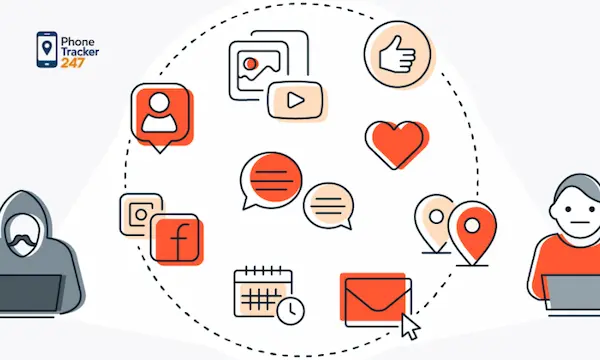
Be careful with what you post and share online
Oversharing is one of the easiest ways to weaken privacy without realizing it. Photos, comments, and public updates can reveal habits, relationships, schedules, and locations that others can misuse.
- Limit public personal details
Avoid posting your address, school name, daily routines, or travel plans openly. - Check your photos for hidden clues
Background details, uniforms, street names, and house numbers may reveal more than the main image. - Think long-term before posting
Once content spreads, removing it completely becomes difficult.
Internet Safety Tips for Families and Kids
Children and teens use the internet for learning, entertainment, and social connection, but they do not always recognize risks early enough. Families need a practical system that combines education, boundaries, and honest communication. The goal should be safety, not fear.
Teach kids how to recognize risky online behavior
Children need more than warnings. They need examples and simple rules they can remember when something feels wrong online. Safety becomes stronger when kids know what to watch for and what to do next.
- Explain common warning signs
Teach them to be cautious of strangers in chats, suspicious links, fake giveaways, and requests for private photos or personal information. - Encourage questions without punishment
Kids are more likely to report issues when they know they will be helped instead of blamed. - Use real situations to practice
Short discussions about game chats, social messages, or video-sharing apps make lessons easier to apply.

Set boundaries for apps, screen time, and privacy
Children benefit from clear digital rules, especially when those rules are consistent and explained well. Boundaries help families reduce risk while keeping trust intact.
- Review apps before downloading
Parents should check age suitability, permissions, chat features, and privacy settings before approving use. - Create family rules for sharing
Decide what children should never post publicly, including school details, home location, or private conversations. - Make privacy checks routine
Review account settings together so children understand how visibility and permissions work.
Use monitoring tools ethically and transparently
Some families choose to use device monitoring for safety reasons, especially when younger children are involved. The best approach is honest, legal, and centered on protection rather than secret control. Tools like PhoneTracker247 fit best when used transparently to support awareness, device safety, and responsible digital supervision.
- Focus on safety, not hidden surveillance
Parents should explain what is being monitored and why, especially when the goal is to reduce online risks or improve family trust. - Use tools as part of a wider safety plan
Monitoring should support conversations, boundaries, and education rather than replace them. - Respect consent and legal use
Responsible digital safety tools work best when families use them with clarity, transparency, and the right expectations.
Quick Internet Safety Checklist for Everyday Use
Online safety improves when users turn advice into repeatable actions. A simple checklist helps reduce forgetfulness and makes safer behavior easier to maintain.
- Update your phone, apps, browser, and computer regularly
- Use a unique password for every important account
- Turn on two-factor authentication where available
- Avoid clicking suspicious links or downloading unknown files
- Review your social media privacy settings often
- Limit how much personal information you post publicly
- Avoid sensitive logins on public Wi-Fi without protection
- Back up important photos, documents, and account data
- Talk with children regularly about online behavior
- Use trusted digital safety tools when extra support is needed
Common Internet Safety Mistakes to Avoid
Many online problems start with ordinary behavior, not advanced attacks. That is why reducing common mistakes can improve digital safety quickly.
- Reusing the same password everywhere
This turns one data breach into a much wider security issue. - Trusting urgent messages too fast
Scammers rely on emotional pressure to stop users from checking details. - Downloading apps from unknown sources
Unofficial downloads increase the chance of malware or unsafe permissions. - Ignoring software updates
Delays leave known vulnerabilities open longer than necessary. - Sharing too much personal information publicly
Oversharing can create privacy, fraud, and even physical safety concerns. - Assuming children already know how to stay safe online
Digital confidence is not the same as digital awareness.
Final Thoughts on Building Safer Online Habits
The best internet safety tips are not always the most technical. They are often the small habits you repeat every day without much effort. Strong passwords, careful clicking, better privacy settings, smarter sharing, and regular family conversations all add up over time. Online safety is not about living in fear of the internet. It is about using it with more awareness, better boundaries, and stronger protection.
Want a smarter way to protect your family online? Explore PhoneTracker247 to support safer digital habits, improve device awareness, and build online protection with transparency and consent.
For daily updates, subscribe to PhoneTracker’s blog!
We may also be found on Facebook!
FAQs – Internet Safety Tips
1. What are internet safety tips?
They are habits that help protect accounts, devices, and privacy.
2. Why is internet safety important?
It helps reduce scams, data theft, and online risks.
3. What is the first internet safety step?
Use strong, unique passwords for important accounts.
4. Should I use two-factor authentication?
Yes, 2FA adds an extra login security layer.
5. Why are software updates important?
Updates fix security weaknesses and protect devices.
6. How can I avoid phishing links?
Check senders, domains, attachments, and urgent messages.
7. Should I share personal details online?
No, limit public details like address, school, or routines.
8. How can parents protect kids online?
Use rules, privacy checks, and regular safety talks.
9. Are monitoring tools useful for families?
Yes, when used legally, clearly, and transparently.
10. What is the safest daily habit?
Think before clicking, sharing, or downloading anything.