Passwords remain one of the most exploited attack vectors in enterprise environments, even as organizations adopt zero-trust models and cloud-first infrastructures. In 2026, businesses rely on dozens, sometimes hundreds of SaaS tools, internal dashboards, APIs, and third-party platforms, all protected by credentials that must be managed securely and consistently.
This is where an enterprise password manager becomes a critical security layer rather than a convenience tool. This article explores what enterprise password managers are, the features that matter most today, and a detailed comparison of the top solutions in 2026 to help organizations make informed decisions.
What Is an Enterprise Password Manager?
Before comparing tools, it is important to understand what differentiates an enterprise-grade solution from consumer password apps. Enterprise environments introduce complexity around scale, access control, compliance, and accountability that personal tools are not designed to handle.
An enterprise password manager acts as a centralized system for managing credentials securely across teams, departments, and locations while giving administrators full visibility and control.
Definition and Core Purpose
An enterprise password manager is a centralized system designed to securely store, manage, share, and audit credentials across an organization. Unlike consumer tools, it is built for scale, governance, and compliance.
Its core purposes include:
- Eliminating insecure password practices (spreadsheets, shared notes, reused credentials)
- Enforcing strong password policies across teams
- Providing controlled access to sensitive systems
- Creating visibility into how credentials are used
In modern enterprises, password management is not just about convenience—it is about reducing breach risk.

How Enterprise Password Managers Work
Most enterprise-grade solutions operate on a zero-knowledge architecture, meaning the provider cannot access stored passwords. Credentials are encrypted locally on the user’s device before being synced to secure vaults.
Common components include:
- Encrypted password vaults (individual and shared)
- Admin dashboards for user and access management
- Role-based access control (RBAC)
- Audit logs and activity reports
- Browser extensions and mobile apps
This structure allows organizations to maintain control while enabling employees to work efficiently.
Enterprise vs Personal Password Managers
While personal tools focus on individual convenience, enterprise solutions differ in several critical ways:
- Scalability: Designed for hundreds or thousands of users
- Admin oversight: Centralized control over access and policies
- Compliance: Reporting and auditing for regulatory requirements
- Lifecycle management: Provisioning and deprovisioning users instantly
A personal password manager may work for freelancers. A growing company needs something far more robust.
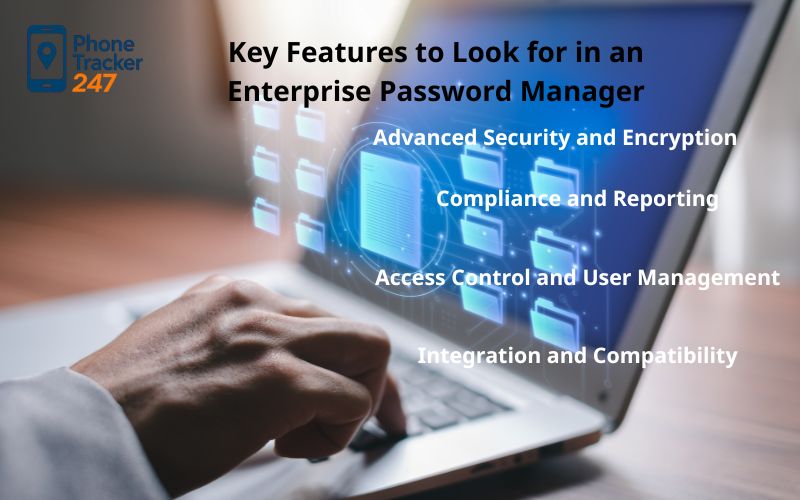
Key Features to Look for in an Enterprise Password Manager
Not all solutions labeled “enterprise” deliver the same value. In 2026, organizations should evaluate tools based on the following criteria.
Advanced Security and Encryption
Security is non-negotiable. At minimum, an enterprise password manager should offer:
- AES-256 encryption
- Zero-knowledge architecture
- Secure password generation
- Protection against phishing and credential stuffing
Some platforms also include dark web monitoring or breach alerts, adding another layer of defense.
Access Control and User Management
Effective credential management depends on precision. Look for:
- Role-based access control
- Granular permissions for shared vaults
- Time-limited or conditional access
- Automatic revocation when employees leave
This is especially important for remote teams and contractors.
Compliance and Reporting
For regulated industries, compliance features matter as much as security:
- Detailed audit logs
- Activity tracking by user and device
- Compliance with SOC 2, ISO 27001, GDPR, HIPAA, or similar standards
These capabilities help organizations pass audits and investigate incidents quickly.
Integration and Compatibility
A password manager for enterprises must fit into existing infrastructure:
- SSO and identity provider integration
- Active Directory or Azure AD support
- Browser compatibility
- Mobile and desktop apps
The smoother the integration, the higher the adoption rate.
Top Enterprise Password Manager Apps in 2026
Based on security standards, usability, and enterprise adoption, the following tools stand out this year.
Phone Tracker 247 (Enterprise Monitoring-Focused Solution)
Phone Tracker 247 approaches enterprise password and access security from a broader monitoring and visibility perspective.
Key Features
- Centralized monitoring of device activity and credential-related behavior
- Real-time alerts for suspicious access patterns
- Cross-device tracking for company-managed phones and systems
- Admin dashboards designed for enterprise oversight
Pros
- Strong visibility into real-world access behavior beyond password storage
- Useful for managing remote or mobile-heavy workforces
- Supports internal security audits and policy enforcement
Cons
- Not a traditional standalone password vault
- May require integration with existing password managers for full coverage

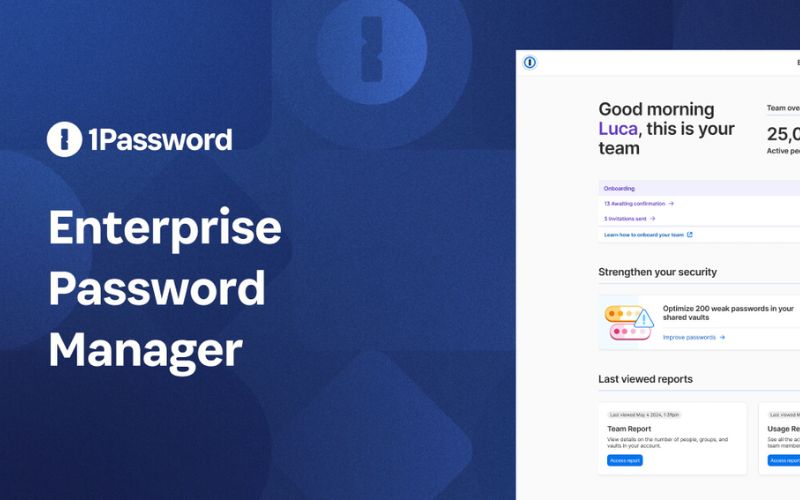
1Password Business
1Password Business continues to lead the market for organizations prioritizing both security and user experience.
Strengths
- Excellent encryption and zero-knowledge design
- Intuitive interface for non-technical users
- Strong admin controls and vault sharing
- Reliable cross-platform support
Limitations
- Higher pricing for large teams
- Some advanced reporting features are limited compared to competitors
Best for: Mid-to-large enterprises that value usability and strong security culture.
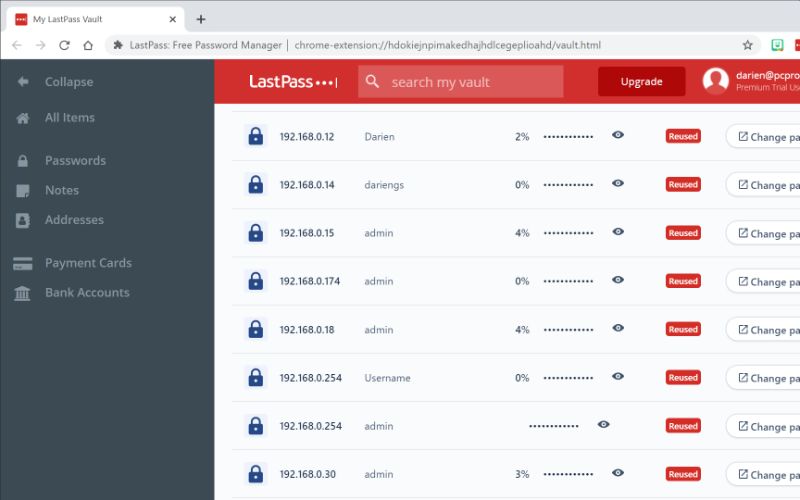
LastPass Business
Despite past security incidents, LastPass remains widely used, especially among legacy organizations.
Strengths
- Familiar interface
- Broad integration ecosystem
- Strong policy enforcement options
Limitations
- Reputation impact from previous breaches
- Advanced features locked behind higher tiers
Best for: Organizations already embedded in the LastPass ecosystem but willing to invest in premium security options.
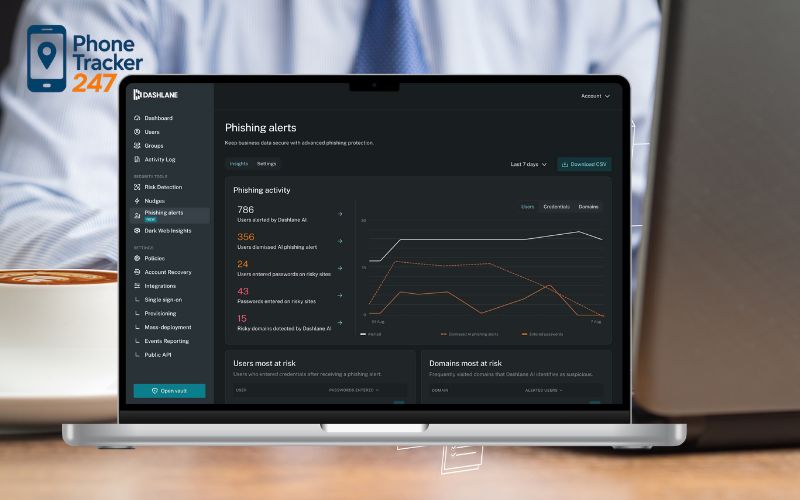
Dashlane Business
Dashlane positions itself as a security-first platform with automation features.
Strengths
- Built-in VPN and dark web monitoring
- Password health analytics
- Clean user experience
Limitations
- Limited customization for very large enterprises
- Pricing can escalate with add-ons
Best for: Companies seeking automated password hygiene and visibility.
Bitwarden Enterprise
Bitwarden has gained significant traction as a trusted open-source solution.
Strengths
- Transparent, open-source codebase
- Flexible deployment (cloud or self-hosted)
- Competitive pricing
- Strong community trust
Limitations
- Interface less polished than premium competitors
- Requires more technical involvement for customization
Best for: Security-focused teams and organizations with in-house technical expertise.
Keeper Enterprise
Keeper is designed with compliance and governance in mind.
Strengths
- Advanced reporting and auditing
- Strong support for regulated industries
- Granular access controls
Limitations
- Interface can feel complex
- Onboarding may require training
Best for: Enterprises in finance, healthcare, or government sectors.
Enterprise Top Password Manager Comparison Table
Choosing an enterprise password manager in 2026 is no longer just about storing passwords securely. Enterprises now need solutions that balance usability, scalability, administrative control, and cost efficiency—especially as remote work and cloud-based operations continue to expand.
To help you evaluate the top options more clearly, the comparison table below breaks down leading enterprise password managers based on real-world business use cases.
| App | Best For | Ideal Company Size | Key Features (Summary) | Pros | Cons | Estimated Pricing |
| 1Password Business | Teams prioritizing usability and adoption | SMB to large enterprises | Secure shared vaults, password health monitoring, smooth admin controls | Excellent user experience, fast onboarding, strong brand trust | Limited deep compliance tooling | ~$7–10 per user/month |
| LastPass Business | Companies already familiar with LastPass ecosystem | SMB to mid-size enterprises | Centralized password vaults, admin policies, broad app integrations | Easy rollout, familiar interface, wide integrations | Trust concerns from past incidents, advanced features cost extra | ~$4–8 per user/month |
| Dashlane Business | Teams focused on password health & monitoring | SMB to mid-size enterprises | Password health scores, dark web monitoring, risk alerts | Clean UI, proactive security insights | Limited customization for large enterprises | ~$5–9 per user/month |
| Bitwarden Enterprise | Security-focused or technical organizations | Mid-size to large enterprises | Open-source architecture, self-hosting option, flexible policies | Transparent, cost-effective, highly configurable | UI less polished, steeper learning curve for non-technical users | ~$3–7 per user/month |
| Keeper Enterprise | Highly regulated industries | Large enterprises | Advanced policy enforcement, detailed audit controls, compliance support | Strong governance, ideal for finance & healthcare | More complex setup, higher cost | ~$8–12 per user/month |
| Phone Tracker 247 | Enterprises needing access visibility & device monitoring | Mid-size to large enterprises | Device activity monitoring, access behavior tracking, real-time alerts, admin dashboards | Strong oversight of real-world access behavior, useful for remote teams, supports internal audits | Not a standalone password vault, requires integration with password managers | Custom enterprise pricing |
Rather than choosing the “most popular” option, use this table to match each enterprise password manager to your company’s size, security maturity, and operational needs. The best solution is the one that aligns with how your teams actually work—not just how features look on paper.
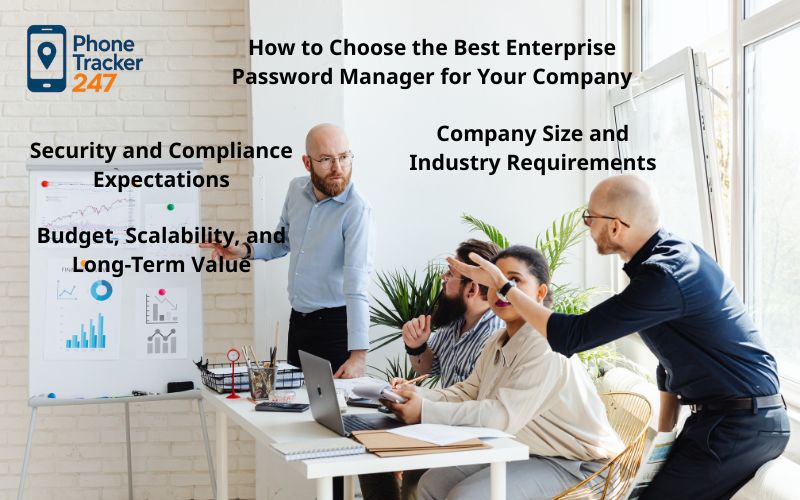
How to Choose the Best Enterprise Password Manager for Your Company
Choosing the right enterprise password manager requires looking beyond feature lists and focusing on how the tool fits your organization in practice. The following factors help narrow down the most suitable option based on real enterprise needs.
- Company Size and Industry Requirements
Small teams often prioritize simplicity, quick setup, and minimal training, while larger or distributed enterprises need stronger governance, centralized management, and visibility across multiple departments. Organizations in regulated industries such as finance, healthcare, or legal services should place greater emphasis on compliance-ready tools that support audits and long-term access control. - Security and Compliance Expectations
Businesses handling sensitive information—such as customer data, financial records, or proprietary systems—should prioritize platforms with robust auditing, clear access tracking, and established incident response processes. Choosing an enterprise password manager aligned with recognized security standards can reduce both operational risk and compliance overhead. - Budget, Scalability, and Long-Term Value
While pricing matters, the lowest-cost option is rarely the most cost-effective over time. Scalability, reliability, quality of support, and ease of integration often deliver more value than short-term savings. A solution that grows smoothly with your organization helps avoid costly migrations and workflow disruptions later.
FAQs – Best Enterprise Password Managers
1. What is an enterprise password manager?
An enterprise password manager is a secure vault for teams that stores, shares, and audits credentials with admin controls.
2. Which features matter most in 2026?
Look for zero-knowledge encryption, MFA, RBAC, audit logs, and strong admin policy controls.
3. Do we need SSO and SCIM?
Yes for most companies. SSO reduces login friction, and SCIM automates user provisioning and offboarding.
4. How do enterprise password managers improve security fast?
They stop password reuse, enforce strong password rules, and reduce credential sprawl with shared vaults and access policies.
5. How do you share credentials safely across teams?
Use shared vaults with least-privilege roles, time-limited access for contractors, and instant revocation when someone leaves.
6. What is the difference between password management and secrets management?
Password managers handle human logins. Secrets management is for machine secrets like API keys, tokens, and CI/CD credentials.
7. What should compliance teams check first?
Check audit log depth, admin reporting, data residency options, and how access changes are tracked and exported.
8. How do you migrate to a new enterprise password manager?
Start with a pilot team, import vaults, enforce MFA and policies, then roll out by department with clear naming and ownership rules.
Conclusion: Which Enterprise Password Manager Is Best in 2026?
Enterprise password managers play a critical role in protecting organizational access in 2026, but no single tool fits every business. The right solution depends on how well it aligns with your company’s size, industry requirements, risk tolerance, and security maturity.
While platforms like 1Password, Bitwarden, and Keeper address password storage and access control from different angles, long-term security depends on more than choosing the right software. Effective implementation, consistent adoption, and ongoing oversight are what ultimately reduce risk.
Quick Summary Table
| Need / scenario | Best fit (quick pick) | Why it works | First setting to enable |
|---|---|---|---|
| Small team starting enterprise-grade security | Cloud enterprise password manager | Fast rollout, low IT overhead | Mandatory MFA |
| Mid-size company with frequent onboarding/offboarding | SSO + SCIM-ready manager | Automates access lifecycle, reduces mistakes | SCIM auto-provision + auto-deprovision |
| Sharing logins across departments | Shared vaults + RBAC | Least-privilege sharing, clear ownership | Role-based access (RBAC) |
| Compliance-driven environment | Deep audit logs + export | Proves who accessed what and when | Audit log retention + exports |
| Contractors and temporary access | Time-limited permissions | Reduces standing access risk | Expiring access / revoke on date |
| DevOps-heavy org | Add secrets management | Protects API keys and CI/CD tokens | Separate machine secrets from vault |
| Global teams | Data residency + policy controls | Meets regional requirements | Region policy + admin rules |
| Switching tools | Pilot then phased rollout | Low-risk migration, fewer disruptions | Pilot group + policy template |
For organizations looking to strengthen visibility beyond password management alone, Phone Tracker 247 app offers an additional layer of insight into device usage and access behavior. By complementing existing password policies with real-world monitoring, it helps enterprises better understand how security systems are actually used—making governance more practical and security more sustainable.