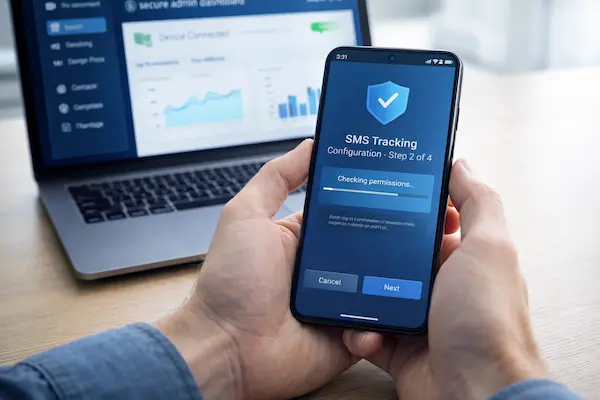
Free call log tools look like a quick win when you only need to confirm who called, when, and for how long. But the real trade off is rarely the subscription price. Free Call History Trackers can carry hidden costs in privacy, security, reliability, and consent, especially when families or workplaces are involved. This guide keeps the focus on what is realistic, what is risky, and what is worth paying for.
This article follows a consent-first, safety-first standard. It does not promote covert monitoring or illegal access.
1. 2026 Update: Why Free Call History Trackers Feel Less “Free” Than Ever
In 2026, the free call log market is more volatile. Platform protections are tighter, user expectations are higher, and anything that resembles covert monitoring draws faster pushback. The result is a bigger gap between “basic utilities” and “high-risk shortcuts.”
1. What changed in the last 12 to 18 months
Mobile operating systems keep hardening permissions, users are more alert to intrusive access, and app marketplaces are quicker to remove apps that trigger surveillance concerns. Many free tools that once worked consistently now break after updates, lose key permissions, or disappear from listings.
2. What “free” usually means now
“Free” often means the business model shifts elsewhere: ads, data collection, upsells, or trial pressure. The safest pattern is simple: if Free Call History Trackers ask for access that does not match their stated feature, treat that as a warning sign, not a bonus.
3. Who is most exposed to risk
Parents and teens face trust blowups when boundaries are unclear or data collection is too broad. Couples face escalation risk when monitoring is used to settle suspicion. Small businesses face policy and compliance risk when monitoring exists without notice, retention limits, and access control. The lower-risk path is always the same: clear consent, narrow scope, and minimal data.

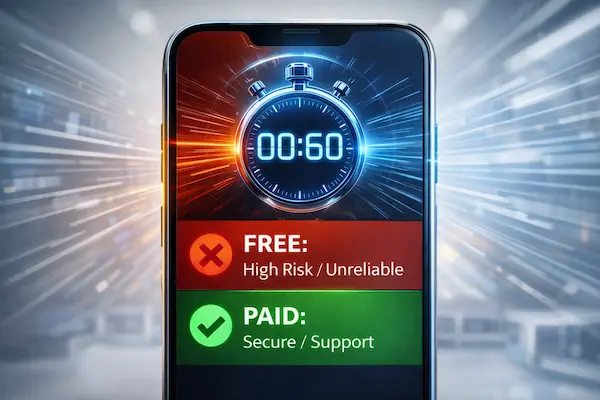
2. The 60-Second Answer: Free Call History Trackers vs Paid Plans
If you only need a basic call log view on a device you own or manage, free can be enough. If you need stable reporting, consistent sync, and support when things break, paid plans tend to be more dependable. The main question is not “free vs paid,” it is whether the setup is transparent, limited, and defensible.
1. Use Free Call History Trackers only in low-risk situations
Use Free Call History Trackers only when the device is yours (or a managed family or company device), the purpose is clear, and everyone affected understands the boundaries. Keep it simple: call log viewing only, short retention, and no extra permissions that do not directly support call logs.
2. Choose a paid plan when you need reliability and accountability
Paid plans are often worth it when you cannot afford gaps or guesswork. You are paying for predictable performance across OS updates, clearer documentation of what is collected, and someone to contact when records are missing or features fail.
3. The hard stop rule
If you cannot explain the monitoring and limits in one sentence, do not install it. The highest-risk tools are the ones that depend on secrecy, push broad permissions “just because,” or make unrealistic iPhone claims without clear, legitimate access. Free Call History Trackers are not worth it when the only way they “work” is by crossing trust or safety lines.
3. What “Call History” Really Means (And What It Does Not)
Before comparing apps, define the data. Most confusion happens when people expect “call history” to include call content, messaging, or app calls. A clear definition prevents over-collection, overspending, and risky installs that reach far beyond call logs, including some Free Call History Trackers that market themselves as all-in-one monitoring.
1. What call history usually includes
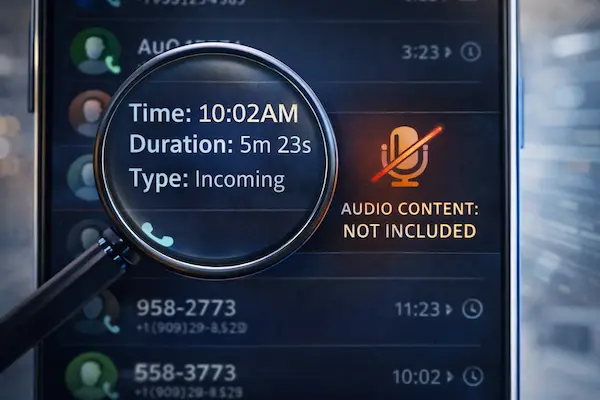
Call history (call logs) typically includes the phone number or contact name, date and time, incoming or outgoing direction, missed calls, and call duration. Some phones also show blocked calls and a simple timeline.
2. What call history does not include
Call history does not automatically include call content. It is not the same as call recording, voicemail audio, message content, or social app calls. If a tool claims it can provide “everything” from call history alone, that is usually marketing, not reality.
3. Android vs iPhone: what is realistically accessible
On Android, call log access is possible with the right permissions, but safer tools keep permissions tight and avoid unrelated access. On iPhone, third-party access to call logs is far more restricted, so claims of full call history syncing without clear device access or legitimate authorization should be treated skeptically. This is where many Free Call History Trackers overpromise and underdeliver.
4. How Free Call History Trackers Work Behind The Scenes
What matters is the data path: what the app reads, where it stores it, and who can access it.
1. On-device permissions: clean vs risky
A clean setup asks only for what call logs require. Risk rises when an app demands extra permissions that do not match call history, like Accessibility, device admin, or broad notification and file access.
2. Local-only vs cloud dashboards vs account access
Local-only tools keep data on the phone but are limited. Cloud dashboards add convenience but create retention and access risks. Account-level access (backups, synced accounts) concentrates credential risk and should be treated carefully.
3. “Real-time” claims: plausible vs marketing
Updates can be delayed by battery optimization, background limits, network issues, or OS changes. If a tool cannot explain its update method clearly, assume it will not be consistent.
4. Quick safety checklist before install
Verify publisher identity, review permissions, and confirm clear retention and deletion rules. Avoid sideloading, disabling protections, or broad access with no direct link to call logs, especially with Free Call History Trackers.

5. What Free Tools Usually Cannot Do Reliably
Many Free Call History Trackers look polished, but reliability is where they often fail, especially after OS updates and permission changes.
1. Gaps and mismatches are common
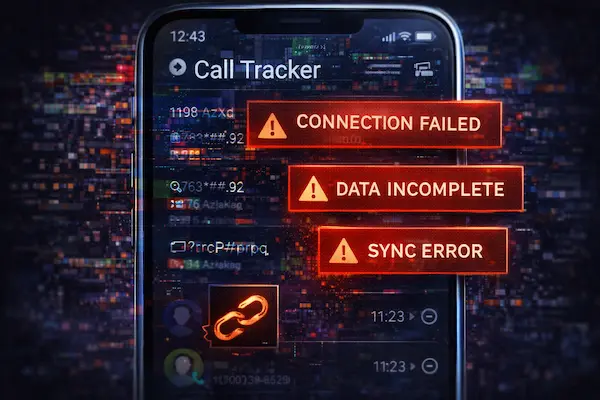
You may see missing calls, delayed updates, wrong contact names, duplicate entries, or timelines that do not match the phone’s native call log. When the data is inconsistent, people often make the wrong call based on incomplete records.
2. OS updates can break features without warning
Background limits, permission changes, and security patches can reduce what an app can read or how often it refreshes. Many free tools do not adapt quickly, so performance can degrade quietly over time.
3. Limited support means problems stay unresolved
Free products often have weak support, unclear bug-fix timelines, and little accountability when sync fails. If you need dependable records for safety or decision-making, this is where Free Call History Trackers become a liability.
4. Data quality is the hidden deal breaker
If a tool cannot explain what it captures, how often it updates, and what causes missing entries, assume the output is incomplete. In that case, built-in call logs or a more accountable option is safer than trusting unreliable data.
6. The Risk Map: Security, Privacy, Legal, And Trust
The real decision with Free Call History Trackers is not the price. It is whether the tool creates risks you cannot undo once data leaves the phone or trust breaks at home or work.
1. Security risks
Risk rises fast when an app asks for unnecessary control. Watch for sideload installs, broad device permissions, or steps that require disabling protections. If credentials, backups, or synced accounts are involved, one weak step can expose far more than call logs.
2. Privacy risks
Call history can reveal routines and relationships even without call content. Risk increases when logs are uploaded to servers, retained longer than needed, or covered by vague data-sharing language. Excessive permissions are often the earliest warning that collection is wider than promised.
3. Legal risks
The safest baseline is simple: monitor only devices you own or manage and get clear permission from the people affected. Workplace monitoring without policy and notice can create serious HR and compliance exposure. This is where Free Call History Trackers often fail, because they rarely provide the controls and documentation that reduce risk.
4. Trust risks
Tracking can damage relationships even with good intent. Secret monitoring often escalates conflict and shifts the conversation from safety to control. Clear boundaries, limited scope, and transparency prevent most of the fallout.
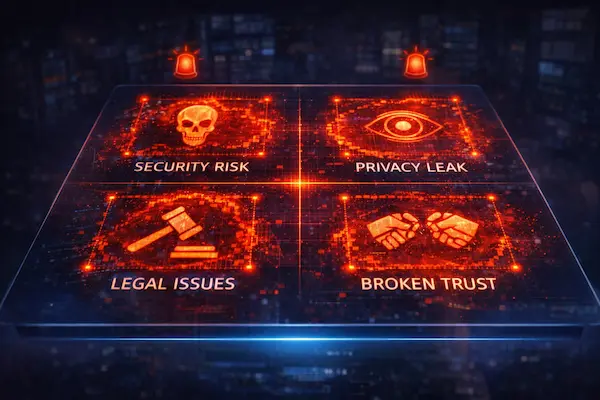
Table 1. Free Call History Trackers vs Paid Plans: Risk Snapshot
| Risk category | Free Call History Trackers | Paid plans | Safer alternative | What to check before installing |
|---|---|---|---|---|
| Security | Higher risk if it pushes sideloading, broad control, or vague setup steps | Usually safer setup, clearer support paths | Built-in tools first | Publisher identity, install source, permission scope |
| Privacy | Can over-collect, unclear storage, unclear sharing and retention | More likely to document storage, retention, deletion | Local-only viewing | Where data is stored, retention window, deletion method |
| Legal | Easy to slip into unclear consent or policy gaps | Easier to align with notice, policy, and audit needs | Written consent notice | Consent clarity, ownership/management of device, workplace notice |
| Reliability | More gaps after OS updates, silent failures, limited support | More stable across updates, support and documentation | Carrier records (limited) | Refresh method, known limitations, support response path |
| Trust | Higher chance of conflict if boundaries are unclear or scope expands | Better controls to keep scope limited | Household rules + transparency | Who can access, why, what is collected, review frequency |
7. The Hidden Costs of “Free” Call History Tracking
Even when the price is zero, Free Call History Trackers can become expensive in time, stress, and avoidable mistakes, especially when the data is incomplete or the setup creates conflict.
1. Paywalls, trials, and surprise billing
Many tools start free, then lock exports, history depth, or syncing behind a paywall. Others use short trials that convert to billing unless canceled on time.
2. Time cost: troubleshooting and maintenance
Free tools break more often, need frequent re-permissioning, drain battery, or stop updating in the background. What looks like a money saver can become a repeated maintenance task.
3. The “wrong decision” cost
The biggest cost is acting on partial logs, delayed updates, or mismatched contacts. Bad data can trigger unfair conclusions at home or at work.
4. Risk cost: once data leaves the phone, you cannot rewind it
If logs are uploaded or stored without clear retention and deletion, the harm is hard to undo. That long-tail risk is why Free Call History Trackers are rarely free in practice.
8. Paid Plans: What You Are Actually Buying
Paid plans are not automatically “better,” but they can reduce the chaos that comes with Free Call History Trackers by adding predictable performance, clearer controls, and real accountability.
1. Reliability that survives OS updates
Paid services are usually built to handle permission changes, background limits, and OS updates with fewer silent failures. That stability matters when you need consistent logs, not guesses.
2. Clearer data handling and safer defaults
Better products tend to explain what they collect, where it is stored, and how deletion works. They also avoid asking for unrelated permissions, which lowers exposure.
3. Support and accountability when things break
When sync fails or records look wrong, support matters. Paid plans typically provide documentation, troubleshooting steps, and a path to escalation.
4. Controls that fit real-world consent and compliance
The value is often in controls: access limits, audit-friendly records, and retention choices aligned with household rules or company policy. This is where paid options outperform Free Call History Trackers in practical day-to-day use.
9. Consent-First Rules That Prevent Conflict
The biggest problems around Free Call History Trackers rarely start with technology. They start with assumptions, unclear boundaries, and tracking that collects more than people agreed to.
1. The consent standard that holds up
Use a simple standard: clear permission, clear purpose, clear limits. If you cannot state who is being monitored, why, and what is collected, consent is not strong enough.
2. When consent is straightforward vs when it gets complicated
Consent is straightforward on a device you own or manage when everyone affected is informed. It gets complicated fast in shared devices, blended families, workplace BYOD, or relationship conflict, where pressure and misunderstanding are common.
3. The “track less” rule
Collect only what you need for the stated purpose, and keep retention short. Narrow scope reduces risk, reduces conflict, and makes your decision easier to defend later.
4. Copy-paste templates (use as written)
Parent to teen: “For safety, we will review call history on this phone. We will not read messages or record calls. We will review only when needed, and we will revisit these rules in 30 days.”
Company-owned device notice: “This is a company device. Call logs may be reviewed for security and service quality. Access is limited to authorized staff, and records are retained only as long as needed for policy and legal purposes.”
Used correctly, these boundaries make paid tools easier to justify and make Free Call History Trackers less likely to cause unnecessary fallout.
10. Use Case Playbooks: Pick The Least Risky Option
The safest setup depends on context. Free Call History Trackers can be acceptable in narrow cases, but the playbooks below focus on reducing risk first, then choosing tools.
1. Parents: safety goals with clear boundaries
Set the purpose (safety, not control), define what is reviewed (call logs only), and agree on when reviews happen. Keep retention short and avoid extra permissions that expand beyond call history.
2. Business: company-owned vs BYOD
For company-owned phones, use written notice, limit access to authorized roles, and set a retention window. For BYOD, avoid informal monitoring, require explicit opt-in, and separate business needs from personal data as much as possible.
3. Couples: avoid covert monitoring
If tracking is being used to settle suspicion, it usually escalates conflict. Use transparency or choose alternatives that reduce anxiety without collecting more data than needed.
4. Lost phone: do this before any tracker
Start with account security (password changes, logout unknown sessions), device location features, and carrier steps. If you add a tool later, choose one with clear permissions, clear deletion, and minimal collection, not a mystery install marketed as Free Call History Trackers.
11. The 3-Minute Decision Framework (Scorecard You Can Use)
Before you install anything, score it like a risk review, not a feature hunt. This framework helps readers compare options quickly, especially when Free Call History Trackers look tempting but details are unclear. Use it to choose the lowest-risk path first, then decide if Free Call History Trackers are even worth considering.
1. Trust check (who is behind the app)
Look for a real company name, a working support channel, a clear privacy policy, and a consistent update history. If the publisher identity is vague, the policy is generic, or support does not exist, score it low.
2. Permission check (only what is necessary)
List every permission requested and ask: “Does this permission directly enable the feature I want?” If you see broad access that does not match the promise, reduce the score.
3. Data handling check (where it goes and how long it stays)
Prefer clear answers to: what is collected, where it is stored, how long it is retained, who can access it, and how deletion works. If retention and deletion are unclear, assume higher risk.
4. Reliability check (what happens after updates)
A reliable tool explains its sync method, refresh frequency, and common failure modes. If it breaks silently after OS updates or background restrictions, it should not be used for important decisions.
Table 2: Free vs Paid Decision Scorecard
| Factor | What good looks like | Red flag | Score (0-2) | Notes |
|---|---|---|---|---|
| Publisher trust | Real company, clear contact, consistent updates | Unknown publisher, no support | ||
| Permission fit | Minimal permissions tied to features | Broad or unrelated permissions | ||
| Data storage | Clear local/cloud storage explanation | Vague storage language | ||
| Retention & deletion | Defined retention, easy deletion | No retention limits, no deletion path | ||
| Security posture | No risky setup steps | Sideloading, “disable protection” prompts | ||
| Reliability | Explains refresh and limitations | Silent failures, inconsistent logs | ||
| Transparency | Clear boundaries and user control | Hidden behaviors, unclear scope | ||
| Total |
12. Best Options Ranked for Safety and Practical Results
This ranking prioritizes low-risk, consent-friendly choices over shortcuts. If you are considering Free Call History Trackers, start with the safest baseline first, then move up only if you truly need more than the phone already provides.
1. Ranking criteria (how this list is judged)
Each option is judged by permission scope, data handling clarity, reliability after OS updates, support accountability, and how easily it stays within clear consent boundaries.
2. #1 PhoneTracker247 (best overall for consent-first monitoring)
PhoneTracker247 ranks #1 because it focuses on practical visibility with clearer boundaries, stronger controls, and a setup that can match consent-first rules without risky shortcuts.
3. Built-in phone tools (best low-risk baseline)
Use native call logs, account security features, and family device settings first. This path usually reduces risk because it avoids adding a new third party into the data flow.
4. Carrier statements (best limited verification)
Carrier call detail records can help confirm basic call activity in a narrow way. They are often delayed and less detailed than on-device logs, but they avoid app permission risk.
5. Freemium monitoring apps (only when policies and permissions are clean)
Treat freemium options like a vendor review: credible publisher, minimal permissions, clear storage, clear retention, clear deletion. This is where many Free Call History Trackers fail, not because they are free, but because the controls are unclear.
6. Unknown “free trackers” (avoid)
Avoid anything that requires sideloading, asks for broad device control, promises unrealistic iPhone access, or hides who runs it. This category includes the most dangerous Free Call History Trackers because the risk shows up after installation, not before.
13. Red Flags: Do Not Install If You See These Signs
Many Free Call History Trackers look harmless until you reach the install steps. These red flags help readers spot high-risk tools before they create security, privacy, or consent damage.
1. Permission red flags
If it asks for permissions that do not match call logs, treat it as high risk. Examples include Accessibility services, device admin control, full notification access, or broad file access without a clear call-log reason.
2. Install red flags
Avoid apps that require sideloading from random sites, installing unknown profiles, turning off Play Protect or similar protections, or following “hidden” setup instructions.
3. Policy and identity red flags
Skip tools with no real company identity, no support contact, vague privacy policy language, or no clear retention and deletion rules.
4. Claim red flags
Be skeptical of “works on any iPhone instantly” claims without clear, legitimate access. If a tool promises everything with no limitations, it is usually marketing, not reality. If you see these signs, do not install Free Call History Trackers at all.
14. Safer Alternatives That Often Beat Free Call History Trackers
In many situations, the safest move is to solve the real problem with less data and fewer third parties, instead of adding a new app layer.
1. Built-in call logs plus clear household rules
Start with the phone’s native call log and set simple boundaries: what gets checked, how often, and why. This keeps scope narrow and reduces misunderstandings.
2. Account security steps that prevent most “tracking” needs
Change passwords, enable two-factor authentication, review signed-in devices, and turn on security alerts. These steps often address the root risk faster than monitoring.
3. Carrier records for limited verification
Carrier call detail records can confirm basic call activity in a narrow, delayed way. They are not perfect, but they avoid app permissions and reduce exposure compared with Free Call History Trackers.
FAQs About Free Call History Trackers
1. Are Free Call History Trackers legal to use?
It is safest only on devices you own or manage, with clear permission from the people affected.
2. Can a call history tracker work on iPhone without physical access?
Most “instant remote” claims are unreliable unless the method is clearly explained and legitimate.
3. Why do some apps ask for Accessibility permission?
Because it can enable deeper device control, and it is often unnecessary for basic call logs.
4. What is the safest way to monitor a teen’s call activity?
Agree on boundaries in writing, keep scope to call logs only, and review only when needed.
5. Do carrier call logs show everything?
They can confirm basic call activity, but they are often delayed and less detailed than the phone’s log.
6. Do Free Call History Trackers usually work reliably long-term?
They often break after OS changes, lose background updates, or show gaps with little support.
7. Can a tracker show deleted call history?
Sometimes, but results are inconsistent and usually depend on backups or device access.
8. When is a paid plan worth it?
When you need consistent syncing, clear controls, and support you can rely on.
Conclusion: The Practical Trade Offs
The core trade off is simple: Free Call History Trackers can work for basic, low-risk visibility, but the moment you need consistency, clearer controls, or defensible boundaries, the safer path is the one with accountability and minimal data.
Quick summary table
| If you need… | Choose… | Why | Next step |
|---|---|---|---|
| Basic call log viewing on your own phone | Built-in call log | Lowest risk, no extra parties | Set clear boundaries and keep scope small |
| Occasional verification, not real-time | Carrier records | Limited but more defensible | Use it only for basic confirmation |
| Reliable reporting across OS updates | Paid plan | Fewer gaps, better support | Pick a tool with clear retention and deletion |
| Family monitoring with fewer conflicts | Consent-first setup | Prevents “control drift” | Write rules: purpose, scope, review timing |
| Business visibility on company devices | Policy-led monitoring | Reduces HR and compliance risk | Notice, role-based access, defined retention |
Final recommendation
If you still feel pulled toward Free Call History Trackers, treat them as a “basic utility only” choice and avoid any tool that needs broad permissions, secrecy, or unclear data handling. For a safer, consent-first option that is built for reliable monitoring without risky shortcuts, choose PhoneTracker247.
For daily updates, subscribe to PhoneTracker’s blog!
We may also be found on Facebook!