Updated: December 15, 2025
Author: Editorial Team, Call Quality and Compliance
For: Customer support, sales, founders, managers, and anyone who needs reliable recordings without hidden risk
How To Choose A Call Recording App is no longer a simple “feature” question. Consent rules are stricter in many places, OS behavior changes fast, and recordings often contain sensitive data like payment details, personal identifiers, or customer complaints. The safest approach is to choose a tool you can defend in one sentence: why you record, how you notify people, where files are stored, who can access them, and how long you keep them. This guide is educational, not legal advice.
Contents
- 1 1. Fast Answer: How To Choose A Call Recording App in 5 Minutes
- 2 2. What “Trust” Means for a Call Recording App
- 3 3. Platform Reality Check: iPhone vs Android Limitations
- 4 4. Audio Quality and Reliability: The Non-Negotiables
- 5 5. Security and Privacy: Where Recordings Live and Who Can Access Them
- 6 6. Comparison Framework: Score Apps the Same Way Every Time
- 7 7. Consent and Call Recording Laws You Must Get Right
- 8 8. Data Retention and Compliance Readiness
- 9 9. Features That Matter in Real Workflows
- 10 10. Pricing, Trials, and Hidden Costs to Watch
- 11 11. Reviews and Reputation: How to Read Them Like a Pro
- 12 12. Best Practices Setup: A Trustworthy Default Configuration
- 13 FAQs: How To Choose A Call Recording App
- 14 Conclusion: How To Choose A Call Recording App You Can Defend
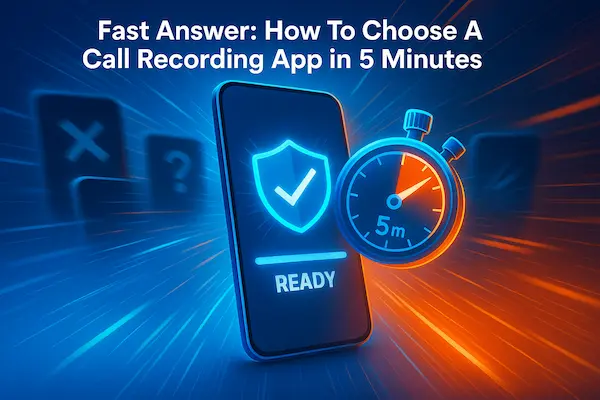
1. Fast Answer: How To Choose A Call Recording App in 5 Minutes
If you need a quick decision, start here. This section gives the minimum checks, the biggest red flags, and a safe default setup for How To Choose A Call Recording App you can actually trust.
1. The short checklist (10 checks)
- Consent and recording notice are explained clearly in plain English.
- It records both sides reliably on your exact phone and OS version.
- Storage is transparent and controllable: on-device, cloud, or hybrid.
- Account protection includes MFA or trusted-device approval.
- Sharing controls support time limits or named access, not open links.
- Retention settings include auto-delete and clear history controls.
- Deletion is real and explains what happens with backups and exports.
- Team use supports basic access logs for views or exports.
- Updates are frequent enough to keep up with OS changes.
- You can test quality in your real workflow before committing.
2. The biggest red flags to avoid
- Vague claims about iPhone or device support.
- Consent treated as a disclaimer, not a workflow.
- Unlimited history with no retention plan.
- Public sharing links with no expiration or access controls.
- Poor support signals or repeated “stopped working after update” reviews.
3. The safest default setup for most users
- Record only for a clear purpose like QA, coaching, or disputes.
- Use a consistent consent script at the start of recorded calls.
- Limit access to the smallest group and avoid public links.
- Enable MFA and login alerts on the account.
- Set short retention with auto-delete by default.
4. When you should not record at all
- You cannot give clear notice or get the required consent.
- Your storage and access controls are not strong enough for sensitive calls.
- You have no retention plan and files will accumulate indefinitely.
Quick takeaway: How To Choose A Call Recording App comes down to consent clarity, real-world reliability, secure storage, controlled sharing, and short retention.
2. What “Trust” Means for a Call Recording App
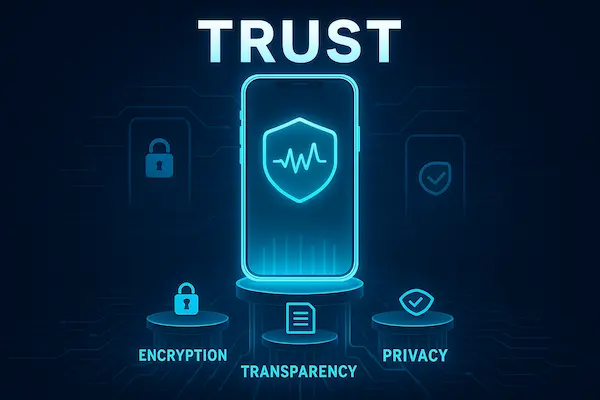
Trust is not a vibe. In practice, a trustworthy call recording app is predictable under real calls, clear about consent and storage, and designed to reduce accidents like oversharing or keeping recordings forever. If you are serious about How To Choose A Call Recording App, define “trust” up front so you can compare tools without guessing.
1. Trust pillars: transparency, security, reliability, support, compliance posture
- Transparency: The app explains what it records, where files go, and how sharing works in plain English.
- Security: Strong sign-in options, controlled sharing, and a clear deletion story that includes exports and backups.
- Reliability: Consistent two-way audio, stable behavior after OS updates, and fewer silent failures.
- Support: Real documentation, responsive help, and fixes that match known issues on your device type.
- Compliance posture: Clear guidance for consent workflows and retention settings so teams can follow policy consistently.
2. Consumer vs business trust requirements
- Personal use: Prioritize easy consent notice, simple storage control, and fast deletion. You want a tool that behaves the same way every time.
- Customer service and sales teams: Add role-based access, logs for exports, short retention by default, and a repeatable consent script.
- Regulated or sensitive calls: Treat storage and access like a security system. Limit who can export, log key actions, and avoid casual sharing links.
A quick way to apply How To Choose A Call Recording App is to decide which category you are in first, then pick features that match that reality.
3. What users usually regret after choosing the wrong app
- Paying for an app that records inconsistently, especially after an OS update.
- Discovering too late that recordings are stored or shared in ways they did not expect.
- Having no retention plan, then ending up with a growing library of sensitive calls.
- Needing support when something breaks, but getting slow replies or generic answers.
- Realizing the app makes consent messy, unclear, or easy to forget in busy workflows.
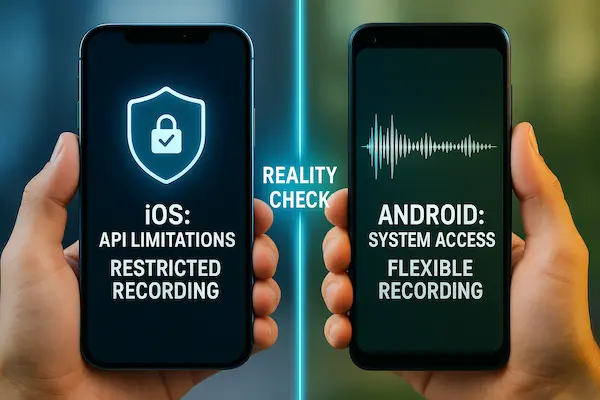
3. Platform Reality Check: iPhone vs Android Limitations
Before you compare features, confirm what call recording actually means on your device. This step prevents most bad purchases and sits at the center of How To Choose A Call Recording App. If an app cannot reliably support your platform, How To Choose A Call Recording App becomes guesswork, no matter how strong the marketing sounds.
1. iPhone: what to verify before paying
- Does it record phone calls or only VoIP calls inside the app?
- Will it capture both sides clearly, or does it rely on speakerphone or call-merge workarounds?
- Is consent and recording notice built into the workflow?
- Where are files stored, and who can access them?
2. Android: what often varies
- Two-way audio reliability can differ by brand, OS version, and region.
- Bluetooth and speakerphone behavior can change results.
- Permissions and battery optimization settings can break background recording.
3. Quick real-call test
- Two inbound and two outbound calls.
- One Bluetooth call and one speakerphone call.
- One noisy call and one longer call.
Then confirm the file saves correctly, plays cleanly, and is labeled properly.
4. After updates, re-test
- Run a two-call check after OS or app updates.
- Re-check permissions and battery settings.
- Confirm storage and retention did not reset.
This keeps How To Choose A Call Recording App anchored in device reality, and it makes How To Choose A Call Recording App decisions easier to defend later.
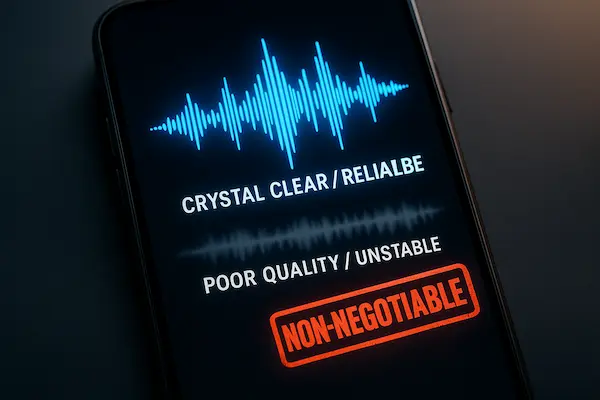
4. Audio Quality and Reliability: The Non-Negotiables
A recording is only valuable if it is clear, complete, and consistent across real calls. This is the practical core of How To Choose A Call Recording App, because reliability issues usually appear only when you need the file most. If you want How To Choose A Call Recording App without regret, test audio the way you actually work, not the way a demo video looks.
1. Two-way audio and clarity benchmarks
- Both sides are audible at a usable, balanced volume.
- No dropouts, missing segments, or early cutoffs.
- Correct timestamps, call direction, and labeling.
- Playback works on phone and after export.
2. Real-world conditions to test
- Bluetooth headset call.
- Speakerphone call.
- Noisy environment call.
- VoIP call if you use VoIP daily.
3. Common failure modes
- Silent recordings or one-side audio.
- Truncated long calls.
- Missing files after updates or reboots.
- Corrupted exports or lost metadata.
- Auto-record randomly failing.
4. Simple 7-call test plan
- Two inbound calls.
- Two outbound calls.
- One Bluetooth call.
- One speakerphone call.
- One longer call (8 to 12 minutes).
After each call, confirm the file saves, both sides are clear, labels are correct, and export still plays cleanly. Passing this test is the fastest proof that your choice matches How To Choose A Call Recording App you can actually trust, and it keeps How To Choose A Call Recording App focused on real performance over promises.
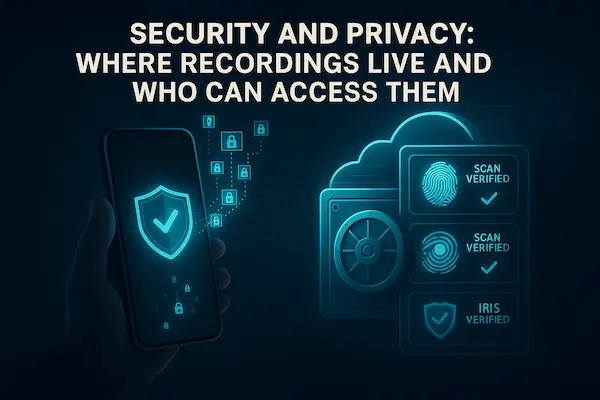
5. Security and Privacy: Where Recordings Live and Who Can Access Them
Call recordings often contain sensitive content, names, addresses, account details, complaints, and internal coaching notes. If security is weak, recording becomes a liability. This section matters because How To Choose A Call Recording App is really about controlling access, sharing, and retention, not just saving audio.
1. Storage options: on-device vs cloud vs hybrid
- On-device: Lower exposure if you keep files local, but you must protect the phone and backups.
- Cloud: Easier access across devices and teams, but higher risk if accounts are weak.
- Hybrid: Keep most files local, upload only what you need for sharing or team review.
For many users, hybrid is the best balance, especially when How To Choose A Call Recording App for work.
2. Encryption and account protection
- Look for secure connections when uploading and downloading recordings.
- Prefer apps that protect stored files, not just during transfer.
- Enable MFA or strong sign-in methods wherever available.
- Turn on login alerts for new devices.
If an app cannot explain security in plain language, treat that as a warning sign.
3. Sharing controls: permissions, expiring links, audit trails
- Avoid public links that never expire.
- Share with named users or roles when possible.
- Use time limits for sharing and revoke access easily.
- For teams, keep basic logs of key actions like exports and viewer changes.
Sharing is where many breaches happen. A trustworthy tool makes careless sharing difficult.
4. Deletion that actually deletes (including exports and backups)
- Deleting a recording should remove it from the main library.
- The app should explain what happens to files in trash, cache, and backups.
- Exports should be controlled and traceable in team workflows.
- Retention should be configurable, with auto-delete options.
If you cannot control deletion and retention, you do not control risk. That is why this section is central to How To Choose A Call Recording App.
6. Comparison Framework: Score Apps the Same Way Every Time
Feature lists can distract even experienced buyers. A scorecard keeps the decision consistent, especially when multiple people test different tools. This section makes How To Choose A Call Recording App repeatable, because you score every candidate using the same standards instead of relying on impressions.
1. How to score apps for personal use
For personal use, keep the scoring simple and weight what you actually rely on.
- Give the highest weight to audio clarity and two-way capture.
- Prioritize storage control and fast deletion.
- Confirm consent notice is easy to follow every time.
- Keep sharing tight and avoid public links.
If a tool fails reliability, it should not pass your scorecard. That rule alone improves How To Choose A Call Recording App outcomes.
2. How to score apps for support and sales teams
Teams need repeatable workflows and accountability, not just recordings.
- Require a consistent consent script and a clear notice workflow.
- Weight access control, export control, and basic logs higher than “nice-to-have” features.
- Test in real conditions: headsets, noisy environments, back-to-back calls.
- Confirm retention rules and auto-delete are actually usable by the team.
This is where How To Choose A Call Recording App shifts from personal preference to operational discipline.
3. How to weight reliability vs compliance vs privacy
A practical weighting model for most buyers:
- Reliability and audio quality first.
- Security and privacy controls second.
- Consent workflow and compliance readiness as a required baseline.
- Workflow features only after the above are proven.
Using this weighting is a straightforward way to apply How To Choose A Call Recording App without overpaying for features you cannot trust.
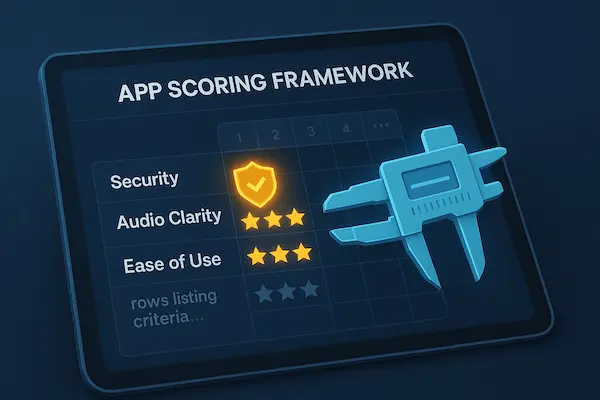
Table 1. Call Recording App Trust Scorecard (copy-ready)
| Criteria | What good looks like | How to verify | Weight | Score | Notes |
|---|---|---|---|---|---|
| Two-way audio clarity | Both sides clear and balanced | 7-call test plan | 25 | ||
| Recording reliability | No missing or silent files | Inbound/outbound + long call | 20 | ||
| Platform fit | Works on your iPhone/Android setup | Device-specific test | 10 | ||
| Consent support | Clear notice workflow | Script test + prompts | 10 | ||
| Storage control | Clear storage options | Settings + export path | 10 | ||
| Security | MFA, alerts, controlled access | Security settings check | 10 | ||
| Sharing controls | Named access, time limits | Share + revoke test | 5 | ||
| Retention and deletion | Auto-delete, real deletion | Retention + delete test | 5 | ||
| Support quality | Helpful docs and responses | Doc review + support test | 3 | ||
| Update stability | Stable after OS updates | Release notes pattern | 2 |
Quick takeaway: A scorecard prevents hype, keeps comparisons fair, and makes How To Choose A Call Recording App easier to defend when someone asks why you picked this tool.
7. Consent and Call Recording Laws You Must Get Right
Consent is where most recording mistakes happen, and it is also where trust is won or lost. If your workflow cannot deliver clear notice every time, How To Choose A Call Recording App becomes a risk decision instead of a productivity decision. The goal is simple: make consent repeatable, documentable, and easy to follow under pressure.
1. One-party vs all-party consent in plain English
- Some places allow recording when one participant consents.
- Other places require everyone on the call to consent.
- If calls cross states or countries, the safest habit is clear notice and a direct confirmation every time.
This is a practical reason How To Choose A Call Recording App should favor tools that support consistent consent prompts.
2. Simple consent scripts for sales, support, and internal QA
Use one short script and repeat it. Consistency lowers mistakes.
- Support: “For quality and training, I’d like to record this call. Is that okay?”
- Sales: “With your permission, I’ll record so I can confirm details accurately. Is that okay?”
- Internal QA: “This call may be recorded for training and review. Are you comfortable proceeding?”
If consent is declined, stop recording and continue without it. That discipline is part of How To Choose A Call Recording App you can defend.
3. What clear notice looks like in real calls
- Say the notice at the start, before sensitive details.
- Keep it plain and audible, not rushed.
- Offer an alternative: continue without recording if the person prefers.
- Log consent yes/no when possible, especially for teams.
When notice is clear, How To Choose A Call Recording App becomes easier because fewer situations turn into disputes.
4. Special cases: minors, healthcare, finance, HR
These calls deserve extra caution and tighter controls.
- Minors: confirm consent rules and avoid recording unless necessary.
- Healthcare and finance: treat recordings as sensitive data with strict access and short retention.
- HR and performance: ensure policy, notice, and access roles are explicit to avoid conflicts.
A safe rule is “record only when needed, with clear consent, and with short retention.” If the app cannot support that rule, it is not a good answer to How To Choose A Call Recording App.
Table 2. Consent and Compliance Checklist (copy-ready)
| Use case | Who is being recorded | Consent approach | Suggested script | How notice is delivered | What to log |
|---|---|---|---|---|---|
| Customer support | Customer + agent | Confirm at start | “I’d like to record for quality. Is that okay?” | Spoken notice | Yes/no + timestamp |
| Sales call | Prospect + rep | Confirm early | “With your permission, I’ll record for accuracy.” | Spoken notice | Yes/no + purpose |
| Internal QA | Employees | Policy + notice | “Recorded for training and review.” | Policy + spoken | Policy version |
| Dispute case | Customer + agent | Confirm + retention | “May I record to ensure accuracy?” | Spoken notice | Yes/no + case ID |
| Healthcare related | Patient + staff | Extra caution | “With your permission, we can record.” | Spoken + policy | Yes/no + access role |
| HR conversation | Employee + HR | Strict policy | “This may be recorded with your consent.” | Policy + spoken | Yes/no + restricted access |
Key recap: Clear consent and clear notice reduce risk, improve trust, and make How To Choose A Call Recording App a decision you can defend later.
8. Data Retention and Compliance Readiness
Retention is where risk quietly grows. A trustworthy setup keeps recordings only as long as they are truly needed, then deletes them on purpose. This is a core part of How To Choose A Call Recording App, because storage time determines how much sensitive data you carry at any moment. If you want How To Choose A Call Recording App that stays defensible, retention must be intentional, not accidental.
1. Retention defaults by use case
Start short, then extend only when the purpose requires it. When applying How To Choose A Call Recording App in real workflows, these baselines are practical:
- Personal reference calls: 7 to 14 days.
- Customer support QA: 14 to 30 days.
- Sales coaching: around 30 days for review cycles.
- Dispute or complaint cases: keep only until the case closes, then delete.
- Sensitive categories: use the shortest window and restrict exports.
2. Auto-delete and legal hold basics for teams
Auto-delete is one of the strongest protections because it does not rely on memory.
- Enable auto-delete by default and document the retention window.
- Use case-based holds for exceptions, not “keep everything forever.”
- Limit who can place holds and require a reason.
- Review holds regularly and remove them when the case ends.
This keeps How To Choose A Call Recording App aligned with real compliance habits, not wishful thinking.
3. Export rules: who can export and how it is tracked
Exports are a high-risk moment because audio leaves controlled storage.
- Restrict export rights to a small set of roles.
- Log exports with who, when, and why.
- Prefer internal sharing over downloading files.
- Define a safe destination if exports are required.
4. A lightweight documentation bundle to keep ready
You do not need a heavy program. Keep a small bundle that makes decisions easy:
- Recording purpose and consent policy (one page).
- Approved consent scripts for support and sales.
- Retention rules with auto-delete defaults and exception handling.
- Access and export rules by role.
- A simple incident plan for wrong shares or compromised accounts.
With these pieces in place, How To Choose A Call Recording App becomes a controlled decision you can explain and defend.
9. Features That Matter in Real Workflows
Ignore long feature lists. Focus on features that reduce mistakes, speed up retrieval, and keep sharing controlled. This keeps How To Choose A Call Recording App practical for daily work.
1. Search, tags, and notes
- Fast search by contact, date, duration, and case ID.
- Simple tags that match your workflow.
- Notes attached to recordings without changing the audio.
2. Transcription and summaries
- Verify accuracy on your real calls and terms.
- Confirm transcript access and storage, text can leak faster than audio.
- Keep transcription optional for sensitive calls.
3. Integrations
- Attach recordings to CRM/helpdesk cases, not personal folders.
- Ensure role access and retention rules still apply after syncing.
- Avoid auto-sharing to broad channels.
4. Team controls
- Roles for listen, tag, export, delete.
- QA review queues to keep files in one place.
- Basic logs for exports and permission changes.
These are the features that matter most when How To Choose A Call Recording App for real workflows.
10. Pricing, Trials, and Hidden Costs to Watch
The real cost is not just the subscription. Storage, seats, exports, and transcription can change the price fast. This section helps How To Choose A Call Recording App without billing surprises.
1. Pricing models to compare
- Per user or per seat (teams).
- Per device (multi-phone users).
- Per minute or per recording (often tied to transcription).
- Per storage tier (long retention gets expensive).
2. What to test during the trial
- Run the 7-call reliability test.
- Test export and playback after export.
- Test retention and deletion, including auto-delete.
- Test consent workflow under real pressure.
- For teams, test roles and logs.
3. Policy checks before paying
- Cancel vs refund rules.
- Monthly vs annual plan differences.
- Extra fees for transcription, storage, exports.
- How you export data if you leave.
Clear pricing and clear policies are part of How To Choose A Call Recording App you can trust.
11. Reviews and Reputation: How to Read Them Like a Pro
Reviews can help, but only if you look for patterns that predict long-term reliability. This section matters because How To Choose A Call Recording App is not about the happiest reviews, it is about the most repeatable outcomes on real devices.
1. Review patterns that predict reliability
- Multiple recent reviews mention consistent two-way audio and stable saving.
- People describe real scenarios, not vague “great app” comments.
- Reviews confirm your device type, OS version, and call modes like Bluetooth or speakerphone.
- Complaints, if any, are specific and show that fixes actually happened.
2. Support quality signals
- The developer responds publicly with specific steps, not canned replies.
- Updates address known issues shortly after they appear.
- Documentation is clear and current, including setup steps and troubleshooting.
- There is a visible way to contact support with ticket tracking or email confirmation.
Support is part of trust, because every call recorder can break after an OS update.
3. Update history and long-term stability
- Check whether the app has regular updates over the past year.
- Watch for patterns like “works until the update,” then long gaps without fixes.
- Prefer tools that communicate changes clearly and keep compatibility notes.
A simple rule for How To Choose A Call Recording App is this: if the update history looks abandoned, the app is a risk even if it works today.
12. Best Practices Setup: A Trustworthy Default Configuration
Even the best tool becomes risky with the wrong defaults. This section gives a simple configuration you can apply on day one, so How To Choose A Call Recording App leads to a setup that is consistent, controlled, and easier to defend.
1. Default consent workflow and scripts
- Use a short consent line at the start of recorded calls.
- Make it consistent across the team so nobody improvises under pressure.
- If consent is declined, stop recording and continue with notes.
2. Default retention and sharing settings
- Set short retention with auto-delete by default.
- Use case-based holds for exceptions, not “keep everything.”
- Share with named users or roles, and time-limit access where possible.
- Avoid public links that can be forwarded.
3. Default security settings and access rules
- Turn on MFA or passkeys and login alerts.
- Restrict export rights to a small set of roles.
- Require re-authentication for adding viewers or exporting files.
- Keep basic logs for exports and permission changes.
4. A weekly 5-minute hygiene checklist for teams
- Review new viewers, role changes, and export activity.
- Close old cases and remove holds.
- Confirm retention is still active and not reset after updates.
- Spot-check a few recordings for audio quality and labeling.
These defaults make How To Choose A Call Recording App pay off in real life, not just on install day.
FAQs: How To Choose A Call Recording App
1. Is call recording legal where I live?
It depends on your location and who is on the call. Use clear notice and confirm consent when in doubt.
2. What is the safest consent script?
Keep it short: “I’d like to record this call for quality and accuracy. Is that okay?”
3. Can a call recording app record both sides clearly?
Some can, some cannot, and it depends on device and call mode. Always run a real-call test before paying.
4. Where should recordings be stored for privacy?
Use the most controlled option for your workflow, on-device or a secured cloud with limited access, short retention, and strong sign-in.
5. How long should I keep recordings?
Short by default, then keep longer only when a clear purpose requires it. Auto-delete reduces long-term risk.
6. What security features matter most?
MFA or passkeys, login alerts, controlled sharing, and restricted exports. For teams, add basic access logs.
7. What should teams log for accountability?
At minimum: who accessed recordings, who exported files, and when sharing permissions changed.
8. What should I test before paying?
Two-way audio, saving reliability, export playback, retention and deletion, and the consent workflow under real conditions.
Conclusion: How To Choose A Call Recording App You Can Defend
Call recording is getting more “high-stakes” each year. OS behavior changes, privacy expectations rise, and a single mishandled file can create legal, reputational, or customer trust damage. The safest way to decide is simple: make sure the app works on your device in real calls, make consent a repeatable habit, lock down access and sharing, and keep retention short by default. That is the practical standard behind How To Choose A Call Recording App you can actually trust.
Quick Summary Table
| What to check | Best default | Why it matters |
|---|---|---|
| Platform fit | Verified on your iPhone/Android | Stops “it worked in the demo” failures |
| Audio reliability | Pass the 7-call test | Ensures recordings are usable |
| Consent workflow | Clear notice every time | Reduces legal and trust risk |
| Storage | Controlled on-device or secured cloud | Limits exposure |
| Sharing | Named access, time limits | Prevents accidental leaks |
| Retention | Short + auto-delete | Reduces long-term liability |
| Security | MFA/passkeys + alerts | Blocks account takeover |
| Accountability | Export and permission logs | Supports team compliance |
Use PhoneTracker247
If you want a practical way to implement How To Choose A Call Recording App without guesswork, use PhoneTracker247 as your evaluation and rollout option. Start with a simple setup: confirm two-way audio on your devices, use a consistent consent script, restrict sharing to named users, enable MFA, and set short retention with auto-delete.
PhoneTracker247 is designed to keep recording workflows clear, controlled, and easier to manage at scale, so your team can focus on quality and coaching instead of chasing missing files or cleaning up sharing mistakes.
For daily updates, subscribe to PhoneTracker’s blog!
We may also be found on Facebook!