Most families and teams now juggle several phones and tablets every day: a child’s Android, a work iPhone, a shared home tablet, a driver’s company phone. When something goes wrong, you do not want five different apps just to see where everyone is and what each device is doing. A Multi Device Phone Tracker 2026 brings everything into one place so you can see locations, alerts and basic activity from a single, secure dashboard. This guide shows you how multi device phone tracking really works, what to look for in a provider and how to use it safely for both family and business.
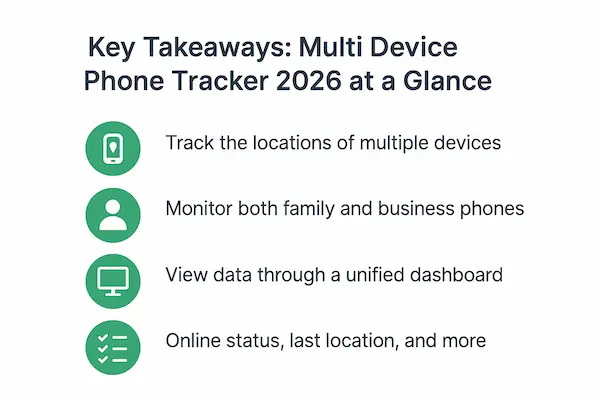
1. Key Takeaways: Multi Device Phone Tracker 2026 at a Glance
Before we dive into technical details, it helps to see the big picture. Think of this section as a quick map: if a tool that calls itself a Multi Device Phone Tracker does not line up with most of these points, you already know to be cautious.
1. What a Multi Device Phone Tracker Really Does in 2026
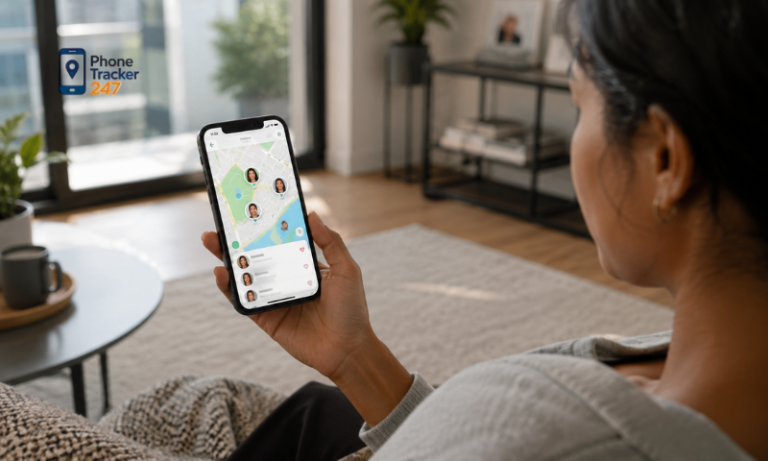
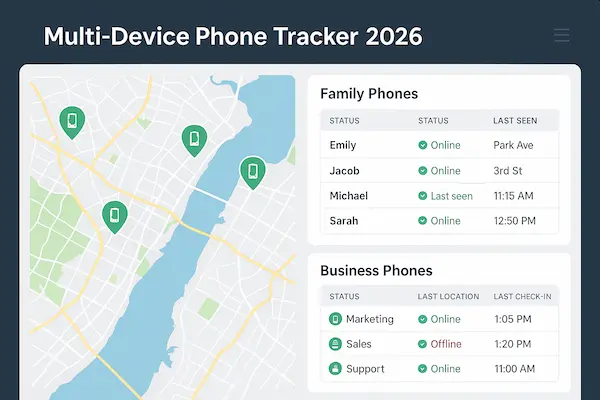
A modern Multi Device Phone Tracker gives you a single secure dashboard where you can see where devices are, how they are used, and whether they are online or not. Instead of opening one app per device, you manage the whole family or team from one place.
2. Who Needs Multi Device Tracking: Families, Co-Parents and Businesses
Families use multi device tracking to know kids arrived safely, to support elderly relatives, and to coordinate between co-parents. Businesses use the same idea to keep an eye on company phones, drivers, technicians and remote staff without guessing who is where.
3. Biggest Wins: Safety, Productivity and Peace of Mind
When it works well, a Multi Device Phone Tracker quietly removes stress. Parents stop sending “Where are you?” messages every hour. Managers do not have to call ten people to find the nearest technician. Everyone knows the rules and can focus on their day.
4. Key Risks: Privacy, Consent and Misuse You Must Avoid
The same visibility can be misused if you track people without consent, keep data forever, or allow too many admins. Good setups are transparent, limited to what is necessary, and built on written rules – not on secret monitoring.
2. What Is a Multi Device Phone Tracker and How It Works
To choose or deploy any tracking tool, you first need a simple, honest definition. This section explains what the term really means and how the pieces fit together.
1. Simple Definition of a Multi Device Phone Tracker
A Multi Device Phone Tracker is a system that monitors more than one phone or tablet at the same time from a single account or dashboard. It installs a small app or agent on each device and sends selected data – like location or usage – to a central panel for parents or admins.
2. Core Architecture: Apps, Cloud Backend and Central Dashboard
Behind the scenes, the app on each device talks to a cloud backend over encrypted connections. The backend stores events, applies rules, triggers alerts and builds reports. Parents or managers log into a web dashboard or admin app to see maps, lists and timelines for all devices in one view.
3. Multi Device Phone Tracker for Home vs Workplace Use
At home, a Multi Device Phone Tracker is usually focused on safety: knowing where kids are, limiting screen time, spotting risky behaviour. In the workplace, the emphasis shifts to productivity, asset protection and compliance. The same technical ideas apply, but the rules, policies and expectations are very different.
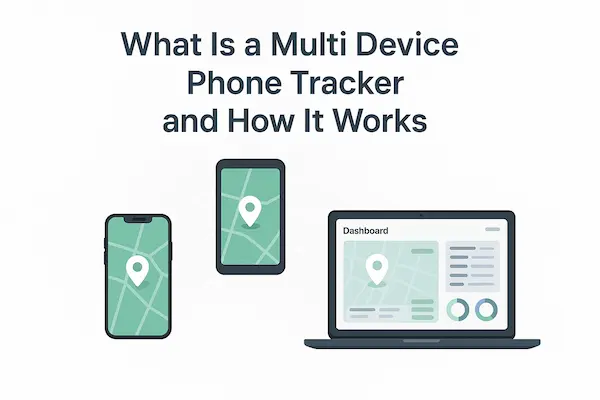
Table 1: Single-Device Tracker vs Multi Device Phone Tracker Dashboard
| Aspect | Single-Device Phone Tracker | Multi Device Phone Tracker Dashboard |
|---|---|---|
| Typical setup | One app per device; each phone is managed separately. | One secure dashboard that manages all tracked phones and tablets in one place. |
| Number of devices | Usually designed for a single phone or tablet per account. | Dozens or even hundreds of devices under the same account, grouped by family or team. |
| Ideal users | Individuals who mainly care about one personal device. | Families, co-parents, small businesses, fleets and distributed teams. |
| Visibility | You see the location and activity of only one device at a time. | You see all devices on one map and timeline, with filters by person, group or time range. |
| Admin controls | Basic on-device settings; no real roles or permission model. | Central roles and permissions for owners, parents, managers and limited-view users. |
| Alerts & reporting | Simple push alerts and limited history for a single device. | Geofencing alerts, offline/online status, cross-device reports and audit trails. |
| Deployment effort | Very quick to start but becomes messy as more apps are added. | Slightly more setup at the beginning but far easier to scale and maintain. |
| Best for | Solo users or simple “find my phone” scenarios. | Long-term family safety and day-to-day operations for teams and businesses. |
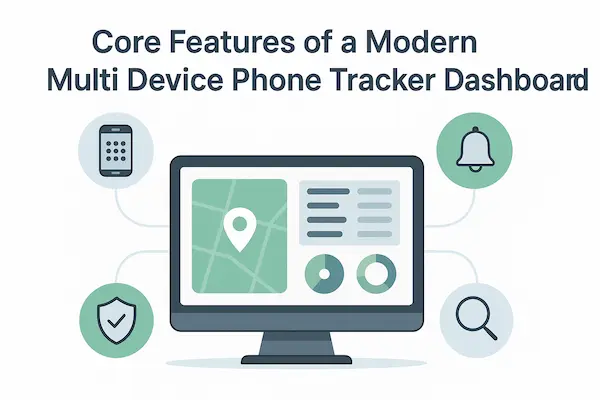
3. Core Features of a Modern Multi Device Phone Tracker Dashboard
Not every app that calls itself a multi device tracker offers the same depth. These are the features most 2026-grade platforms share.
1. Real Time Location and Route History Across All Devices
You should be able to open a map and see where each tracked phone is right now, plus a timeline of where it has been. Good dashboards let you filter by person, group or time range so you are not flooded with pins and lines you do not need.
2. Cross Platform Support for Android, iOS and Shared Devices
A serious Multi Device Phone Tracker does not force everyone onto one brand. It supports Android and iOS, and often shared or rugged devices as well. For families, that means kids’ Android phones and parents’ iPhones live in the same dashboard. For businesses, it means you can track mixed fleets without juggling tools.
3. Centralised Roles, Permissions and Admin Controls
Instead of giving every adult full control, you can assign roles. One parent or owner might manage all settings; co-parents or team leads might have limited views; kids or staff might see only their own device status. This role-based control is essential wherever privacy and trust matter.
4. Alerts, Reports and Audit Trails for Every Device
Modern platforms send alerts when something important happens: a child enters or leaves a zone, a device is offline for too long, a company phone leaves a service area. At the same time, reports and audit logs show who accessed which data and when, which is vital for both family trust and corporate compliance.
4. Use Cases: How Multi Device Phone Tracker Helps Families and Businesses
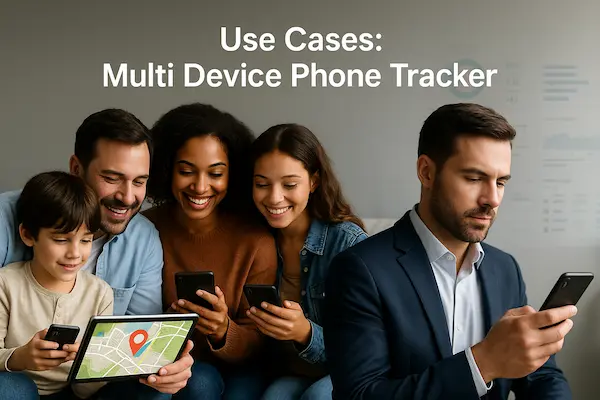
The same technology can look very different in a family kitchen and a dispatch office. These examples show where multi device tracking makes a real difference.
1. Multi Device Phone Tracker for Everyday Family Safety
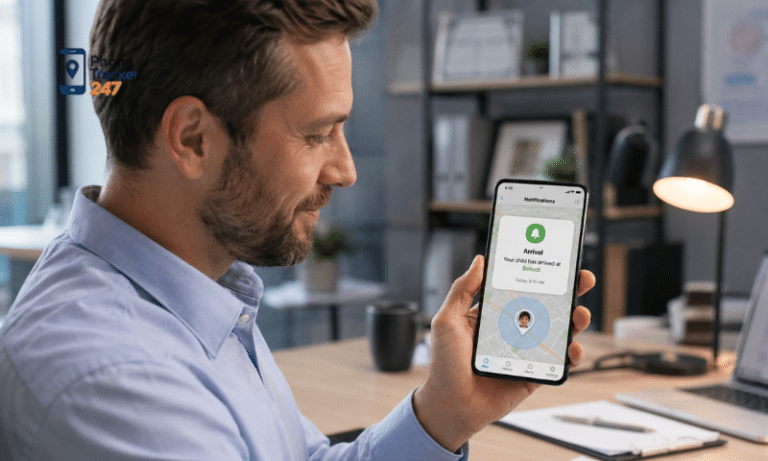
Parents can see that kids arrived at school, that a teen’s phone is still at a friend’s house, or that a grandparent has not left home when the weather is bad. Instead of calling constantly, they glance at the dashboard and only intervene when something looks off.
2. Supporting Co-Parents and Extended Families With Shared Access
Co-parents in different homes can share access to the same Multi Device Phone Tracker account, so both see the same locations and alerts. Grandparents or trusted relatives can receive limited access, for example only SOS alerts or location during specific hours.
3. Managing Company Phones, Fleet and Field Teams From One Dashboard
For small firms with drivers, technicians or on-site teams, multi device tracking answers simple but critical questions: who is nearest to a job, who has not checked in, which devices are offline. Instead of guessing, managers can assign tasks based on live data.
4. Multi Device Tracking in Hybrid and Remote Work Environments
In remote or hybrid work, location tracking is often less important than device health and basic usage. A Multi Device Phone Tracker can show whether company phones are online, updated and used in line with policy, without monitoring private content or turning into a full surveillance tool.
5. Legal, Privacy and Consent Basics for Multi Device Phone Tracking in 2026
The law changes between countries, but the core principles of lawful tracking are surprisingly consistent. Ignoring them is one of the fastest ways to create conflict or even legal risk.
1. When Multi Device Phone Tracking Is Legal – and When It Is Not
In most places, tracking is legal when you own the device, inform the user and follow local privacy rules. Secretly tracking adults on personal phones, or capturing more data than needed, is often illegal or can be treated as harassment or stalking.
2. Getting Clear Consent From Family Members and Teens
At home, it is wise to talk openly about what the Multi Device Phone Tracker does and why you want it. With younger kids, keep explanations simple: “this helps us know you are safe.” With teens, discuss boundaries, when you will and will not check, and how long data is kept.
3. Employee Monitoring Policies for Multi Device Phone Tracker Tools
In business, written policies are essential. Employees should know which devices are monitored, what is tracked, what is not; how long data is stored; and how it may be used. BYOD phones need special care; often the tracker runs only in a managed work profile with clear separation from private apps.
6. Security Standards Your Multi Device Phone Tracker Must Meet in 2026
If the platform holds location and usage data for many devices, a breach would be serious. Security is not a nice-to-have; it is a minimum requirement.
1. Data Encryption, Storage Policies and Access Control
Traffic between devices and servers should be encrypted, and data at rest should be protected with strong encryption and access controls. Dashboards must require strong passwords and preferably two factor authentication so that a stolen password does not expose everyone’s movements.
2. Vendor Due Diligence: Compliance, Certifications and Data Location
Before choosing a Multi Device Phone Tracker provider, check where their servers are, how long they keep data, and which certifications or audits they have. For businesses, this often includes data processing agreements and alignment with privacy regimes such as GDPR or similar frameworks.
3. Protecting Admin Accounts and Preventing Insider Misuse
Even with strong encryption, a careless or malicious admin can cause damage. Limit how many people have full access, log every sensitive action and review these logs regularly. For businesses, separation of duties – for example between IT, HR and management – reduces the chance of abuse.
7. How to Choose the Right Multi Device Phone Tracker for Your Needs
No single product suits everyone. This section helps you frame the decision so you do not get lost in feature lists and marketing.
1. Key Evaluation Criteria for Families and Co-Parents
Families should look for simplicity: clear maps, easy install, sensible alerts, SOS options and pricing that works for multiple kids’ phones. A good Multi Device Phone Tracker for families will also make it easy to adjust rules as children grow older.
2. Key Evaluation Criteria for SMBs, Teams and Enterprises
Businesses need more structure: role-based access, support for many devices, integration with other tools, and service level commitments. Look for APIs, single sign-on, clear uptime guarantees and support that understands compliance, not only technology.
3. Self-Hosted vs Cloud Multi Device Phone Tracker Platforms
Self-hosting gives maximum control but requires in-house expertise; it suits organisations with strict data residency or regulatory needs. Cloud platforms are faster to start, easier to maintain and usually fine for families and most small or mid-size businesses.
4. Red Flags and Common Mistakes When Choosing a Tracker
Avoid trackers that are vague about where data is stored, have no clear legal information, or encourage secret monitoring of adults. Be wary of apps that promise tracking without consent or without installing anything on the device – they are often unsafe or illegal in many regions.
Table 2: Multi Device Phone Tracker for Families vs Businesses
| Factor | Families & Co-Parents | SMBs, Fleet & Enterprise Teams |
|---|---|---|
| Primary objective | Keep kids and elderly relatives safe, reduce anxiety, coordinate daily life. | Improve field operations, protect company assets and stay compliant with regulations. |
| Typical devices | Kids’ Android phones, parents’ iPhones, shared home tablets. | Company smartphones, rugged field devices, driver phones and sometimes tablets. |
| Data focus | Real-time location, geofencing, SOS, basic usage and screen-time limits. | Location, online/offline status, policy-compliant app usage and high-risk events. |
| Consent & rules | Family agreements, age-appropriate boundaries and clear “when we check.” | Written monitoring policies, onboarding documents and signed employee consent. |
| Admin structure | One or two parents as owners; relatives may have limited or read-only access. | Separate roles for IT, operations, HR and managers with strict access control. |
| Deployment style | Cloud-based dashboard, quick setup, simple subscription plans. | Cloud or hybrid deployment with APIs, SSO and integration into MDM, HR or fleet tools. |
| Key must-have features | Simple maps, reliable GPS, route history, SOS button, privacy controls for teens. | Bulk device enrolment, role-based access, advanced reports, audit logs, SLAs and support. |
| Example success metrics | Fewer “Where are you?” messages, smoother school runs, faster help in emergencies. | Fewer missed visits, faster dispatching, less time spent on manual check-ins and status calls. |
8. Step by Step Setup: Launching a Multi Device Phone Tracker Dashboard
Rolling out tracking one device at a time quickly becomes messy. A simple plan keeps the launch smooth and avoids arguments later.
1. Planning and Readiness Checklist Before You Install Anything
Start by listing which devices you want to track, who owns them and what your goals are. Decide what you will track – location only, or also usage – and what you will deliberately not track to respect privacy.
2. Creating Admin Accounts, Roles and Shared Access
Set up the main owner account and then add other admins or viewers with the least access they need. In a family Multi Device Phone Tracker setup, that may mean full access for two parents and limited access for a trusted relative; in business, it may be managers and HR.
3. Installing the Multi Device Phone Tracker App on Each Device
Install the app directly from official stores where possible. Explain to each user why the app is there and what it does. For kids and staff, clear communication reduces suspicion and makes it more likely the app stays installed and working.
4. Configuring Geofences, Alerts and Time Windows
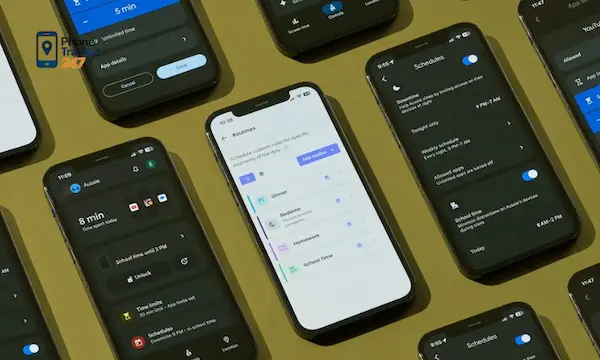
Define places that matter – home, school, office, depot – and set alerts for meaningful events such as late arrivals or leaving safe zones. Set quiet times when alerts are paused, so you are not flooded with notifications at night or outside working hours.
5. Testing, Pilot Rollout and Full Deployment
Test on a small group of devices first, watch how many alerts you get and tune the rules. Once you are happy, roll out to all remaining devices. A short pilot period is usually enough to catch configuration mistakes before they affect everyone.
9. Daily Operations: Using Multi Device Phone Tracker Without Micromanaging
The goal is to stay informed, not to stare at a map all day or check every movement. Good habits make the tool feel supportive instead of oppressive.
1. Working From Exceptions and Alerts Instead of Live Stalking
Use alerts and summary views so you only look closely when something unusual happens. For example, focus on devices that have no signal for a long time, stray outside allowed zones or trigger SOS – not on every normal commute.
2. Handling Alerts, Incidents and False Positives Calmly
When an alert arrives, treat it as a prompt to check context, not as proof of wrongdoing. Devices run out of battery or lose signal. Overreacting to every blip is a fast way to damage trust around your Multi Device Phone Tracker deployment.
3. Communicating Openly With Family Members or Staff About Tracking
Talk regularly about how tracking is used, what has worked well and what feels uncomfortable. Invite feedback and be willing to adjust rules. When people feel heard, they are more likely to accept the tool as part of a shared safety and accountability plan.
10. Advanced Playbook: Automation, Integrations and AI in Multi Device Tracking
Once the basics run smoothly, you can use automation and integrations to get more value with less manual work.
1. Automating Rules With Geofences, Schedules and Profiles
Many platforms let you define profiles – for school days, weekends, work hours or night shifts. Each profile can have different alert thresholds and geofences. Automation means you do not have to manually switch rules every day.
2. Integrating Multi Device Phone Tracker With Other Tools (MDM, HR, Fleet)
In business, a Multi Device Phone Tracker can connect to mobile device management, HR systems or fleet tools. This lets you link devices to employees, jobs, vehicles or tickets so that location and usage data show up where teams already work.
3. Using AI Assisted Anomaly Detection and Smart Insights
Some modern platforms use machine learning to spot unusual patterns, such as a device that behaves very differently from its past or from similar roles. Used carefully, these insights can help detect lost devices, emerging safety risks or policy violations early.
11. Risks, Limits and Common Pitfalls With Multi Device Phone Tracker Apps
Even good tools can cause damage if you ignore their limits. Understanding the main pitfalls helps you avoid common mistakes.
1. Over Monitoring, Burnout and Damaging Trust
If parents or managers check every movement, people quickly feel suffocated. The goal of a Multi Device Phone Tracker is to reduce anxiety, not to fuel it. Agree on clear boundaries around when and why data will be checked.
2. Legal and PR Risks From Misuse or Shadow Monitoring
Secret tracking of adults, hidden apps or trying to bypass consent can backfire badly. Beyond legal consequences, companies risk reputation damage if staff or customers discover they were monitored in ways they never agreed to.
3. Technical Pitfalls: Battery Drain, Coverage Gaps and Device Loss
High frequency location updates can drain battery and create noisy data. It is better to tune settings for your use case than to demand second-by-second tracking. Accept that coverage will never be perfect and that lost or switched-off devices are part of reality.
12. Case Studies: Real Results From Multi Device Phone Tracker Users
Concrete stories often explain the value of a tool better than feature tables. Here are three simplified scenarios you can adapt to your own context.
1. Family Case: Keeping Kids and Elderly Relatives Safe Across Devices
One family added a Multi Device Phone Tracker to two kids’ phones and a grandparent’s smartphone. Within weeks, they reduced anxious calls, knew when school pickups were delayed, and could quickly locate the grandparent after a minor fall, using the last known location and an SOS alert.
2. Small Business Case: Delivery, Technicians and On-Site Teams
A small service company with a dozen field technicians used tracking to assign jobs to the nearest available person and to confirm arrival times without constant phone calls. Missed appointments dropped, routes became more efficient, and customers received honest ETAs based on real data.
3. Enterprise Case: Managing Mixed Devices Across Many Locations
A larger organisation with branches in several cities deployed a Multi Device Phone Tracker as part of its device management stack. Managers gained a single view of company phones, could see which devices were inactive or misplaced, and used reports to support safety policies without needing to monitor individual behaviour minute by minute.
FAQs: Multi Device Phone Tracker 2026
1. What is a multi device phone tracker and who should use it?
It is a system that lets you monitor many phones and tablets from one dashboard. Families, co-parents, small businesses and teams with company phones benefit the most.
2. Is multi device phone tracking legal for families and businesses in 2026?
It is usually legal if you own the device, inform the user and follow local privacy law. Secret, hidden tracking of adults on personal phones is often illegal or risky.
3. How many devices can one multi device phone tracker account handle?
Family plans often cover a handful of devices, while business plans can handle dozens or hundreds, grouped by team or location depending on the provider.
4. Will a multi device phone tracker drain battery or slow phones down?
A well built app uses efficient location updates, so normal use has a modest impact. Very aggressive tracking settings will drain battery faster.
5. Can I track phones without installing an app on each device?
Basic location is sometimes possible with built-in tools, but a full multi device phone tracker with one dashboard almost always needs an app or managed profile.
6. How do I protect privacy when using a multi device phone tracker?
Track only what you need, set clear rules, limit admin access and avoid monitoring outside agreed hours or zones. Regular check-ins with family or staff help keep trust.
7. What does a typical multi device phone tracker cost in 2026?
Most family plans cost under a typical streaming subscription per month, while business plans charge per device or user based on features and support.
8. How do I migrate from a single-device tracker to a multi device dashboard?
Choose a platform that supports all your devices, install it in parallel, recreate your key zones and rules, then phase out old apps once you are confident everything works.
Conclusion: Turning Multi Device Phone Tracker Into a Safe Long Term Strategy
Used well, a Multi Device Phone Tracker brings order to the chaos of many phones and tablets. Families gain quiet confidence that kids and elders are safe without constant calls. Businesses gain transparency around company devices and field work without drowning teams in manual check-ins.
The difference between helpful and harmful tracking lies in intent, consent and design. Clear policies, honest conversations and good technical choices keep the balance between visibility and privacy. If you treat multi device tracking as a shared safety and accountability tool – not as a secret surveillance system – it can become a stable part of your family or business toolkit for 2026 and beyond.
Quick summary: Multi device phone tracker 2026 in one view
| Question | Short answer |
|---|---|
| Who is this for? | Families, co-parents, SMBs, fleets and distributed teams that manage more than one phone or tablet every day. |
| What problem does it solve? | Gives one live view of locations, status and key events across all devices so you are not juggling separate apps or guessing where people are. |
| Biggest benefits | Safer kids and elders, fewer missed visits, clearer ETAs, less time on manual check-ins and fewer arguments about “who was where.” |
| Key risks if misused | Legal trouble, damaged trust, staff pushback and PR issues if you track secretly, store too much data or give admins unlimited power. |
| What to look for | Cross-platform support, role-based access, clear consent tools, strong encryption, audit logs and realistic, tunable alerts. |
| How to roll it out | Start with a pilot group, define policies and consent, install the app on each device, then refine geofences, schedules and alerts before scaling. |
| Where PhoneTracker247 fits | Provides a multi device dashboard designed for both family safety and business operations, with controls built around transparency and compliance. |
What to do next with PhoneTracker247
If you are moving from single-device tools to a multi device dashboard, the next steps do not have to be complicated:
- Map your devices and goals: List which phones and tablets you actually need to track, who owns them and what you want to improve (safety, routes, response times, asset control).
- Set the rules before the install: Decide what you will track, what you will not track, who can see what and how long data is kept – and write this down for family members or staff.
- Run a small pilot on PhoneTracker247: Enrol a limited set of family or team devices, configure a few meaningful geofences and alerts, and let the system run for a few weeks.
- Tune based on real behaviour: Reduce noisy alerts, strengthen the rules that helped in real incidents, and adjust access levels where trust or privacy concerns appear.
For daily updates, subscribe to PhoneTracker’s blog!
We may also be found on Facebook!