
Types of WhatsApp Data That Can Be Tracked
When you choose to track WhatsApp messages, you can see both sent and received content, including deleted chats. In addition, media like photos, videos, and voice recordings shared through WhatsApp can be viewed from the monitoring dashboard when permissions are granted.
Tracking also captures timestamps and contact names, giving context to conversations. This makes the feature especially useful for parents and employers who need a complete overview of WhatsApp activity on a device.
Who Needs WhatsApp Message Tracking?
Parents often look for ways to track WhatsApp messages to ensure their children are safe from cyberbullying and inappropriate content. By monitoring message content and timestamps, they can intervene early if something concerning arises.
Employers may also use tracking tools to ensure company devices are used appropriately in a professional context. Students or individuals with vulnerable accounts might leverage these tools to recover accidentally deleted messages or confirm messaging patterns for security reasons.
Table 1: Legit Ways to “Track WhatsApp Messages” vs High-Risk Claims
| Approach | Best for | What it actually does | Key limitation to state | Setup effort | Risk |
|---|---|---|---|---|---|
| Linked Devices audit (check sessions) | Suspicious access | Shows which devices are currently linked to the account | Only audits that account’s sessions; doesn’t reveal someone else’s chats | Low | Low |
| Log out unknown sessions | Stop leakage fast | Removes unrecognized linked devices | Must also secure the phone; otherwise re-link can happen | Low | Low |
| Lock screen + biometrics + OS updates | Prevent takeover | Reduces physical access + exploit risk | Doesn’t “track messages”—it prevents access | Low | Low |
| Two-step verification (account hardening) | Account security | Adds extra protection against hijacks | Doesn’t recover old messages; it prevents future compromise | Low | Low |
| Chat Export (authorized) | Records & evidence | Saves your own chats for secure storage | Exports can leak if stored poorly; some chats/contexts may restrict sharing | Medium | Low |
| Restore from backups (if enabled) | Recovery | Restores your own chat history on a new device | Only what was backed up; timing matters | Medium | Medium |
| Family consent check-ins + rules | Parenting safety | Builds transparency + reduces risky behavior | Not covert monitoring; works best with ongoing conversations | Medium | Low |
| Device-level monitoring on a managed device (with consent) | Owned/managed device | Visibility depends on OS + permissions + lawful authorization | Platform limits (esp. iOS) often prevent message-content access | Medium | Medium |
| “Remote WhatsApp tracker (no access needed)” | — | Usually a marketing claim, not a reliable method | Often scams/malware; can be illegal/unethical | None (bait) | High |
| “Hack/spy app to read messages” | — | High-risk attempts to extract private content | High policy/legal risk; major security risk to your own devices too | Varies | High |
| Phishing / fake login pages | — | Tries to steal credentials/session | Criminal and unsafe; leads to account takeover | Low | High |
| Modified APK / “WhatsApp mod” tools | — | Attempts to bypass security via tampered apps | High malware risk; may break account/device security | Medium | High |

Can You Track WhatsApp Messages on Android and iPhone?
Tracking WhatsApp varies by device platform due to different security measures. This section explains what’s possible on Android and iPhone when you want to track WhatsApp messages in 2026 with PhoneTracker247.
Tracking WhatsApp Messages on Android Devices
Android’s flexibility allows more direct access to WhatsApp data than iOS in many cases. With user consent and proper permissions, PhoneTracker247 can capture message logs and shared media, enabling you to review them securely.
Because Android allows broader access to app data, features like real-time message syncing and deleted message recovery tend to work more consistently. Users must enable background services and accessibility options for full functionality.
Tracking WhatsApp Messages on iPhone Devices
iPhones are built with strict security protections that prevent third-party apps from accessing WhatsApp message content. Because of Apple’s closed iOS ecosystem, PhoneTracker247 does not support tracking WhatsApp messages on iPhone devices at this time.
Due to these limitations, features such as viewing message content, media files, or deleted WhatsApp chats are not available on iOS through PhoneTracker247. The app focuses on platforms where WhatsApp tracking can be implemented legally and reliably, ensuring compliance with privacy regulations and system security standards.
How PhoneTracker247 Tracks WhatsApp Messages
PhoneTracker247 is developed to be a leading solution when users want to legitimately track WhatsApp messages on monitored devices. The app combines powerful infrastructure with user-friendly interfaces.
WhatsApp Message Monitoring Features
PhoneTracker247 captures every WhatsApp chat exchange that occurs on the target phone. This includes sent and received text messages, with timestamps that reflect the actual conversation timing.
The tool also captures shared multimedia like photos and voice notes when available, making it a complete WhatsApp message tracker solution. Users can see these elements conveniently through their monitoring dashboard.
Real-Time Sync and Data Updates
One of the most useful aspects of PhoneTracker247 is real-time data syncing. Once the phone is connected and permissions are granted, updates appear continuously without delay.
This means if someone sends a new message on WhatsApp, you will see it appear shortly in your control panel. This timely viewpoint allows you to respond to issues quickly, making WhatsApp message tracking both proactive and practical.
Key Benefits of Tracking WhatsApp Messages with PhoneTracker247
Choosing PhoneTracker247 to track WhatsApp messages offers practical advantages that help users feel safe, informed, and in control. Here’s how this tool stands out in 2026.
Easy-to-Use Dashboard
The PhoneTracker247 interface is designed for simplicity, so even non-technical users can navigate it easily. From the dashboard, you can view all WhatsApp communications, media attachments, and conversation timelines clearly.
This centralized display saves time and makes it far easier to understand WhatsApp usage patterns. Because the dashboard aggregates everything logically, users can derive insights faster and more reliably.
Secure and Private Data Monitoring
Security is essential when you want to track WhatsApp messages—especially because the data is sensitive and personal. PhoneTracker247 uses encryption and secure servers to ensure that all monitored information remains protected.
This means data is stored and transmitted in a way that cannot be accessed by unauthorized parties. With strict privacy policies and compliance measures in place, users can feel confident using this tool responsibly.
No Technical Skills Required
PhoneTracker247 was built for everyday users, not just tech professionals. Installation is straightforward and does not require rooting on Android or jailbreaking on iPhone, which keeps devices safe and warranty-compliant.
Even complex features like message syncing and deleted message recovery are automated in the background once permissions are given. This makes this WhatsApp monitoring app accessible to parents, employers, and concerned individuals alike.
How to Set Up WhatsApp Message Tracking with PhoneTracker247
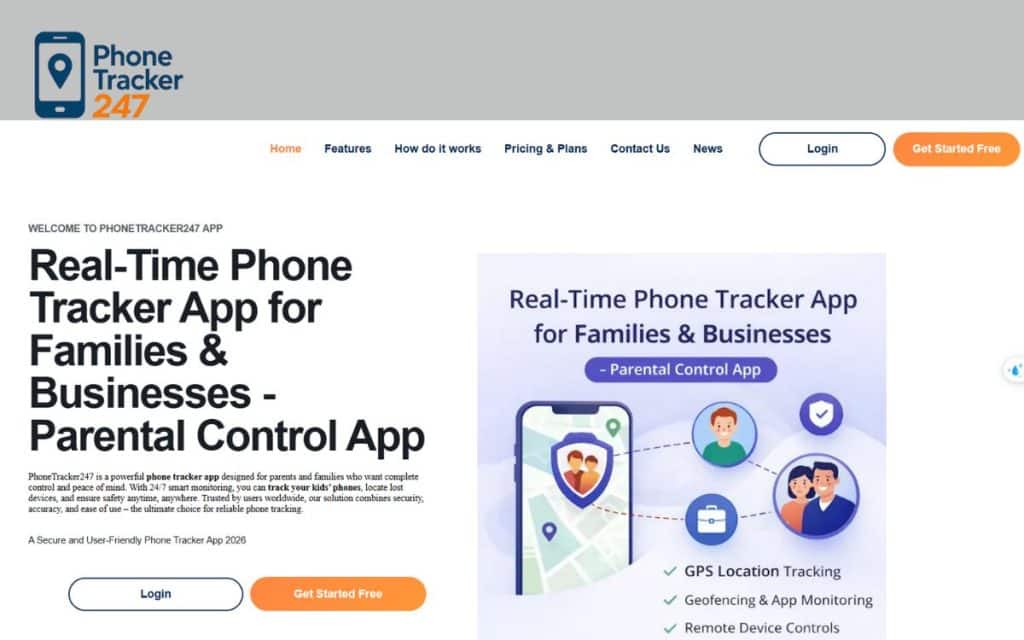
Setting up PhoneTracker247 to track WhatsApp messages is designed to be simple and fast. Below is a clear walkthrough to get you started.
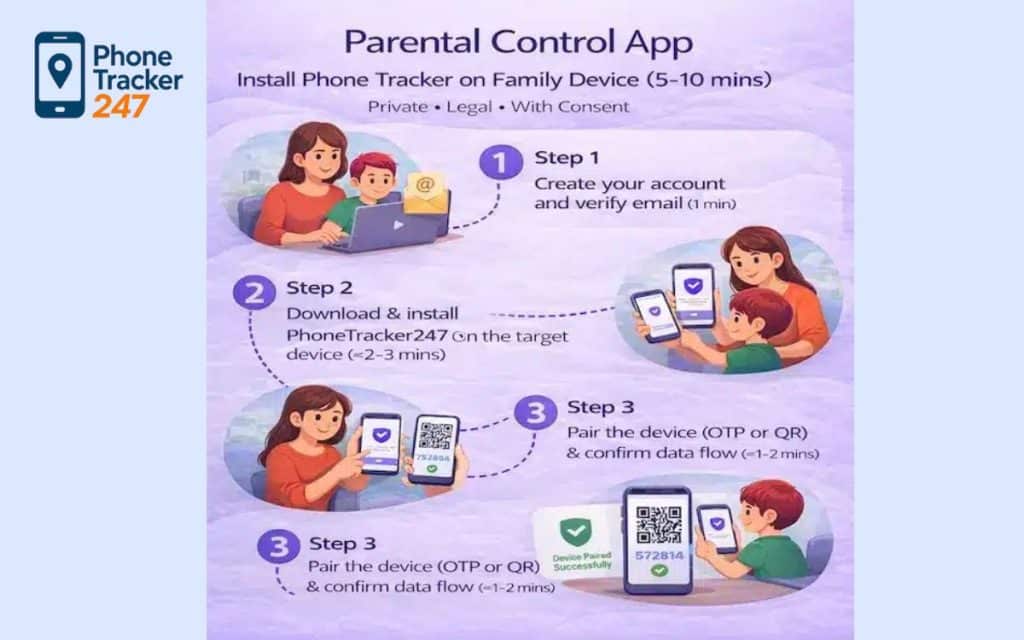
Step 1: Create a PhoneTracker247 Account
Visit the official website and register for a PhoneTracker247 account using your email. Choose a plan that supports WhatsApp message tracking and complete the secure payment process.
Once your account is created, you will receive setup instructions tailored to the device type you want to monitor. Keep this information handy for the next steps.
Step 2: Install the App on the Target Device
Follow the provided installation instructions carefully. For Android devices, you may need to grant accessibility permissions and allow background services.
For iPhone devices, you may enable iCloud backup access or similar authorized methods to sync WhatsApp data legally. Always gain proper consent per local laws before installing tracking software.
Step 3: Enable WhatsApp Tracking Features
Inside PhoneTracker247’s setup panel, ensure that WhatsApp message tracking is enabled under monitoring options. This setting tells the system to collect WhatsApp data and sync it to your dashboard.
Adjust any additional preferences, such as how often updates occur or what kind of alerts you wish to receive. These settings can enhance how you view and manage the tracked messages.
Step 4: View WhatsApp Messages from Your Dashboard
Once everything is in place, log in to your PhoneTracker247 account to begin viewing WhatsApp messages. The dashboard will show sent and received texts, media files, and associated timestamps.
Use search and filter tools to find specific messages quickly. If you encounter any issues, the support team is available to assist with troubleshooting or optimization.
See more: How to install Phone Tracker App on Cellphone
Is It Legal to Track WhatsApp Messages?
Legal considerations are essential before you decide to track WhatsApp messages on any device. Laws vary, but responsible use ensures you stay compliant.
Legal Use Cases for WhatsApp Monitoring
Parents may legally monitor devices they own or are responsible for when tracking a child’s WhatsApp usage to protect them from harm. This is one of the most widely accepted use cases.
Employers may also monitor company-owned devices when employees are informed and consent to company policies. Transparency and documented consent are key to avoiding legal issues.
User Responsibility and Compliance
It is crucial to understand that you must not use tracking tools on someone else’s phone without consent. Unauthorized use could violate privacy laws and result in legal consequences.
Always consult local regulations and ensure that monitored parties are informed. Using PhoneTracker247 responsibly means protecting privacy while accomplishing your security or accountability goals.
Why Choose PhoneTracker247 to Track WhatsApp Messages?
With several solutions available, choosing the right option matters if your priority is to track WhatsApp messages reliably. PhoneTracker247 stands out for several reasons.
Compared to Other WhatsApp Tracking Apps
PhoneTracker247 emphasizes stability and reliability in message syncing, even when WhatsApp updates its architecture. Other apps may fail to update quickly during WhatsApp version changes, leading to gaps in tracked data.
Support and documentation also tend to be stronger with PhoneTracker247, helping users resolve issues faster. When your priority is capturing message details accurately, these qualities make a difference.
All-in-One Phone Monitoring Solution
Beyond WhatsApp, PhoneTracker247 offers features like GPS tracking, call log monitoring, web history insights, and social media tracking. This holistic suite makes it ideal for users who want more than just message visibility.
Because it handles multiple monitoring needs in one platform, it’s more cost-effective than combining separate apps for each task. As a complete tool, PhoneTracker247 is especially appealing for families and organizations.
FAQs About Tracking WhatsApp Messages
Below are common questions users ask when they want to track WhatsApp messages with a monitoring solution in 2026.
1) What does “Track WhatsApp Messages” actually mean?
Usually it means auditing access (linked devices), reviewing your own chat history, or exporting chats you’re authorized to access—not “reading messages secretly.”
2) Can you track WhatsApp messages in real time?
Only on devices/accounts you control or manage with clear permission (e.g., your own phone + approved linked device).
3) Can you track someone’s WhatsApp messages without their phone?
In most cases, no—and attempts to do so often cross legal/ethical lines or rely on scams.
4) Can parents track a child’s WhatsApp messages safely?
Safer approach: consent + household rules + check-ins, and focus on risk signals (unknown contacts, scam patterns) instead of covert monitoring.
5) Does end-to-end encryption prevent tracking?
It prevents outsiders from reading messages in transit, but messages are still visible on the devices signed into the account.
6) How do I check if my WhatsApp is being accessed by someone else?
Review linked devices, log out anything unfamiliar, and secure the phone (passcode/biometrics + OS updates).
7) Can I recover or “track” deleted WhatsApp messages?
Typically not reliably—unless you have your own backups/exports from before the deletion.
8) Can WhatsApp backups be used to track messages?
Backups can help you restore your own chat history on a new device—only if backups were enabled and available.
9) What’s the safest way to keep records of important chats?
Use Export Chat (where available/allowed) and keep exports stored securely; avoid third-party “tracker” tools.
10) What should I avoid when trying to track WhatsApp messages?
Avoid anything marketed as “spy,” “hack,” or “see messages remotely”—it’s high-risk for scams, malware, and policy/legal violations.
Start Tracking WhatsApp Messages with PhoneTracker247 Today
If you’re ready to confidently track WhatsApp messages with a trusted solution in 2026, PhoneTracker247 offers a comprehensive, secure, and easy-to-use platform. With real-time syncing, deleted message recovery, and robust data security, it’s one of the most capable WhatsApp monitoring apps on the market.
Quick Summary Table
| What you’re trying to do | Consent-first method that works | What you actually get | Key limits (say this clearly) | Legal risk |
|---|---|---|---|---|
| Stop unauthorized viewing now | Check Linked Devices → log out anything unfamiliar | Immediate access shutdown | Doesn’t fix a compromised phone by itself | Low |
| Confirm if your account was accessed | Review linked sessions + device security review | Strong “access audit” signal | Doesn’t prove what was read, only that access existed | Low–Medium |
| Track chats on your own device (ongoing) | Authorized on-device monitoring + permissions (Android-friendly) | Ongoing visibility on that device | Platform limits vary; iOS is restrictive for message-content monitoring | Medium |
| Keep records of important chats | Export chat (where allowed) + store securely | A shareable record you control | Exports can leak if stored poorly; some chats may restrict exporting | Low–Medium |
| Recover history after phone switch/loss | Backups (if enabled) → restore | Restored chat history | Only what was backed up; timing matters | Low |
| Parent safety without spying | Consent + household rules + check-ins + scam coaching | Reduced risk, better compliance | Doesn’t give “secret access”; it’s a behavior strategy | Low |
| “Track without phone / remote reading” | Avoid (often scams/spyware claims) | Usually false promises | High malware + policy/legal risk | High |
| “Hack/spy tools to read someone else’s chats” | Avoid | High-risk intrusion | Can be illegal/unethical; often compromises your own security too | Very High |
Start with PhoneTracker247 to monitor your own/authorized Android device, follow the simple setup steps, and begin monitoring WhatsApp activity with confidence and peace of mind.


