
Step-by-Step: How Does Phone Tracker App Work
A fast, compliant rollout keeps data fresh, batteries healthy, and audits easy. Use this 5-step flow per device (≈5–10 minutes after initial policy setup). PhoneTracker247 is optimized for Android devices you own or manage, making it a practical choice for small teams.
Step 0: Legal & Consent First
PhoneTracker247 app is for monitoring devices you own or are authorized to manage (e.g., a child’s phone or a company-owned device) with clear consent and in compliance with applicable laws and policies. Document permissions upfront—this protects everyone and aligns with 2026 privacy rules.
Step 1: Create your account and verify email (1 min)
– Sign up with your email or your phone number.
– Open the verification link to activate secure access. Verified accounts prevent unauthorized access before you start to track cell phone online.
Step 2: Download & install PhoneTracker247 app on the target device (2-3 mins)
- Go to PhoneTracker247 Download Center to Download PhoneTracker247 app APK file: https://download.phonetracker247.com/
- Install PhoneTracker247 app on the target device Open the APK file -> Tap Install -> Wait for the installation to complete -> Tap Open
Step 3: Sign In and Link Your Device (3-5 mins)
- Sign in to your dashboard: https://dashboard.phonetracker247.com/sign-in/
- Tap Pair New Device -> then Click Let’s Get Started to connect a new device
- Follow the on-screen steps. In the final step, enter the code and click Pair Now to finish.
Step 4: Permissions Setup ( 1 min )
Open PhoneTracker247 App -> More -> Permissions Setup -> Check All Features
To collect accurate data and keep reporting stable, PhoneTracker247 needs a small set of Android permissions. Apply least-privilege (only what your policy/package requires), document consent, and confirm each permission is granted correctly before leaving the device.
Step 5: Start Monitoring Phone Location Live with Confidence
Once the device is paired and permissions are set, you can monitor safely and consistently from the PhoneTracker247 Dashboard on mobile, tablet, or web.
Once paired, the tracker syncs location data (and other enabled features like SMS or calls) securely. Send a test location check or message to confirm everything flows to your dashboard without issues. For businesses, batch this across devices after company policy approval—it keeps rollout smooth and traceable.
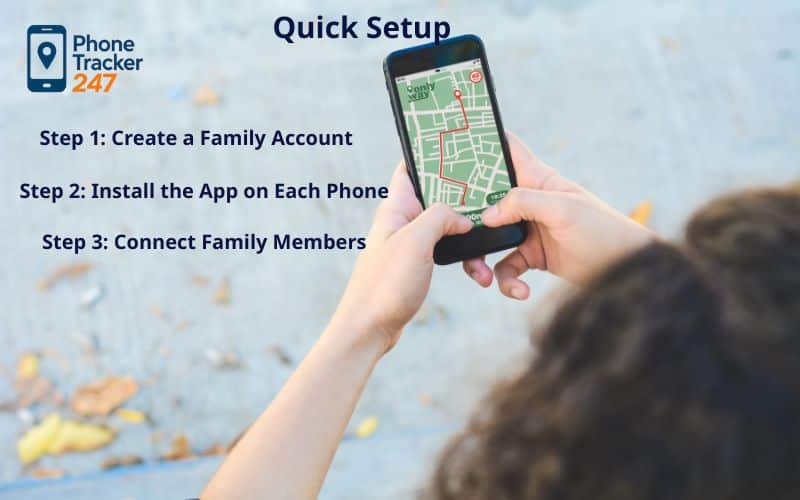
How PhoneTracker247 Tracks Location Safely
Solid tracking gets three things right: it needs to be accurate, it can’t eat the battery, and it has to respect privacy.
It pulls from GPS for sharp outdoor fixes (often down to a few meters), then leans on Wi-Fi and cell towers in cities or indoors. Bluetooth helps in places like offices or malls when available. The smart part is adaptive sampling—frequent pings when the phone’s on the move, much slower when it’s sitting still. You get real-time updates without flattening the battery.
Everything travels encrypted and stays that way when stored. You decide who sees what through roles (Owner, Admin, Viewer), and there’s a log of every access. If the phone goes offline, you still see the last known spot and updates queue up for later. History defaults to short windows (7/30/90 days, your choice), and you can export or wipe it anytime.
Table 1: Live Phone Location Tracking Methods (Fast Comparison)
| Method | Works on | Best for | Strength | Trade-off | You need |
|---|---|---|---|---|---|
| Built-in family sharing (OS-level) | iOS / Android | Families sharing with consent | Stable, integrated, usually reliable | Limited controls vs advanced apps | Same ecosystem + account setup |
| Map link “Share Live Location” (messaging/map apps) | iOS / Android | Short trips, meetups, travel days | Quick setup, time-limited sharing | Not designed for long-term family routines | Internet + app account |
| Safety/check-in apps (consent-first) | iOS / Android | Ongoing safety routines | Check-ins, SOS, circles, alerts | Requires permissions + background run | Location “Always” + background allowed |
| Emergency location sharing | iOS / Android | True emergencies only | Fastest “I need help now” flow | Not for daily tracking | Emergency contacts configured |
| Carrier / network-based location (where available) | Varies | Basic last-known in low-signal cases | Can work when GPS is weak | Often less precise + feature varies by region | Carrier support + account access |
| “Find my device” tools | iOS / Android | Lost phone recovery | Great for device recovery | Not ideal for people-tracking routines | Device logged in + online |
Core Use Cases & Outcomes
Everyone has their own reason for tracking location, but the point is always the same: useful info without making life feel monitored. Start with a clear purpose, set some ground rules, and let the app do the boring work.
For Families
Keep it light—geofences quietly let you know when kids hit home or school, with a privacy pause for friend time. Glance at the day’s route for easy pickup coordination. Talk about the rules together so no one feels blindsided. Result: way fewer “where are you?” texts and smoother routines.
For Small Teams & Field Work (with consent)
Turn it on only during shifts, auto-log job-site check-ins and departures, review routes to confirm jobs got done. Export records for payroll or disputes. Result: less constant calling, better proof of work, quicker fixes—while staying totally transparent.
For Seniors or Caregiving
Give trusted family viewer access (no admin powers). Set soft safe-zone alerts for wandering. Last-seen stays visible if the phone drops signal. Use short-term share links for doctor visits. Result: faster help when needed, more independence, fewer emergency calls.
For Travel or Events
Drop temporary geofences at hotels, concert venues, meet-up points. Share an expiring link for the day. Easy to backtrack if someone wanders off. Result: quicker regrouping and automatic privacy cleanup when it’s over.
Track Phone Location Use-Case Matrix
Use Case | Must-Have Settings | Alerts to Enable | Practical Outcome |
Families | Always-on + Precise; privacy pause | Arrivals (Home/School) | Calmer pickups, fewer check-in texts |
Field Teams | Shift windows; job-site geofences | Arrive/Depart + Dwell | Proof of service, fewer status calls |
Seniors/Care | Viewer roles; safe-zones | Gentle “leave zone” | Quicker coordination, safety net |
Travel/Events | Temporary links; pop-up zones | Meet-point enter/exit | Easy regrouping, auto-stop sharing |
Pricing & Plans – Simple, Flexible, No Surprises
PhoneTracker247 keeps things straightforward so you can focus on safety, not hidden fees. After checkout, you get a clean invoice (with company name and full address if needed) for easy records.
- Free – $0.00 forever (great for personal/family testing) Real-time GPS tracking, 24-hour location history, unlimited contacts, 1 basic geofence (Alpha), app usage monitoring, limited to 1 device.
- Essential (Most Popular) – $29.99 every 30 days Best for company-owned devices or growing families. Adds live GPS with full history, geofencing alerts, browsing history, SMS messages, call history.
- Premium – $39.99 every 30 days Unlimited everything + advanced remote features. Unlimited location history, unlimited real-time GPS tracking, unlimited advanced geofencing (Alpha), remote camera access (where supported).
No long-term lock-ins—cancel anytime. Start free to try the basics, upgrade only when you need more. All plans include strong encryption, consent tools, and 24/7 chat support.
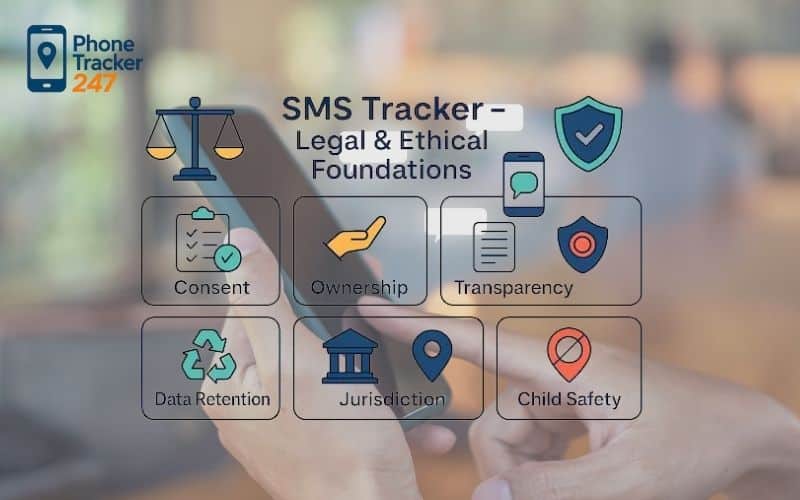
Legal & Ethical Guidelines (Trust & Safety)
Location data is personal—treat it that way. If you’re tracking someone else’s phone, honesty and consent aren’t optional.
- Consent & Transparency Explain first: what data, why, when. Get documented yes (signed for staff, family talk for kids). Make pausing or stopping dead simple.
Copy-paste line: “We use PhoneTracker247 to track phone location for safety/operations during [hours/purpose]. You can review, pause, or revoke anytime.”
- Purpose, Scope & Schedule Only for real needs—safety, work duties, lost phone recovery. Time-box it—no 24/7 without good reason.
- Data Minimization & Retention Grab only what’s needed; use smart sampling instead of nonstop pings. Keep history short (7–90 days max) with auto-delete.
- Rights & Requests Let people see/export their data. Wipe it when asked. Use roles and review access every few months.
- Workplace Quick Checklist Clear policy on purpose, times, data types, retention. Easy opt-in process. Work-hours only. Regular audits.
- Family Agreement Template We track for safety and coordination, never punishment. Geofences for key spots; privacy pause always okay. History kept [7/30] days; review together if needed. Revisit every term.
- Prohibited Uses No stalking, coercion, secret tracking, or sharing with outsiders.
Why Choose PhoneTracker247 to Track Cell Phone GPS Location
If you’re going to do this, do it with something that actually works well in real life.
- Adaptive updates stay accurate while moving, easy on battery when still—no constant worry about dead phones.
- Privacy-first: full encryption, custom roles, consent reminders, retention you control.
- 10–15 minute setup: sign up, install, pair, add geofences—done over coffee.
- Built-in tools for consent, privacy pauses, clear timestamps.
- Geofences turn locations into useful alerts instead of data noise.
- Offline shows last-seen; catches up when signal returns.
- Works for one phone or a small team, with fair pricing and actual support.
FAQs: Track Phone Location – Legality, Accuracy, Privacy & Setup
1. Is it legal to track a phone location?
Yes—only with informed consent and a legitimate purpose (parents/guardians may consent for minors where lawful).
2. How often does real-time tracking update?
Adaptive: faster while moving, slower when idle. You can tune intervals to balance accuracy and battery.
3. How accurate is phone location indoors vs outdoors?
Outdoors GPS can be within meters; indoors relies on Wi-Fi/cell signals, so expect broader ranges.
4. Will tracking drain the battery? How do I reduce it?
Impact is modest with proper permissions, background refresh on, and avoiding ultra-tight update intervals.
5. Can I track phone location if the device is offline or GPS is off?
You’ll see last-seen. Data syncs on reconnection; Wi-Fi/cell can provide estimates when GPS is off.
6. How do geofences and alerts work, and what radius should I use?
Geofences trigger enter/exit events. Start with 100–200 m for homes; 200–500 m for dense schools/offices.
7. How long is location history stored? Can I export or delete it?
Retention is configurable (e.g., 7/30/90 days). You can export timelines and delete data anytime.
8. What permissions do I need on iOS and Android?
iOS: Always + Precise + Background App Refresh. Android: Allow all the time + Precise + Unrestricted battery.
9. How do I pause or stop sharing my location?
Use the privacy pause or revoke consent; deprovision the device to stop future updates and purge history per policy.
10. What data does PhoneTracker247 collect, and how is it protected?
Location/timestamps and configured metadata only; encrypted in transit/at rest with role-based access and audit logs.
Conclusion: Track Phone Location the Right Way Ready in Minutes
If you’re going to track phone location, do it with clear consent, tight controls, and tools that respect battery life. PhoneTracker247 gives you real-time visibility, geofences, and history without turning everyday life into surveillance. Set it up once, document consent, and let smart alerts handle the routine check-ins for families and small teams.
Conclusion: Track Phone Location the Right Way
If location tracking fits your situation, do it the smart way: clear consent, sensible limits, battery-friendly accuracy. PhoneTracker247 gives you real-time views, useful alerts, and history without overstepping. Set it up once, get permission documented, and let the smart features handle the rest.
Quick Summary Table: Live GPS Phone Location Tracking
| If you want… | Do this | Avoid this |
|---|---|---|
| Truly “live” updates | Enable background location + allow Always/All the time permission | “While using only” permissions |
| Better accuracy | Turn on High Accuracy (GPS + Wi-Fi + cellular) when needed | Testing indoors and assuming it’s broken |
| Fewer refresh gaps | Disable battery optimization / power saver for the tracking app | Running in Low Power/Data Saver mode all day |
| Fewer false alerts | Use 2–3 larger safe zones (150–300m radius) | Too many tiny geofences |
| Privacy-first safety | Share with a small trusted circle + use time-limited sharing | Secret tracking, “undetectable mode,” long-term history |
| A teen-friendly setup | Use check-ins + travel-only sharing with clear rules | 24/7 monitoring without agreement |
Get Started Now
Track phone location responsibly with PhoneTracker247—real-time, geofences, history in minutes. Consent-first, encrypted, battery-smart, iOS/Android setup fast, roles/retention/audits included.
Subscribe to the blog for daily tips! Follow us on Facebook of PhoneTracker247 too!


