Modern teams rely on calls for sales, support and daily coordination, so having clear logs is no longer optional. At the same time, employees care deeply about privacy and fairness. If you track call history on company phones without a clear purpose, guardrails and communication, you risk legal issues and broken trust instead of better performance.
Contents
- 1 1. Why Tracking Call History On Company Phones Matters
- 2 2. Legal And Ethical Foundations For Tracking Call History On Company Phones
- 3 3. Designing A Clear Policy To Track Call History On Company Phones
- 4 4. Technical Options For Tracking Call History On Company Phones
- 5 5. Data Minimization, Retention And Security For Call History Logs
- 6 6. Balancing Oversight And Trust With Employees
- 7 7. Use Cases Where Call History Tracking Adds Real Business Value
- 8 8. Step By Step: How To Track Call History On Company Phones Safely
- 9 9. Key Metrics And Reporting From Company Phone Call History
- 10 FAQs: Track Call History On Company Phones
- 11 From Raw Call Logs To Responsible Call Monitoring
1. Why Tracking Call History On Company Phones Matters
Before you choose any tool or write any policy, you need a clear answer to a simple question: why do you want to track call history on company phones at all. When you are honest about that, it becomes much easier to decide what to log, how long to keep it and who should be able to see it.
1. Business reasons to track call history on company phones
For most organisations, call logs are not a nice to have. They are a foundation for how work gets done. Typical reasons include:
- Sales visibility: seeing how often key accounts are contacted, which deals are going cold and where follow ups are slipping.
- Service quality: matching tickets to calls, checking response times and understanding how long it really takes to solve issues.
- Dispute resolution: having a neutral record of when calls happened, which numbers were used and how long the conversation lasted.
- Operational insight: spotting patterns like repeated missed calls, overloaded lines or teams handling more volume than expected.
Used this way, tracking call history on company phones helps managers make better decisions with real data instead of relying on memory and anecdote.
2. Risks of having no call history on company phones
The opposite scenario is not neutral. If you have company paid phones but no reliable call history, you open yourself up to avoidable problems:
- You cannot prove that a promised call ever happened when a customer challenges you.
- You cannot see that leads are being ignored or that certain time zones are never covered.
- You struggle to investigate incidents where a sensitive call was made from a company line.
- You leave finance and legal teams without the basic records they expect for audits.
In many sectors, regulators and enterprise customers already assume that you keep at least basic call logs for business phones. Having nothing at all can look careless or unprofessional when something goes wrong.
3. Why best practices matter more than raw surveillance
The answer is not to collect every possible detail from every call forever. That kind of raw surveillance often creates more risk than it solves. It drives employees to avoid company phones, pushes conversations to private devices and makes it harder to build the open culture you need for long term performance.
Best practices focus on three things:
- Purpose: you track only what you need to run and protect the business.
- Proportion: you keep metadata like numbers, times and durations, not full content by default.
- Transparency: employees understand what is tracked on company phones, why it is tracked and how the data is used.
When you start from this mindset, you can track call history on company phones in a way that strengthens your sales and support engines while still respecting privacy, law and basic trust inside the company.

2. Legal And Ethical Foundations For Tracking Call History On Company Phones
Before you track call history on company phones, you need a basic legal and ethical frame. Even simple call logs are personal data in many regions, so you must be clear about your legal basis, how transparent you are with staff and where the red lines sit.
1. Lawful basis and transparency for call history tracking
Most companies rely on contract and legitimate interest as the legal basis for call logging. You provide business phones so people can serve customers and protect the company, and call history supports that. Even so, regulators expect transparency: written policies, clear notices in onboarding and a chance for employees to ask questions. Tracking that is invisible or hidden in fine print is much harder to defend if there is a complaint.
2. What is usually allowed and what clearly crosses the line
In many environments, keeping metadata such as numbers, time, duration and basic tags for business calls is normal. Problems begin when you secretly record content, log private calls that staff were told would not be tracked, or mix company phone logs with monitoring of personal devices. A good rule is simple: if you would be uncomfortable explaining your practice to a regulator or court, it is a sign the design needs to change.
3. Balancing privacy, proportionality and employee expectations
Ethically, you should keep monitoring proportional to the risk. A call center handling regulated complaints needs tighter tracking than a small creative studio. Make it clear that you log business calls for quality, safety and compliance, not to listen in on private conversations. When people understand that call history exists to support their work, not to watch their lives, they are more likely to accept it as normal.
4. Working with unions, works councils and local regulators
If your workforce is unionised or covered by a works council, you may need formal consultation before changing how you track communications. In heavily regulated sectors, your legal or compliance team should review plans and document the reasons and safeguards around call history. You are not just trying to avoid penalties. You are showing that tracking call history on company phones is done within clear rules that respect both business needs and employee rights.

3. Designing A Clear Policy To Track Call History On Company Phones
Once you know why you need to track call history on company phones and what the law allows, you need a written policy. This turns good intentions into concrete rules that managers, staff and auditors can all understand and follow.
Table 1 – Core building blocks of a call history tracking policy
| Policy element | Key questions to answer |
|---|---|
| Scope | Which phones, teams and numbers are included |
| Purpose | Why you track call history on company phones |
| Data collected | Which call details are logged and which are not |
| Access and roles | Who can see what, under which conditions |
| Retention and deletion | How long logs stay, when and how they are removed |
| Employee rights and appeal | How staff can ask questions or challenge suspected misuse |
1. Defining scope: which company phones and which types of calls
Start by making scope explicit. Decide whether your policy covers only fully owned company phones, shared devices, desk phones, softphones or also business profiles on personal devices. Clarify whether internal calls, external calls or only customer facing calls are logged. The tighter and clearer the scope, the easier it is to defend and apply fairly across different teams.
2. What your call history tracking policy must explain
A useful policy is specific, not vague. At minimum it should spell out:
- The business reasons for tracking call history
- The exact data fields you store, such as number, time, duration, extension and tags
- Who can access logs, in what situations and with what approvals
- How long different categories of call history are kept and how deletion works
Writing this in plain language helps employees see that you are logging business calls in a structured way, not collecting everything you can just because the technology allows it.
3. Onboarding, consent flows and employee communication
Even the best policy fails if nobody has read it. Build call history tracking into onboarding so every new hire signs or acknowledges the rules for company phones. Give managers simple talking points so they can answer common questions from their teams. Keep the policy easy to find on your intranet and remind staff during tool rollouts or big changes. When you treat communication as part of the process, people are far more likely to accept that you track call history on company phones as a normal, bounded part of working with customers.
4. Technical Options For Tracking Call History On Company Phones
Once your policy is clear, you need systems that can actually track call history on company phones in a clean, central way.
1. Using PBX and VoIP systems for central business call logs
PBX and VoIP platforms usually provide call detail records with numbers, time, duration and extensions. Because logging happens on the phone system, you get one central view instead of scattered device data. Configure retention, access and exports so they match your written policy and connect key logs to CRM or helpdesk tools.
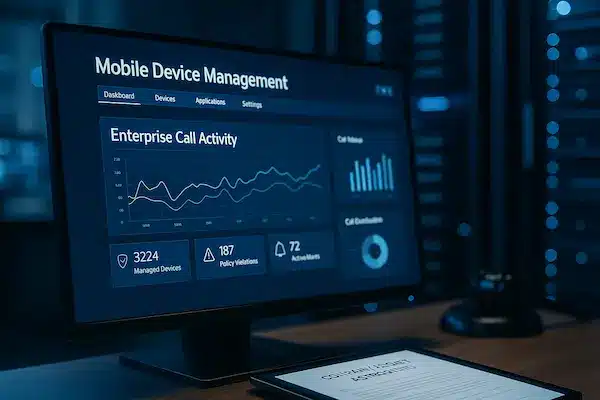
2. Using MDM for mobile company phones
Mobile device management tools help you control which dialer or app staff use for work calls and keep configurations consistent. MDM is not a full logging solution, but it can make sure business calls flow through the phone system or app where proper call history is already recorded and protected.
3. Cloud telephony and softphone based call history
For remote and hybrid teams, cloud telephony and softphones are often the main source of truth. Most platforms offer dashboards, filters and exports for missed calls, volume and duration. When you track call history on company phones through these services, check where data is stored and how role based access and audit logs are handled.
4. Choosing tools that support compliant call history monitoring
Whatever stack you use, look for role based permissions, strong authentication, encryption, admin audit trails and stable integrations. Good tools make it easy to follow your policy by design and hard to casually export or overshare raw call logs.
5. Data Minimization, Retention And Security For Call History Logs
Even with good tools in place, you still need discipline around what you collect, how long you keep it and how you protect it. Many risks linked to efforts to track call history on company phones come not from logging itself, but from keeping too much data for too long with weak controls.
Table 2 – Example retention guidelines for company phone call history
| Call type | Typical retention goal | Purpose and notes |
|---|---|---|
| Sales calls | 6 to 24 months | Pipeline review, performance, dispute checks |
| Customer support | 12 to 36 months | Quality, legal, warranty and service history |
| Internal calls | Shorter period | Only longer if security or compliance requires |
| High risk cases | As required by law | Follow sector rules and legal advice |
1. Collecting only the call history data you truly need
Start with minimization. For most businesses, metadata is enough: caller and callee numbers, time, duration, direction, team and optional tags. You usually do not need full content, personal notes or unrelated device data tied to every call. If a data field does not clearly support a business or compliance goal, do not collect it.
2. Setting retention periods for different types of business calls
Retention should match how you actually use the logs. Sales teams may only need historic data for one or two sales cycles. Support teams may need longer for warranty or legal reasons. Internal calls often need the shortest window. Set default retention per call type, document the logic and automate deletion so old logs do not pile up by accident.
3. Securing call history logs with roles, audit trails and encryption
Treat call logs like any other sensitive business record. Limit access based on role, require strong authentication and enable admin audit logs so you can see who searched or exported what. Make sure call history is encrypted in transit and at rest, and that exports do not sit unprotected in shared folders or email attachments.
4. Handling audits and data access requests professionally
Eventually someone will ask questions about your call history, whether it is an employee, customer, regulator or auditor. Be ready with a short explanation of what you log, how long you keep it and how people can request access or corrections. Clear processes make it much easier to track call history on company phones without losing control when scrutiny arrives.

6. Balancing Oversight And Trust With Employees
Even if your legal and technical setup is perfect, your rollout can still fail if people feel watched instead of supported. The real test of how you track call history on company phones is whether staff still feel comfortable using those phones to do their work.
1. Explaining how and why you track call history
Start with plain language, not legal clauses. Explain that call history exists so you can serve customers properly, protect the business and spot issues early, not so managers can listen in on private drama. Use simple examples that matter to staff, such as resolving a complaint, proving that a callback was made or showing that a team is overloaded.
Share the key points from your policy in a short FAQ or slide, and let people ask blunt questions. When employees understand the reasons, they are less likely to assume the worst.
2. Using call history for coaching, not only punishment
If the only time someone hears about call logs is when there is trouble, they will quickly see tracking as a threat. Balance this by using data to highlight what is working: quick responses, great follow up or smart call routing. Bring examples into one to one meetings and team reviews to back up praise and coaching.
When managers treat call history as a tool to help people succeed, staff are less defensive and more open to using company phones instead of avoiding them.
3. Setting boundaries for personal calls on company phones
Most workplaces allow some limited personal use of company phones. Make those rules explicit. Clarify whether personal calls are allowed at all, whether they appear in logs, and how supervisors are expected to handle that information.
If possible, consider technical options that separate business and private use, such as work profiles, corporate lines or masked numbers. Clear boundaries reduce fear and make it easier to keep most call history focused on genuine business activity.
4. Handling concerns, complaints and edge cases fairly
Questions and edge cases will come up. Someone may feel a manager pulled too many reports on them, or worry that a sensitive call is being misread. Build simple channels for people to raise concerns, and take those concerns seriously. Review how logs were used, explain your reasoning and be willing to adjust training or access if something was not handled well.
When people see that you listen and correct course, they are more willing to accept that you track call history on company phones as part of running a professional operation, not as a way to quietly monitor everything they do.

7. Use Cases Where Call History Tracking Adds Real Business Value
When you track call history on company phones with clear rules, it stops being just a compliance task and starts becoming a useful source of insight for daily operations.
1. Better sales visibility and account management
Sales leaders need to know if key accounts are actually being contacted, not just promised in a CRM note. Call history shows outreach patterns, gaps in follow up and which territories or segments are being ignored. It also helps you spot early signs of churn when contact volume drops sharply on important accounts.
2. Stronger customer support and service quality control
Support teams can link call logs to tickets so you see how long customers waited, how many times they called back and how quickly issues were escalated. Patterns of missed calls or very short calls can reveal broken flows or training needs. Used well, this turns call history into a quality control tool instead of just an archive.
3. Compliance, audits and internal investigations
In regulated industries, being able to show who called whom, when, and for how long is often expected. During an audit or internal review, clean call history helps you reconstruct timelines without relying on memory or inbox searches. It also shows that you track call history on company phones in a structured, documented way rather than only reacting when something goes wrong.
4. Fraud detection and telecom cost control
Unusual call patterns are often the first sign of fraud or misuse. Sudden spikes in calls to high cost destinations, odd calling hours or activity from unexpected devices can all flag problems early. Over time, call logs also help you optimise plans, carriers and licenses so you are not paying for underused lines or unnecessary bundles.
8. Step By Step: How To Track Call History On Company Phones Safely
If you move too fast, even a good idea can turn into a mess. This simple roadmap helps you track call history on company phones in a way that feels structured, fair and defensible.
1. Map your current phone landscape and call flows
Start by writing down how calls actually happen today:
- Which devices are in use (desk phones, mobiles, softphones)
- Which numbers belong to which teams or regions
- Which carriers, PBX, VoIP or cloud telephony tools you already use
You cannot design good call history tracking if you do not know where calls begin, how they travel and where they end up.
2. Define goals and non negotiables
Next, list what you want from call history and what you refuse to do. For example:
- Goals: sales visibility, support quality, audit trails, fraud detection
- Non negotiables: no secret recording, no logging of personal devices, clear notice to staff
This stops you from enabling every possible feature just because it exists.
3. Select and configure tools to match your policy
Choose the tools that fit your map and goals: PBX or VoIP logs, cloud telephony dashboards, MDM rules or specialist monitoring tools. Configure them so they:
- Capture only the call fields in your policy
- Apply the right retention periods automatically
- Enforce role based access and admin audit logs
The idea is to make it easier to follow your rules than to break them.
4. Run a pilot, train people and adjust
Do not flip the switch for the whole company on day one. Start with a pilot team, share the policy, show example reports and ask for honest feedback. Use what you learn to fix confusing parts of the process, adjust access or tweak retention before you roll out wider.
5. Review, report and improve on a fixed schedule
Set a regular review, such as every quarter, to check how you track call history on company phones. Look at:
- Whether logs are actually used for the goals you set
- Whether access, exports and retention match your policy
- Whether there are new legal, security or employee concerns
Document those reviews and changes. Over time, this turns call history tracking from a one off project into a stable, well governed part of how your company phones are used.
9. Key Metrics And Reporting From Company Phone Call History
Once you track call history on company phones in a structured way, the next step is turning raw logs into simple, useful reports. Good metrics help teams improve without drowning everyone in numbers.
1. Core call metrics for sales, support and operations
Most teams can start with a small set of basics:
- Call volume – how many calls each team or queue handles
- Connected calls – how many actually reach someone
- Call duration – average and range for different call types
- Missed and abandoned calls – where customers give up waiting
- Time of day and day of week patterns – peaks and quiet periods
These metrics show workload, coverage gaps and where you may need more people, better routing or different opening hours.
2. Quality and compliance metrics from call history logs
From the same logs you can track:
- First response and callback times
- Number of touches per case or account
- Escalation and transfer patterns
This helps you see whether customers are bounced around, whether high value accounts get enough contact and whether your processes are being followed in practice.
3. Dashboards and reports managers actually use
The most powerful reporting is simple. Build dashboards that:
- Group data by team, queue or campaign
- Allow quick filters by date range, region or product
- Highlight a few red and green indicators instead of dozens of charts
Review these views in regular team meetings so call history becomes part of an ongoing conversation, not a hidden admin panel.
4. Avoiding metric misuse and over surveillance
Metrics can also be misused if you treat every small dip as proof of failure or use detailed logs to chase individuals over minor issues. Focus on trends, not one bad day. Combine numbers with context from managers and staff before making decisions.
When reports are used to spot patterns, guide coaching and improve systems, people accept them. When they feel like a tool to watch every move, they will look for ways around how you track call history on company phones.
FAQs: Track Call History On Company Phones
1. Why should companies track call history on company phones?
To see real sales and support activity, resolve disputes and support audits with clear records instead of guesswork.
2. Is it legal to track call history on company phones?
Often yes, if you have a clear business purpose, a lawful basis and you inform employees in advance.
3. What information is usually stored in company call history logs?
Normally only metadata such as numbers, time, date, duration, direction and sometimes queue or team tags.
4. How can we track call history on company phones without breaking privacy rules?
Log only what you need, set retention limits, control access by role and clearly explain the practice to staff.
5. How long should a company keep call history records?
Many businesses keep sales and support logs for one to three years and internal call data for a shorter period.
6. What is the difference between call logging and call recording?
Call logging saves summary details about each call, while call recording saves the full audio of the conversation.
7. How should we explain call history tracking to employees?
Use simple language to say what you track, why you track it, how long you keep it and how people can ask questions.
8. Which tools can help track call history on company phones in a compliant way?
PBX and VoIP platforms, cloud telephony systems, MDM backed dialers and business tools like PhoneTracker247 all help if they support role based access, audit logs and retention controls.
From Raw Call Logs To Responsible Call Monitoring
In a world of remote work, stricter privacy rules and growing customer expectations, companies can not afford to ignore how they track and store call data. Done badly, tracking looks like surveillance. Done well, it becomes proof that you take customers, employees and compliance seriously when you track call history on company phones.
Quick summary: what matters most
Use this table as a fast reminder when you review your setup or choose new tools.
| What you need to decide | What good practice looks like |
|---|---|
| Why you track call history on company phones | Clear, written business reasons: sales, support, security, audits |
| What you actually log | Focus on call metadata, not every possible detail or full content |
| How transparent you are with employees | Simple policy, real communication, space for questions and feedback |
| How long you keep different call types | Defined retention periods with automatic deletion on schedule |
| Who can see and export call history | Role based access, strong login, admin audit trails |
| How you turn logs into value | Coaching, quality control, better staffing, cleaner investigations |
| How often you review policy and tools | Regular reviews that include legal, security, HR and team leaders |
If any of these boxes are blank, that is your signal to pause and fix the gap before you expand tracking.
Turn best practices into daily reality with PhoneTracker247
Having a policy on paper is not enough. You need tools that make it easy to follow your own rules every time people use company phones. That is where PhoneTracker247 can support you.
Used in a business context, PhoneTracker247 can help you:
- Centralise call history from different devices so managers see a single, clean picture
- Apply role based views so sales leads, support managers and compliance teams each see only what they need
- Support retention rules with controlled exports instead of random spreadsheets and screenshots
- Combine call activity with other safety and usage signals in one place, rather than chasing data across multiple systems
The goal is not to spy on staff. The goal is to give your organisation a safer, smarter way to track call history on company phones and prove that you are doing it inside clear, fair boundaries.
If you are ready to move from scattered logs to responsible monitoring, start by tightening your policy, cleaning up old data and clarifying how you want call history to be used. Then bring in PhoneTracker247 as the platform that puts those decisions into practice every day, so call tracking protects your customers, supports your teams and stands up when regulators or partners ask how you manage your company phones.
For daily updates, subscribe to PhoneTracker’s blog!
We may also be found on Facebook!