
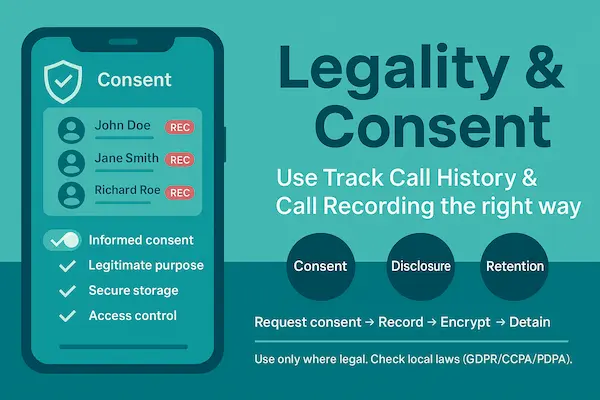
Legality & consent: use Track Call History & Call Recording the right way
When you enable Track Call History and optional Call Recording, you’re handling sensitive communications data. The rule of thumb is simple: be transparent, get informed consent, and collect only what you truly need. Laws differ by country and state (one-party vs. all-party consent), and minors, employees, and personal devices each follow different authorization paths. This section gives you a practical, compliance-first playbook so you can protect people, respect privacy, and still get the operational value you need.
1. Consent models
One-party consent: If at least one participant consents, recording can be lawful. Often this means you can consent when you’re on the call.
All-party (two-party) consent: Every participant must consent before any Call Recording begins.
Informed consent means people know what is collected (Track Call History metadata and/or audio), why you collect it, how long you’ll keep it, and who can access it.
Practical tip: Use short, human-readable notices (“This line uses call logs and may record audio for training; proceed if you agree”) and keep a dated record of that consent.
2. Who can authorize what
Parents/guardians → minors (where lawful): May enable Track Call History and, if permitted, Call Recording for safety. Have an open conversation and document the approval.
Employers → company-owned/managed devices: May enable logging/recording with a written policy, visible disclosures, and employee consent. Avoid private devices unless fully BYOD-covered.
Individuals → their own device: You can log your own calls and, where legal, record your side—with clear consent when others are involved.
3. Policy checklist for businesses
Purpose & scope: Why you use Track Call History/Call Recording and which roles may access them.
Consent & disclosures: How consent is obtained (banner, IVR, written acknowledgment).
Least-data principle: Log only what you need; avoid recording sensitive categories.
Retention: Default 30–90 days unless regulated otherwise; auto-deletion rules.
Access controls: Role-based access, approvals for downloads, watermarking when feasible.
Auditability: Access logs, versioned policy, periodic reviews with HR/Legal.
Right requests: Process to export, redact, or delete upon valid request.
4. Parental guidance
Even when it’s lawful to enable Track Call History, start with a conversation. Explain the goal (safety, bullying prevention, scam awareness), decide together how long you’ll keep logs, and review patterns with your teen. If you consider Call Recording, use it narrowly (e.g., harassment cases) and delete quickly once resolved.
5. Retention, deletion & exports
Set a default window (e.g., 30–90 days) for both logs and recordings.
Automate deletion and document exceptions (e.g., ongoing investigation with consent).
Enable exports (CSV for logs; MP3/WAV for recordings) with an approval step, and maintain an audit trail.
6. Platform-aware expectations
Android: Richer Track Call History; Call Recording availability varies by OEM/OS and local policy. Test with a consented pilot; prefer foreground prompts.
iOS: Background call audio capture is tightly restricted. Offer compliant alternatives—post-call notes, permitted bridges, or consented summaries, so you still meet your goal without breaking rules.
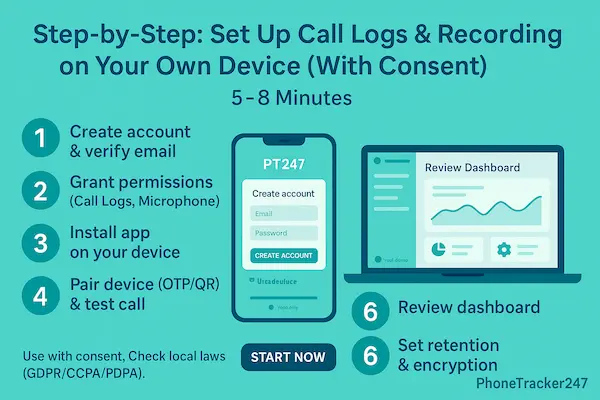
Step-by-Step: Track Call History & Call Recording with PhoneTracker247 (5–8 Minutes)
A fast, predictable setup helps you review Track Call History and—where lawful—enable Call Recording with consent, without surprises or battery drain. Follow these 4 steps and verify after each one.
Step 0: Legal & Consent First
PhoneTracker247 app is for monitoring devices you own or are authorized to manage (e.g., a child’s phone or a company-owned device) with clear consent and in compliance with applicable laws and policies. Document permissions upfront – this protects everyone and aligns with 2026 privacy rules.
Step 1: Create your account and verify email
- Sign up with your email or your phone number: https://dashboard.phonetracker247.com/sign-up/
- Open the verification link to activate secure access. Verified accounts prevent unauthorized access before you start to track cell phone online.
Step 2: Download & install PhoneTracker247 app on your owner device
- Go to PhoneTracker247 Download Center to Download PhoneTracker247 app APK file: https://download.phonetracker247.com/
- Install PhoneTracker247 app on the target device Open the APK file -> Tap Install -> Wait for the installation to complete -> Tap Open
Step 3: Sign In and Link Your Device
- Sign in to your dashboard: https://dashboard.phonetracker247.com/sign-in/
- Tap Pair New Device -> then Click Let’s Get Started to connect a new device
- Follow the on-screen steps. In the final step, enter the code and click Pair Now to finish.
Step 4: Permissions Setup ( 1 min )
Open PhoneTracker247 App -> More -> Permissions Setup -> Check All Features
To collect accurate data and keep reporting stable, PhoneTracker247 needs a small set of Android permissions. Apply least-privilege (only what your policy/package requires), document consent, and confirm each permission is granted correctly before leaving the device.
Step 5: Start Track Cell Phone Call History & Call Recording
Once the device is paired and permissions are set, you can monitor safely and consistently from the PhoneTracker247 Dashboard on mobile, tablet, or web.
Quick tips for accuracy & battery
Keep contacts tidy to improve caller ID in Track Call History.
Exclude the app from aggressive battery savers (Android).
On iOS, treat Track Call History signals and compliant notes/summaries as your primary workflow; enable Call Recording only via permitted, consented methods.
Core use cases & outcomes
The real value of Track Call History is clarity—patterns, timelines, and proof while Call Recording (with consent) adds context for safety, training, and audits. Start lean: enable logs for everyone who needs oversight, then add recording only where it clearly improves outcomes.
1. Family safety (minors)
Spot unknown or repetitive callers, coach scam awareness, and document harassment. Parents review weekly dashboards together, label suspicious numbers, and keep recordings only for active cases. Fewer risky interactions, faster school/ISP reports, stronger digital trust at home.
2. Sales & support quality (SMBs)
Use logs to balance workload and callback SLAs; use recordings (consented) to coach tone, objection handling, and compliance scripts. Shorter onboarding, higher first-call resolution, consistent brand voice.
3. Compliance & audits (regulated teams)
Maintain minimal, purpose-bound records with role-based access and scheduled deletion. Export only when policy allows and keep an audit trail. Clean evidence chains, quicker investigations, lower regulatory risk.
4. Incident response (lawful scope)
When disputes arise, Track Call History anchors the timeline; consented Call Recording clarifies what was said. Limit who reviews, log every access, and close the loop with documented actions. Faster resolutions, fewer escalations, and less guesswork.
5. Personal productivity (individual users)
Logs help you see who actually needs a follow-up; brief notes after calls beat recording in many jurisdictions. Organized callback lists, better time management, minimal data collected.
Lead with transparency, prefer Track Call History by default, and enable Call Recording sparingly, only when consent is clear and the benefit is undeniable.
Privacy, security, and data retention
When you use Track Call History and optional Call Recording, you’re a steward of sensitive data. Put privacy first, collect the minimum, and prove control through encryption, access rules, and predictable retention. The goal is simple: keep people safe while earning durable trust.
1. What we store (and why)
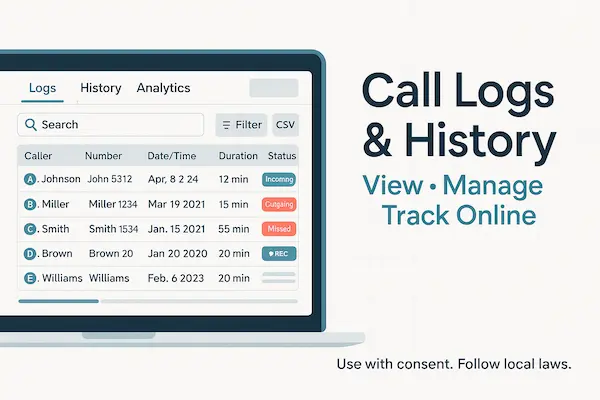
Call logs (default): number, direction, timestamp, duration, SIM slot, contact match. Stored to visualize patterns and timelines.
Recordings (optional, consented): audio files strictly for safety, training, or compliance.
2. Security controls that matter
Transport & storage: TLS in transit; strong encryption at rest (e.g., AES-256).
Identity & session: 2FA/SSO, short session lifetimes, device pairing by OTP/QR.
Access: role-based scopes (admin/reviewer/viewer), least-privilege by default, and optional IP allowlists for business.
Downloads: approval gates, watermarking, or outright disabling for sensitive teams.
3. Retention, deletion, and right requests
Defaults: 30–90 days for logs; shorter windows for recordings unless policy dictates.
Automation: scheduled purge jobs, with legal-hold flags for ongoing matters.
Rights: export logs (CSV) and recordings (MP3/WAV) on request; honor deletion/erasure with auditable proof.
4. Compliance helpers (not legal advice)
Policy pack: plain-English notice, consent record, retention table, and escalation contacts.
DPA & regionality: data processing agreement and data residency options when applicable.
Breach readiness: named responders, 72-hour internal clock, and templated notifications.
FAQs – About Call Monitoring
1. Is it legal to use Track Call History and Call Recording?
Yes—when you have authority or informed consent. Laws differ (one-party vs. all-party consent). Always disclose, document consent, and follow local rules (this is not legal advice).
2. What exactly does Track Call History capture?
Caller/callee number (or contact match), direction (in/out), timestamp, duration, missed/declined, and SIM slot. No audio unless Call Recording is explicitly enabled with consent.
3. When is Call Recording allowed?
Only with proper consent and a legitimate purpose (e.g., QA, safety, disputes). In all-party jurisdictions, everyone must agree before recording begins.
4. Does this work on both Android and iOS?
Track Call History is richer on Android. iOS restricts background call recording and system call logs—use compliant alternatives (call notes/summaries) and obtain consent for any permitted workflows.
5. Will tracking or recording drain the battery?
Impact is modest with correct permissions and power settings. Avoid aggressive battery savers, keep the app updated, and use adaptive capture rather than always-on recording.
6. How accurate are logs and recordings?
Timestamps/durations are precise; caller ID depends on your contacts/carrier. Recording clarity varies by mic path, noise, and OS rules; run a short test call after setup.
7. How long is data kept and can I export/delete it?
Use a defined retention window (e.g., 30–90 days for logs; often shorter for recordings). Admins can export logs (CSV) and recordings (MP3/WAV), and permanently delete items with an audit trail.
8. Can parents or employers use these features?
Parents/guardians may enable for minors where lawful; employers on managed devices with a written policy and employee consent. Prefer Track Call History by default; enable Call Recording only when consent is clear and value is proven.
Conclusion & Next Steps: Private, Legal, Accurate
You don’t need more data, you need the right data. Start with PhoneTracker247 to Track Call History to see who called, when, and for how long; layer Call Recording only where consent is clear and the benefit is undeniable (QA, safety, disputes). Keep the workflow simple, document consent, set predictable retention, and your program will stay trustworthy—and effective.
Quick Summary (1-minute table)
| Dimension | Track Call History | Call Recording |
|---|---|---|
| Primary purpose | Timeline, proof of activity, patterns | Training, safety, dispute evidence |
| Data captured | Number/contact, direction, time, duration, missed/declined, SIM | Audio (MP3/WAV) + metadata (who/when/consent) |
| Consent need | Authority/notice (varies) | Explicit informed consent; one-party vs all-party rules |
| Platform notes | Stronger on Android; iOS more limited | Android varies by OEM/OS; iOS highly restricted |
| Default retention | 30–90 days (policy-driven) | Shorter by default; extend only with clear purpose |
| Access controls | Viewer by default; CSV export with audit trail | Role-gated playback; download approvals/watermarks |
| Best for | Parents (minors), team transparency, SLAs | Sales/support coaching, lawful investigations |
| Risk profile | Lower (metadata) | Higher (content): minimize scope; document consent |
Download and FREE Trial Full features now!
Start 1-Day Trial — Consent-First Setup: Get Track Call History live in minutes; add Call Recording only where lawful and agreed.
See the Legal & Ethical Guide: One-page checklist for consent, retention, and access controls—ready to share with teams.
For daily updates, subscribe to Phone Tracker’s blog!
We may also be found Phone Tracker on Facebook! Follow us!


