
Why You Might Need an SMS Tracker in 2026
With evolving tech like AI-driven privacy shields in iOS 19 and Android 16, an SMS tracker helps bridge gaps in communication oversight.
For Parental Control
- Spotting Risks Early: Track incoming texts for harmful content, like invitations to unsafe meetups.
- Balancing Freedom and Safety: Set up without full device control, respecting your child’s independence.
- Adapting to New OS Features: iOS 19’s enhanced child accounts limit direct access, so an SMS tracker fills that void.
For Relationship Transparency
- Addressing Doubts: If trust issues arise, monitoring shared devices can clarify misunderstandings.
- Promoting Open Talks: Use insights from an SMS tracker to start honest conversations, not accusations.
- Navigating Digital Affairs: With more online interactions, trackers reveal hidden chats that affect partnerships.
For Business Oversight
- Preventing Misuse: Ensure employees aren’t sharing sensitive info via texts on work phones.
- Boosting Productivity: Monitor for excessive personal messaging during hours.
- Complying with Regulations: In 2026, data protection laws like GDPR updates demand audited communications.
Table 1: Parental Text Monitoring: What’s Possible
| Item | What parents often expect | What’s realistically possible | Best-practice approach | Key note |
|---|---|---|---|---|
| SMS text messages | “See every SMS instantly” | Sometimes possible on a managed child device; updates can lag | Use consent + device-level setup on the child’s phone | Availability varies by OS/version and permissions |
| MMS (photo/video texts) | “Read + view all attachments” | Harder than SMS; attachments may be limited | Prioritize safety rules + reporting over content capture | Large files + carrier behavior can block visibility |
| iMessage (Apple) | “Track iMessage like SMS” | Not the same as SMS; often limited | Use Screen Time + communication safety features | Treat iMessage as a separate channel |
| WhatsApp / Telegram / Signal | “Track all chat apps” | Usually not feasible without invasive methods | Focus on app controls, time limits, and education | “Read everything” claims often signal spyware/scams |
| Deleted messages | “Recover deleted texts” | Generally unreliable; often impossible | Teach kids to report problems early | Beware of shady “recovery” promises |
| Contact list / unknown numbers | “Flag risky contacts” | More feasible than reading every message | Use alerts + talk through red flags | Patterns matter more than content |
| New app installs | “Know if they install secret apps” | Commonly available | Turn on install alerts + require permission to download | Prevents “second phone / secret app” behavior |
| Time of day texting | “Stop late-night texting” | Feasible via schedules | Use downtime/bedtime schedules | Helps sleep + reduces risky late-night chats |
How Does an SMS Tracker Work?
Basically, the app grabs text data from the target phone and sends it to your dashboard. It might use cloud syncing or a direct connection.
You’ll need to install the app on the device you want to watch. It runs quietly, so it doesn’t tip anyone off. The best SMS trackers now work with 5G for super-fast updates.
Security’s tight—Android 16, for example, makes you approve every permission, so nothing slips through. Data stays encrypted from start to finish, so the info stays safe.
Top Features to Look for in the Best SMS Tracker
Choosing the right SMS tracker means focusing on reliability, ease of use, and compliance with 2026’s strict privacy standards.
Real-Time Monitoring
Get instant notifications for new texts, including deleted ones if the app catches them in time. This feature is crucial for timely interventions.
PhoneTracker247 excels here with AI filters that highlight urgent messages, saving you from sifting through everything.
Compatibility and Stealth
- Cross-Platform Support: Works on iOS and Android, handling versions up to 2026 releases.
- Hidden Operation: Runs without icons or alerts, maintaining discretion.
- Battery Efficiency: Minimizes drain, avoiding suspicion from quick power drops.
Additional Tools Beyond SMS
- Call Logs and Media: Track attachments in texts, like photos or links.
- Location Integration: Pair with GPS for context on message origins.
- Keyword Alerts: Custom setups for words like “party” or “secret,” tailored to your needs.
Best SMS Tracker Apps for 2026: PhoneTracker247 Review
When it comes down to it, you want an app that actually works, doesn’t drain your battery, and keeps your data safe. PhoneTracker247 checks all those boxes. It’s built for parents, partners, and employers who want simple, effective monitoring without drama. Just install, set your preferences, and get the info you need—no hoops to jump through.
Installation Ease
Setting up takes minutes: Download, grant permissions, and link accounts. No rooting or jailbreaking needed, respecting 2026 device integrity rules.
Post-install, it auto-updates to dodge OS patches that block older trackers.
Pricing and Plans
PhoneTracker247 keeps pricing straightforward and flexible, with detailed invoices (including company name and full address) sent after purchase for easy accounting.
- Free – $0.00 forever (personal use only) Real-time GPS tracking, 24-hour location history, unlimited contacts, 1 basic geofence (Alpha), app usage monitoring, 1 device limit.
- Essential (Most Popular) – $29.99 / 30 days Best value for company-owned devices. Adds live GPS & full location history, geofencing alerts, browsing history, SMS messages, call history.
- Premium – $39.99 / 30 days Unlimited usage + advanced remote features. Includes unlimited location history, unlimited real-time GPS, unlimited advanced geofencing (Alpha), remote camera access (where supported).
User Feedback Highlights
Many praise its reliability amid iOS 19’s app scanning features. One parent shared how it flagged a bullying text, leading to school intervention.
Partners note it helped verify loyalty without confrontation. Employers value audit logs for compliance.
Step-by-Step: How Does Phone Tracker App Work
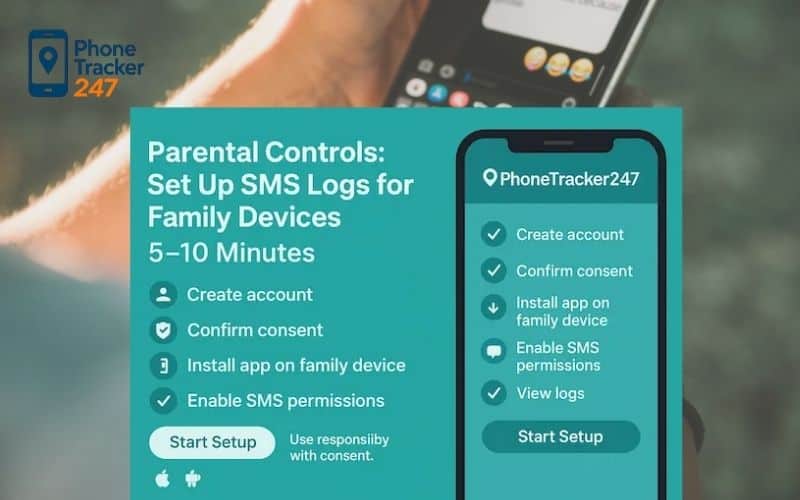
A fast, compliant rollout keeps data fresh, batteries healthy, and audits easy. Use this 3-step flow per device (≈5–10 minutes after initial policy setup). PhoneTracker247 is optimized for Android devices you own or manage, making it a practical SMS tracker choice for small teams.
Step 0: Legal & Consent First
PhoneTracker247 app is for monitoring devices you own or are authorized to manage (e.g., a child’s phone or a company-owned device) with clear consent and in compliance with applicable laws and policies. Document permissions upfront – this protects everyone and aligns with 2026 privacy rules.
Step 1: Create your account and verify email (1 min)
- Sign up with your email or your phone number: https://dashboard.phonetracker247.com/sign-up/
- Open the verification link to activate secure access. Verified accounts prevent unauthorized access before you start to track cell phone online.
Step 2: Download & install PhoneTracker247 app on the target device (2-3 mins)
- Go to PhoneTracker247 Download Center to Download PhoneTracker247 app APK file: https://download.phonetracker247.com/
- Install PhoneTracker247 app on the target device Open the APK file -> Tap Install -> Wait for the installation to complete -> Tap Open
Step 3: Sign In and Link Your Device (3-5 mins)
- Sign in to your dashboard: https://dashboard.phonetracker247.com/sign-in/
- Tap Pair New Device -> then Click Let’s Get Started to connect a new device
- Follow the on-screen steps. In the final step, enter the code and click Pair Now to finish.
Step 4: Permissions Setup ( 1 min )
Open PhoneTracker247 App -> More -> Permissions Setup -> Check All Features
To collect accurate data and keep reporting stable, PhoneTracker247 needs a small set of Android permissions. Apply least-privilege (only what your policy/package requires), document consent, and confirm each permission is granted correctly before leaving the device.
Step 5: Start Monitoring Phone Text Messages with Confidence
Once the device is paired and permissions are set, you can monitor safely and consistently from the PhoneTracker247 Dashboard on mobile, tablet, or web.
Once paired, the SMS tracker syncs texts and other configured data securely. Test with a sample message to confirm everything flows to your dashboard without issues. For businesses, batch this across devices after company policy approval – it keeps rollout smooth and traceable.
Legal and Ethical Considerations for SMS Trackers
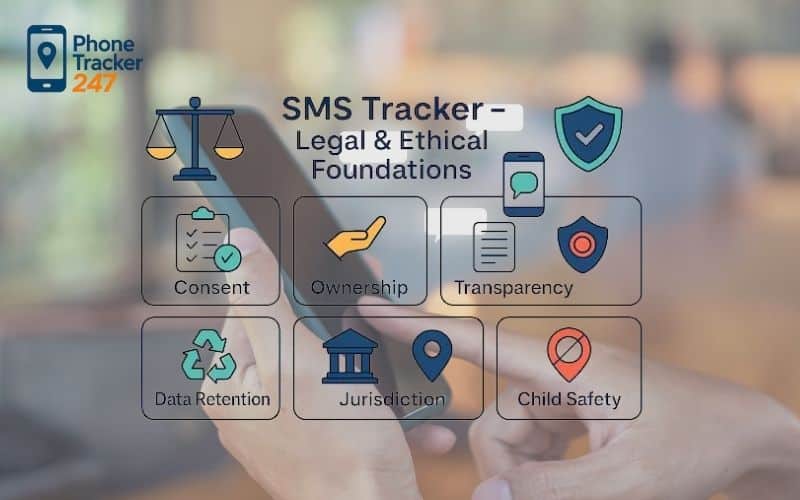
Using an SMS tracker responsibly means understanding laws – ignorance isn’t an excuse in 2026’s tightened regulations.
Consent is key: For adults, get written agreement; for minors, parental rights apply but vary by state. Ethically, use it for protection, not control.
In the EU, GDPR mandates data minimization, so only track what’s necessary. US laws like COPPA update in 2026 emphasize child data consent.
Warn against misuse: Tracking without permission can lead to lawsuits or bans. PhoneTracker247 includes built-in reminders for ethical use.
Table 2: Safer, Consent-First Alternatives to SMS Tracking
| Your goal | Better tool than reading texts | What to set up | Best for ages | Why it works |
|---|---|---|---|---|
| Reduce stranger risk | Rules + check-ins + block/report habits | “No unknown DMs” rule + how to block/report | 8–16 | Prevention beats reactive spying |
| Stop late-night texting | Bedtime schedules + Downtime | Device schedule + allowed contacts at night | 8–18 | Improves sleep without reading content |
| Prevent explicit content | Content filters + communication safety | Web filters + app age ratings + restricted modes | 8–15 | Cuts exposure at the source |
| Avoid scams and sextortion | Scam education + link warnings + install control | “No links from unknowns” + app install approval | 10–18 | Most risks start with links + pressure |
| Bullying support | Reporting workflow + trusted adult plan | “If threatened, screenshot and tell me” | 10–18 | Encourages help-seeking, preserves evidence |
| Build teen trust | Transparency agreement | When location is shared, when privacy pauses | 13–18 | Cooperation beats secrecy |
| Keep family safety | Family safety app (location + SOS) | SOS + limited location sharing | All | Safety coverage without message surveillance |
| Track only essentials | Usage insights (not content) | Screen time reports + top contacts (if available) | 10–18 | Signals patterns without invading privacy |
Pros and Cons of Using an SMS Tracker
Like any tool, an SMS tracker has upsides and downsides – weigh them based on your situation.
Pros
- Peace of Mind: Real-time insights reduce worry.
- Easy Setup: No advanced skills required.
- Versatile Use: Suits families, couples, businesses.
- Data Security: Encrypted storage in 2026 standards.
Cons
- Privacy Concerns: Can strain relationships if discovered.
- OS Limitations: New updates might require tweaks.
- Cost: Ongoing fees add up.
- Over-Reliance: Might discourage open communication.
Real-Life Scenarios Where an SMS Tracker Helps
Picture everyday situations where an SMS tracker makes a difference – these stories draw from user experiences.
Protecting a Teen from Online Predators
A mom noticed odd texts via PhoneTracker247’s alerts. It turned out to be grooming attempts. She intervened calmly, educating her daughter.
This prevented escalation, highlighting how trackers spot subtle dangers in 2026’s social media-linked messaging.
Rebuilding Trust in a Relationship
A couple used an SMS tracker on a shared phone after infidelity suspicions. Clear logs showed nothing amiss, strengthening their bond.
It sparked better communication, proving trackers can heal rather than harm.
Ensuring Workplace Compliance
An employer tracked company texts to catch policy breaches. One employee was leaking info – addressed promptly without drama.
This maintained security amid 2026’s remote work trends.
FAQs: SMS Tracker – Legal, Setup, Privacy & Compliance (2026)
1. Is an SMS Tracker legal on family or corporate devices?
Yes—when you own/manage the device and have informed consent with a legitimate purpose. Laws vary; document consent and follow local rules (not legal advice).
2. Do I need written consent before enabling an SMS Tracker?
Usually yes. Parents/guardians may consent for minors where lawful; employees should receive clear notice and acknowledge monitoring on corporate/COPE devices.
3. What does an SMS Tracker collect by default?
Sender/recipient, timestamp, direction (in/out), SIM slot, and—only where lawful and enabled—message body. You can run metadata-only mode anytime.
4. Does an SMS Tracker work with iMessage, RCS, or encrypted apps?
No. It covers SMS/MMS. Encrypted OTT channels (iMessage, WhatsApp, Signal, RCS chat) require policy and usage analytics rather than content capture.
5. Android vs. iOS—which platform supports SMS tracking better?
Android supports richer capture with user-granted permissions. iOS is more restrictive; focus on supervised deployment, policy, and metadata/usage analytics.
6. Will an SMS Tracker drain battery or slow the phone?
Impact should be modest with batching, Wi-Fi-first sync, and battery-optimization exceptions on Android. Avoid always-on polling and unnecessary attachments.
7. How long should I retain SMS data, and how do I delete it securely?
Keep only what you need—commonly 30–60 days (family) or 30–90 days (business). Automate deletion and verify wipes across backups with audit logs.
8. What’s the safest way to deploy an SMS Tracker on BYOD?
Use explicit, revocable opt-in and metadata-only scope via MAM profiles. Disable content capture, limit reporting, and honor opt-out at any time.
Conclusion
Wrapping up, an SMS tracker like PhoneTracker247 offers a smart way to monitor texts in 2026, balancing safety with ethics. We’ve explored how it works, key features, real scenarios, and a clear business installation guide to get started quickly. Remember, use it wisely with consent to navigate privacy updates in iOS and Android. Ready to try? Head to PhoneTracker247.com and start your free trial today – protect what matters most with confidence
Quick Summary: Parental Text Monitoring (Safer, Smarter, Consent-First)
| Bottom line | Do this instead | Avoid this |
|---|---|---|
| Most “read every message” promises are unreliable | Focus on safety signals: new app installs, unknown contacts, late-night patterns | Tools claiming “undetectable” or “track any chat app” |
| Safety improves most with rules + guardrails | Use bedtime schedules, content filters, and block/report habits | Secret monitoring that breaks trust |
| Consent + transparency keeps you compliant | Use managed devices, clear family agreement, and minimal data | Tracking devices you don’t own/manage or without consent |
| Protect kids from scams & sextortion | Teach link skepticism, screenshot/report steps, and quick check-ins | Clicking unknown links, paying scammers, or “DIY investigations” |
| If risk escalates, act fast | Save evidence, involve school/support, report threats to platforms | Waiting for “more proof” while pressure increases |
For daily updates, subscribe to PhoneTracker’s blog!
We may also be found on Parental Conntrol on Facebook!


