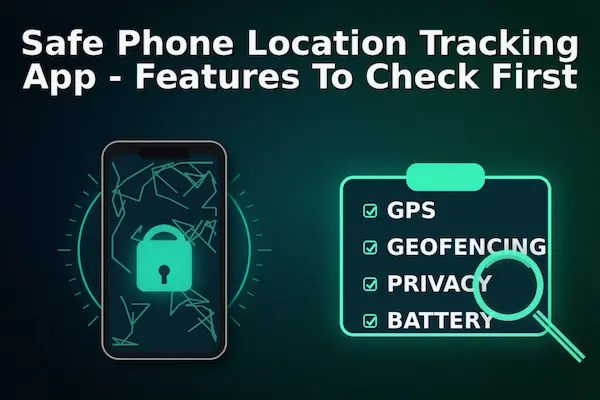
In 2026, choosing a Safe Phone Location Tracking App is about consent, privacy controls, and security, not nonstop monitoring. This guide shows the key features to verify first so you can share location responsibly, prevent misuse, and keep sensitive location data protected.
Contents
- 1 1. Safe Phone Location Tracking App: What “Safe” Means in 2026
- 2 2. Consent and Transparency Features You Must Check First
- 3 3. Privacy Controls That Prevent Over-Sharing
- 4 4. Security Features That Protect Location Data
- 5 5. Accuracy, Reliability, and Battery Impact
- 6 6. Anti-Abuse and Anti-Stalking Safeguards (Deal-Breaker Section)
- 7 7. Family Safety Features (Parents and Teens)
- 8 8. Business Use: Tracking Company Phones the Right Way
- 9 9. Quick Buyer Checklist (One Page)
- 10 FAQs (AEO Block)
- 11 Conclusion:
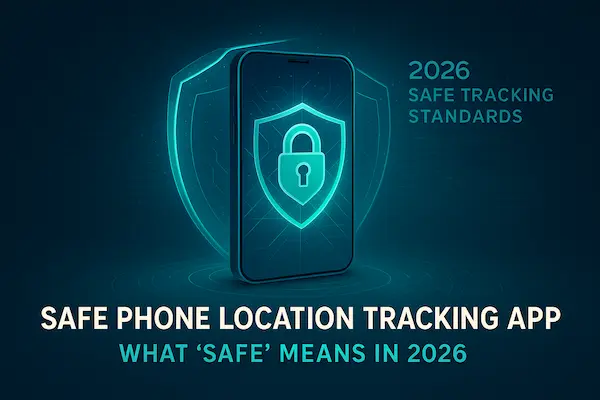
1. Safe Phone Location Tracking App: What “Safe” Means in 2026
A truly safe app is built around user control and abuse prevention. Before you trust a Safe Phone Location Tracking App, judge it by consent clarity, privacy controls, security protection, reliability, and anti-abuse safeguards, not by how modern the map looks.
1. Safety vs convenience, the tradeoffs most apps hide
Many apps are designed to make tracking effortless, but “effortless” can mean “too much access, too little visibility.” Convenience features like always-on sharing, background updates, and one-tap invites are fine only when paired with strong controls. A safe app lets you choose who can see your location, for how long, and at what precision. It also makes it obvious when sharing is active, and it does not bury important settings behind confusing menus.
A simple way to test this: open the sharing screen and ask, “Can I limit this to one person, for two hours, at approximate location?” If the answer is no, the app is optimizing for tracking, not safety.
2. Location sharing vs location tracking, the difference that matters
These two ideas sound similar, but they behave very differently in practice.
- Location sharing is typically mutual, time-limited, and user-controlled. You decide when to share, with whom, and you can stop instantly.
- Location tracking often implies ongoing visibility, more history, and more power on the viewer side.
A safe product leans toward sharing-by-choice, even if it supports real-time updates. It should feel like you are granting access, not being watched. When a Safe Phone Location Tracking App is designed well, it treats location access like a permission you can revoke at any moment, not a default setting.
3. A quick safety mindset: minimum data, maximum control
If you remember one rule, make it this: collect less, control more. That means:
- Share only what is needed (sometimes approximate is enough)
- Use time limits and auto-expiry when possible
- Keep a clear history of who accessed location and when
- Make stopping and revoking access easy, fast, and obvious
- Avoid apps that push “stealth” features or unclear permission requests
When an app follows this mindset, it usually feels calmer to use. It also holds up better when something goes wrong, because you can see what happened and take control quickly.
2. Consent and Transparency Features You Must Check First
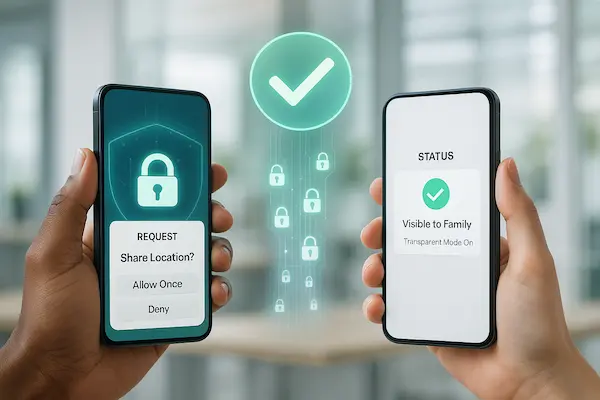
Before anything else, verify that the app is honest about permissions and visibility. A Safe Phone Location Tracking App makes consent clear, shows when sharing is active, and creates accountability through logs and alerts so location access never becomes invisible or ambiguous.
1. Clear consent flows and permission prompts
A safe app asks for location access in plain language and explains why it needs it. Look for step-by-step permission prompts, clear toggles for “While Using” vs “Always,” and an obvious way to decline without breaking the entire app. If the install experience feels rushed, confusing, or designed to push “Always allow,” treat that as a warning sign.
2. Visible indicators and notifications when sharing is active
Transparency should be built in. The app should make it obvious when location sharing is on, who can see it, and whether background updates are running. Strong signals include persistent sharing status, simple “stop sharing” controls, and timely notifications when sharing settings change.
3. Activity logs and access history
Accountability is what separates safety from surveillance. A safe app provides an activity log that shows who viewed the location, when it was accessed, and what changed. This single feature can prevent misuse because it removes anonymity. If there is no access history, you cannot verify whether sharing was used responsibly.
4. Family vs business use, ethical boundaries and policies
Consent looks different in different contexts. For families, safety works best when everyone understands the purpose and the limits. For workplaces, tracking should be policy-driven, work-hours-only, and limited to company devices with written notice. A Safe Phone Location Tracking App should support these boundaries instead of encouraging silent monitoring.
5. “When not to track” rules that protect trust
Safety includes knowing when to stop. Use tracking for clear reasons like pickup coordination, safe arrival, or emergencies, not for constant checking. If the app’s messaging focuses on stealth or control, it is not a safety tool. The safest setups are transparent, time-limited, and aligned with trust, especially with teens and employees.
3. Privacy Controls That Prevent Over-Sharing
Privacy is not a bonus feature. It is what keeps location sharing from turning into constant exposure. A Safe Phone Location Tracking App should let you share the minimum needed, for the shortest time, with the fewest people, while still delivering the safety benefit.
1. Granular sharing controls (who, when, where)
Start with the basics: can you choose exactly who sees your location, for how long, and under what conditions? The safest apps support individual sharing (not “everyone in a group”), time windows, and simple off switches. If the app only offers “always on” sharing or broad groups with no fine control, it is easy to overshare by accident.
2. Temporary sharing and auto-expiry links
Temporary sharing is one of the strongest privacy features because it prevents “forever access.” Look for options like one-hour sharing, end-of-day sharing, or auto-expiry after a trip. A true Safe Phone Location Tracking App makes expiring access the default behavior, not an advanced setting.
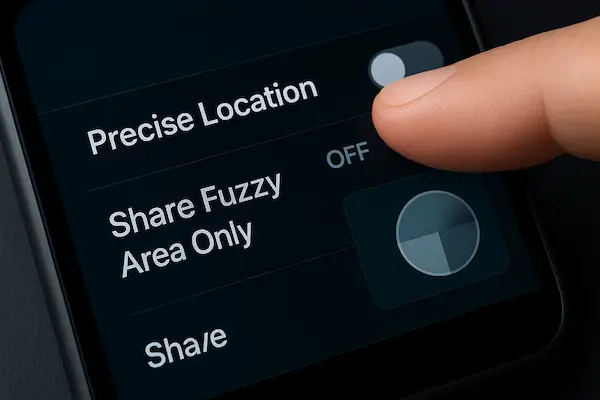
3. Precision controls (approximate vs exact location)
You do not always need exact coordinates. A safe app should let you reduce precision, especially for casual sharing or work contexts. Approximate location can protect privacy while still proving that someone arrived in the right area. Precision controls also reduce risk if a link is shared to the wrong person.
4. Geofencing that protects, not surveils
Geofencing should be used for safety events, not constant monitoring. The best use cases are “arrived at school,” “left the office,” or “entered a safe zone,” with minimal history stored. If geofencing is presented as a way to watch every movement, that is a misuse pattern, not a safety feature.
5. Location history controls (pause, limit, delete)
History is where privacy risks grow over time. A safe app offers clear controls to pause tracking, limit how far back history goes, and delete history without hassle. It should also make account deletion straightforward. If you cannot easily remove location history, the app is asking you to accept long-term risk for short-term convenience.
4. Security Features That Protect Location Data
Location data is highly sensitive because it can reveal routines, home addresses, workplaces, and personal relationships. A Safe Phone Location Tracking App should protect that data with strong account security, encryption, and clear controls for retention and deletion, not vague promises.
1. Encryption in transit and at rest (plain English checks)
At minimum, data should be encrypted when it moves between the phone and the server, and when it is stored. You do not need to be technical to sanity-check this. A trustworthy app will clearly state that it uses encryption and will not hide behind confusing language. If security information is missing or hard to find, treat it as a risk signal.
2. Account security: 2FA, device binding, session management
Two-factor authentication (2FA) is one of the simplest protections against account takeover. Better apps also support device binding or trusted devices, plus session controls that let you see and log out of active sessions. If someone can access your account, they can access your location. That is why this is a must-have for any Safe Phone Location Tracking App.
3. Role-based access for families and teams
Not everyone should have the same powers. Families may need different roles for parents, caregivers, and teens. Businesses may need admin vs viewer access. Role-based controls reduce misuse by limiting what each person can do, and they make it easier to remove access cleanly when someone no longer needs it.
4. Data retention and deletion controls
Security is not only about preventing hacks, it is also about limiting exposure. Look for clear retention rules, easy deletion of location history, and a straightforward account deletion process. The safest apps keep retention practical and give users control, instead of storing years of history by default.
5. Breach response and transparency commitments
Even strong systems can face incidents. A safe provider explains how it handles breaches, how it notifies users, and what it does to reduce impact. If an app has no clear support channel, no security policy, or no transparency about incidents, it is not something you should trust with location data.

Table 1: Safety Score Checklist (0–100) for Any Safe Phone Location Tracking App
Use this scoring model to compare apps quickly. It keeps the decision practical, and it highlights the areas where a Safe Phone Location Tracking App should never be weak.
| Category | Points | What to verify fast |
|---|---|---|
| Consent and transparency | 20 | Clear disclosure, visible sharing status, access history |
| Privacy controls | 20 | Granular sharing, time limits, precision control, easy stop sharing |
| Security protections | 25 | 2FA, encryption, session controls, role-based access |
| Anti-abuse safeguards | 20 | No stealth positioning, alerts for changes, revoke access fast |
| Retention and deletion | 15 | Clear retention, delete history, simple account deletion |
How to use it: score each category based on what you can verify in the settings, help center, and privacy policy. If an app scores low on transparency, security, or anti-abuse, it is not a safe choice even if the tracking looks accurate.
5. Accuracy, Reliability, and Battery Impact
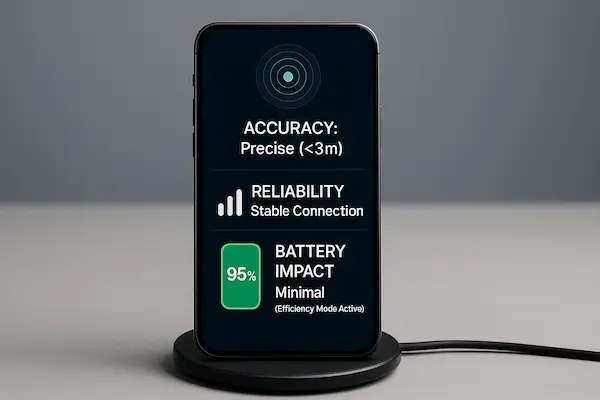
Safety also depends on performance. If location updates are unreliable, delayed, or drain the phone, people stop using the tool or start making decisions based on wrong information. A Safe Phone Location Tracking App should be accurate enough for real-life use, stable under normal conditions, and predictable on battery.
1. Accuracy expectations and common causes of drift
Location accuracy changes based on GPS signal, Wi-Fi availability, cell towers, phone settings, and whether the device is indoors. It is normal for accuracy to drift in high-rise buildings, parking garages, subways, or areas with weak signal. A safe app is honest about these limits and does not promise “perfect real time” everywhere.
2. Update frequency and “real time” claims to verify
“Real time” is often marketing language. Verify what it actually means: how often the app refreshes, whether it updates in the background, and whether updates depend on screen-on activity. The safest approach is to choose an app that lets you control refresh frequency, so you can balance safety needs and battery life.
3. Battery and data usage controls
Battery drain is one of the fastest ways to make users disable tracking or force-kill the app. Look for power modes, background activity controls, and clear guidance for iOS and Android settings. A Safe Phone Location Tracking App should provide options like lower refresh rate, Wi-Fi preferred updates, and safe alerts without constant polling.
4. Offline handling and last known location rules
When a device goes offline, a safe app should show “last updated” time clearly and avoid pretending the location is current. It should also handle “last known location” responsibly, with timestamps and clear messaging so users do not make risky decisions based on stale data.
6. Anti-Abuse and Anti-Stalking Safeguards (Deal-Breaker Section)
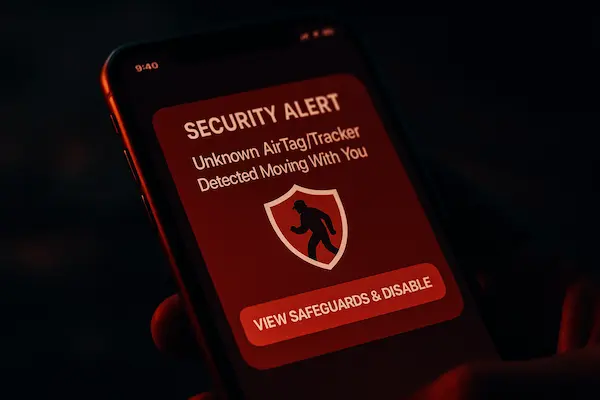
If an app makes tracking invisible, it is not a safety product. A Safe Phone Location Tracking App should actively prevent misuse by making access transparent, requiring consent, and giving users fast ways to revoke sharing.
1. No stealth positioning, consent-first messaging
Watch how the app markets itself. If it promotes stealth tracking, hidden modes, or “track without them knowing,” that is a clear red flag. Safe tools are designed for permission-based sharing and will say so plainly.
2. Alerts when sharing changes or new viewers are added
Anti-abuse starts with visibility. The app should notify users when location sharing is turned on, when a new person gets access, or when settings change. These alerts help stop misuse early because unwanted access becomes hard to hide.
3. Approvals for new devices, viewers, or accounts
Look for controls that prevent silent takeover, such as approvals for new logins, device binding, or confirmation before adding new viewers. For family accounts, the best designs require clear steps to add members rather than instant invites that can be abused.
4. Emergency stop, block, and revoke access
A safe app must offer a one-tap way to stop sharing immediately, remove viewers, and block accounts if needed. It should also let users log out of active sessions and reset security quickly. If revoking access is complicated, the app is not safe in high-risk situations.
7. Family Safety Features (Parents and Teens)
For families, safety works best when the tool supports healthy boundaries, not constant surveillance. A Safe Phone Location Tracking App should help with practical scenarios like pickups, safe arrival, and emergencies while protecting trust and privacy.
1. Check-in features and safe arrival alerts
The most useful family features are simple: “I’m on my way,” “I arrived,” and automatic safe arrival alerts for key places like home or school. These reduce the need for frequent manual checks and keep location sharing purposeful rather than constant.
2. Emergency options and trusted contacts
Look for clear emergency controls such as SOS alerts, quick share with trusted contacts, and easy access to emergency information. A safer design makes these options hard to miss and easy to use under stress, without requiring complex setup in the moment.
3. Boundaries: when parents should not track
Even with good intentions, always-on checking can damage trust. Families should agree on when location sharing is used, how long it stays on, and what triggers a check. A Safe Phone Location Tracking App should make time limits and pause options easy so parents can use tracking for safety moments, not routine monitoring.
4. Teaching teens digital safety without over-monitoring
The best long-term outcome is a teen who knows how to stay safe. Use the app to teach habits like sharing location during travel, recognizing unsafe situations, and using check-ins, rather than turning it into a control tool. When the app supports transparency and boundaries, it helps families build safety and trust at the same time.
8. Business Use: Tracking Company Phones the Right Way
Workplace location tracking can be legitimate for safety, delivery operations, and asset protection, but it must be policy-driven and consent-based. A Safe Phone Location Tracking App for business should support clear boundaries, strong admin controls, and auditability so tracking does not become intrusive.
1. Employee notice and consent, what to document
Start with transparency. Employees should be notified in writing about what is tracked, why it is tracked, when it is tracked, and who can access it. Consent and policy documentation reduce risk and make expectations clear from day one.
2. Work-hours-only tracking and privacy boundaries
A safe setup limits tracking to work needs. That typically means enabling location visibility only during working hours, using job-related geofences, and avoiding after-hours monitoring. The app should make it easy to pause or disable tracking outside scheduled shifts.
3. Admin controls, audit trails, and access governance
Business use requires role-based access and audit logs. Admins should be able to assign roles, remove access quickly, and review who accessed location data. Without audit trails, you cannot prove responsible use, and the program becomes a liability.
4. Data minimization and compliance basics
Collect the least data necessary, keep retention practical, and delete on schedule. Avoid storing long histories by default. A Safe Phone Location Tracking App should support data minimization, clear retention settings, and straightforward deletion to align with privacy expectations and compliance requirements.
Table 2: Red Flags Test (60 Seconds) to Spot Unsafe Location Tracking Apps
This quick test helps you avoid risky installs fast. If an app fails any of these checks, it is not a Safe Phone Location Tracking App, even if its tracking looks accurate.
| Red flag | Why it matters | Safer signal |
|---|---|---|
| Promotes stealth tracking | High abuse and legal risk | Consent-first messaging and clear disclosures |
| No clear delete option | Long-term privacy exposure | Simple delete history and account deletion |
| Requests unrelated permissions | Over-collection risk | Permissions match features and are optional |
| No access logs or alerts | No accountability | Access history plus notifications for changes |
| No real support or policies | Low trust and weak governance | Clear support channel and readable privacy policy |
| Vague retention rules | Unknown data storage risk | Stated retention period with scheduled deletion |
| Hard to stop sharing | Users lose control in emergencies | One-tap stop sharing and revoke access |
| No 2FA or session controls | Higher takeover risk | 2FA, device binding, and session logout options |
9. Quick Buyer Checklist (One Page)
Use this checklist as a final gate before you install. It keeps decisions fast while ensuring the fundamentals of a Safe Phone Location Tracking App are in place: consent, control, security, anti-abuse protection, and reliable performance.
1. Consent and transparency checks
- The app explains why it needs location access in plain language
- Permission choices are clear (for example “While Using” vs “Always”) and not hidden
- You can see when location sharing is active at a glance
- The app shows who has access, and you can remove a viewer quickly
- There is an activity log or access history, or at least alerts when sharing changes
2. Privacy controls checks
- You can share with specific people, not just a whole group by default
- Time limits exist (one hour, end of day, trip-based), and auto-expiry works
- You can reduce precision (approximate vs exact) when exact location is not needed
- Location history can be paused, limited, and deleted without contacting support
- Account deletion is straightforward and does not require extra steps or “email us” loops
3. Security checks
- Two-factor authentication (2FA) is available and easy to enable
- You can view active sessions and sign out of devices you do not recognize
- The app supports role-based access for families or teams (admin vs viewer)
- Security information is easy to find (not vague), and support is reachable
- Exports, sharing links, or screenshots are controlled rather than encouraged
4. Anti-abuse checks
- The app does not promote stealth tracking or “track without them knowing” language
- Users receive alerts when a new viewer is added or sharing settings change
- Adding new devices or viewers requires clear approval steps
- You can revoke access instantly, block a user, and stop sharing in one tap
- The app provides guidance on responsible use, especially for teens and employees
5. Reliability checks
- The app shows “last updated” timestamps clearly so you do not mistake old data for live data
- Refresh frequency is controllable so you can balance safety and battery life
- Battery and data usage settings are available (power-saving modes, background limits)
- Offline handling is honest (last known location with time), not misleading
- Core safety features still work predictably during normal connectivity issues
FAQs (AEO Block)
1. What makes a phone location tracking app safe?
A safe app is consent-based, transparent about who can see location, and includes privacy, security, and anti-abuse safeguards by default.
2. Is it legal to track someone’s location?
Laws vary by region and situation. In general, you should have clear consent, especially for adults, employees, and shared devices.
3. What permissions should a safe app request?
Location permission is expected, but a safe app should not demand unrelated access like SMS, microphone, or contacts unless it is clearly needed and optional.
4. How do I stop sharing my location safely?
Turn off sharing in the app, revoke the viewer’s access, and confirm the sharing status is off. If needed, also review phone location permissions.
5. How long should location history be stored?
Only as long as needed for the purpose. Safer apps offer short retention, clear deletion options, and straightforward account removal.
6. Can location tracking be abused, and how do safe apps prevent it?
Yes. Safe apps use visibility, alerts, access logs, approvals for new viewers, and easy revoke controls to reduce abuse risk.
7. Does real-time tracking drain battery?
It can. Safer apps let you control update frequency and provide power-saving modes so you can balance safety and battery life.
8. What should parents avoid when tracking teens?
Avoid constant checking, secret tracking, or using location as punishment. Use clear rules, time limits, and focus on safety situations, not control.
Conclusion:
As privacy expectations rise going into 2026, “safe” location tracking is being judged less by features on a map and more by how responsibly an app handles consent, access, and misuse prevention. The strongest signal of a Safe Phone Location Tracking App is simple: you always know who can see your location, you can limit sharing in seconds, and you can revoke access instantly if something feels wrong. If an app cannot offer that level of control, it is not ready for modern safety standards.
Quick Summary Table
| Category | What to verify first | Quick pass criteria |
|---|---|---|
| Consent | Clear prompts and disclosures | Users can decline and still use core functions |
| Transparency | Sharing status, logs, alerts | You can see who accessed location and when |
| Privacy | Granular sharing and time limits | Share only what you need, auto-expiry works |
| Security | 2FA, session controls, encryption | Account takeover is hard, access is controlled |
| Anti-abuse | No stealth, easy revoke and block | Misuse is visible and easy to stop |
| Retention | Delete history and account | Clear retention rules, deletion is simple |
Start a Safety-First Setup With PhoneTracker247
If you want a practical, consent-based way to share location without privacy surprises, PhoneTracker247 is built to help you stay in control. Use it to set clear sharing rules, limit access, and apply safety safeguards that reduce misuse risk, especially for families and company devices. Start with a quick safety checklist, set up your sharing boundaries in minutes, and keep your location data protected going into 2026.
For daily updates, subscribe to PhoneTracker’s blog!
We may also be found on Facebook!