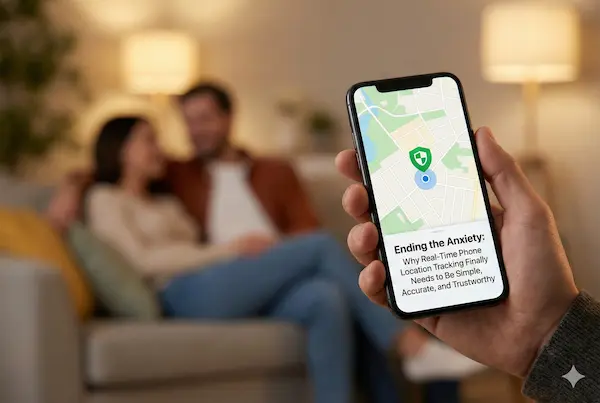
When people think about safety today, they rarely admit how often they stare at a map, waiting for a tiny blue dot to move. Parents checking school runs, dispatchers watching field teams and solo travelers sharing their route are all trying to answer the same simple question: “Where are they right now, and can I trust what I see on the screen?” This is exactly what real time phone location tracking is supposed to solve – turning that uncertainty into a calm, clear picture instead of another source of stress.
Contents
- 1 What Real Time Phone Location Tracking Should Really Feel Like
- 2 Why Real Time Phone Location Tracking Still Feels Broken Today
- 3 How Real Time Phone Location Tracking Actually Works Behind The Scenes
- 4 The Core Trade Offs In Real Time Phone Location Tracking
- 5 The Real Anxiety Behind Real Time Phone Location Tracking
- 6 Core Use Cases For Real Time Phone Location Tracking
- 7 Privacy, Consent And Legal Boundaries For Real Time Phone Tracking
- 8 What To Look For In A Real Time Phone Location Tracking App
- 9 Making Real Time Phone Location Tracking Actually Work
- 10 Troubleshooting Real Time Phone Location Tracking Issues
- 11 11. Real World Patterns – When Real Time Tracking Truly Helps
- 12 FAQs About Real Time Phone Location Tracking
- 13 Conclusion
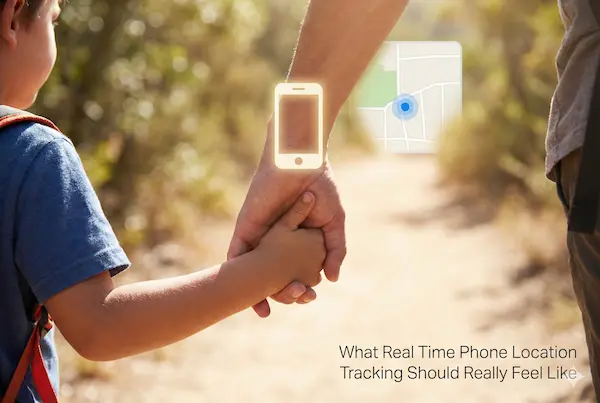
What Real Time Phone Location Tracking Should Really Feel Like
If the technology is working properly, you should not be thinking about it all day. A good setup gives you a clear, live picture when you need it, then gets out of the way. The goal of real time phone location tracking is not to feed an obsession with maps, but to quietly answer simple questions like “Where are they now” or “Is the team actually on the way”.
1. What Is Real Time Phone Location Tracking In Everyday Life
In everyday terms, real time phone location tracking means seeing where a phone is moving now, not guessing from a pin that was last updated several minutes ago. When someone leaves home, you can see the route start. When they reach school, the office or the next job, you see the stop. You are not watching every second, but whenever you open the map, it matches what is happening in the real world closely enough that you can make a decision without second guessing it.
2. How It Differs From Basic GPS And Map Refresh
Basic GPS or a normal map app gives you a snapshot. You open it, the phone takes a position, and then the picture slowly goes out of date until you refresh again. With a live setup, updates keep coming in the background, so the route on screen follows the actual journey instead of jumping from point A to point C. You get a sense of movement, direction and timing, not just isolated dots. That is the difference between wondering “Did they leave yet” and seeing that they are already halfway there.
3. Ending The Anxiety – From Guessing To Calm, Clear Live Location
Most of the anxiety around location comes from not knowing whether the map is lying. Is the phone really still at school, or is the app just slow. Has the driver actually left the depot, or is the dot frozen from ten minutes ago. When live tracking is simple to use, accurate enough and built on clear rules, those questions fade. Instead of a constant need to refresh, you check once, trust what you see and move on with your day. That is the experience this guide is aiming for.
Why Real Time Phone Location Tracking Still Feels Broken Today
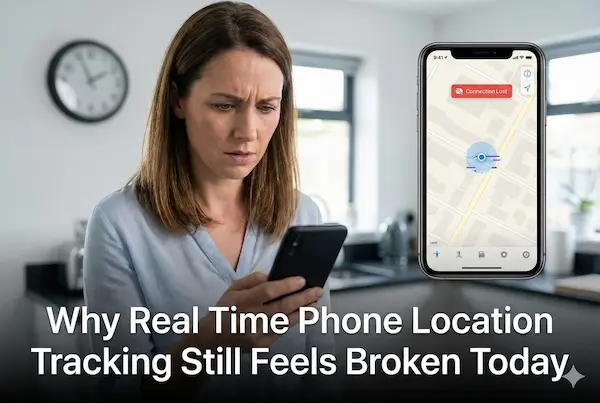
For a lot of people, the promise is smooth and simple, but the day to day reality is not. Apps promise real time phone location tracking, but what you actually see is a dot that freezes, jumps streets or shows someone stuck in a place you know they left ten minutes ago. After a few bad experiences like that, it is hard to trust any map, no matter what the label says.
1. Frozen dots, delayed updates and confused users
Most complaints start the same way: “The map says they are still at school, but they just called me from the bus.” Updates arrive in bursts instead of a smooth line, or the app shows a device parked in one spot while the person is already at home. Sometimes the app has been closed by the phone to save battery, sometimes the signal is weak, sometimes the service is just slow. From the user’s point of view, all of those problems look identical: the dot is lying, and the tool feels unreliable at exactly the moment you most want it to work.
2. The gap between “real time” marketing and real world maps
On landing pages, “real time” often sounds like a magic word. In practice, there are update intervals, power limits, background restrictions and network hiccups that no amount of marketing can erase. A service might update every 10 or 20 seconds under ideal conditions, then slow down when the phone is underground or the operating system starts to tighten background activity. None of that nuance fits into a short app store description, so people walk in expecting perfect live TV, and leave feeling cheated when what they get is closer to a slightly delayed news feed.
3. When constant checking creates new anxiety instead of safety
Once you stop trusting the map, you start checking it more, not less. Parents refresh every few seconds, dispatchers sit with the phone always in their hand, travelers keep reopening the app just to be sure. Every small delay feels like a warning sign, even when nothing is wrong. Instead of reducing worry, the tracking becomes a new habit of constant verification. The technology might be close to good enough, but the way it behaves on screen keeps people in a loop of doubt instead of letting them relax and move on with their day.
How Real Time Phone Location Tracking Actually Works Behind The Scenes
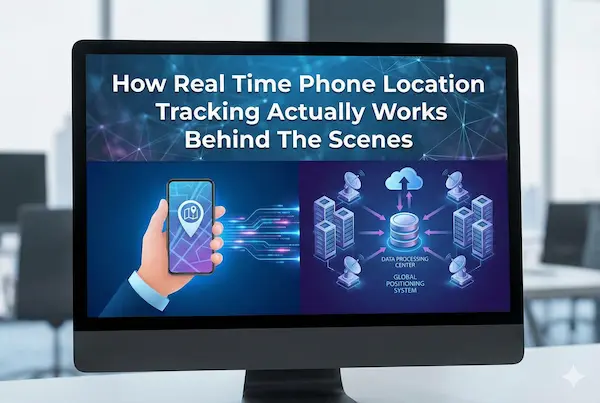
To fix what feels wrong on the screen, it helps to know what is happening off the screen. Real time phone location tracking is not one magic signal. The phone estimates where it is, the app sends that data over the network, a server cleans it up and only then do you see a point on your map. Each step can add a little delay or noise.
1. How phones mix GPS, Wi Fi and mobile networks
Modern phones blend GPS, nearby Wi Fi and cell towers to guess location. GPS is strong outdoors, weaker indoors and between tall buildings, where the other signals have to fill the gaps. When real time phone location tracking looks “off”, it is often because the phone is working with poor signals and the app is not filtering the worst readings.
2. Foreground versus background tracking on modern phones
Apps behave very differently when they are on screen compared with when they are in the background. Android and iOS both limit background activity to protect battery and privacy. If tracking is not designed for those limits, it can look perfect with the app open and then slow or stop once the phone is locked. Reliable tracking has to use the right permissions and update strategies so routes stay usable without draining the device.
3. From device to cloud to dashboard – the full location path
After the phone has a position, the app still has to send it across the mobile network. The server receives it, stores it, sometimes corrects it and then sends it to the viewer: a parent’s phone, a web panel, a control room screen. If any link is slow or unstable, the map feels late, even though the phone itself is working fine.
The Core Trade Offs In Real Time Phone Location Tracking
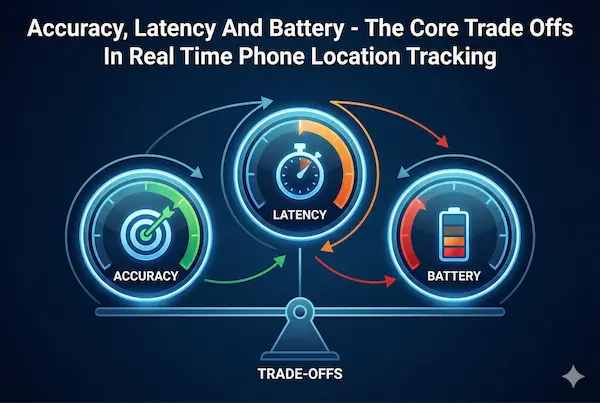
Every service that promises real time phone location tracking is juggling the same three things: how close the dot is to reality, how fast it updates and how much battery the phone has left at the end of the day. There is no magic setting that maxes all three at once.
Table 1. Basic GPS vs Real Time Phone Location Tracking
| Criteria | Basic GPS / Map Refresh | Real time phone location tracking |
|---|---|---|
| Update pattern | Manual or slow auto refresh | Frequent background updates on a set interval |
| View of movement | Isolated dots | Clear route that follows the real journey |
| History | Little or no timeline | Trips, stops and routes saved in a history |
| Alerts | Rare or none | Optional arrival, departure and geofence alerts |
| Multi device | One device at a time | Families, field teams or fleets on a shared dashboard |
| Trust level | Easy to doubt when pins are old | Easier to trust when updates are regular and routes look natural |
1. Why You Cannot Max Accuracy, Speed And Battery All At Once
To get precise positions quickly, the phone has to ask for fixes often and push them over the network, which burns power. If you slow everything down to save battery, the map lags. Good real time phone location tracking chooses a sensible middle point instead of pretending that unlimited accuracy, instant updates and all day battery can exist together.
2. Choosing Update Intervals That Still Feel Live
Most people do not need a dot that moves every second. For school runs, visits and deliveries, updates every few seconds are usually enough to see direction and timing. Smarter setups change the interval when the device is still or moving slowly, so real time phone location tracking still feels live without hammering the phone all day.
3. Simple Data Quality Checks So You Can Trust The Map
Bad points will still appear: jumps across rivers, straight lines through buildings, pins in impossible spots. A trustworthy system quietly filters or marks those errors instead of drawing them as if they are true. When the map behaves this way, people stop fighting with the screen and start treating real time phone location tracking as a tool they can actually rely on.
The Real Anxiety Behind Real Time Phone Location Tracking
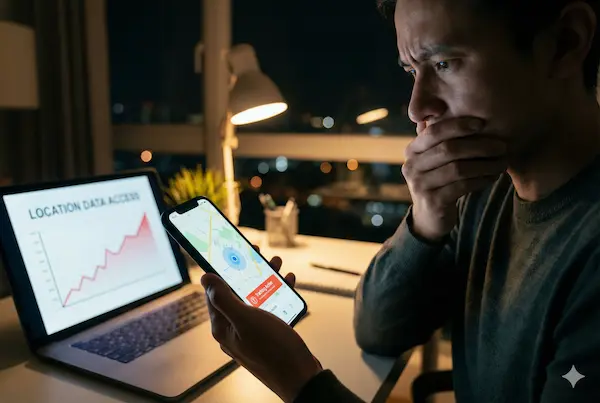
Most of the stress does not come from technology itself but from what people imagine when the map does not match reality. Parents, managers and travelers all fill the gaps between slow updates with worst case stories. When real time phone location tracking feels unclear or inconsistent, the mind quickly supplies explanations that are far more frightening than a simple signal delay.
1. Parents, solo travelers and dispatchers living with uncertainty
Parents see a dot that has not moved for ten minutes and immediately picture a broken bus or a lost child. Solo travelers see their own location freeze in a sketchy area and start wondering if the app has failed at the worst possible time. Dispatchers stare at a route that looks wrong and are not sure whether to call the client, the driver or both. The tool that was supposed to reduce uncertainty can accidentally amplify it.
2. Common failure patterns that destroy trust in tracking apps
Trust usually breaks in simple, predictable ways: the app shows someone still at school when they are already home, a driver “teleports” across town between updates, or a whole route goes missing for no obvious reason. After a few experiences like this, people stop believing what they see and fall back to calls, texts and guesswork. Once that happens, even good real time phone location tracking has to work harder to win back confidence.
3. How clear rules and simple explanations reduce half the stress
A lot of anxiety disappears when everyone knows what to expect. If you explain how often the map updates, what might cause gaps and when to call instead of staring at the screen, people react calmly to small delays. Clear rules, like “if the icon has not moved for 10 minutes, send a quick message”, turn vague worry into simple actions. That is what separates tracking that quietly supports daily life from tracking that becomes another thing people feel they have to manage.
Core Use Cases For Real Time Phone Location Tracking
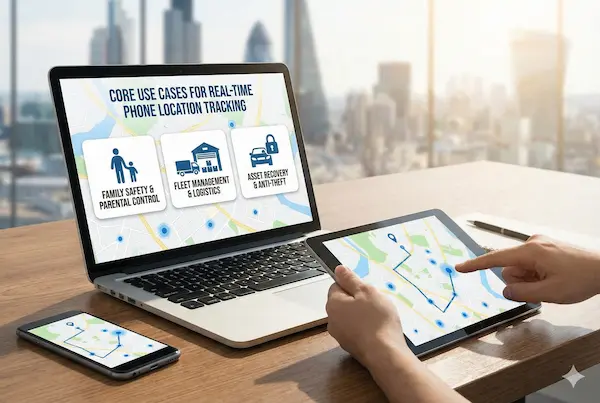
Not everyone needs the same kind of map. Parents, field teams, fleet managers and solo travelers all look at the screen for different reasons. The job of real time phone location tracking is to match those reasons with the right update rhythm and features, instead of forcing every user into one generic setup.
Table 2. Use Cases vs What Real Time Phone Location Tracking Must Deliver
| Use case | Main goal | Recommended update frequency | Features that really matter |
|---|---|---|---|
| Families and kids | Everyday safety and peace of mind | 10 – 30 seconds while moving | Live route view, school and home geofences, simple daily history |
| Elderly relatives or dependants | Quick help if something goes wrong | 20 – 60 seconds | Easy live view, gentle alerts, trusted contact sharing |
| Field teams and delivery staff | On time jobs and fewer disputes | 5 – 20 seconds while on the road | Job site geofences, stop reports, proof of visit timeline |
| Fleets and high value cargo | Asset protection and route control | 5 – 30 seconds | Multi device dashboard, alerts, exportable reports |
| Solo travel and outdoor trips | Personal safety and route sharing | 10 – 30 seconds | Shareable live link, battery aware mode, basic trail history |
1. Family safety, school routes and everyday peace of mind
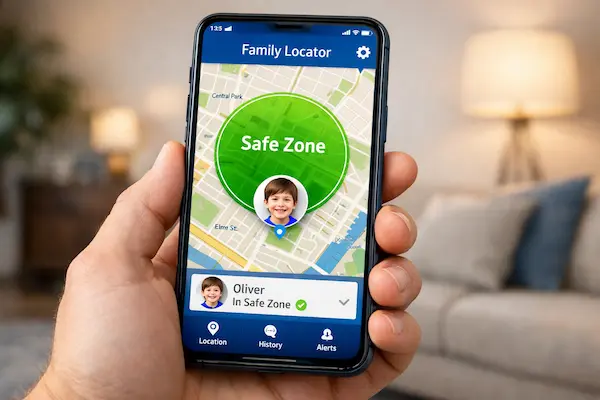
For families, the main question is simple: “Did they get there safely”. Parents do not need a hyper detailed track of every meter, but they do want to see that a child left home on time, followed a normal route and reached school or an activity as expected. A good setup keeps the map clear, uses geofences for key places and shows a clean day to day history so caregivers can review patterns without wading through noise.
2. Field teams, delivery drivers and on site service staff
Field teams live and die by timing. Dispatchers need to know who is really closest to the next appointment, which jobs are running late and where time is being lost. For this group, live location is less about safety and more about keeping promises to customers. They benefit from routes that line up with job lists, clear stop markers and simple proof of visit logs that can resolve disputes without long arguments.
3. Fleets, assets and high value cargo in motion
Fleets and cargo tracking add another layer: the value of what is moving and the need to show auditors or insurers exactly what happened. Managers need a dashboard that scales from a handful of vans to hundreds of vehicles, with alerts for unusual routes, long unscheduled stops or detours into risky areas. Reliable history and exportable reports matter as much as live dots, because decisions and investigations often happen days or weeks after a trip is over.
4. Solo travel, outdoor sports and adventure trips
Solo travelers and outdoor users rarely want to micromanage their own location, but they often want one or two trusted people to see where they are without constant messages. A live sharing link, a trail that shows recent movement and a battery friendly mode are usually more important than enterprise style dashboards. When the route looks sane and the phone still has power at the end of the day, real time location becomes a quiet safety net instead of another distraction.
Privacy, Consent And Legal Boundaries For Real Time Phone Tracking
Technology is only half of the story. If people do not understand who can see their location, when and why, even the best real time phone location tracking setup will feel intrusive instead of reassuring. The line between safety and surveillance is not the map itself, it is the rules, consent and transparency around it.
1. Safety focused tracking vs secret surveillance
There is a clear difference between a parent and teenager agreeing to share location during school days, and someone secretly installing a tracker on a partner’s phone. One is about safety and support, the other is about control. Many privacy and cybercrime laws treat non consensual tracking as a serious issue, especially in workplaces and relationships. Any real time phone location tracking plan that is meant to last needs written rules, clear purposes and an honest explanation for everyone involved.
2. What parents, schools and employers should and should not do
Parents should explain why location is being used, which devices are included and when tracking is active or paused. Schools and employers need to go further: publish policies, limit tracking to school hours or working time, and avoid following people on their personal time or on private devices. A good test is simple: you should feel comfortable showing the policy to an inspector, a lawyer or the people being tracked. If you would not, the setup probably crosses a line.
3. Data minimisation, retention limits and user control in practice
You do not need to keep every movement forever to stay safe. Storing years of detailed routes increases risk if an account is hacked or a device is lost. A healthier model is to collect only what you need, keep it for a reasonable period and then remove or anonymise it. Give people simple tools to see their own history, change settings or ask for deletion. When real time phone location tracking is paired with this kind of control, it feels like a shared safety tool instead of a one sided monitoring system.
What To Look For In A Real Time Phone Location Tracking App
There are thousands of tracking apps that look similar on the surface. The ones that actually help are built to be boringly reliable, honest about limits and clear about who they are for. A good real time phone location tracking app should feel predictable every day, not just impressive in a screenshot or an ad.
1. Non negotiable features for real time phone location tracking
Start with the basics. You need routes that update often enough to feel live, clean day by day history, geofences for key places and simple alerts that are easy to understand. The app should run in the background without constant crashes, allow you to track more than one device and let you review trips without learning a complicated new system. If an app cannot deliver these core parts of real time phone location tracking, fancy extras will not make up for it.
2. Trust signals in policies, security and company background
Next, look at who is behind the app and how they talk about data. A trustworthy provider explains what they collect, why they collect it and how long they keep it. They offer clear contact details, real company information and security promises that are specific instead of vague buzzwords. Check reviews and support pages to see how they handle problems in real life. Good tracking products treat privacy, consent and security as selling points, not small print.
3. Consistent experience across phones, tablets and web dashboards
Finally, think about how and where you will actually use the system. Parents, teams and fleets rarely live on one device only. You might set things up on a laptop, check routes on a tablet at home and glance at live location on a phone between tasks. The best apps keep the look and logic consistent across all those screens, so you are not relearning the tool every time. When the experience feels the same everywhere, real time phone location tracking becomes part of your routine instead of another piece of software to fight with.
Making Real Time Phone Location Tracking Actually Work
A lot of problems people blame on apps actually come from the phone setup. A few simple steps on each device can make real time phone location tracking far more stable from day one.
1. Preparing the device – location, data and battery
Turn on precise location, keep mobile data available when Wi Fi drops and check that battery saver is not killing background apps. On Android, remove the tracker from any auto optimise or deep sleep lists. On iOS, give the app permission to use location in the background.
2. Installing the app and granting the right permissions
When you install, read the prompts. Allow location, background activity and notifications that are clearly needed for tracking. If you set this up for someone else, explain what each permission is for so they know you are not hiding anything.
3. Running a live test route before you rely on it
Before you trust it for real, test one normal route, like a school run or a short delivery loop. Watch how the map updates, how stops are recorded and how the phone battery behaves. Once one route looks right end to end, you can rely on that setup for everyday real time phone location tracking with much more confidence.
Troubleshooting Real Time Phone Location Tracking Issues
Even with a good setup, some days the map will look wrong. A simple checklist helps you fix most real time phone location tracking problems without panic.
1. Location not updating, stuck pins and missing segments
If a dot does not move for a long time, check the basics: mobile data on, flight mode off, location enabled. Open the app once to bring it to the foreground. On Android, remove the app from battery saver or background limits. On iOS, confirm it still has background location permission. Most stuck maps come from one of these settings.
2. Big jumps, wrong streets and messy route history
If the route jumps across rivers or cuts through buildings, you are probably seeing bad GPS in tunnels, dense cities or parking areas. Treat single crazy points as noise. Where possible, enable any smoothing or error filtering options in the app so obvious mistakes do not ruin the history.
3. Heavy battery drain and how to slow it down
If tracking seems to drain the phone, slightly increase the update interval, avoid running other heavy apps at the same time and keep the app updated. You want real time phone location tracking that feels live enough, not a dot that moves every second at the cost of an empty battery by midday.
11. Real World Patterns – When Real Time Tracking Truly Helps
You see the value of real time phone location tracking most clearly on normal days, not in emergencies. When it works well, it quietly removes small frictions and questions, so people can get on with what they are doing.
1. Parent checking school runs without constant texting
A parent sets up tracking on a child’s phone with clear rules: school days, school routes, agreed activities. In the morning they glance once, see the dot leave home, follow the usual road and arrive at school. In the afternoon they do the same. There is no need for “Where are you” messages, just a quick visual check and then back to work.
2. Dispatch team cutting missed appointments and disputes
A small service company tracks field staff on work phones. Dispatchers see who is closest to the next job and which visits are running late. When a customer says nobody came, the team checks the route and stop history and replies with facts instead of guessing. Real time phone location tracking becomes a simple record of work, not a way to stare at every move.
3. Solo traveler sharing a safe live trail with trusted contacts
A solo traveler creates a private live link and shares it with two trusted contacts. They can see a recent trail instead of a single last point, so they know when to check in if the route stops in an odd place for too long. Most days nothing happens, but the mix of a live view, clear consent and limited sharing makes real time tracking feel like a safety net, not a hidden leash.
FAQs About Real Time Phone Location Tracking
1. Is real time phone location tracking truly live?
It is usually a few seconds behind real life, but good setups update often enough that the route on screen still matches what is happening now.
2. Does real time phone location tracking drain a lot of battery?
It can if updates are too frequent, but with sensible intervals and a modern app most phones still last a full normal day.
3. How accurate is the location indoors or in busy cities?
Outdoors it is usually very accurate, while indoors, tunnels or dense city streets can cause small jumps or drift that are normal.
4. Is it legal to use real time phone tracking for family or staff?
It is generally legal when people know they are being tracked, agree to it and there are clear written rules about how data is used.
5. Can I track a phone without the person knowing?
You should not, because secret tracking often breaks trust and in many places may also break privacy or cybercrime laws.
6. How many devices can I track at the same time?
Most apps support multiple phones on one account, but the exact limit depends on the plan and whether it is for families, teams or fleets.
7. What should I do if the map stops updating?
First check data, location and battery settings on the phone, then reopen the app and make sure background permissions are still allowed.
8. What is the safest way to start using real time phone location tracking?
Begin with one or two devices, agree on clear rules, run a few test routes together and only then rely on the system for everyday safety or work.
Conclusion
In the end, the goal of real time phone location tracking is simple: give people a live view they can trust, without turning their day into a constant map check. The setups that last are the ones that stay easy to use, accurate enough for real decisions and honest about privacy and consent.
Quick Summary – Matching Real Time Phone Location Tracking To Real Life
| User type | Top priority | Setup focus |
|---|---|---|
| Parent or caregiver | Everyday safety and routine | School and home geofences, clear daily history |
| Field teams, delivery | On time jobs, fewer disputes | Live routes tied to jobs, proof of visit logs |
| Fleets and cargo | Asset protection, compliance | Multi device dashboard, alerts, exportable data |
| Solo traveler, outdoor | Personal safety, check ins | Private live links, battery aware tracking |
When you know which group you are in, it is much easier to choose update intervals, history and alerts that fit. That is how real time phone location tracking becomes a quiet safety net instead of another source of stress.
Start A Small Pilot With PhoneTracker247
To turn this into something real, start with a small, transparent pilot on PhoneTracker247. Set up tracking for one clear use case, agree on written rules, then run real routes for a few days and review the results together. If the map feels honest, the battery survives the day and everyone understands the rules, you can safely expand. That way PhoneTracker247 becomes your trusted base for real time phone location tracking, not a tool people are afraid of.
For daily updates, subscribe to PhoneTracker’s blog!
We may also be found on Facebook!