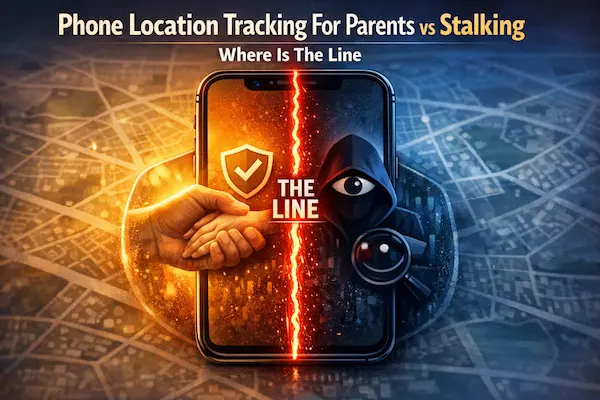
Phone Location Tracking For Parents can feel like a simple safety net, until one check becomes ten, and reassurance turns into tension. The difference is rarely the technology. It’s the rules around it, how often it’s used, and whether your child experiences it as support or pressure.
This guide draws a practical line you can apply in real life, not just in theory. You will get a fast test, clear examples, and a setup approach that protects both safety and trust.
Last updated: Dec 16, 2025.
Contents
- 1 1) The 60-Second Answer
- 2 2) Why Parents Track Location (And Why It Gets Complicated)
- 3 3) What Counts as Tracking vs What Crosses the Line
- 4 4) The Line Test: 7 Signals That Separate Safety From Stalking
- 5 5) Age Boundaries That Feel Fair (Under 13, 13-15, 16-17)
- 6 6) Real Scenarios Parents Actually Face (Where the Line Moves)
- 7 7) How to Talk About It Without Starting a War
- 8 8) Privacy-First Setup Playbook (Minimal Data, Maximum Safety)
- 9 9) What’s New This Year for Family Location Sharing and Privacy Expectations
- 10 10) The Questions Families Ask Most
- 11 11) Conclusion: News-Style Wrap-Up + Quick Summary Table + Strong CTA
1) The 60-Second Answer
Phone Location Tracking For Parents can be a quiet safety net or a constant pressure, depending on the rules around it. This section gives you a clear line you can apply today, plus the simplest habits that keep tracking from expanding over time. If you use a family tool like PhoneTracker247, the goal is the same: protect safety without turning daily life into surveillance.
1) The one-sentence line
Phone Location Tracking For Parents stays on the safe side when it is transparent, limited to a real safety purpose, and easy to scale down. It crosses the line when it is secret, constant, or used to control, confront, or “catch” a child.
2) Do this, not that
Do
- Tell your child what you track, when you check it, and why
- Use time windows (commute, events, late nights), not 24/7 access
- Check once to answer one safety question, then stop
- Keep access limited to 1 or 2 trusted adults
Don’t
- Hide tracking or deny it while still checking
- Refresh location repeatedly or keep long histories “just in case”
- Use screenshots, threats, or punishment to enforce compliance
- Track sensitive places without a clear safety reason
3) The biggest mistake parents make
The biggest mistake is treating a map pin like proof. Location data is context-free. It cannot explain dead batteries, delayed signals, detours, or a teen who forgot to reply. When parents treat the dot as evidence, the conversation shifts from “Are you safe?” to “Explain yourself,” and trust takes the hit.
4) Key Takeaways
- With PhoneTracker247, set clear time windows and review monthly so tracking stays safety-first
- The line is behavior, not the app
- Transparency plus limits beats “more features”
- Less data, fewer checks, and fewer people with access is safer
- Rules should get lighter as independence grows

2) Why Parents Track Location (And Why It Gets Complicated)
Phone Location Tracking For Parents often starts as a simple safety backup, but it gets complicated when reassurance turns into routine checking and routine checking starts changing how trust feels at home.
1) Safety and logistics reasons that make sense
Most families use location sharing for everyday logistics: school pickups, commute changes, after-school activities, and the occasional “are you safe?” moment when a reply is late. Used this way, Phone Location Tracking For Parents answers one practical question, then stops. It is most helpful during real exceptions like a missed bus, getting separated in a crowd, or a dead battery at the wrong time.
2) Anxiety, past incidents, and “just to be sure”
Sometimes the driver is stress, not danger. After a scare or during a high-pressure season, checking a map can feel calming. The problem is that the relief does not last, so checking repeats. For many teens, repeated checks can feel like suspicion even when parents say it is “just safety,” and that feeling can reduce honest communication.
3) The moment tracking starts creating problems
Phone Location Tracking For Parents is working when it lowers tension at home. It is drifting when it creates arguments, defensiveness, or “prove it” conversations. Common signs are checking out of habit, getting upset when the dot does not match expectations, keeping long history “just in case,” or bringing up location during conflicts that are not about safety.
A quick reset is one question: “What risk am I reducing right now?” If you cannot answer in one sentence, do not check. Use agreed time windows instead, and review the rules monthly so tracking shrinks as independence grows.

3) What Counts as Tracking vs What Crosses the Line
Phone Location Tracking For Parents is not one feature. It is a set of choices about what you collect, how often you look, and how you use what you see. When families argue about “tracking,” they usually argue about different things, so let’s name them clearly.
1) Location sharing, check-ins, and safety alerts
The simplest version is temporary location sharing during agreed times, plus check-ins. Think: “share during the commute,” “share during a crowded event,” or “share when you’re traveling.” Used like this, Phone Location Tracking For Parents answers a safety question without turning daily life into a report.
Safety alerts can also be reasonable if they are limited and predictable. An “arrived” notification or a small boundary alert for younger kids can cut down on anxious texting. The line starts to blur when alerts become constant and parents feel pulled into monitoring every movement.
2) Location history and why it feels different
Location history changes the question from “Where are you right now?” to “Where have you been?” That difference matters. A stored timeline can feel like a record of private life, especially for teens, and it can invite conflict because it is easy to read without context.
If you truly need history, keep it narrow. Use the shortest retention possible and treat it as an exception tool, not a default setting. A practical rule is: if you would feel uncomfortable having your full timeline reviewed, your child likely will too. Phone Location Tracking For Parents stays healthier when it is present-focused, not archive-focused.
3) Behaviors that cross the line inside families
The line is not only about legality. It is about how a child experiences the power dynamic. These behaviors push Phone Location Tracking For Parents into stalking-like territory:
- Secret tracking, hidden installs, or denying tracking while still checking
- Constant checking, especially during school hours without a specific safety reason
- Using location as leverage in arguments, punishment, or threats
- Screenshotting location to shame, to “prove” a point, or to involve other adults
- Tracking sensitive places (friends’ homes, clinics, private routines) without a clear safety purpose
If any of these show up, the fix is not more features. It is fewer checks, shorter retention, fewer people with access, and a clear agreement that everyone understands.
4) Mini Glossary
- Retention: how long location data is kept before it is deleted.
- Location sharing: real-time view of a device’s current location for an agreed period.
- Check-in: a quick message or tap that confirms safety without continuous monitoring.
- Geofence: a boundary that triggers an alert when entering or leaving a place.
- Location history: a stored timeline of past locations across hours, days, or longer.

4) The Line Test: 7 Signals That Separate Safety From Stalking
Phone Location Tracking For Parents works best when it feels like a shared safety routine, not a silent background audit. Use this quick test to check whether your current setup protects your child while still protecting trust.
1) Transparency
Safe: your child knows tracking is on, what it shows, and when you check it.
Risk: you hide it, deny it, or avoid the topic because you expect pushback.
2) Purpose
Safe: you track for clear safety needs, like pickups, commutes, travel days, and emergencies.
Risk: you track to confirm stories, calm anxiety by checking repeatedly, or “catch” mistakes.
3) Proportionality
Safe: the level of tracking matches real risk. More risk means more structure, less risk means less tracking.
Risk: high-intensity tracking stays in place even when routines are stable.
4) Limits and time windows
Safe: you use agreed time windows and turn it off outside those windows.
Risk: it is always on by default, with no clear reason it needs to be.
5) Access control
Safe: only 1 or 2 trusted adults can view location, and access is reviewed.
Risk: too many people have access, screenshots get shared, or location becomes group-chat content.
6) Tone and reaction style
Safe: you use location to support, like “Need a ride?” or “Do you want me to pick you up?”
Risk: you use it to confront, accuse, or pressure: “I saw you were there, explain.”
7) Exit option and renegotiation
Safe: rules can change as independence grows, and teens can request adjustments without fear.
Risk: tracking is treated as permanent, and disagreement is framed as “hiding something.”
If this test feels uncomfortable, treat it as a reset moment. Phone Location Tracking For Parents should reduce fear, not create it.

Table 1: Safety Tracking vs Stalking (Side-by-Side)
| Signal | Safety tracking | Stalking risk |
|---|---|---|
| Visibility | Open agreement, clear rules | Secret use, denial, vague rules |
| Frequency | Occasional checks tied to need | Constant checking out of habit |
| Data | Minimal data, short retention | Long history “just in case” |
| Access | 1 to 2 trusted adults | Oversharing, screenshots, group access |
| Impact | Calmer, more support | More conflict, more secrecy |
| Best next step | Keep limits, review monthly | Reset rules, reduce tracking now |
5) Age Boundaries That Feel Fair (Under 13, 13-15, 16-17)
Phone Location Tracking For Parents should get lighter as kids grow more independent. When rules scale down with age, tracking feels like a safety plan, not a permanent leash, and families fight less about it.
1) Under 13: simple rules, explain it, emergency-first
For younger kids, Phone Location Tracking For Parents can be reasonable because routines are still supervised and kids have limited independence. Keep the rules simple: “We use this for pickups, commutes, and crowded places.” Explain it in plain language so it is not scary or secret. Avoid turning it into a background habit during normal school hours unless there is a real safety reason.
A helpful standard is “one check answers one safety question.” If you find yourself checking repeatedly, the tool is no longer serving the purpose. Phone Location Tracking For Parents works best here when it supports habits like meeting points and check-ins, not when it replaces them.
2) Ages 13-15: fewer checks, clear time windows, more dialogue
Early teens need boundaries that feel predictable. Use agreed time windows (commute, after-school activities, special events) and keep checking minimal outside those windows. This is also the age when the “why” matters. Instead of “because I said so,” use a plan: “If you are 30 minutes late and not replying, I will check once, then call.” That kind of clarity reduces conflict.
If your teen is generally reliable, scale down. Remove unnecessary alerts. Shorten any history retention. Phone Location Tracking For Parents should feel like a backup plan that shows up only when needed, not something that follows them every minute.
3) Ages 16-17: exception-based tracking, trust-first routines
For older teens, location sharing should be the exception, not the default. Use it for travel, crowded events, unusual routes, or a genuine safety concern. Outside those situations, rely on check-ins and shared plans. If tracking stays always on at this age, it often increases secrecy rather than safety.
Tie more freedom to more responsibility: reliable routines earn fewer checks and fewer features. Reduce history, reduce alerts, and keep access limited to 1 or 2 adults. Phone Location Tracking For Parents should move toward independence, not become a permanent condition of trust.

6) Real Scenarios Parents Actually Face (Where the Line Moves)
Phone Location Tracking For Parents sounds straightforward until the real world interferes: dead batteries, delayed signals, last-minute plan changes, and a teen who simply does not reply fast. The goal in every scenario is the same: use one clear check to reduce risk, then switch back to communication and a safety plan.
1) Dead battery after school
A dead battery is common and it is not proof of anything. If your child is late, check once, then move to practical steps: call the school office or activity leader, confirm the pickup spot, and contact a trusted friend’s parent if that is part of your plan. The line is crossed when the missing dot becomes a courtroom and the conversation becomes an interrogation. Later, when everyone is calm, agree on a simple fix like a portable charger or a backup check-in method.
2) Teen out late and not replying
This is where families can slip from safety into control. If you have rules, follow them: one check, one supportive message, then the next step in your plan. A message like “Are you safe? Do you need a ride?” keeps the tone helpful. Phone Location Tracking For Parents starts to feel invasive when the checking becomes repeated refreshing, screenshotting, and building accusations before you have context. If your teen replies and confirms safety, stop checking. That stop is the boundary.
3) Travel days and crowded events
Crowded events are a good reason for temporary sharing. Turn location on for the agreed window, set a meeting point, and define what triggers action (separated more than X minutes, missed check-in). The line is crossed when “temporary” quietly becomes permanent after you get home. Make it a habit to turn it off together once the risk window ends.
4) A safety incident and temporary escalation
If there is a real incident, it can be reasonable to increase support for a short period. The boundary is time. Set an escalation window (for example, one or two weeks), then return to normal rules. Phone Location Tracking For Parents stays healthy when extra tracking is paired with extra care and a clear end date, not when fear turns it into an open-ended system.

7) How to Talk About It Without Starting a War
Phone Location Tracking For Parents succeeds or fails in the conversation around it. When kids hear “I’m tracking you,” they often translate it as “I don’t trust you.” This section gives simple scripts that keep the focus on safety, set predictable boundaries, and repair trust if things already got tense.
1) The “safety, not suspicion” opener
Use a calm, direct opening that names your purpose and invites agreement:
- “I want a safety plan, not a way to police you. Can we set rules for location sharing that feel fair?”
- “I’m not trying to catch you doing something wrong. I want to know you can get help fast if something goes sideways.”
- “Let’s use Phone Location Tracking For Parents in a limited way, during specific times, and review it monthly.”
Then ask one question that gives your child control:
- “What would make this feel supportive instead of intrusive?”
2) The boundary-setting script (what, when, why, how long)
This script works because it is specific. Keep it short and repeatable:
- “We share location during the commute and at crowded events.”
- “I check only if you’re late and not replying, and I check once.”
- “Only me (and one other adult) has access.”
- “We keep the shortest history possible.”
- “We review this on the first weekend of every month and scale down if things are going well.”
If you use PhoneTracker247, say it plainly:
- “If we use PhoneTracker247, we’ll use it with the same rules: time windows, minimal history, and a monthly review.”
3) The repair script if you crossed the line
If tracking caused conflict, the fastest repair is ownership plus a concrete change:
- “I checked too much, and I can see how that felt like pressure. I’m sorry.”
- “I’m going to change the rules: fewer checks, shorter time windows, and no screenshots.”
- “Let’s agree on what would count as a real safety reason to check.”
- “If you want to renegotiate, I will listen without assuming you’re hiding something.”
A good close is to restate the goal:
- “Phone Location Tracking For Parents should make both of us feel safer, not more tense. Let’s rebuild it in a way we can both live with.”
8) Privacy-First Setup Playbook (Minimal Data, Maximum Safety)
Phone Location Tracking For Parents is safest when it is designed to answer a few real safety questions, not to collect a complete picture of a child’s life. This playbook keeps your setup simple, limits data by default, and prevents tracking from slowly expanding into an always-on habit.
1) The 1-Minute Checklist (5 checkboxes)
Use this before you turn anything on. If you cannot check a box, pause and fix the rule first.
- We told our child exactly what we track and why
- We agreed on time windows (not 24/7)
- Only 1 or 2 adults have access
- Location history is minimized or turned off unless truly needed
- We set a monthly review date to scale down over time
2) The least intrusive ladder (start small)
Start with the smallest tool that solves the problem. Most families do not need more than the first two steps.
- Step 1: check-ins (text or call)
- Step 2: temporary location sharing during agreed windows
- Step 3: simple “arrived” alerts for younger kids
- Step 4: limited geofence alerts only if a real pattern requires it
- Step 5: location history only as a short-term exception, with short retention
This ladder matters because Phone Location Tracking For Parents works better when you add features slowly and remove them quickly.
3) Set hours, not 24/7 by default
A strong boundary is time. Common windows families use:
- morning and after-school commute
- practice pickup windows
- travel days and crowded events
- late nights only when plans change and replies stop
Outside these windows, treat location like you treat a seatbelt in a parked car: not needed. If you want an easy rule, use “one check answers one safety question, then stop.”
4) Reduce location history and retention
If your tool offers history, decide the retention before you ever use it. The safer default is “no history” or the shortest setting available. If you keep any history, limit it to a specific reason (for example, a short period after a safety incident) and set an end date. Phone Location Tracking For Parents stays healthier when today’s safety is the goal, not yesterday’s timeline.
5) Copy-Paste Family Agreement (6 lines)
Copy this into a family chat and fill the blanks.
- We use Phone Location Tracking For Parents for: __________
- Location sharing is ON during: __________
- Location sharing is OFF during: __________
- Adults with access: __________
- Location history/retention setting: __________
- Monthly review date (we scale down if things go well): __________
6) Monthly review routine: remove one feature, don’t add one
Once a month, do a two-minute review:
- What safety problem did this solve recently?
- What feature can we remove now?
- Are the time windows still necessary?
- Does anyone feel pressured by how it’s being used?
If you use PhoneTracker247, keep the same discipline: time windows first, minimal history, and a monthly scale-down review. That is how Phone Location Tracking For Parents stays a safety plan instead of a surveillance habit.
Table 2: Safe Setup Checklist (One Screen)
| Step | Keep it safe |
|---|---|
| Tell your child | explain purpose and rules clearly |
| Define the purpose | name the exact safety situations |
| Limit access | 1 to 2 trusted adults only |
| Set time windows | commute, events, late nights, not 24/7 |
| Minimize history | shortest retention, or off by default |
| Stop after one check | one check answers one safety question |
| Monthly review | remove one feature as routines stabilize |
| Reset plan | if conflict rises, reduce tracking immediately |
9) What’s New This Year for Family Location Sharing and Privacy Expectations
Phone Location Tracking For Parents is getting more attention this year because families are balancing two realities at once: real-world safety risks and a growing expectation of privacy, especially for teens. The biggest shift is not a brand-new feature. It is how parents set boundaries, how kids expect transparency, and how fast trust can drop when tracking feels constant.
1) Update note (Last updated + what changed)
Last updated: Dec 16, 2025.
What changed this year:
- More families are moving from “always-on” sharing to time-window sharing tied to commutes and events
- Teens are more likely to ask for clear rules, not blanket access
- Parents are paying more attention to history, retention, and who else can see the location
2) 3 to 5 practical shifts families are noticing
First, “proof culture” is fading in healthier homes. Parents who used to rely on the map pin as certainty are learning the hard way that location data is context-free. Bad signal, dead batteries, delayed updates, and inaccurate GPS can all create conflict that does not match reality. Families are replacing “I saw you” confrontations with calmer safety routines: one check, one supportive message, then a plan.
Second, boundaries are becoming more specific. Instead of debating whether tracking is good or bad, families are defining exactly when it is on. Commutes, late pickups, travel days, and crowded events are the most common windows. Outside those windows, the default is off, or at least “no checking unless a real safety trigger happens.” This shift keeps location sharing useful without turning it into background monitoring.
Third, access is tightening. Many households learned that the fastest way to make location feel invasive is oversharing it. When multiple adults have access or screenshots start circulating, teens feel watched by a crowd. Families who want trust are limiting access to one parent, or two at most, and making it clear that location is not social content.
Fourth, location history is being treated as a special case, not a default. Parents are realizing that “Where have you been?” questions can feel far more intrusive than “Where are you right now?” More families are reducing retention, turning off history when it is not necessary, and using “present-focused” tools instead.
Finally, the tone of parenting conversations is changing. Teens respond better when location sharing is framed as a shared safety plan, with an off switch and a monthly review. When the conversation feels like an investigation, teens adapt by avoiding, not by cooperating.
3) What parents should do differently now (action bullets)
- Define time windows in writing: when sharing is on, when it is off, and what triggers a check
- Use one check to answer one safety question, then stop checking
- Limit access to 1 or 2 adults, and agree not to share screenshots
- Minimize history and retention unless you can name a specific, temporary reason
- Review monthly and remove one feature as routines stabilize
If you want the simplest rule for this year, it is this: Phone Location Tracking For Parents should feel predictable to your child, not surprising. When the rules are clear and the data is minimized, location sharing stays a safety net instead of becoming a pressure system.
10) The Questions Families Ask Most
1) Is Phone Location Tracking For Parents ever “too much”?
Yes. If it is secret, constant, or used in arguments, it is too much.
2) Can I track my child without telling them?
In most families, hiding it breaks trust fast. Use transparency and clear rules instead.
3) How often should parents check location?
As little as possible. One check should answer one safety question, then stop.
4) Do I need location history for safety?
Usually no. Real-time sharing during agreed time windows is enough for most situations.
5) What age should parents stop location tracking?
There is no single age. Reduce it steadily as routines and independence improve.
6) What if co-parents disagree about tracking?
Use one shared rule set: transparency, time windows, limited access, monthly review.
7) What features are most privacy-friendly?
Temporary sharing, check-ins, and minimal alerts. Avoid long retention by default.
8) How can we rebuild trust after tracking caused conflict?
Apologize, reduce checks, shorten time windows, and reset rules together.
11) Conclusion: News-Style Wrap-Up + Quick Summary Table + Strong CTA
This year, more families are rethinking how location sharing fits into everyday parenting. The takeaway is not that tracking is always wrong, or always right. It is that the difference between safety and harm often comes down to transparency, limits, and what happens after you check.
The clearest pattern is simple: when tracking is tied to real safety windows, it reduces stress. When it becomes constant, secret, or used in arguments, it backfires and pushes kids toward avoidance. That is why the healthiest homes are moving toward time-window sharing, minimal history, and a monthly scale-down review.
Quick Summary Table
| What matters most | Safe standard | Red flag | Best next step |
|---|---|---|---|
| Purpose | safety and logistics | suspicion and control | write a one-sentence purpose |
| Transparency | child knows the rules | hidden or denied | explain and agree on rules |
| Frequency | one check solves one question | constant refreshing | stop after one check |
| Time | specific windows | always on | set hours, then turn off |
| Data | minimal, short retention | long history “just in case” | shorten retention or disable |
| Access | 1 to 2 adults | oversharing | remove extra viewers |
| Review | monthly scale down | rules never change | remove one feature monthly |
If you want a safer way to put these boundaries into practice, use PhoneTracker247 with a privacy-first setup: clear time windows, minimal history, limited access, and a monthly review that reduces tracking as independence grows. That approach keeps the tool focused on protection, not pressure, while giving parents a reliable safety plan when real uncertainty hits.
Final rule: Phone Location Tracking For Parents should lower fear and increase trust, not create a daily need to prove where someone has been.
For daily updates, subscribe to PhoneTracker’s blog!
We may also be found on Facebook!