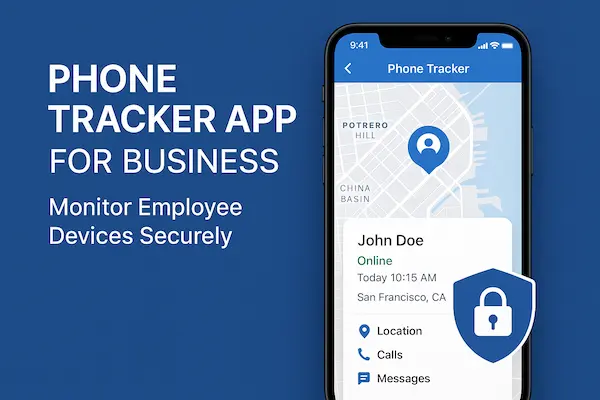
Most people already use some kind of Phone Location Tools without thinking about it. Find My on iPhone, Find My Device on Android, built in tools from Google and Apple all promise to show where a phone is and help when something goes missing. That works fine for one or two devices, but things change when you are trying to protect a whole family, manage a team or combine different platforms. At that point, you need to decide whether native tools are enough or whether a dedicated solution like PhoneTracker247 makes more sense.
Contents
- 1 1. What Phone Location Tools Actually Do Today
- 2 2. Built In Phone Location Tools: Strengths And Limits
- 3 3. What PhoneTracker247 Adds On Top Of Built In Phone Location Tools
- 4 4. Comparing Phone Location Tools For Families
- 5 5. Comparing Phone Location Tools For Small Teams And Businesses
- 6 6. Privacy, Consent And Safe Use Of Phone Location Tools
- 7 7. How To Choose The Right Phone Location Tools For Your Situation
- 8 8. Step By Step: Moving From Only Built In Tools To PhoneTracker247
- 9 FAQs: Phone Location Tools And PhoneTracker247
- 10 From Everyday Phone Location Tools To A Safer, Smarter Setup
1. What Phone Location Tools Actually Do Today
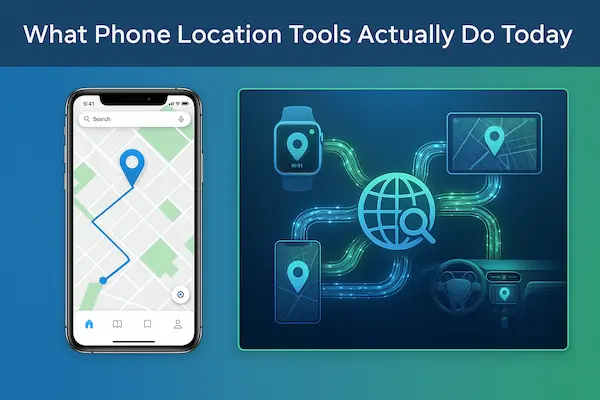
Before you compare PhoneTracker247 with built in options, it helps to understand what Phone Location Tools are designed to do and how people really use them in daily life.
1. Basic idea behind modern phone location apps
Modern location apps take GPS, Wi Fi and mobile network signals, place the phone on a map and show live or recent location to trusted people. Some stop at a simple live pin, while others add short history, basic alerts and a sense of how the device moves during the day instead of only where it is right now.
2. Main types of location tools people use
In practice, most users rely on three kinds of solutions: built in tools from Apple, Google or the device maker, third party apps that add dashboards and alerts, and family or business platforms like PhoneTracker247 that manage many devices at once and give a more complete view of movement and routines.
3. Why users outgrow simple built in tools
Built in services work well for one or two devices and rare checks, such as finding a lost phone or confirming someone got home. People start to outgrow them when they need cross platform support, regular history, smarter alerts or shared views for parents, carers or managers. At that point, many look for Phone Location Tools that feel more like a safety or operations dashboard than a one time emergency button.
2. Built In Phone Location Tools: Strengths And Limits
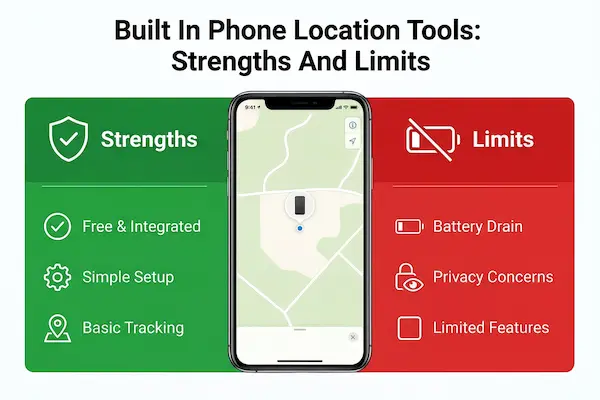
Built in Phone Location Tools from Apple, Google and device makers are often the first choice because they are free, familiar and already on the phone. They do a good job in emergencies, but they were never designed to handle complex family or team scenarios on their own.
1. What built in tools do well
Native tools are strong at the basics. They help you ring a lost device, see its last known spot on a map and sometimes lock or erase it remotely. Setup is simple, the interface is consistent with the rest of the system and you do not need to ask anyone to install extra apps just to get started.
2. Everyday limits you see with built in tools
The gaps appear when you try to rely on these tools every day. Timelines are short, alerts are simple or missing, and you often have to jump between multiple accounts to see all devices. Mixing iOS and Android makes things even harder, because each ecosystem has its own map and its own way of sharing location.
3. When built in tools are enough and when they are not
Built in Phone Location Tools are usually enough if you only need occasional checks, a rough live location and device recovery. They are not enough when you need shared dashboards, clear history, flexible alerts or reports for parents and managers. In those cases it works better to keep native features for backup and layer dedicated Phone Location Tools like PhoneTracker247 on top for structured, day to day visibility.
3. What PhoneTracker247 Adds On Top Of Built In Phone Location Tools
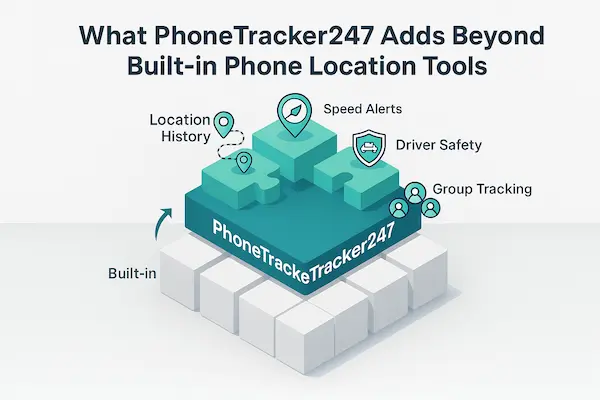
Built in services are a good starting point, but they stop at basic tracking. PhoneTracker247 takes the same signals and turns them into a full safety and oversight layer that goes beyond standard Phone Location Tools.
Table 1 – PhoneTracker247 vs built in phone location tools at a glance
| Feature | Built in phone location tools | PhoneTracker247 |
|---|---|---|
| Live location | Yes | Yes, with clearer, configurable views |
| Multi device dashboard | Limited | Designed for many devices and users |
| Location history and patterns | Basic or short term | Rich timeline and behaviour trends |
| Alerts and geofences | Simple or none | Flexible alerts and custom geofences |
| Role based access | Usually one main account holder | Roles for parents, owners and managers |
| Cross platform consistency | Strong inside one ecosystem | Unified view across mixed ecosystems |
1. Central dashboard for multiple devices and people
Instead of jumping between Apple IDs and Google accounts, PhoneTracker247 gives you one dashboard for all protected phones. You can group devices by person, role or team and see who is online, who is moving and who might need attention without sharing passwords or switching apps all day.
2. History, patterns and alerts instead of one off checks
Native tools focus on a single live pin. PhoneTracker247 adds timelines, patterns and alerts so you can see how movement changes over days or weeks. You can set simple rules such as school hours, work shifts or safe zones and let the system notify you when something falls outside those rules instead of checking maps manually like many basic phone location tools require.
3. Modes tuned for families and small teams
PhoneTracker247 is built to adapt to how you actually live and work. Parents can use family focused views, gentle alerts and house rules. Small teams and business owners can use structured views that respect working hours and written policies. In each case, the goal is the same: let your Phone Location Tools support safety, coordination and trust instead of becoming another noisy tracking app that nobody wants to use.
4. Comparing Phone Location Tools For Families
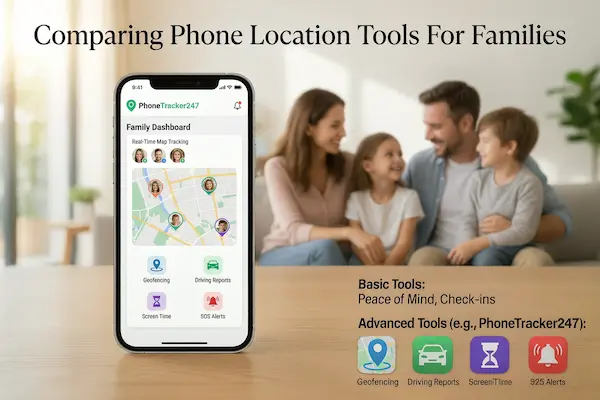
Families are usually the first to hit the ceiling of simple Phone Location Tools. Parents need peace of mind, teens want some privacy and older relatives often need extra support, all on a mix of devices.
1. How families normally use built in tools
Most families start with built in location tools like Find My or Find My Device. Parents check where a phone is, ring it when it is lost and sometimes confirm that someone arrived at school, work or home. For a small household with just a few phones, this basic setup can be enough.
2. Where native tools start to fall short
As soon as you have more people, more phones and more movement, gaps appear. You may need to switch between several accounts, some devices are missing because they use a different platform and you rarely see more than a short, simple history. Alerts are limited, so adults end up checking maps by hand instead of letting the system warn them when something looks unusual.
3. When a dedicated family tool like PhoneTracker247 makes sense
A dedicated family service such as PhoneTracker247 brings all devices into one dashboard and lets you set clear rules, such as school hours, curfew times or safe zones. You get gentle alerts when those rules are broken instead of watching a map all day. The goal is to let location tracking support routines and safety while still leaving room for trust, especially with teenagers who are learning to manage more independence.
5. Comparing Phone Location Tools For Small Teams And Businesses
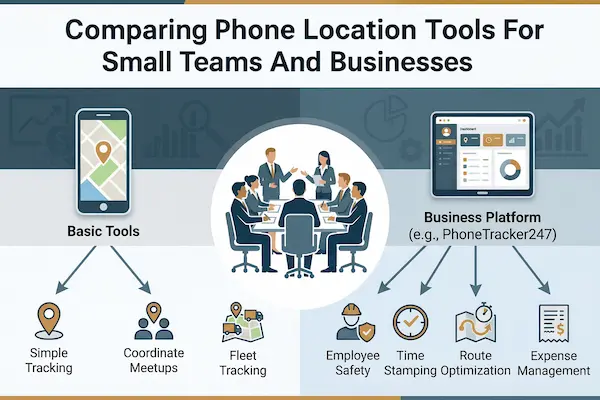
For small teams and field based businesses, basic Phone Location Tools quickly reach their limits. Managers need a clear view of work devices, reliable records for clients and rules that are easy to explain if anyone asks how location data is handled.
Table 2 – Location tools for business: native vs dedicated
| Requirement | Built in tools | PhoneTracker247 style tools |
|---|---|---|
| Managing many work devices | Manual and hard to scale | Designed for fleets and teams |
| Reporting and exports | Very limited | Structured reports and downloadable data |
| Role based access for managers | One main account in most cases | Fine grained roles and filtered views |
| Policy and consent workflows | Handled outside the tool | Easier to align with written policies |
| Integration with other systems | Minimal | Possible through APIs and web dashboards |
1. How companies try to use built in tools for work
Many small organisations start by using personal Apple or Google accounts to watch a few work phones. At first it feels simple, but devices soon end up tied to different logins, checks rely on one admin’s account and there is no clean way to separate work hours from private time. Reporting often means screenshots instead of real exports.
2. Operational and compliance gaps of native tools
Native tracking features are not built around company policies. They rarely offer proper role based access, consistent audit logs or clear retention settings for location data. That makes it difficult to show clients, staff or regulators that you collect only what you need, keep it for a defined period and control who can see it.
3. When business grade tools like PhoneTracker247 are worth it
Dedicated Phone Location Tools such as PhoneTracker247 become easier to justify once you have a handful of field staff, drivers or technicians using work phones. You gain one dashboard for all devices, structured roles for owners and supervisors, better reporting and controls that align with written policies. Native features can stay in place for basic device recovery, while PhoneTracker247 becomes the main business layer that turns location tracking into a predictable, well governed part of your operations.
6. Privacy, Consent And Safe Use Of Phone Location Tools
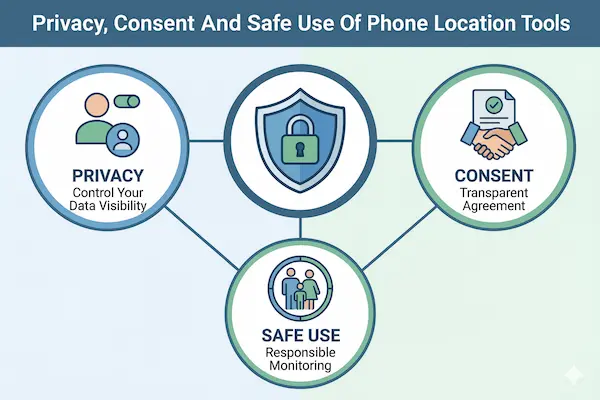
As you bring more Phone Location Tools into family life or work, the key question is not just what they can do, but how you use them in a way that feels fair, legal and respectful for everyone involved.
1. Why privacy still matters with powerful location apps
Location trails can quietly reveal home, school, workplace, habits and relationships. If they are collected without limits or context, people feel watched instead of protected. Treat location data like any other sensitive record: decide what you really need, keep it only while it is useful and protect it from casual access or sharing.
2. Consent basics for parents, teens and other family members
With younger children, parents usually decide which app to use, but it still helps to explain in simple terms what it does and why it is there. With teens and other adults, open conversation matters even more. Be clear about when tracking is on, what you actually look at and what you ignore, so safety does not turn into constant control.
3. Extra rules for employers and tracked work phones
For employers, location tracking should always sit inside a written policy, not a quiet side project. Make sure tracking applies only to work devices or work profiles, state the business reasons, share the rules during onboarding and limit access to a small group of authorised managers. Avoid silent installs on personal phones and define clear retention limits.
4. Fitting PhoneTracker247 into a clear privacy and consent framework
Tools like PhoneTracker247 work best when they follow rules you have already agreed. For families, that means setting schedules, zones and alerts that match your house rules on how Phone Location Tools can be used. For teams, it means configuring roles, retention and access in line with company policy so people see location tracking as part of a transparent safety plan, not hidden monitoring.
7. How To Choose The Right Phone Location Tools For Your Situation
With so many apps and settings available, the real challenge is choosing the right Phone Location Tools for the way you live and work, instead of installing whatever appears first in an app store search.
1. Key questions to ask before you install anything
Before you add a new app or switch platforms, ask:
- Who do I want to see on the map: one person, a whole family or a team
- Do I only need live location, or also history, alerts and simple reports
- How many devices and platforms are involved, and who will manage them
- What privacy rules and consent do I want to promise from day one
Your answers will show whether simple native options are enough or whether you need something more structured.
2. When built in tools are all you need
Built in location features are usually fine if you:
- Only track a few devices in the same ecosystem
- Mostly care about finding lost phones and quick one off checks
- Do not need shared dashboards, roles or exportable reports
In these cases, extra apps can add complexity without much real benefit.
3. When a dedicated platform like PhoneTracker247 makes sense
A dedicated service becomes more useful when you:
- Have several family members, carers or staff to coordinate
- Need mixed iOS and Android support with one central view
- Rely on history, patterns and alerts to keep people or assets safe
- Must show that tracking follows written rules for work or shared devices
Here the goal is to add structure and clarity, not to chase every possible feature.
4. Building a healthy long term setup
Whatever mix you choose, write down simple rules about who is tracked, when tracking is on, what is done with the data and how to turn it off. Review those rules a few times a year with the people affected. When the tools fit your real needs and the rules are clear, Phone Location Tools fade into the background and quietly support daily life instead of becoming a constant source of tension.
8. Step By Step: Moving From Only Built In Tools To PhoneTracker247
If you already use native features and want to upgrade your Phone Location Tools without confusing everyone, it helps to follow a simple, transparent rollout plan.
1. Audit how you currently use built in tools
Start by writing down what you already do today: which accounts control location, which devices are tracked, who can log in and how often anyone actually checks the maps. This quick audit usually reveals messy shared passwords, forgotten devices and unclear habits.
2. Map who and what you really want to track
Next, list the people and phones that truly need location: children, elderly relatives, drivers, on site staff or shared work devices. Separate personal, family and business use. This makes it easier to design clear rules and avoid quietly tracking devices that should stay private.
3. Set simple rules for when tracking is on or off
Agree on a few practical rules before changing any settings: when tracking is allowed, when it should pause, and who can see which devices. For work phones, that might mean tracking only during shifts. For family, it might mean always on for young kids and time based rules for teens.
4. Set up PhoneTracker247 alongside your existing tools
Install and connect devices to PhoneTracker247, then group them into families or teams. Keep built in features active for basic recovery, but let the new dashboard handle day to day checks, alerts and history. Show people what the new views look like so they know what others can actually see.
5. Review location data and adjust settings regularly
After a few weeks, look at how the system is used in real life. Are some alerts too noisy, are any devices missing, do the rules still feel fair. Adjust schedules, zones and access based on real feedback. Over time this turns your Phone Location Tools into a stable, layered setup instead of a pile of apps that nobody fully understands.
FAQs: Phone Location Tools And PhoneTracker247
1. What are phone location tools and how do they work?
They are apps or built in features that use GPS, Wi Fi and mobile networks to show where a phone is on a map, sometimes with simple history and alerts.
2. Are built in phone location tools enough for most people?
They are usually fine for a few personal devices and occasional checks to find a phone or confirm someone arrived safely.
3. When should I use a dedicated platform like PhoneTracker247?
When you have several people or work devices, mixed iOS and Android, or you need history, alerts and dashboards that built in tools do not provide.
4. Can I use built in tools and PhoneTracker247 at the same time?
Yes, a common setup is to keep native features for basic recovery and use PhoneTracker247 for daily oversight, alerts and reports.
5. Are phone location tools legal for parents to use with their children?
Often yes, especially when parents own the device and use it for safety, but it is still better to explain the setup and check local rules if you are unsure.
6. Can employers use phone location tools on work phones?
They usually can if tracking is limited to work devices, tied to clear business reasons and covered by a written policy that staff see during onboarding.
7. How can I protect privacy when using PhoneTracker247?
Set clear rules about who is tracked, when tracking is on, how long data is kept and who can see dashboards, then review those rules a few times a year.
8. What makes PhoneTracker247 different from other phone location tools?
It focuses on grouped dashboards, history, alerts and role based views for families and small teams, instead of only showing a single live pin on a map.
From Everyday Phone Location Tools To A Safer, Smarter Setup
Location tracking is now part of normal digital life. Families, teens, remote teams and field staff all depend on phones for safety and work. At the same time, privacy rules are tightening and people care more about how their movements are recorded. The winners in this new reality are the ones who use Phone Location Tools with clear rules, not just more apps.
Quick summary: which setup fits which situation
Use this table as a fast snapshot before you decide how to upgrade or change your current approach.
| Situation | Best option in practice | Why it fits today |
|---|---|---|
| One or two personal phones | Built in tools only | Simple recovery and occasional checks are enough |
| Small family, same platform | Built in tools plus light rules | Easy to manage, low cost, low complexity |
| Mixed iOS and Android family | Built in tools plus PhoneTracker247 | One shared dashboard across ecosystems with clearer alerts |
| Teens gaining more independence | PhoneTracker247 with agreed house rules | Better history and alerts with room for age appropriate trust |
| A few drivers or field staff | PhoneTracker247 on work devices | Clear records, policies and reporting for real world operations |
| Growing team with compliance needs | PhoneTracker247 plus written location policy | Stronger proof of control, retention and access limits |
If you recognise your own setup in the lower half of this table, you are already beyond what basic platform tools were designed to handle.
Take the next step with PhoneTracker247
If you are balancing safety, privacy and real world coordination, it rarely works to rely on built in features alone. You need one place to see key devices, simple rules everyone understands and alerts that match how your family or team actually lives and works.
That is where PhoneTracker247 comes in. Used alongside native features, it helps you:
- Put all key devices on a single, clean dashboard
- Turn raw pins into useful history, patterns and geofence alerts
- Match location tracking to clear house rules or written company policies
- Show parents, carers or managers only the views they truly need
Start small. Pick a few devices, agree simple rules, connect them to PhoneTracker247 and see how it feels over a few weeks. If the setup makes life calmer, easier to coordinate and easier to explain, you will know you have found the right way to use Phone Location Tools for both safety and peace of mind.
For daily updates, subscribe to PhoneTracker’s blog!
We may also be found on Facebook!