Contents
- 1 1. The Digital Parent’s Dilemma: Safety vs. Privacy
- 2 2. How to See the Call History in iPhone: Official and Built-in Methods
- 3 3. The Power of Parental Monitoring Apps: Deep-Dive Analysis
- 4 4. Ethical, Educational, and Transparent Monitoring Practices
- 5 5. Future-Proofing Parenting in the Digital Age: 2026–2027 Trends
- 6 Frequently Asked Questions (FAQs)
1. The Digital Parent’s Dilemma: Safety vs. Privacy
The Digital Parent’s Dilemma: Safety vs. Privacy
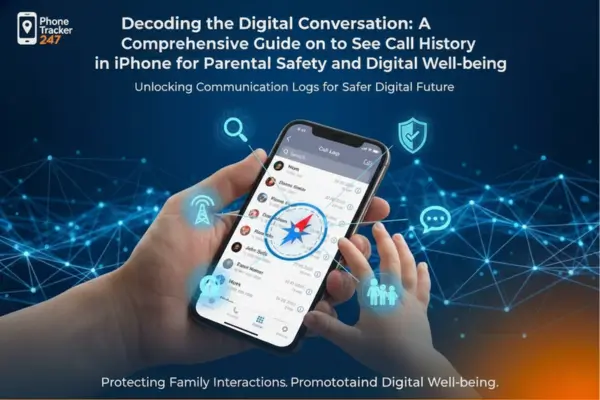
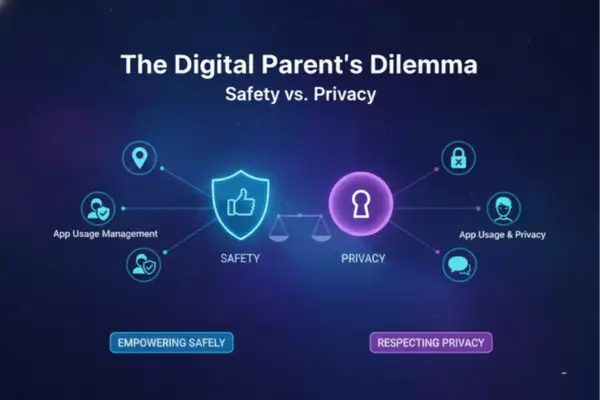
The question of how to see the call history in iPhone transcends a simple technical query; it represents a modern parent’s most profound digital challenge. We live in an era where a child’s social life, emotional development, and even their physical safety are inextricably linked to the small device they carry in their pocket. For parents, understanding their children’s online behavior, specifically who they communicate with and when, is no longer about “spying” but about responsible oversight in a complex digital environment.
In the journey of parenting in the digital age, the smartphone is a double-edged sword: a critical safety tool and a portal to unseen risks. True expertise in this domain means navigating the fine line between providing a safety net and respecting a young person’s burgeoning autonomy, ensuring that device monitoring serves to build trust, not erode it. Learning how to see the call history in iPhone is the starting point for this strategy.
2. How to See the Call History in iPhone: Official and Built-in Methods
How to See the Call History in iPhone: Official and Built-in Methods
If you need to view an iPhone’s call history, particularly as a parent or in a legally permissible context, several methods offer varying levels of detail and access depth. No single solution captures everything, which is why a layered approach is essential for comprehensive device monitoring.
Direct iPhone Access and Its Limitations
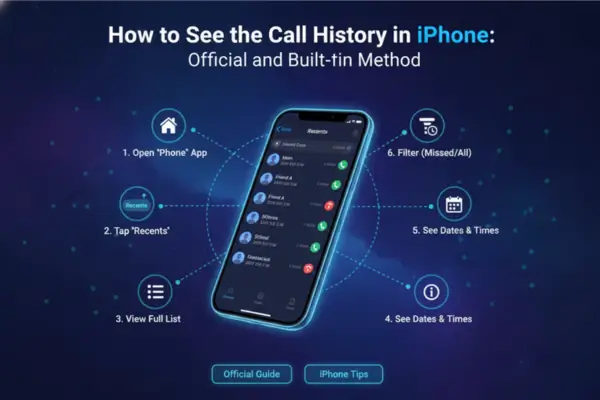
The simplest, most immediate way is accessing the Phone app’s Recents list on the iPhone itself. This list provides a record of incoming, outgoing, and missed calls, including the contact name (if saved), the contact Number, and the timestamp.
While direct access is straightforward—open the Phone app and tap “Recents”—it’s severely limited, displaying only the most recent 100 calls. For a parent investigating a pattern of calls or seeking historical context, this minimal window is often insufficient. Furthermore, a user can easily delete these entries, making it an unreliable source for forensic or long-term tracking. This inherent limitation makes relying solely on this method insufficient when addressing how to see the call history in iPhone comprehensively.
Leveraging iCloud and iTunes Backups
Apple’s backup ecosystem offers a more robust, though technically demanding, solution. Both iCloud and iTunes backups store the iPhone’s comprehensive call logs, often exceeding the 100-entry limit visible on the device.
- iTunes/Finder Backup: Creating a local, encrypted backup on a computer (via iTunes on Windows or Finder on macOS) secures a snapshot of the phone’s data, including an extended call history. Specialized third-party tools are required to extract and view this data without restoring the entire backup to the phone, which would overwrite its current contents.
- iCloud Backup: Call logs are included in the iCloud backup, which happens automatically when the device is charging, locked, and connected to Wi-Fi. Accessing this data usually requires either restoring the backup to a different device or using a certified monitoring solution that can securely parse the iCloud data stream (requiring the user’s Apple ID and password). Utilizing these backups is a crucial answer to how to see the call history in iPhone that has been deleted.
Carrier Records: The Long-Term Archive
For the deepest, most authoritative record of phone calls, the carrier (e.g., AT&T, Verizon, T-Mobile) maintains the most extensive history.
A mobile service provider’s website, accessible through the primary account holder’s login, offers detailed billing and usage statements that typically go back six months to a year, sometimes longer. These records are vital because they cannot be deleted by the iPhone user. While they usually list the calling/receiving Number, date, time, and duration, they generally do not include the content of conversations or the names of contacts (unless a name is manually added to the statement). This is the gold standard for officially verifiable call history, essential for managing the family’s overall mobile usage and providing a neutral data point for discussions about children’s online behavior. This archival data complements the technical methods of how to see the call history in iPhone on the device itself.
Table 1: iPhone Call History Access Methods
This table helps parents choose the right way to view iPhone call history by comparing built-in iPhone access, backups, carrier records, and monitoring tools across depth, reliability, and practical parental use.
Method What You Can See Strengths Limitations Best Use Case Phone App (Recents / Calls / Missed) Recent incoming, outgoing, and missed calls with number/contact name (if saved) Fastest, built-in, no extra tools needed Easy to delete entries; limited history window; not enough for pattern analysis Quick same-day check or spot-checking a recent event Phone App Call Details (Tap call/contact) More detail on a specific recent call/contact Helpful for verifying a single call quickly Still depends on what remains in the visible log Confirming one recent call before a conversation iCloud Backup Review Extended historical call data stored in backup snapshots Useful when on-device history was deleted or overwritten Requires backup access and often a restore/parsing workflow Reviewing older call history in a parent-managed account context Finder / iTunes Local Backup Backup-based call history snapshot stored on a computer Useful for secure archival and deeper review More technical setup; not as convenient for daily checks Periodic backup-based reviews or evidence preservation Carrier Records (Billing/Usage Portal) Number, date, time, duration (often longer retention) Authoritative and harder for the child to delete Usually no call content and often no contact names; cellular calls only Long-term pattern verification and neutral fact-checking Parental Monitoring Dashboard (Metadata + Context) Call logs plus pattern analysis, and sometimes location/app context Best for detecting behavior shifts and safety signals Must be used ethically and transparently; quality varies by provider Ongoing safety monitoring with exception-based alerts Third-Party App Call Records (WhatsApp / FaceTime / Telegram) Unified logs from communication apps (when supported by the tool) Fills gaps left by native call history and carrier records Not available in standard iPhone Recents/carrier records When a teen mostly communicates in apps, not cellular calls
3. The Power of Parental Monitoring Apps: Deep-Dive Analysis
The Power of Parental Monitoring Apps: Deep-Dive Analysis
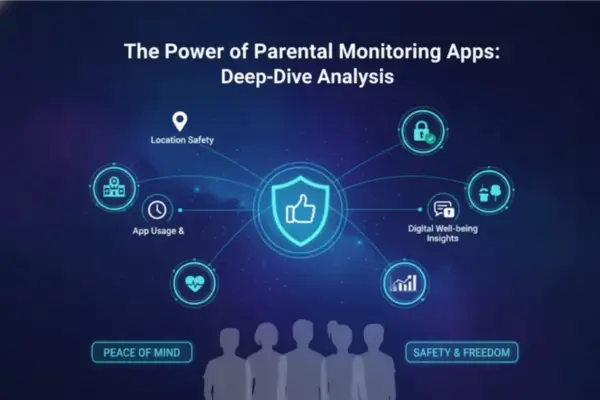
When built-in methods prove too complex, too limited, or easily bypassed, dedicated Parental Monitoring Apps emerge as the most effective solution for consistent and actionable device monitoring. These tools are engineered not just to retrieve data, but to present it within a dashboard that prioritizes safety alerts and contextual analysis.
Selecting a Reliable Parental Monitoring App
The digital marketplace is flooded with monitoring solutions, but adhering to E-E-A-T principles requires a discerning selection process. A reliable app must deliver on its promise of data retrieval while respecting user privacy policy and consent frameworks.
- Technical Excellence and Stealth: The best apps offer remote, seamless operation without being easily detected or disabled by a tech-savvy teen. They must be capable of extracting data, even if deleted from the native Recents list, by accessing the underlying SQLite databases where iOS stores more extensive records.
- Comprehensive Data Streams: Beyond just the dialer logs, a superior monitoring app should also capture call data from third-party communication platforms—like FaceTime, WhatsApp, and Skype—as these are often where a significant portion of a teen’s digital communication occurs. This comprehensive view is essential for truly knowing how to see the call history in iPhone from all sources.
Unpacking the Data: Beyond the Number
The real value of these Parental Monitoring Apps lies in their ability to transform raw data into actionable insights, moving the conversation from ‘who called?’ to ‘what does this pattern mean?’
Consider a case study: a parent notices a child’s call history showing frequent calls with an unknown, unsaved Number—often late at night, and always immediately deleted from the native log. A basic carrier record might confirm the calls, but a robust monitoring app cross-references the call duration, the time of day, and potentially the associated text messages (or a geofenced location tracking accuracy report if the child was outside their normal boundaries during the call). This contextual data transforms a suspicious event into a clear indicator of potential danger, such as contact with a predator, or engagement in high-risk cyber risk prevention scenarios like illicit drug use or sexting. The insight gained allows for a guided, informed intervention, not a baseless accusation. The ability to link the call Number to a physical location or other behavior is highly valuable.
The ethical use of these applications, however, hinges on transparency and focus. The tool is a flashlight for dark corners, not a constant surveillance camera.
4. Ethical, Educational, and Transparent Monitoring Practices
Ethical, Educational, and Transparent Monitoring Practices
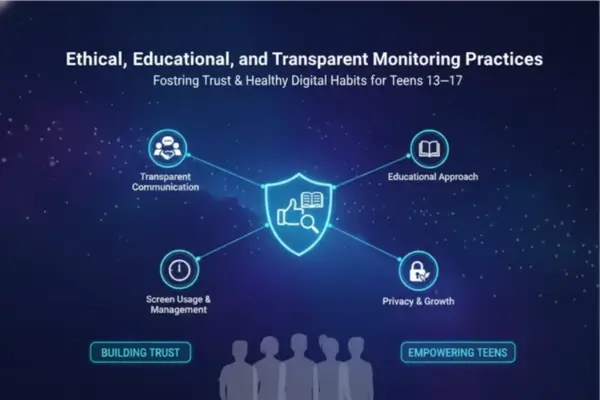
Expertise (E), Experience (E), Authoritativeness (A), and Trustworthiness (T) in digital parenting demand that monitoring activities are guided by clear ethical principles. The parent, as the primary account owner and guardian, has the legal right to monitor a minor child’s device, but this right must be exercised with a view toward fostering independence and mutual respect. This is the crucial context surrounding how to see the call history in iPhone.
The Foundation of Trust: Open Communication
The most critical component of effective device monitoring is not the app itself, but the conversation surrounding it. Security experts universally agree that secretive monitoring often backfires, destroying trust and pushing children’s online behavior further underground.
Instead of treating monitoring as a ‘gotcha’ moment, frame it as a shared responsibility for digital well-being. A practical approach is to sit down with your child and create a “Digital Citizenship Agreement.” This family document outlines the expectations for device usage, screen time management, consequences for breaking rules, and the fact that a monitoring tool is installed for their safety, much like a seatbelt in a car. This proactive step adheres strictly to ethical guidelines, transforming the monitoring app from a spy tool into a mutual safety contract, even when seeking to answer how to see the call history in iPhone.
Cyber Risk Prevention and the Age of Independence
The level of monitoring should evolve with the child’s maturity. A 10-year-old requires more comprehensive oversight than a responsible 16-year-old. This tiered approach is vital for teaching long-term mobile security practices.
- Early Adolescence (Under 13): Heavy device monitoring, focusing on who they are calling, what apps they are using, and where they are. The goal is active cyber risk prevention.
- Mid-Adolescence (13–16): Shift from comprehensive data review to “exception-based monitoring.” The app is set to alert the parent only when a high-risk activity is detected (e.g., a call from a blocked Number, an unauthorized location change, or communication using concerning keywords). This allows the teen increasing privacy while maintaining a critical safety net.
- Late Adolescence (17+): Transition to minimal location tracking accuracy and occasional conversations, preparing them for the full responsibility of a separate device plan.
This methodology prepares the child for a world where their own privacy policy and consent will be paramount. By teaching them to manage their own Number and communications responsibly, parents are investing in their long-term digital maturity.
Table 2: Parent-Safe iPhone Call History Monitoring Workflow
This checklist gives parents a practical, trust-first workflow for using iPhone call history as a safety signal combining metadata, context, and age-appropriate boundaries instead of constant surveillance.
| Workflow Step | What Parents Should Do | Why It Matters | Best Practice |
|---|---|---|---|
| 1. Start With a Safety Purpose | Define the goal (bullying risk, late-night calls, unknown contacts, distress signals) | Prevents “monitor everything” behavior | Write a short family rule: monitoring is for safety, not punishment |
| 2. Use Official iPhone Checks First | Review Recents/Calls/Missed before escalating | Fast, simple, and least invasive starting point | Treat this as a first-pass check, not the full picture |
| 3. Escalate to Backups or Carrier Records Only When Needed | Use backups/carrier data if the on-device log is missing or incomplete | Helps verify patterns without relying on one source | Escalate only for repeated or high-risk signals |
| 4. Focus on Patterns, Not One-Off Calls | Watch for repeated unknown numbers, late-night timing, or delete-and-repeat behavior | Pattern-based review reduces false assumptions | Review trends across several days, not one moment |
| 5. Add Context Before Reacting | Cross-check suspicious call activity with location, screen-time, or timing context | Context turns raw logs into actionable insight | Verify first, then talk—don’t accuse from one data point |
| 6. Be Transparent From Day One | Explain what is monitored (call logs/timing) and what is not | Transparency protects trust and reduces secrecy | Use a family “digital safety agreement” |
| 7. Use Age-Based Monitoring Levels | Adjust oversight by maturity (younger teen vs older teen) | The article emphasizes evolving toward independence | Move from full review → exception-based alerts → minimal oversight |
| 8. Use Alerts as Conversation Triggers | Start with “I noticed a change—are you okay?” | Supportive language gets better disclosure than confrontation | Ask, listen, document, then decide next step |
| 9. Protect Access and Credentials | Secure Apple ID / backup access / dashboard login | Call logs and related data are sensitive | Use strong passwords and MFA for parent accounts |
| 10. Review and Reduce Over Time | Revisit the plan every few months or at school-year milestones | Good monitoring adapts as trust grows | Shift gradually toward alert-only monitoring for older teens |
5. Future-Proofing Parenting in the Digital Age: 2026–2027 Trends
Future-Proofing Parenting in the Digital Age: 2026–2027 Trends
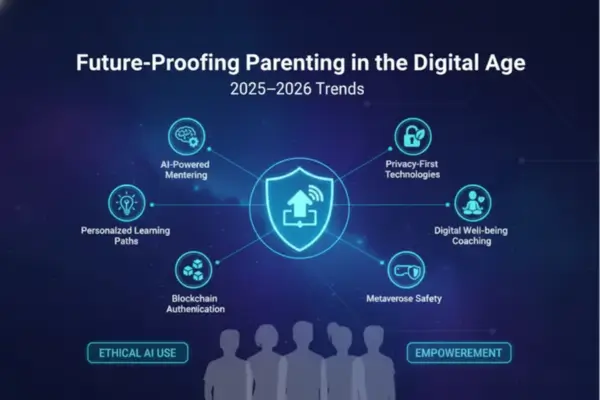
As we look toward 2025 and 2026, parental monitoring is moving beyond simple call logs and into deeper contextual analysis, driven by advancements in AI and evolving mobile operating system restrictions. Understanding how to see the call history in iPhone will require adapting to these changes.
Location Tracking Accuracy and New iOS Challenges
Apple continues to tighten its security architecture, making traditional call history and location access more challenging for third-party tools. Future monitoring solutions will focus on integrating more seamlessly with Family Sharing and Screen Time features, leveraging Apple’s own privacy-focused data presentation, while still providing robust location tracking accuracy via GPS alerts. The focus will shift from “where have they been?” to “are they where they said they would be?” using geofencing technology that triggers alerts only on boundary breaches. This reliance on Apple’s architecture impacts the technical answer to how to see the call history in iPhone indirectly by emphasizing ecosystem integration.
Digital-Well-being and Screen Time Management
The next generation of Parental Monitoring Apps will prioritize digital well-being. Call history analysis will be integrated with metrics on screen time management—not just total minutes, but which contacts or apps are driving the late-night usage. This data is non-invasive and educational, designed to initiate conversations about health and sleep hygiene rather than potential misconduct. The expert approach sees technology not as a warden, but as a diagnostic tool for digital well-being and responsible children’s online behavior.
While some corporate environments may use phone monitoring for compliance with workplace regulations, for the family, the highest regulation is the ethical responsibility to protect and educate. This distinction is key when discussing mobile security practices.
Frequently Asked Questions (FAQs)
1. How do you check call history on an iPhone?
Open the Phone app and view the Calls/Recents list to see recent incoming, outgoing, and missed calls.
2. What details can you see in iPhone call history?
You can usually see the phone number or contact name, call type, and the timestamp (and more details per entry).
3. Can you filter only missed calls on iPhone?
Yes. Apple’s Phone app supports filtering call history (including missed calls) in supported layouts.
4. Does the iPhone show full call history by default?
No. The article notes the on-device call list is limited, so it may not show older call records.
5. Can deleted call history be recovered?
Sometimes, yes—deleted calls may still be recoverable from backups or with specialized monitoring/forensic tools before data is overwritten.
6. Are carrier records better for older call logs?
Yes. Carrier records are usually the most reliable long-term source for call dates, times, and durations.
7. Do iCloud or computer backups include call history?
Yes. The article explains iCloud and encrypted iTunes/Finder backups can store more complete call logs than the phone’s visible list.
8. Can iPhone call history show WhatsApp or FaceTime calls?
Not fully in one place. The article says third-party app call logs often require dedicated monitoring tools to view in a unified dashboard.
9. Can someone delete calls from the iPhone log?
Yes. Apple allows users to delete individual calls or multiple calls from call history.
10. What is the best way for parents to use call history safely?
Use call history as a safety tool, combine it with open communication, and avoid secretive monitoring when possible.
For daily updates, subscribe to PhoneTracker’s blog!
We may also be found on Facebook!