How to See Call History on iPhone Struggling to see past the iPhone’s 100-call limit? Discover how PhoneTracker247 allows you to view full call history, retrieve deleted logs remotely, and monitor contact details in real-time. The #1 guide for parents and families.
Contents
- 1 1. The “Invisible” Call Problem
- 2 2. Why Native iPhone Call History Isn’t Enough
- 3 3. How PhoneTracker247 Works for Call Monitoring
- 4 4. Step-by-Step Guide: How to Use PhoneTracker247 to View Call Logs
- 5 5. Beyond Standard Calls: VoIP Tracking
- 6 6. Use Cases – Who Needs PhoneTracker247?
- 7 7. PhoneTracker247 vs. Competitors
- 8 7. Frequently Asked Questions (FAQ)
1. The “Invisible” Call Problem
The “Invisible” Call Problem
You pick up an iPhone to check a call log. You scroll down. You see a few names, a few dates, and then… nothing. The list stops.
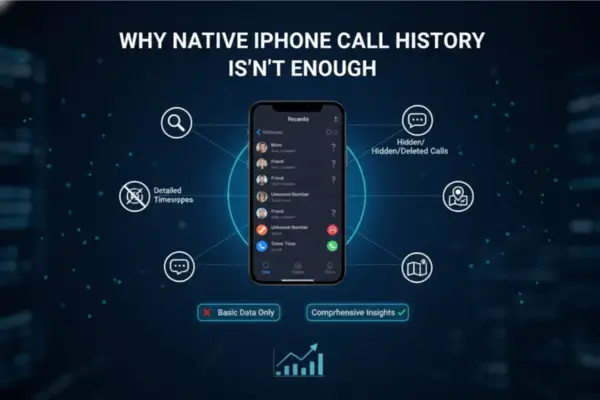
Whether you are a concerned parent trying to identify who your teenager is speaking to late at night, or you are trying to recover a crucial business contact that was accidentally swiped away, the native iPhone “Recents” tab is frustratingly limited. It restricts you to the last 100 visible calls and offers zero protection against the “Delete” button. If a call is deleted from the device, it vanishes from the screen instantly.
But does it vanish from existence? No.
This is where PhoneTracker247 changes the game. Unlike standard methods that rely on physical access to the phone or confusing carrier bills, PhoneTracker247 offers a sophisticated, remote solution to view complete call history—even the logs that have been scrubbed from the device.
In this guide, we will explore why the default iPhone settings fail to provide the transparency you need and how PhoneTracker247 stands as the ultimate tool for call log visibility and family safety.
2. Why Native iPhone Call History Isn’t Enough
Why Native iPhone Call History Isn’t Enough
Before understanding the solution, we must diagnose the problem. Why is checking call history on an iPhone so difficult?
1. The “100-Call” Ceiling
Apple’s iOS is designed for minimalism. While the internal database stores the last 1,000 calls, the user interface (UI) only displays the most recent 100 calls. If you have a high volume of incoming spam or daily calls, legitimate history from just three days ago might be pushed off the list, rendering it invisible.
2. The “Swipe to Delete” Loophole
This is the biggest blind spot for parents. If a child wants to hide a conversation with a stranger, all they have to do is swipe left on the call entry and tap “Delete.” In one second, the evidence is gone from the Phone app.
- The iCloud Issue: Even if you use iCloud backup, it only saves data up to the last backup point. It does not provide real-time updates of deleted items.
- The Carrier Delay: Checking AT&T or Verizon bills works, but there is often a delay of 24 to 48 hours, and they don’t provide the contact name saved in the address book—only the raw number.
The Solution? PhoneTracker247.
PhoneTracker247 was developed to bridge this gap. It bypasses the UI limitations and the “delete” loophole by capturing data at the system level and uploading it to a secure cloud dashboard.
3. How PhoneTracker247 Works for Call Monitoring
How PhoneTracker247 Works for Call Monitoring
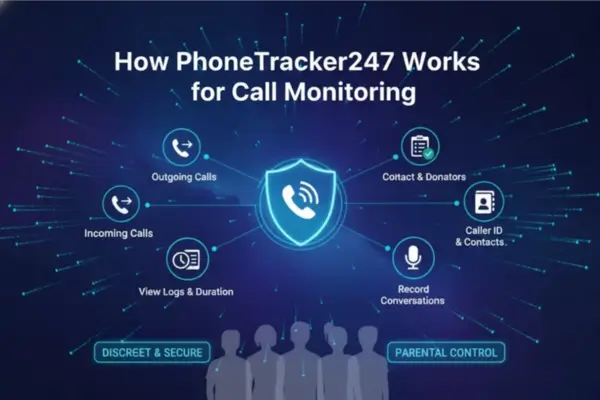
PhoneTracker247 is a comprehensive monitoring application designed primarily for parental control and device management. When installed on a target device, it acts as a silent archivist, recording activity as it happens.
Here is how it revolutionizes the way you see call history:
1. Real-Time Synchronization
Unlike iCloud, which backs up once a day (usually at night when charging), PhoneTracker247 syncs data frequently. As soon as a call is completed on the iPhone, the app logs the details and pushes them to your Control Panel.
2. Viewing “Deleted” Calls
This is the standout feature. Because PhoneTracker247 captures the call log the moment it occurs, it creates a permanent record on your dashboard.
- Scenario: Your child receives a call at 4:00 PM. They hang up and immediately delete the log at 4:01 PM.
- Result: The log is gone from the iPhone, but it is still visible on your PhoneTracker247 dashboard. You see exactly who called and when.
3. Detailed Metadata
A raw phone number is often useless. PhoneTracker247 cross-references the call log with the device’s Contact List.
- Instead of seeing: (555) 019-2834
- You see: “Mark from School” – (555) 019-2834
4. Duration and Timestamps
You get precise analytics on every interaction:
- Call Type: Incoming, Outgoing, or Missed.
- Duration: Did they talk for 1 minute or 2 hours?
- Timestamp: Exact date and time (down to the second).
4. Step-by-Step Guide: How to Use PhoneTracker247 to View Call Logs
Step-by-Step Guide: How to Use PhoneTracker247 to View Call Logs
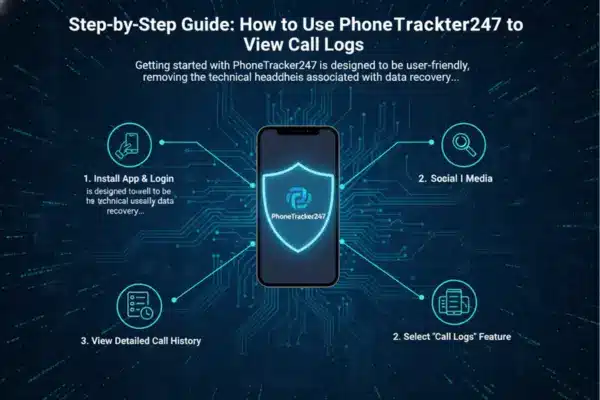
Getting started with PhoneTracker247 is designed to be user-friendly, removing the technical headaches usually associated with data recovery.
Step 1: Create Your Account
Visit the PhoneTracker247 website and sign up for an account. Choose the subscription plan that fits your needs (plans often vary by the number of devices or duration of history storage).
Step 2: Install the Application
Follow the setup guide provided in your welcome email.
- For iPhone: Depending on the version of PhoneTracker247 you choose, you may need physical access to the device for a few minutes to grant necessary permissions. This ensures the app acts in compliance with Apple’s security protocols while enabling deep scanning of the Call History database.
Step 3: Access the Control Panel
Once the setup is complete, you never need to touch the target iPhone again. Log in to your PhoneTracker247 Dashboard from any browser (on your computer, your own phone, or a tablet).
Step 4: Navigate to “Calls”
On the left-hand sidebar of the dashboard, click on the Calls tab.
- The View: You will see a chronological list of every call.
- Filtering: You can filter by “Incoming,” “Outgoing,” or “Missed” to narrow down your search.
- Search: Use the search bar to look for specific phone numbers or contact names.
5. Beyond Standard Calls: VoIP Tracking
In 2025, traditional cellular calls are only half the story. Teenagers and employees increasingly use data-based apps (VoIP) to communicate because they believe these apps are “untraceable” on carrier bills.
Standard carrier bills (Verizon/T-Mobile) will not show you calls made via WhatsApp, Messenger, or Skype. They just show up as generic “Data Usage.”
PhoneTracker247 solves this:
Because PhoneTracker247 monitors the device’s screen time and app usage, it provides superior visibility into VoIP calls.
- WhatsApp Calls: See who they are talking to on WhatsApp.
- Facebook Messenger Calls: Track audio and video call logs from Messenger.
- FaceTime: Full logging of FaceTime Audio and Video connections.
This capability makes PhoneTracker247 significantly more powerful than simply requesting a bill from your mobile provider.
6. Use Cases – Who Needs PhoneTracker247?
Why would someone choose paid software like PhoneTracker247 over free methods? It comes down to Safety and Certainty.
1. Concerned Parents
The digital world is dangerous. Predatory behavior often starts with a phone call.
- The Value: Parents can verify if a child is talking to strangers or restricted contacts (e.g., a toxic ex-boyfriend or a known bully). The ability to see deleted calls is crucial here, as secrecy is often a red flag for risky behavior.
2. Protecting Elderly Family Members
Scam callers target seniors aggressively.
- The Value: By monitoring the call history of an elderly parent with dementia or memory issues, you can identify if they are being harassed by telemarketers or scammers repeatedly, allowing you to block those numbers proactively.
3. Small Business Owners
If you issue company iPhones to employees for sales calls.
- The Value: Ensure that company devices are being used for business purposes. Verify that sales calls are actually being made and logged, rather than just reported.
7. PhoneTracker247 vs. Competitors
How does PhoneTracker247 stack up against other methods of checking history?
| Feature | PhoneTracker247 | Carrier Bill (AT&T/Verizon) | iCloud Backup |
| View Deleted Calls | Yes (Real-time capture) | No (Only shows billed calls) | Only if backed up prior |
| Contact Names | Yes (Syncs with address book) | No (Only raw numbers) | Yes |
| Real-Time Updates | Yes | No (24-48 hour delay) | No (Daily delay) |
| VoIP Calls (WhatsApp) | Yes | No | Yes |
| Remote Access | Yes (Any browser) | Yes (Web portal) | No (Need to restore device) |
| Stealth Mode | Yes | N/A | No |
The Verdict: While carrier bills are good for official records, they lack the context (names) and the immediacy that modern families need. PhoneTracker247 offers the only complete, real-time picture.
7. Frequently Asked Questions (FAQ)
Q: Can PhoneTracker247 show me calls that were deleted before I installed the app?
A: Generally, monitoring software works from the moment of installation onwards. However, during the initial sync, PhoneTracker247 attempts to pull all existing data currently on the phone’s database. If the old calls were already deleted and overwritten in the memory, they may not be retrievable. This is why installing PhoneTracker247 today is the best protection for tomorrow.
Q: Does the target user know I am checking the history?
A: PhoneTracker247 is designed to run discreetly in the background. It does not send notifications to the user when you view the dashboard. This allows for unobtrusive monitoring, ideal for checking on rebellious teenagers.
Q: Is it legal to use PhoneTracker247?
A: PhoneTracker247 is a legal software designed for parental control and monitoring devices you own.
- Legal: Monitoring your minor child (under 18).
- Legal: Monitoring a company phone that you own (with employee notification).
- Note: Always check your local state or federal laws regarding privacy and digital monitoring.
Q: Can I export the call logs?
A: Yes! The PhoneTracker247 dashboard allows you to export call history logs into CSV or PDF formats. This is excellent if you need to print records for family interventions or evidence.
Take Back Control with PhoneTracker247
The iPhone is an incredible device, but its native call history features are designed for casual users, not for parents or guardians who need deep insight and safety assurance. The “100-call limit” and the ease of deleting logs create a blind spot that can be dangerous.
You shouldn’t have to guess who is calling your family members. You shouldn’t have to wait for a monthly bill to spot a problem.
PhoneTracker247 empowers you with immediate, accurate, and deleted-proof data. By transforming the way you access call logs—adding real-time tracking, contact identification, and VoIP monitoring—it provides the peace of mind that every modern family deserves.
Ready to see the full picture?
Don’t let the truth vanish with a swipe. Get started with PhoneTracker247 today and unlock the complete history of your device.
For daily updates, subscribe to PhoneTracker’s blog!
We may also be found on Facebook!