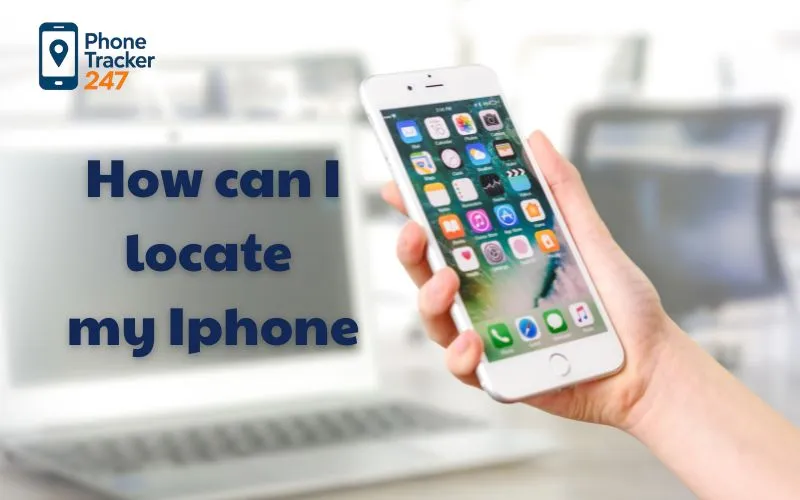
Losing your iPhone can be a stressful experience, especially when crucial personal data, work-related information, or irreplaceable memories are at risk. If you’re wondering, How Can I Locate My iPhone?, you’re not alone. Many iPhone users seek reliable methods to track their devices quickly and securely.
This article provides an in-depth, comprehensive guide on various strategies and tools to track down your iPhone, whether it’s misplaced at home, lost in public, or stolen. We’ll explore how to track an iPhone, find your device, and utilize built-in Apple features to ensure you can recover your device efficiently.
Contents
- 1 Understanding Apple’s Device Tracking Ecosystem
- 2 The Significance of the Apple ID in Device Tracking
- 3 Step-by-Step Methods to Track and Find Your iPhone
- 4 Can I Track My iPhone Without an Apple ID?
- 5 The Importance of Keeping Your Device Internet-Connected
- 6 Best Practices and Precautionary Measures When Searching for Your iPhone
- 7 Common Questions About Tracking and Finding an iPhone
- 8 FAQs: How to Locate a Lost iPhone (2026 Guide)
- 9 Conclusion
Understanding Apple’s Device Tracking Ecosystem
Before jumping into specific steps, it helps to understand how Apple’s tracking system works. Apple does not treat device tracking as a standalone feature. Instead, it is part of a tightly integrated ecosystem that connects your iPhone, Apple ID, iCloud, and other Apple devices.
Once your iPhone is linked to an Apple ID, Apple enables a set of background services that allow location reporting, remote access, and security controls. These services are designed to work quietly in the background and activate when needed.
This ecosystem approach is what makes Apple’s tracking system reliable. Your iPhone does not need a special app installed after it is lost. As long as Find My was enabled beforehand, tracking is already built in.
Preparation is critical. Features like Find My iPhone, Send Last Location, and location sharing must be enabled before the device goes missing. When they are active, your chances of recovering the device increase significantly.
The Significance of the Apple ID in Device Tracking
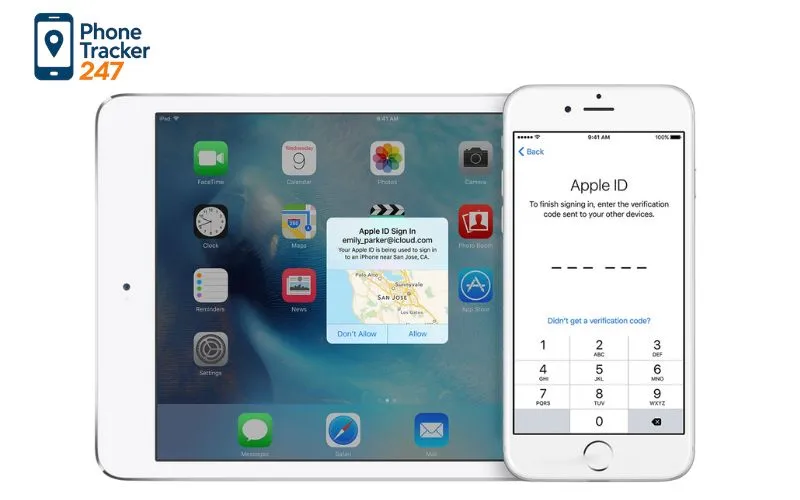
Your Apple ID acts as the cornerstone for all device-related tracking capabilities. When your iPhone is associated with your Apple ID, the device becomes part of a broad network that allows you to locate it remotely. This network includes a suite of services, with Find My iPhone being the centerpiece.
This account-based system provides not only the ability to track your device but also options for securing your data in case of theft or loss. It empowers users with capabilities such as erasing data remotely or putting the device intoLost Mode, which locks it with a passcode and displays a customizable message. Understanding how your Apple ID integrates with Find My iPhone and the security protocols involved is essential for effective use.
Moreover, this setup underscores the importance of maintaining secure login credentials and two-factor authentication. These security measures prevent unauthorized access to your account, ensuring that only you can how do I find my iPhone or how can I locate my iPhone. For instance, enabling two-factor authentication ensures that even if someone else gains access to your password, they cannot track or wipe your device without the secondary verification process.
Finally, it’s worth mentioning that the effectiveness of your tracking efforts heavily depends on your device’s network connection. A device connected to Wi-Fi or cellular data can usually be located in real-time, exhibiting its current position on the map. Conversely, a device that’s turned off or out of battery cannot be located unless its last known location was recently recorded and provided.
Step-by-Step Methods to Track and Find Your iPhone
Now, the question “How can I locate my iPhone?” can be addressed through multiple practical, user-friendly methods. Below, we will outline the most effective and common approaches so you can swiftly recover your lost device. Each method is designed to leverage the native tools such as Find My iPhone and some additional options, including third-party solutions. Preparation and prompt action are essential for success in tracking your iPhone.
This section provides an organized, comprehensive strategy with detailed instructions on how to prioritize your efforts, whether your iPhone is misplaced at home or lost in public.
Using the Find My App on iPhone and iCloud
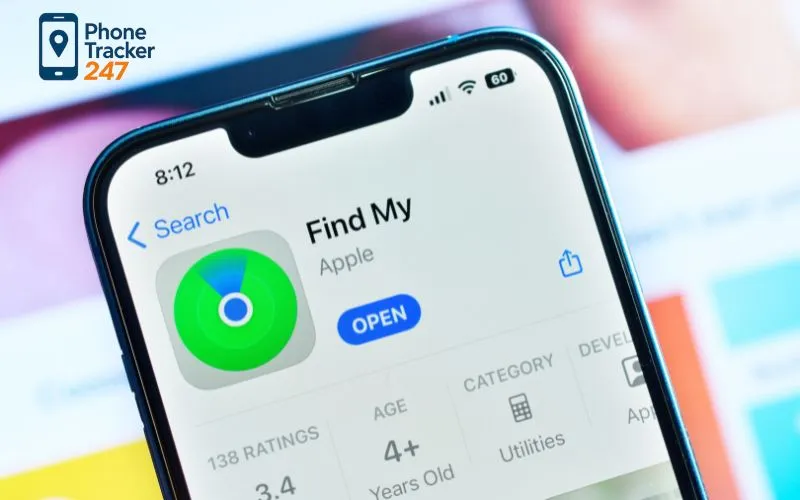
The most straightforward method to find your iPhone is through Apple’s own Find My feature. If you’re wondering, how can I locate my iPhone quickly, this built-in service offers real-time location tracking and other vital features.
The first step is to ensure that Find My iPhone was enabled in the device’s settings before losing it. If it was, you can proceed with tracking via the Find My app on another Apple device or through iCloud’s website on any web browser. This is the most reliable and comprehensive method to locate a lost iPhone.
- Sign in to iCloud on a computer or another device using your Apple ID.
- Open the Find iPhone feature within the iCloud website or the dedicated Find My app.
- Select your missing device from the list of Apple devices linked to your Apple ID.
- View the current location of your device on the map, if it’s online.
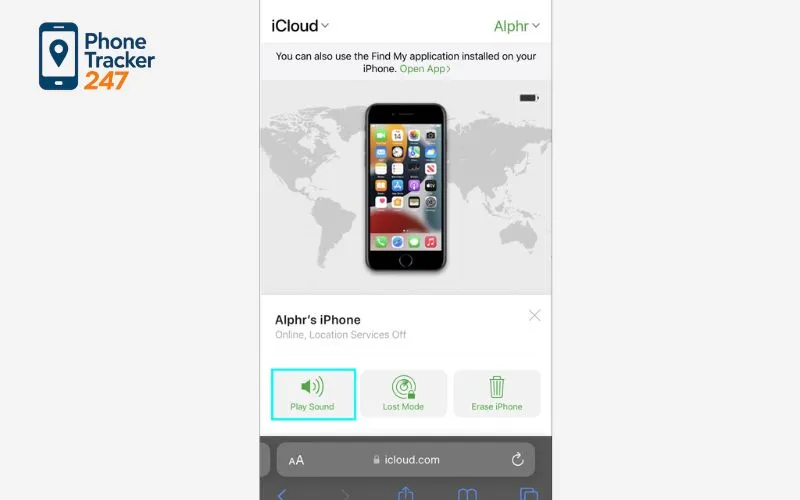
- Use options such as Play Sound, Lost Mode, or Erase iPhone based on your circumstances.
These functions are specifically designed for different situations. For example, Play Sound helps locate the device in your house or nearby, Lost Mode locks the device and displays your contact info, and Erase iPhone deletes sensitive data if you believe it’s permanently lost or stolen.
The Significance of Location History and Last Known Position
Sometimes, the real-time location isn’t available because your device isn’t connected to the internet. In this case, how can I locate my iPhone by checking recent location info can be a game-changer. Apple’s services often retain the last known position of the device, which provides you with a significant clue about where it might be.
This information is primarily displayed on the Find My map, helping you narrow down the search area or pinpoint specific locations, such as a coffee shop, car, or friend’s house. By reviewing the timeline of location updates, you may determine your device’s most probable whereabouts, even when it’s offline.
It’s worth noting that the accuracy of the location depends on your device’s connection with Wi-Fi, GPS, and cellular towers. When the device reconnects to the internet, the location will update seamlessly, enabling you to track it in near real-time again.
Using Third-Party Tracking Apps and Services
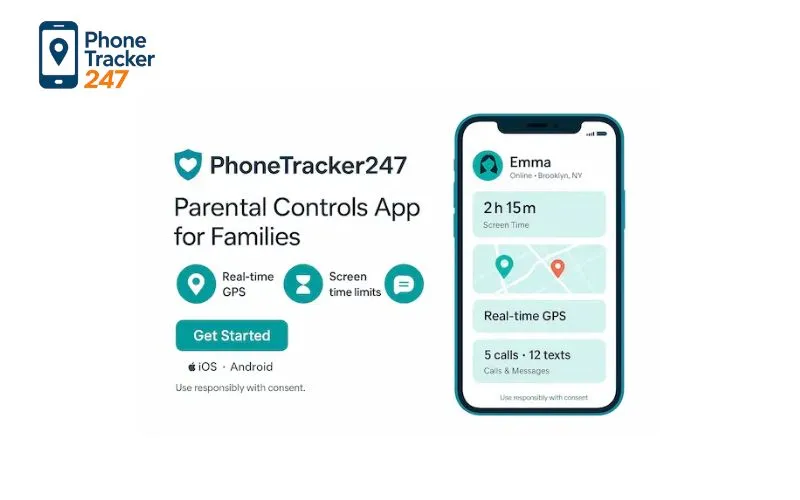
While Apple’s own ecosystem is robust, some users prefer third-party tracking applications for added features, including historical data, more detailed geofencing, or specific security options. Apps like Lookout, Prey Anti Theft, or Tile, Phone Tracker 247 can be installed beforehand and set up to offer extra layers of tracking and security.
However, the effectiveness of these apps often depends on prior installation and setup, making them less ideal for immediate tracking if they weren’t configured beforehand. They can be useful for recurring security needs or tracking multiple devices across different platforms.
If you’re considering third-party options, it’s essential to prioritize those with good reputation, robust encryption, and features that align with your needs. Remember that these apps complement but do not replace Apple’s native Find My service.
Can I Track My iPhone Without an Apple ID?
A common concern is whether it’s possible to track an iPhone without access to the associated Apple ID. Generally speaking, without the Apple ID credentials, how can I locate my iPhone becomes significantly more difficult due to security measures.
Apple’s security policies restrict third-party tools from accessing Find My services without proper authentication, which is a deliberate safeguard against malicious activities. Hence, unless you have the correct credentials, you cannot locate your iPhone through Apple’s official methods.
If you are trying to find your device but can’t access your Apple ID, your best bet is to attempt to recover your account through Apple’s account recovery system. This process involves verifying your identity, often via email or trusted phone numbers, to regain access to your account and the device’s location services.
The Importance of Keeping Your Device Internet-Connected
Most of the tracking features rely on your iPhone being online. Devices that are turned off, out of battery, or disconnected from the internet will not transmit their locations. This section emphasizes why maintaining an internet connection is crucial and how to maximize your chances of how can I locate my iPhone even in less-than-ideal circumstances.
Apple’s Find My network works best when your device can communicate with servers, enabling real-time location sharing. When offline, the device’s last known location remains visible, and features like Notify When Found can alert you when it reconnects.
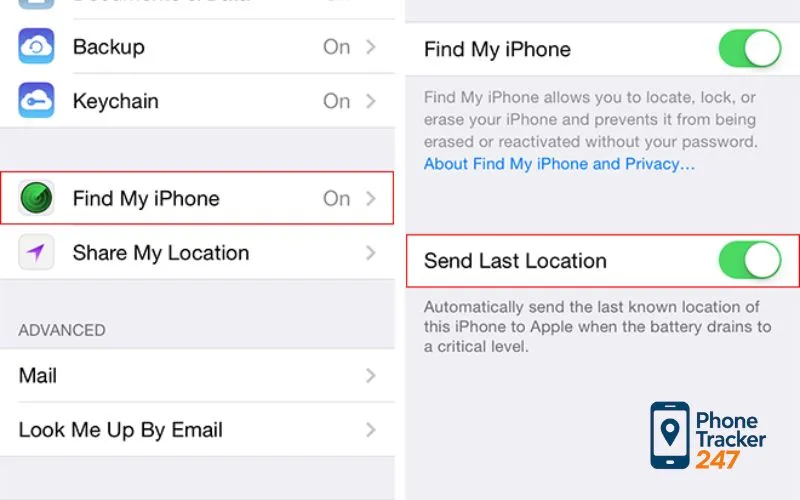
Before losing your device, it’s wise to set up the Send Last Location feature, which automatically transmits your device’s last known GPS location to Apple when the battery is critically low. This can be instrumental in gathering clues about your device’s last whereabouts.
Best Practices and Precautionary Measures When Searching for Your iPhone
Beyond the practical steps involved in tracking, there are several best practices and preemptive measures that can increase the likelihood of “how can I locate my iPhone” or prevent further loss in future situations. In this section, we’ll explore strategies to optimize your chances, improve security, and prevent similar incidents.
Enable and Test Find My iPhone Before You Lose It
Prevention remains the best strategy when it comes to device security. Setting up Find My iPhone ahead of time ensures that all your efforts to locate the device are effective when needed.
Test the feature periodically by attempting a manual location check. This confirms that your service is working properly, your device is connected, and you understand how to access the feature quickly in an emergency.
Regularly updating your Apple ID password and security settings strengthens your account’s protection against unauthorized access. It’s advisable to enable two-factor authentication for added security, making it less likely that an outsider could hijack your device remotely.
Physical Search Strategies and Common Lost Spot Considerations
While digital tools are invaluable, a thorough physical search remains a crucial part of the process. Think about the typical places you might have left your device – pockets, bags, vehicles, or common household hiding spots.
Review recent locations you visited, such as cafes, gyms, or offices. If you believe your device is nearby, use Play Sound to make it ring audibly, helping you locate it among cushions, car seats, or clutter.
Don’t forget to ask people around if they’ve seen your device. Sometimes, a simple inquiry can solve the mystery faster than tracking apps, especially in crowded public spaces.
Protect Your Data with Remote Lock and Erasure
If you’re sure your iPhone has been stolen or is unrecoverable, safeguarding your data becomes paramount. Using Find My, you can enable Lost Mode, which locks the device and displays a custom message with contact information.
In more severe cases, you can choose to wipe your device remotely, deleting all personal information from afar. This prevents potential data theft and protects your privacy, especially if banking or sensitive work-related data is stored on your device.
Contingency planning for such scenarios can mean the difference between a simple loss and an irreversible breach. Hence, having a clear plan and understanding your iPhone’s security features is vital.
The Role of Family Sharing and Location Sharing
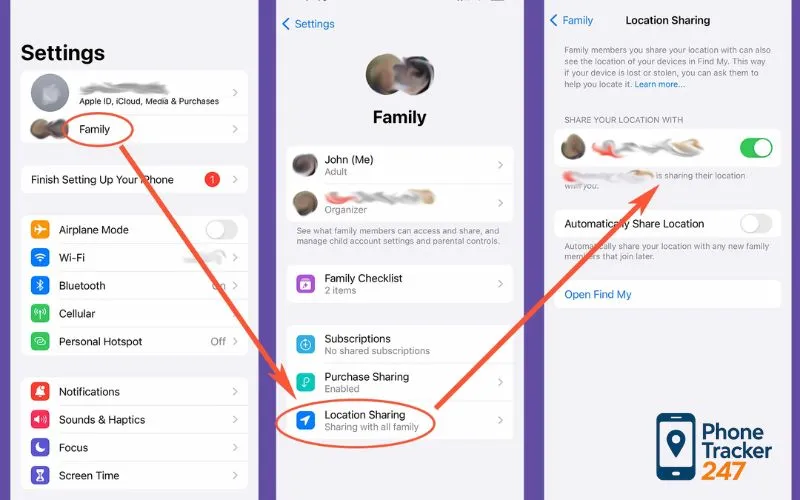
Sharing your location with trusted family members or friends can be a practical backup strategy. Apple’s Family Sharing allows multiple trusted users to see each other’s locations and assist in locating devices or person – especially useful during emergencies.
Enable Share My Location in your settings, and encourage family members to do the same. When you’re puzzled about how can I locate my iPhone of a family member, this network can be a reliable fallback for collaborative recovery efforts.
Common Questions About Tracking and Finding an iPhone
| Question | Answer | Additional Tips |
| How do I go to find my iPhone? | Log into iCloud or the Find My app and select your device to view its location. | Ensure your device is connected and has Find My enabled. |
| How can I locate my iPhone? | Use the Find My app or iCloud website, select your device, and view its location. | Use features like Play Sound if nearby. |
| How do I go to find my iPhone? | Access iCloud or the Find My app on any device to see your iPhone’s location. | Remember to sign in with your Apple ID. |
| How can I locate my iPhone? | Use the Find My app, check last known location, and customize notifications to assist in recovery. | Keep your device online for real-time tracking. |
These common questions highlight the importance of proactive setup and the accessible tools provided by Apple to secure and recover your device effectively.
FAQs: How to Locate a Lost iPhone (2026 Guide)
1. What is the fastest way to locate my iPhone?
Use Apple’s Find My to view its location and play a sound if it is nearby. Only use tracking on your own device or with clear permission.
2. How can I locate my iPhone if it is offline?
Check the last known location in Find My and turn on “Notify When Found.” The location can update automatically when the iPhone reconnects.
3. Can I locate my iPhone from a computer without another Apple device?
Yes. Sign in to iCloud on a browser and use Find Devices to locate your iPhone and take basic actions like Lost Mode.
4. What should I do first if I think my iPhone was stolen?
Enable Lost Mode immediately and add a contact message. This helps protect your data and increases the chance someone returns it.
5. Should I erase my iPhone remotely?
Erase only if you believe recovery is unlikely and your data is at risk. Keep the device in Find My so protection features remain active.
6. Why is my iPhone location not updating in Find My?
Common reasons include low battery, no signal, airplane mode, or the phone being powered off. In the meantime, rely on the last known location and alerts.
7. How can I protect my Apple Account while trying to recover the phone?
Do not share verification codes, and change your Apple ID password if you suspect compromise. Use two-factor authentication and trusted devices.
8. What settings should I enable now to make future recovery easier?
Turn on Find My iPhone, Location Services, and recovery notifications. Test Find My once so you know exactly what to do under stress.
Conclusion
The question “How can I locate my iPhone?” has clear, reliable answers – if the right tools are set up in advance. Apple’s Find My ecosystem is designed to protect both your device and your data, but it works best when users understand how it functions.
Preparation, secure account management, and familiarity with tracking features ensure that if your iPhone is ever lost, you can act quickly and confidently. With the right setup, locating your iPhone becomes a manageable process rather than a crisis.
Quick Summary Table
| Scenario | Best first move | Second move | Data protection | Result you should expect |
|---|---|---|---|---|
| iPhone is nearby (home, office, car) | Open Find My and Play Sound | Follow the map to the ping | None needed | Find it fast in minutes |
| Lost in a public place (café, taxi, school) | Check current or last known location | Turn on Notify When Found | Enable Lost Mode with a contact message | Higher chance of recovery if someone returns it |
| Suspected theft | Enable Lost Mode immediately | Contact your carrier and consider a police report | Erase only if recovery looks unlikely | Stops access and reduces risk of misuse |
| iPhone is offline or battery is dead | Check last known location | Enable Notify When Found | Keep device in Find My for Activation Lock | Location may update when it reconnects |
| You cannot sign in to Apple Account | Start account recovery and secure sign-in | Use Family Sharing help if already set | Change Apple ID password after access returns | Restores control so you can track and lock |
For users who want additional tracking support beyond Apple’s built-in tools, PhoneTracker247 offers a practical complementary solution. It helps centralize tracking information and provides added visibility when managing or locating devices. Combined with Apple’s Find My features, it allows users to stay prepared, protect their data, and respond more confidently if an iPhone goes missing.